
ઉત્પાદન ઓવરview
The iSound Twist Portable Bluetooth Wireless Speaker offers a unique design combined with superior sound quality. Its compact form factor allows for portability, while its advanced features enable wireless music streaming and hands-free calling. The speaker features full stereo sound with 6 watts total output from two 40mm drivers and a passive radiator for enhanced bass.
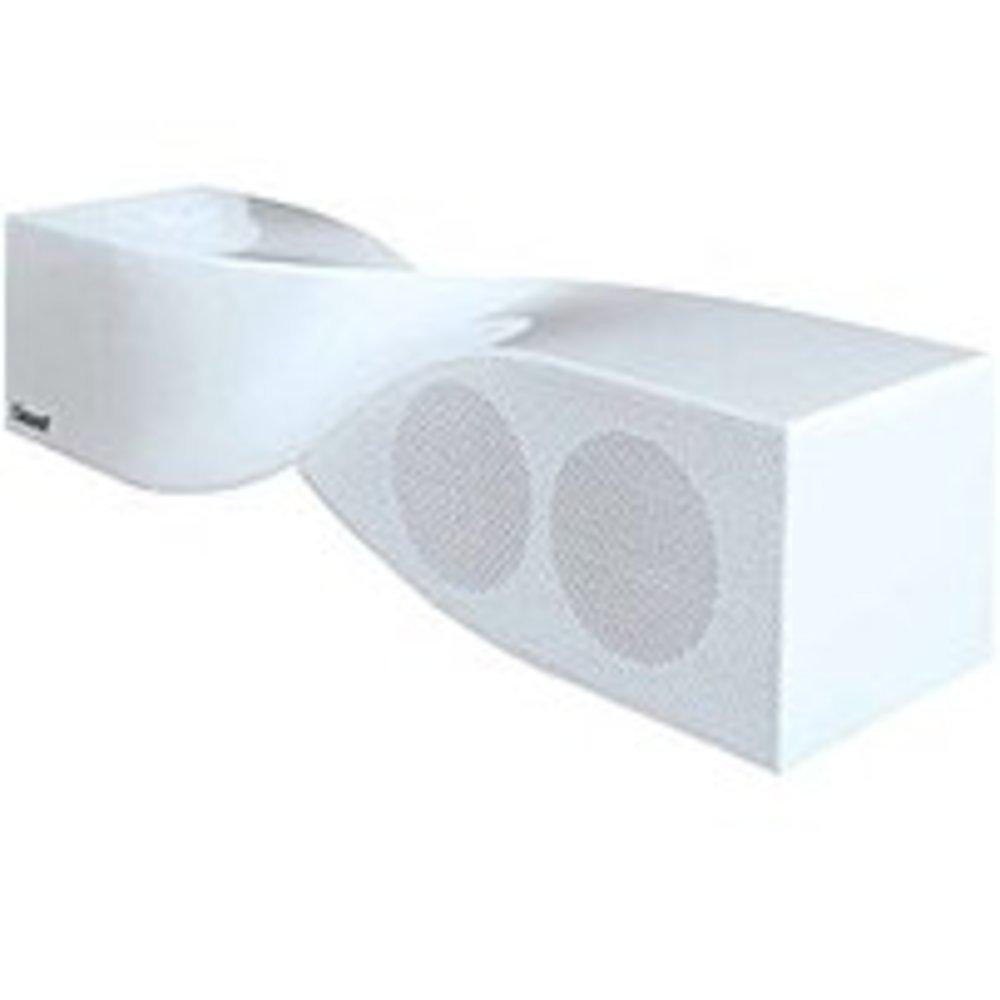
Image: The iSound Twist Portable Bluetooth Wireless Speaker in white, showcasing its unique twisted design.
પેકેજ સામગ્રી
- iSound Twist Portable Bluetooth Wireless Speaker
- યુએસબી ચાર્જિંગ કેબલ
- ૩.૫ મીમી AUX ઇનપુટ કેબલ
- વપરાશકર્તા માર્ગદર્શિકા (આ દસ્તાવેજ)
સેટઅપ
1. સ્પીકરને ચાર્જ કરવો
Before initial use, fully charge the iSound Twist speaker. Connect the provided USB charging cable to the speaker's USB charging port and the other end to a powered USB source (e.g., computer, USB wall adapter). The charging indicator light will illuminate during charging and turn off when fully charged. A full charge provides up to 5 hours of continuous play.

Image: Rear panel of the speaker, highlighting the USB charging port, ON/OFF switch, and AUX IN port.
2. પાવર ચાલુ/બંધ
Locate the ON/OFF switch on the rear panel of the speaker. Slide the switch to the "ON" position to power on the device. Slide it to the "OFF" position to power off.
3. બ્લૂટૂથ જોડી
- Ensure the speaker is powered on and within close proximity to your Bluetooth-enabled device (e.g., smartphone, tablet, laptop).
- The speaker will automatically enter Bluetooth pairing mode. A blue indicator light will flash, indicating it is discoverable.
- On your device, navigate to the Bluetooth settings and enable Bluetooth.
- માટે શોધો available devices. The iSound Twist speaker should appear in the list, typically named "iSound Twist" or similar.
- Select the speaker from the list to initiate pairing. If prompted for a password, enter "0000".
- Once successfully paired, the blue indicator light on the speaker will stop flashing and remain solid. You will hear an audible confirmation.
- Your device is now connected, and you can stream audio wirelessly.
4. AUX ઇનપુટ કનેક્શન
For devices without Bluetooth capability, or if you prefer a wired connection, use the provided 3.5mm AUX cable.
- Connect one end of the 3.5mm AUX cable to the AUX IN port on the rear of the speaker.
- Connect the other end of the cable to the headphone jack or audio output port of your audio device.
- સ્પીકર આપમેળે AUX ઇનપુટ મોડ પર સ્વિચ થશે.
ઓપરેટિંગ સૂચનાઓ
નિયંત્રણ પેનલ કાર્યો
The speaker features onboard controls located on its top surface for convenient operation.
- પાવર / મોડ બટન: Press and hold to power on/off. Short press to switch between Bluetooth and AUX modes.
- ચલાવો/થોભો/કોલ બટન: Short press to play or pause music. During an incoming call, short press to answer or end the call. Press and hold to reject an incoming call.
- વોલ્યુમ વધારો/આગલો ટ્રેક બટન: Short press to increase volume. Press and hold to skip to the next track.
- વોલ્યુમ ડાઉન/પાછલું ટ્રેક બટન: Short press to decrease volume. Press and hold to go to the previous track.
હેન્ડ્સ-ફ્રી કૉલિંગ
When connected via Bluetooth, the iSound Twist speaker's built-in microphone allows for hands-free phone calls.
- કૉલનો જવાબ આપવો: When a call comes in, the music will pause. Press the Play/Pause/Call button once to answer.
- કૉલ સમાપ્ત: During a call, press the Play/Pause/Call button once to end the call.
- કૉલનો અસ્વીકાર: Press and hold the Play/Pause/Call button to reject an incoming call.
જાળવણી
- સ્પીકરને પાણી, ભેજ અને અતિશય તાપમાનથી દૂર રાખો.
- સ્પીકરને નરમ, સૂકા કપડાથી સાફ કરો. ઘર્ષક ક્લીનર્સ અથવા સોલવન્ટનો ઉપયોગ કરશો નહીં.
- સ્પીકરને મજબૂત અસરમાં મૂકવા અથવા તેને આધીન કરવાનું ટાળો.
- જ્યારે લાંબા સમય સુધી ઉપયોગમાં ન હોય, ત્યારે સ્પીકરને ઠંડી, સૂકી જગ્યાએ સંગ્રહિત કરો અને બેટરીની તંદુરસ્તી જાળવવા માટે સમયાંતરે તેને ચાર્જ કરો.
મુશ્કેલીનિવારણ
| સમસ્યા | ઉકેલ |
|---|---|
| સ્પીકર ચાલુ થતો નથી. | Ensure the battery is charged. Connect the speaker to a power source using the USB cable and try again. |
| બ્લૂટૂથ દ્વારા જોડી બનાવી શકાતી નથી. |
|
| કોઈ અવાજ નથી કે ઓછો અવાજ નથી. |
|
| કોલ ગુણવત્તા નબળી છે. |
|
વિશિષ્ટતાઓ
| લક્ષણ | વિગત |
|---|---|
| મોડેલનું નામ | ISOUND-1691 |
| બ્રાન્ડ | iSound |
| સ્પીકરનો પ્રકાર | ટાવર |
| ખાસ લક્ષણ | બિલ્ટ ઇન માઇક્રોફોન |
| ભલામણ કરેલ ઉપયોગો | For Smartphones or Tablets, Music Players |
| સુસંગત ઉપકરણો | ડેસ્કટોપ, લેપટોપ, એમપી3 પ્લેયર, પ્રોજેક્ટર, સ્માર્ટફોન, ટેબ્લેટ, ટેલિવિઝન |
| સરાઉન્ડ સાઉન્ડ ચેનલ કન્ફિગરેશન | 2.0 |
| રંગ | સફેદ |
| વસ્તુનું વજન | 13.6 ઔંસ |
| વોટરપ્રૂફ છે | ખોટું |
| વાયરલેસ કોમ્યુનિકેશન ટેકનોલોજી | બ્લૂટૂથ |
| સ્પીકરનું કદ | 0.75 ઇંચ |
| પાવર સ્ત્રોત | બેટરી સંચાલિત |
| બેટરીની સંખ્યા | 1 લિથિયમ આયન બેટરી જરૂરી છે. (સમાવેલ) |
| ઓડિયો ડ્રાઈવર પ્રકાર | ડાયનેમિક ડ્રાઈવર |
| ઑડિઓ ડ્રાઇવરનું કદ | 40 મિલીમીટર |
| ઉત્પાદન પરિમાણો | 5 x 4 x 11.75 ઇંચ |
| સ્પીકર મહત્તમ આઉટપુટ પાવર | 6 વોટ્સ |
| કનેક્ટિવિટી ટેકનોલોજી | વાયરલેસ |
| ઓડિયો આઉટપુટ મોડ | સ્ટીરિયો |
| માઉન્ટિંગ પ્રકાર | ટેબલટોપ માઉન્ટ |
સત્તાવાર ઉત્પાદન વિડિઓ
Video: Official product video for the iSound Twist Bluetooth Speaker, demonstrating its features and design. This video showcases the speaker's ability to stream audio from various devices and handle calls.
વોરંટી અને આધાર
The iSound Twist Portable Bluetooth Wireless Speaker comes with a મર્યાદિત વોરંટી. For specific warranty terms, conditions, and support inquiries, please refer to the warranty card included in your product packaging or visit the official iSound webસાઇટ
For further assistance, please contact iSound customer support.