
1. પરિચય
Thank you for choosing the Tripp Lite SMART1500RM2UN Uninterruptible Power Supply (UPS) System. This device is designed to provide reliable battery backup and comprehensive AC power protection for your critical electronic equipment, safeguarding against blackouts, brownouts, surges, and line noise. The SMART1500RM2UN features a line-interactive sine wave output and a pre-installed SNMPWebCard for advanced network management. Please read this manual thoroughly before installation and operation to ensure proper use and maximum performance.
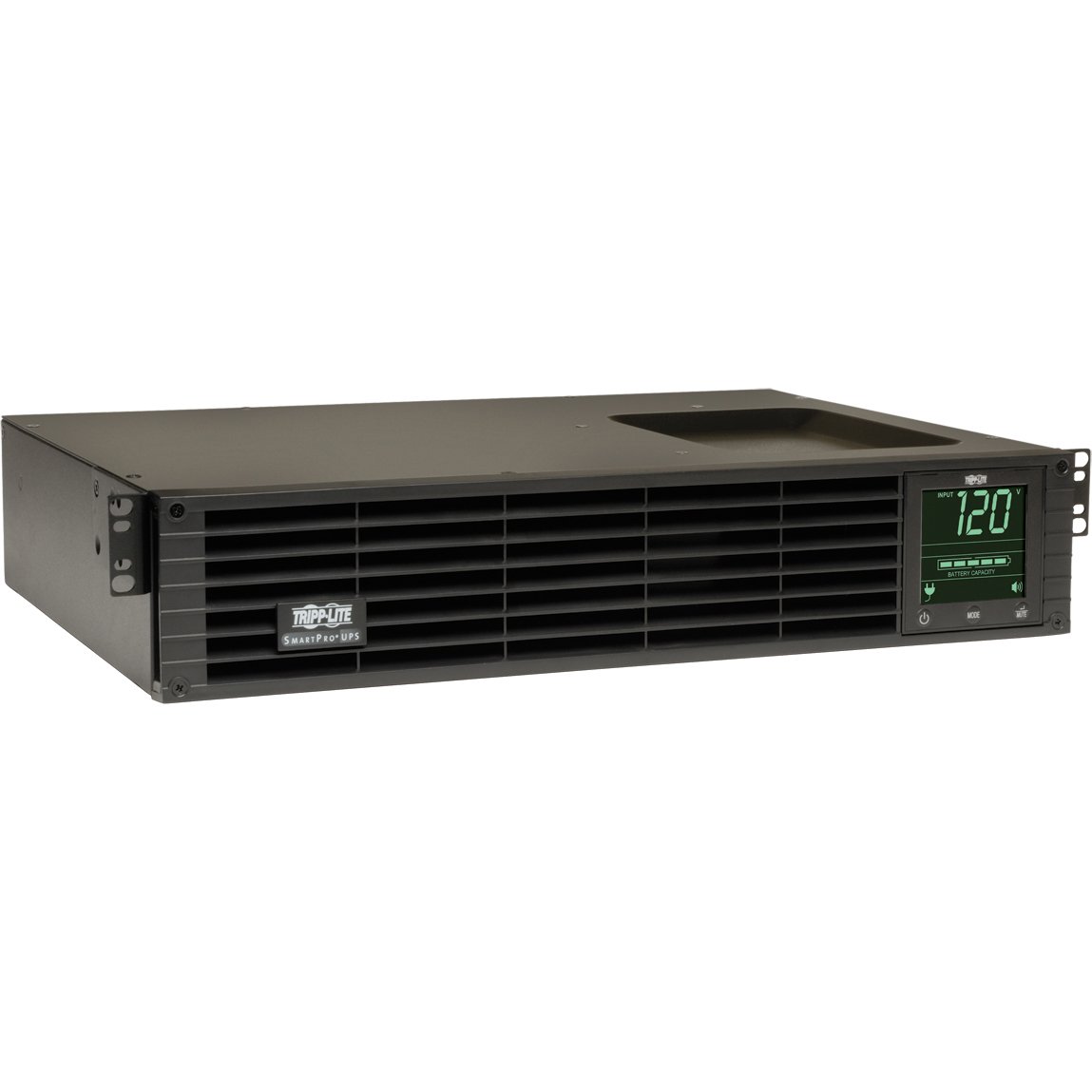
છબી 1: આગળ view of the Tripp Lite SMART1500RM2UN UPS System, showing the display panel and power outlets.
2. મહત્વપૂર્ણ સલામતી માહિતી
Please observe the following safety precautions to prevent injury and damage to the UPS or connected equipment:
- ઇલેક્ટ્રિકલ સલામતી: Connect the UPS to a properly grounded AC power outlet. Do not remove the grounding prong.
- બેટરી સલામતી: The UPS contains internal batteries. Do not attempt to service the batteries yourself. Refer battery replacement to qualified service personnel. Batteries can present a risk of electrical shock and high short-circuit current.
- પર્યાવરણ: Install the UPS in a controlled environment, away from excessive moisture, heat, or dust. Ensure adequate ventilation around the unit.
- ઓવરલોડ: Do not overload the UPS. Ensure the total current draw of connected equipment does not exceed the UPS's capacity.
- ઇમર્જન્સી ડિસ્કનેક્ટ: The UPS has a main power switch. In an emergency, turn off the UPS and disconnect it from the AC power source.
3. પેકેજ સામગ્રી
ખાતરી કરો કે બધી વસ્તુઓ તમારા પેકેજમાં હાજર છે:
- Tripp Lite SMART1500RM2UN UPS System
- ઇનપુટ પાવર કોર્ડ
- Mounting Hardware (for rackmount and tower configurations)
- યુએસબી કેબલ
- Serial (DB9) Cable
- દસ્તાવેજીકરણ (વપરાશકર્તા માર્ગદર્શિકા, વોરંટી માહિતી)
4. ઉત્પાદન સુવિધાઓ
The SMART1500RM2UN UPS System offers the following key features:
- ક્ષમતા: 1.5kVA / 1.35kW power capacity.
- આઉટપુટ વેવફોર્મ: Line-interactive sine wave output for compatibility with sensitive electronics.
- પાવર પ્રોટેક્શન: Guards against blackouts, brownouts, surges, and line noise.
- આઉટલેટ્સ: 8 NEMA 5-15R outlets for connecting equipment.
- નેટવર્ક મેનેજમેન્ટ: Pre-installed SNMPWebCard for remote monitoring and control via network.
- માઉન્ટ કરવાના વિકલ્પો: Versatile 2U rackmount or tower configuration.
- સ્વચાલિત વોલ્યુમtage રેગ્યુલેશન (AVR): બ્રાઉનઆઉટ અને ઓવરવોલ સુધારે છેtages without using battery power.
- Hot-Swappable Batteries: Allows for battery replacement without powering down connected equipment.
5. સેટઅપ
5.1 અનપેકિંગ અને નિરીક્ષણ
- Carefully unpack the UPS and its accessories.
- Inspect the unit for any shipping damage. If damage is found, do not operate the unit and contact your dealer.
5.2 Mounting the UPS
The SMART1500RM2UN can be installed in a 2U rackmount space or as a tower unit.
- રેકમાઉન્ટ ઇન્સ્ટોલેશન: Use the included rackmount hardware to secure the UPS in a standard 19-inch rack. Ensure proper airflow.
- ટાવર ઇન્સ્ટોલેશન: Attach the included tower stands to the bottom of the UPS for stable vertical placement.
5.3 બેટરી કનેક્શન
The UPS ships with the internal batteries disconnected to prevent discharge during transit. Before initial use, connect the batteries:
- Refer to the specific instructions in the full manual for accessing the battery compartment.
- Connect the battery cables as indicated. Ensure a secure connection.
5.4 કનેક્ટિંગ ઇક્વિપમેન્ટ
- Plug the UPS input power cord into a grounded AC outlet.
- Connect your critical equipment (servers, network devices, etc.) to the 8 NEMA 5-15R outlets on the rear of the UPS.
- For network management, connect an Ethernet cable to the SNMPWebCard port.
- For direct communication, connect the USB or serial cable to your computer.
૪. યુપીએસનું સંચાલન
૫.૧ પ્રારંભિક પાવર-અપ
- After connecting the batteries and equipment, press and hold the power button on the front panel for a few seconds until the UPS powers on.
- The UPS will perform a self-test. The front panel display will show status information.
- Allow the UPS to charge for at least 24 hours before relying on its full battery runtime.
6.2 ફ્રન્ટ પેનલ સૂચકાંકો
The front panel LCD provides real-time status information, including input voltage, આઉટપુટ વોલ્યુમtage, battery charge level, load percentage, and operational mode (Online, On Battery, AVR).
6.3 પાવરિંગ ચાલુ/બંધ
- પાવર ચાલુ કરવા માટે: Press and hold the power button until the UPS activates.
- પાવર ઓફ કરવા માટે: Press and hold the power button until the UPS shuts down. Ensure all connected equipment is safely powered off first.
6.4 SNMPWebકાર્ડ ઓપરેશન
The pre-installed SNMPWebCard allows for remote monitoring and management of the UPS over a network. Access the card's web દ્વારા ઈન્ટરફેસ a web browser using its assigned IP address. Refer to the SNMPWebCard documentation for detailed configuration and usage instructions.
7. જાળવણી
7.1 બેટરી રિપ્લેસમેન્ટ
UPS batteries typically last 3-5 years under normal operating conditions. When batteries reach the end of their service life, the UPS will indicate a battery fault. The SMART1500RM2UN supports hot-swappable battery modules. Always use Tripp Lite approved replacement batteries. Refer to the full manual for detailed battery replacement procedures or contact qualified service personnel.
7.2 સફાઈ
Periodically clean the exterior of the UPS with a soft, dry cloth. Do not use liquid or aerosol cleaners. Ensure ventilation openings are free from dust and obstructions.
7.3 સંગ્રહ
If storing the UPS for an extended period, ensure the batteries are fully charged. Recharge the batteries every 3-6 months to prevent permanent damage. Store the unit in a cool, dry place.
8. મુશ્કેલીનિવારણ
This section addresses common issues you might encounter with your UPS. For more complex problems, contact Tripp Lite technical support.
| સમસ્યા | સંભવિત કારણ | ઉકેલ |
|---|---|---|
| યુપીએસ ચાલુ થતું નથી | Battery cables disconnected; No AC input power; UPS fault. | Ensure battery cables are securely connected. Check AC input power. Contact support if fault persists. |
| UPS સતત બીપ કરે છે | On battery mode; Overload; Battery fault. | Check AC input. Reduce load. Check battery status on LCD. |
| કનેક્ટેડ ઉપકરણો શક્તિ ગુમાવે છે | UPS battery depleted; UPS overloaded; UPS fault. | Allow UPS to recharge. Reduce load. Contact support. |
| SNMPWebCard not accessible | Network configuration issue; Card fault. | Verify network cable connection and IP settings. Consult SNMPWebCard manual. |
9. સ્પષ્ટીકરણો
Key technical specifications for the SMART1500RM2UN UPS System:
| લક્ષણ | સ્પષ્ટીકરણ |
|---|---|
| મોડલ નંબર | SMART1500RM2UN |
| બ્રાન્ડ | ટ્રીપ લાઇટ |
| ભાગtage | 120 વોલ્ટ |
| વસ્તુનું વજન | 46.08 પાઉન્ડ |
| કુલ પાવર આઉટલેટ્સ | 8 |
| વાટtage | 1000 વોટ |
| આઇટમના પરિમાણો (LxWxH) | 17.48 x 13.5 x 3.5 ઇંચ |
| યુપીસી | 037332178237 |
| ASIN | B00BCFLYF2 |
10. વોરંટી અને સપોર્ટ
Tripp Lite products are backed by a limited warranty. Please refer to the warranty card included with your product or visit the official Tripp Lite website for detailed warranty terms and conditions. For technical assistance, troubleshooting, or service inquiries, please contact Tripp Lite customer support.
Tripp Lite Contact Information:
Webસાઇટ: www.tripplite.com
Support: Refer to the website for regional contact numbers and online support resources.