
1. પરિચય
This manual provides essential instructions for the safe and efficient operation of your COMISO Portable Wireless Bluetooth Speaker U832. Please read this manual thoroughly before using the product and retain it for future reference.
2. ઉત્પાદન ઓવરview
The COMISO U832 is a compact and portable wireless Bluetooth speaker designed for high-definition audio playback and hands-free calling. It features a durable construction and versatile connectivity options.

આકૃતિ 2.1: ફ્રન્ટ view of the COMISO U832 Portable Wireless Bluetooth Speaker.

આકૃતિ 2.2: ઓવરview of the COMISO U832 speaker, highlighting its compact dimensions (60.4mm x 90mm x 31.1mm) and key features such as CSR 4.0 Bluetooth, 5W driver, built-in microphone, 5-hour playing time, A2DP support, 33-feet range, IP67 waterproof rating, and dustproof design.
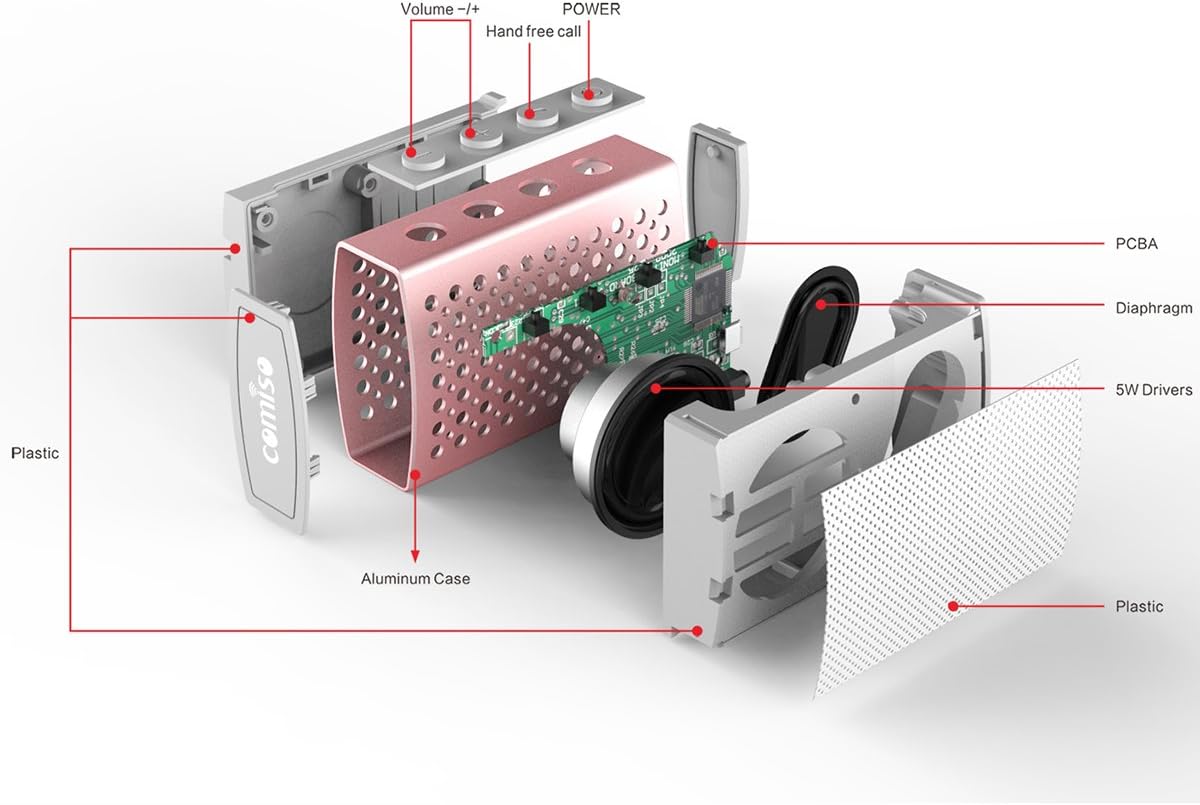
આકૃતિ 2.3: વિસ્ફોટ થયો view illustrating the internal components of the COMISO U832 speaker, including the aluminum case, PCBA (Printed Circuit Board Assembly), diaphragm, 5W drivers, and plastic housing. Control buttons for Volume -/+, Hand-free call, and Power are also visible.
3. લક્ષણો
- પોર્ટેબલ ડિઝાઇન: સરળ પરિવહન માટે કોમ્પેક્ટ અને હલકો.
- વાયરલેસ બ્લૂટૂથ કનેક્ટિવિટી: Seamless audio streaming from compatible devices.
- બિલ્ટ-ઇન માઇક્રોફોન: હેન્ડ્સ-ફ્રી કૉલિંગ સક્ષમ કરે છે.
- AUX લાઇન-ઇન: વાયર્ડ ઓડિયો કનેક્શન માટે.
- HD Sound and Bass: Optimized audio performance.
- IP67 વોટરપ્રૂફ અને ડસ્ટપ્રૂફ: Provides protection against water immersion and dust ingress.
- 5W Speaker Output: સ્પષ્ટ અને શક્તિશાળી અવાજ પહોંચાડે છે.
- લાંબી બેટરી જીવન: એક જ ચાર્જ પર 5 કલાક સુધીનો પ્લેબેક.
4. સેટઅપ
૩.૧ સ્પીકરને ચાર્જ કરવું
Before initial use, fully charge the speaker. Connect the provided USB charging cable to the speaker's charging port and the other end to a USB power adapter (not included) or a computer's USB port. The charging indicator light will illuminate during charging and turn off when fully charged.

Figure 4.1: The COMISO U832 speaker connected for charging and AUX audio input.
4.2 બ્લૂટૂથ પેરિંગ
- ખાતરી કરો કે સ્પીકર સંપૂર્ણપણે ચાર્જ થયેલ છે.
- Press and hold the Power button on the speaker until you hear an audible prompt and the Bluetooth indicator light begins to flash, indicating it is in pairing mode.
- On your mobile device, navigate to the Bluetooth settings and enable Bluetooth.
- માટે શોધો available devices. Select "COMISO U832" from the list.
- Once paired, the speaker will emit an audible confirmation, and the Bluetooth indicator light will stop flashing and remain solid.
The speaker will automatically attempt to reconnect to the last paired device when powered on, if the device is within range and has Bluetooth enabled.
.4.3..XNUMX AUક્સ કનેક્શન
To connect a device without Bluetooth, use a 3.5mm audio cable (not included). Insert one end of the cable into the speaker's AUX input port and the other end into the audio output jack of your device. The speaker will automatically switch to AUX mode.
5. ઓપરેટિંગ સૂચનાઓ
5.1 પાવર ચાલુ/બંધ
- પાવર ચાલુ: પાવર બટનને લગભગ 3 સેકન્ડ માટે દબાવી રાખો.
- પાવર બંધ: પાવર બટનને લગભગ 3 સેકન્ડ માટે દબાવી રાખો.
5.2 વોલ્યુમ નિયંત્રણ
- વોલ્યુમ વધારો: '+' બટન દબાવો.
- વોલ્યુમ ઘટાડો: '-' બટન દબાવો.
5.3 Playback Control (Bluetooth Mode)
- ચલાવો/થોભો: Press the Play/Pause button (often integrated with the hands-free call button).
- આગળનો ટ્રેક: '+' બટન દબાવો અને પકડી રાખો.
- પાછલો ટ્રેક: '-' બટન દબાવો અને પકડી રાખો.
5.4 હેન્ડ્સ-ફ્રી કૉલિંગ
બ્લૂટૂથ દ્વારા કનેક્ટ થવા પર, સ્પીકરનો બિલ્ટ-ઇન માઇક્રોફોન હેન્ડ્સ-ફ્રી કૉલ્સની મંજૂરી આપે છે.
- કૉલનો જવાબ આપો: Press the Hands-free Call button once.
- કૉલ સમાપ્ત કરો: Press the Hands-free Call button once during a call.
- કૉલ નકારો: Press and hold the Hands-free Call button for approximately 2 seconds.
6. જાળવણી
- સ્પીકરને નરમ, સૂકા કપડાથી સાફ કરો. ઘર્ષક ક્લીનર્સ અથવા સોલવન્ટનો ઉપયોગ કરશો નહીં.
- લાંબા સમય સુધી સ્પીકરને અતિશય તાપમાન અથવા સીધા સૂર્યપ્રકાશમાં લાવવાનું ટાળો.
- જ્યારે ઉપયોગમાં ન હોય ત્યારે સ્પીકરને ઠંડી, સૂકી જગ્યાએ સ્ટોર કરો.
- Ensure the charging port cover is securely closed to maintain IP67 water and dust resistance.
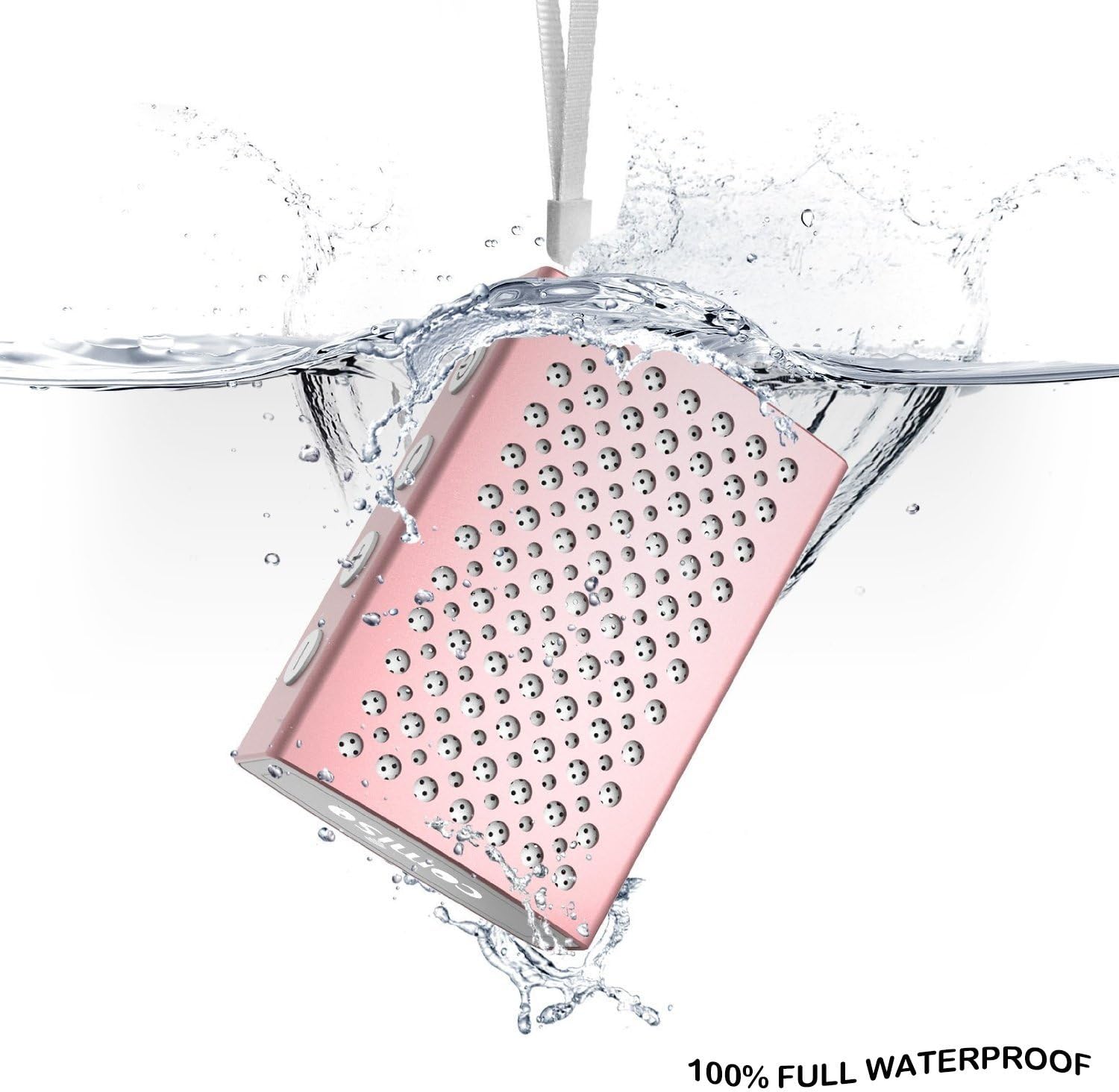
Figure 6.1: The COMISO U832 speaker demonstrating its 100% full waterproof capability, suitable for use in wet environments.
7. મુશ્કેલીનિવારણ
| સમસ્યા | સંભવિત કારણ | ઉકેલ |
|---|---|---|
| સ્પીકર ચાલુ થતો નથી. | ઓછી બેટરી. | સ્પીકરને સંપૂર્ણ ચાર્જ કરો. |
| બ્લૂટૂથ દ્વારા જોડી બનાવી શકાતી નથી. | સ્પીકર પેરિંગ મોડમાં નથી; ડિવાઇસ બ્લૂટૂથ બંધ છે; સ્પીકરથી ખૂબ દૂર છે. | Ensure speaker is in pairing mode (flashing light). Turn on Bluetooth on your device. Move device closer to speaker (within 33 feet). |
| કોઈ અવાજ નથી. | વૉલ્યૂમ ખૂબ ઓછું છે; ખોટો ઇનપુટ મોડ; ડિવાઇસ ઑડિઓ વગાડી રહ્યું નથી. | Increase speaker and device volume. Check if speaker is in correct mode (Bluetooth/AUX). Ensure audio is playing on your device. |
| નબળી અવાજ ગુણવત્તા અથવા ડિસ્કનેક્શન. | હસ્તક્ષેપ; ઉપકરણ ખૂબ દૂર; ઓછી બેટરી. | સ્પીકરને ઉપકરણની નજીક ખસેડો. અવરોધો ટાળો. સ્પીકર ચાર્જ કરો. |
8. સ્પષ્ટીકરણો
| લક્ષણ | વિગત |
|---|---|
| બ્રાન્ડ | કોમિસો |
| મોડલ નંબર | U832 |
| કનેક્ટિવિટી ટેકનોલોજી | બ્લૂટૂથ, સહાયક |
| સ્પીકર મહત્તમ આઉટપુટ પાવર | 5 વોટ્સ |
| પાવર સ્ત્રોત | બેટરી સંચાલિત |
| નિયંત્રણ પદ્ધતિ | સ્પર્શ |
| ઉત્પાદન પરિમાણો | 4.9 x 3.9 x 2.1 ઇંચ |
| વસ્તુનું વજન | ૫.૧૨ ઔંસ (આશરે ૧૪૫ ગ્રામ) |
| ખાસ લક્ષણો | Built-in Microphone, Portable, IP67 Waterproof |
| યુપીસી | 742920066987 |
9. વોરંટી અને સપોર્ટ
For warranty information or technical support, please refer to the documentation included with your purchase or visit the official COMISO webસાઇટ. વોરંટી દાવાઓ માટે તમારી ખરીદીનો પુરાવો રાખો.
10. સલામતી માહિતી
- સ્પીકરને ડિસએસેમ્બલ, રિપેર અથવા સંશોધિત કરશો નહીં.
- Keep the speaker away from heat sources, direct sunlight, and sharp objects.
- Do not expose the speaker to fire or extreme temperatures.
- ફક્ત ઉલ્લેખિત ચાર્જિંગ વોલ્યુમનો ઉપયોગ કરોtage અને વર્તમાન.
- બાળકોની પહોંચથી દૂર રાખો.