
પરિચય
This manual provides detailed instructions for the setup, operation, maintenance, and troubleshooting of your Pabobo Kid Sleep Alarm Clock, model KS0031. Please read this manual thoroughly before using the product to ensure proper function and safety.
The Pabobo Kid Sleep Alarm Clock is designed to help children learn to tell time and establish healthy sleep routines. It features both digital and analog time displays, a visual sleep/wake indicator, and customizable alarm sounds.
સલામતી માહિતી
- ઉપકરણને પાણી અને ભેજથી દૂર રાખો.
- આત્યંતિક તાપમાન અથવા સીધો સૂર્યપ્રકાશનો સંપર્ક કરશો નહીં.
- ફક્ત ઉલ્લેખિત બેટરી પ્રકારનો ઉપયોગ કરો. બેટરી નાખતી વખતે યોગ્ય ધ્રુવીયતાની ખાતરી કરો.
- બેટરીઓને નાના બાળકોની પહોંચથી દૂર રાખો.
- ડિવાઇસને જાતે ડિસએસેમ્બલ કરવાનો કે રિપેર કરવાનો પ્રયાસ કરશો નહીં. જો સમસ્યા ઊભી થાય તો સપોર્ટનો સંપર્ક કરો.
- આ ઉત્પાદન માત્ર ઇન્ડોર ઉપયોગ માટે બનાવાયેલ છે.
ઉત્પાદન ઓવરview
The Pabobo Kid Sleep Alarm Clock combines an analog clock, a digital display, and a visual sleep/wake indicator to assist children in understanding time and sleep cycles.

આકૃતિ 1: આગળ view of the Pabobo Kid Sleep Alarm Clock.
મુખ્ય લક્ષણો:
- ડ્યુઅલ ટાઈમ ડિસ્પ્લે: Features both an analog clock face and a digital time display for easy learning.
- સ્લીપ ટ્રેનર: A visual indicator (sleeping child / awake child) helps children understand when it's time to sleep and when it's okay to wake up.
- પ્રગતિશીલ એલાર્મ: Three selectable alarm sounds (chirping birds, cuckoo, train) that increase in volume.
- સ્નૂઝ ફંક્શન: Press the large button on the top for a two-minute snooze and a temporary backlight.
- નાઇટ લાઇટ: A mini night light emits a reassuring glow.
સેટઅપ
1. બેટરી ઇન્સ્ટોલેશન
The clock operates on one battery, which is included. To install or replace the battery:
- ઘડિયાળના પાછળના ભાગમાં બેટરીનો ડબ્બો શોધો.
- બેટરી કમ્પાર્ટમેન્ટ કવર ખોલો.
- Insert the battery, ensuring correct polarity (+/-).
- બેટરી કમ્પાર્ટમેન્ટ કવર સુરક્ષિત રીતે બંધ કરો.

આકૃતિ 2: પાછળ view with battery compartment and controls.
2. સમય સુયોજિત
To set the current time on your alarm clock:
- Use the time setting knob (usually located on the back) to adjust the analog hands to the correct time.
- The digital display will synchronize or can be set separately using dedicated buttons (refer to specific button labels on the back, e.g., "SET" buttons).
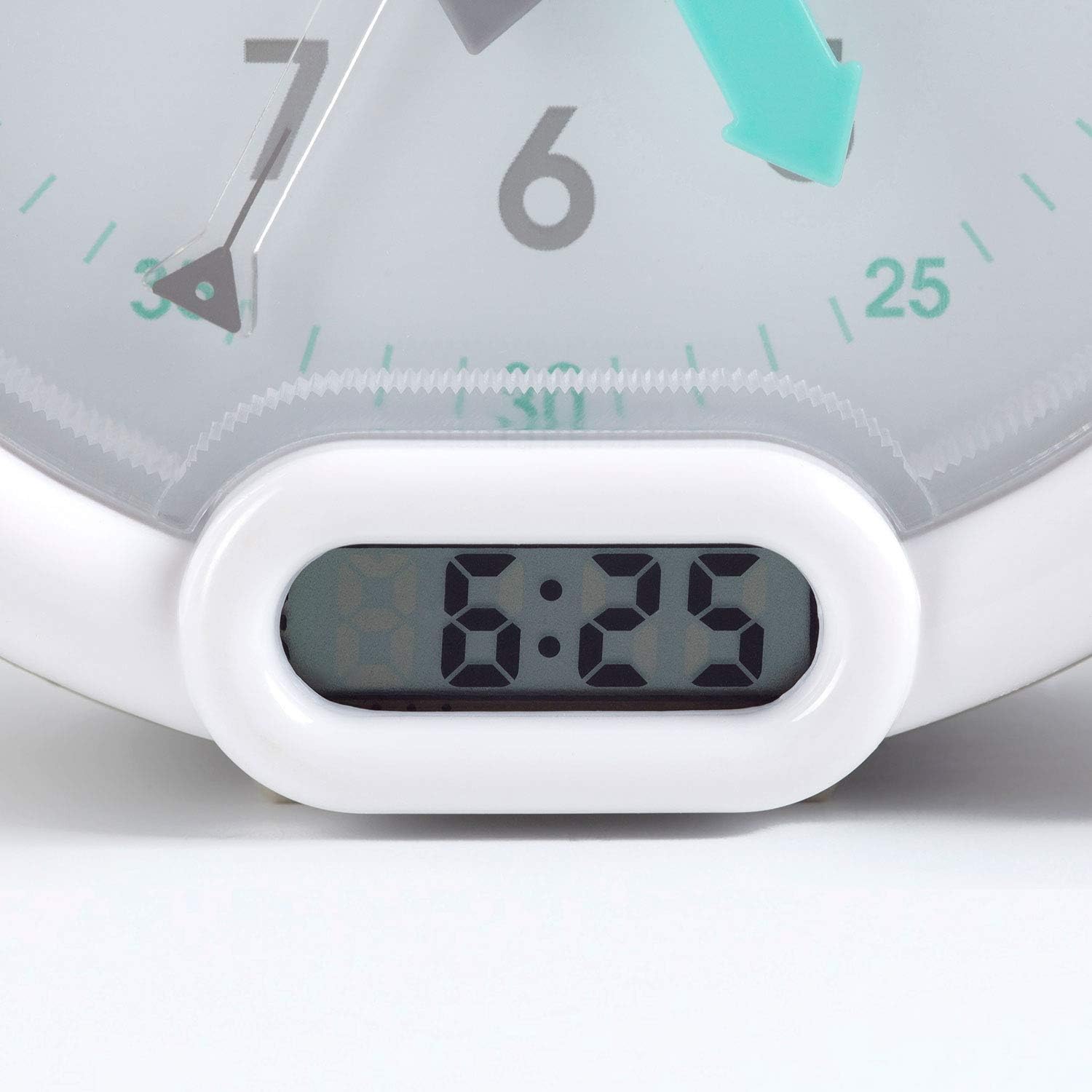
આકૃતિ 3: Digital time display.
ઓપરેટિંગ સૂચનાઓ
1. એલાર્મ સુયોજિત કરી રહ્યા છે
The alarm can be set to one of three sounds: chirping birds, cuckoo, or train. The alarm volume increases progressively.
- Locate the alarm setting controls on the back of the clock.
- Adjust the alarm time using the designated knob or buttons.
- Select your preferred alarm sound using the sound selection switch.
- Ensure the alarm is activated (ON position).
2. Using the Sleep Trainer
The sleep trainer feature visually indicates when it's time to sleep and when it's time to wake up.
- Sleeping Child Lit: When the image of the sleeping child is lit, it indicates that children should remain in bed and continue sleeping.
- Awake Child Lit: When the image of the awake child is lit, it signals that it is time to wake up.

આકૃતિ 4: Sleep indicator (sleeping child).

આકૃતિ 5: Awake indicator (awake child).
The sleep/wake times for this indicator are typically set independently from the alarm time, using specific controls on the back of the clock.
3. Snooze and Backlight Function
Press the large button on the top of the clock to activate the snooze function for two minutes. This button also provides a short glowing light, allowing the child to see the time during the night.

આકૃતિ 6: Clock with backlight activated.
જાળવણી
- સફાઈ: ઘડિયાળને નરમ, સૂકા કપડાથી સાફ કરો. ઘર્ષક ક્લીનર્સ અથવા સોલવન્ટનો ઉપયોગ કરશો નહીં.
- બેટરી રિપ્લેસમેન્ટ: Replace the battery when the display dims or the alarm function becomes unreliable. Dispose of used batteries responsibly.
- સંગ્રહ: જો ઘડિયાળને લાંબા સમય સુધી સંગ્રહિત કરી રહ્યા હોવ, તો લીકેજ અટકાવવા માટે બેટરી કાઢી નાખો.
મુશ્કેલીનિવારણ
| સમસ્યા | સંભવિત કારણ | ઉકેલ |
|---|---|---|
| Clock not turning on / display blank. | બેટરી મરી ગઈ છે અથવા ખોટી રીતે ઇન્સ્ટોલ કરેલી છે. | Check battery polarity. Replace battery. |
| એલાર્મ વાગતું નથી. | Alarm not set or turned off. Low battery. | Ensure alarm is set and activated. Replace battery. |
| Sleep/wake indicator not changing. | Incorrect sleep/wake time settings. | Verify and adjust the sleep/wake indicator settings. |
| Clock makes clicking noise. | Mechanical movement noise (common for analog clocks). | This may be normal for the analog mechanism. If excessively loud or new, contact support. |
વિશિષ્ટતાઓ
| બ્રાન્ડ: | પબોબો |
| મોડલ નંબર: | KS0031 |
| રંગ: | ગ્રે |
| ડિસ્પ્લે પ્રકાર: | એનાલોગ, ડિજિટલ |
| ઉત્પાદન પરિમાણો: | ૨.૩૬"પગ x ૪.૦૬"પગ |
| પાવર સ્ત્રોત: | Battery Powered (1 battery included) |
| સામગ્રી: | પ્લાસ્ટિક |
| માઉન્ટ કરવાનો પ્રકાર: | ડેસ્કટોપ માઉન્ટ |
| વસ્તુનું વજન: | ૧.૬૨ ઔંસ (૦.૧ પાઉન્ડ) |
| વિશેષ લક્ષણ: | Adjustable, Backlit, Sleep Trainer |
વોરંટી માહિતી
This Pabobo Kid Sleep Alarm Clock comes with a આજીવન વોરંટી. For details regarding warranty claims and coverage, please refer to the official Pabobo webસાઇટ અથવા ગ્રાહક સપોર્ટનો સંપર્ક કરો.
ગ્રાહક આધાર
If you encounter any issues or have questions not covered in this manual, please contact Pabobo customer support for assistance.
- Supportનલાઇન સપોર્ટ: Visit the official Pabobo webવારંવાર પૂછાતા પ્રશ્નો અને સંપર્ક વિકલ્પો માટેની સાઇટ.
- ઈમેલ: [Insert Pabobo Support Email Here, if available]
- ફોન: [Insert Pabobo Support Phone Number Here, if available]
Please have your model number (KS0031) and purchase information ready when contacting support.