
પરિચય
This manual provides instructions for the proper setup, operation, and maintenance of your Targus W600 Wireless Optical Mouse. Please read this manual thoroughly before using the device to ensure optimal performance and longevity.
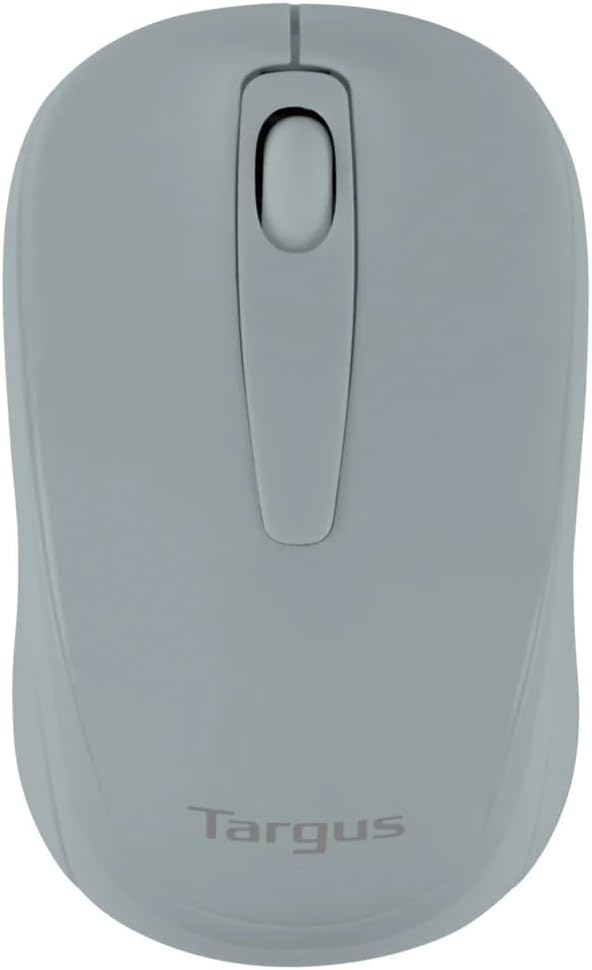
Figure 1: Targus W600 Wireless Optical Mouse (Quarry Gray)
પેકેજ સામગ્રી
ખાતરી કરો કે બધી વસ્તુઓ પેકેજમાં હાજર છે:
- Targus W600 Wireless Optical Mouse
- યુએસબી રીસીવર
- વપરાશકર્તા માર્ગદર્શિકા (આ દસ્તાવેજ)
Note: 1 AA battery is required and sold separately.
ઉત્પાદન લક્ષણો
- 2.4 GHz Wireless Technology for reliable connection
- 1600 DPI Optical Sensor for precise tracking
- આરામદાયક ઉપયોગ માટે અર્ગનોમિક્સ ડિઝાઇન
- વિન્ડોઝ અને મેક ઓપરેટિંગ સિસ્ટમ સાથે સુસંગત
- Integrated USB receiver storage compartment
સેટઅપ
1. બેટરી ઇન્સ્ટોલ કરી રહ્યું છે
- Turn the mouse over to locate the battery compartment cover.
- Gently slide the cover off.
- યોગ્ય ધ્રુવીયતા (+/-) સુનિશ્ચિત કરીને, એક (1) AA બેટરી દાખલ કરો.
- બેટરી કમ્પાર્ટમેન્ટ કવર બદલો.
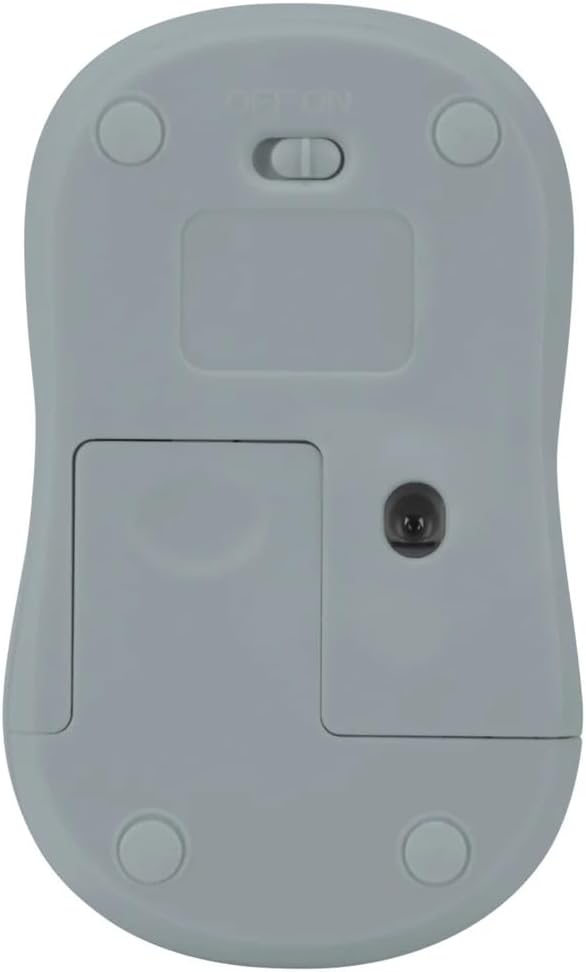
આકૃતિ 2: નીચે view of the mouse with battery compartment and power switch.
2. USB રીસીવરને કનેક્ટ કરવું
- Locate the USB receiver, typically stored inside the mouse's battery compartment or a dedicated slot.
- તમારા કમ્પ્યુટર પર ઉપલબ્ધ USB પોર્ટમાં USB રીસીવરને પ્લગ કરો.
- તમારા કમ્પ્યુટરે આપમેળે જરૂરી ડ્રાઇવરો શોધી કાઢવા જોઈએ અને ઇન્સ્ટોલ કરવા જોઈએ. આમાં થોડો સમય લાગી શકે છે.
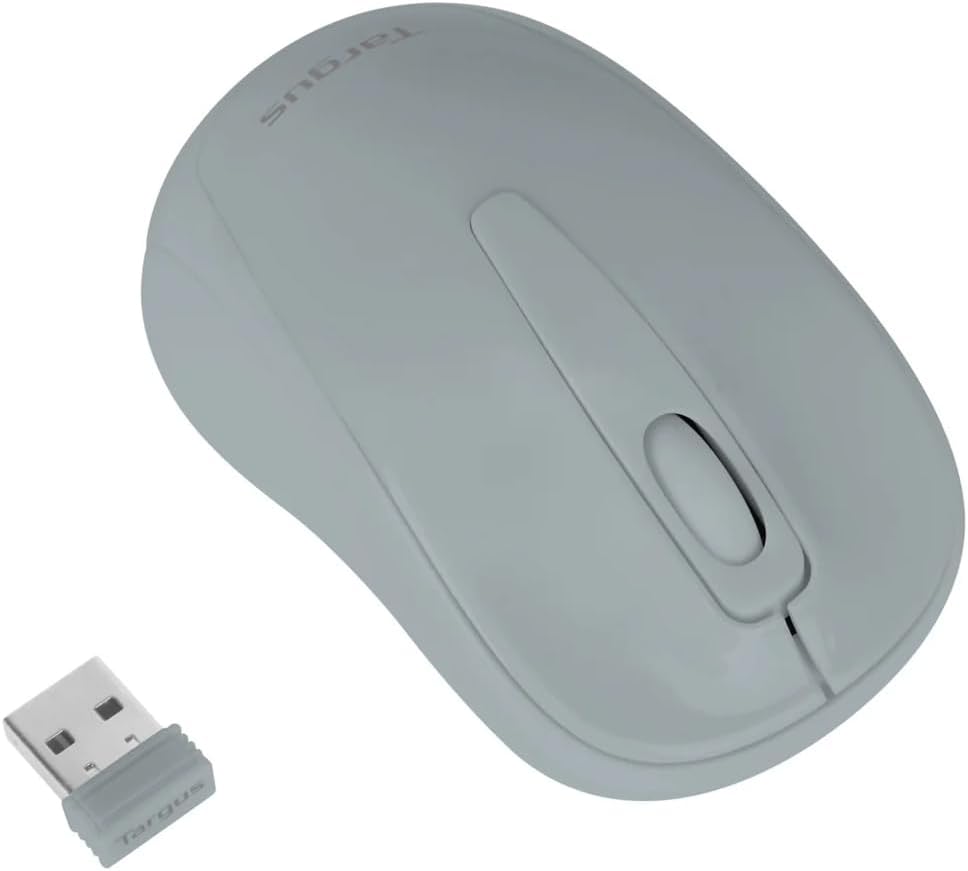
Figure 3: Targus W600 mouse and its USB receiver.

Figure 4: USB receiver plugged into a laptop, with the mouse nearby.
3. માઉસ ચાલુ કરવો
On the bottom of the mouse, slide the ON/OFF switch to the "ON" position. The mouse is now ready for use.
માઉસ ચલાવવું
The Targus W600 Wireless Optical Mouse functions like a standard 3-button mouse. It features a left button, a right button, and a scroll wheel that also acts as a middle button.
- ડાબું ક્લિક કરો: Primary action, selection, opening items.
- જમણું બટન દબાવો: સંદર્ભ મેનુ ખોલે છે.
- સ્ક્રોલ વ્હીલ: દસ્તાવેજો સ્ક્રોલ કરે છે અને web pages vertically. Pressing the scroll wheel acts as a middle click, often used for opening links in new tabs or specific application functions.
The 1600 DPI optical sensor provides smooth and accurate cursor control on most surfaces. For best performance, use on a mouse pad or a non-reflective, uniform surface.
જાળવણી
સફાઈ
To clean your mouse, gently wipe the surface with a soft, damp cloth. Avoid using harsh chemicals or abrasive cleaners, as these can damage the finish or internal components. Ensure no liquid enters the mouse.
બેટરી રિપ્લેસમેન્ટ
When the mouse performance degrades or stops responding, it may be time to replace the battery. Follow the steps outlined in the "Installing the Battery" section to replace the AA battery. Dispose of used batteries responsibly according to local regulations.
મુશ્કેલીનિવારણ
| સમસ્યા | ઉકેલ |
|---|---|
| માઉસ જવાબ આપતું નથી |
|
| અનિયમિત કર્સર ચળવળ |
|
| ટૂંકી વાયરલેસ શ્રેણી |
|
વિશિષ્ટતાઓ
| મોડલ નંબર | AMW60006AP-55 |
| કનેક્ટિવિટી | ૨.૪ GHz વાયરલેસ (USB રીસીવર) |
| સેન્સર ટેકનોલોજી | ઓપ્ટિકલ |
| ડીપીઆઈ | 1600 DPI |
| બટનોની સંખ્યા | 3 (Left, Right, Scroll Wheel/Middle Click) |
| પાવર સ્ત્રોત | 1 x AA બેટરી (શામેલ નથી) |
| સુસંગત ઓપરેટિંગ સિસ્ટમ્સ | વિન્ડોઝ, મેક |
નોંધ: વિશિષ્ટતાઓ સૂચના વિના બદલવાને પાત્ર છે.
વોરંટી અને આધાર
For warranty information and technical support, please refer to the official Targus webસાઇટ પર જાઓ અથવા તેમની ગ્રાહક સેવાનો સંપર્ક કરો. વોરંટી દાવાઓ માટે ખરીદીના પુરાવા તરીકે તમારી ખરીદી રસીદ રાખો.
Targus Official Webસાઇટ: www.targus.com