
1. પરિચય
Thank you for choosing the 2BOOM HPBT500K Wireless Headphone System. This manual provides essential information for the proper setup, operation, and maintenance of your new headphones. Please read it thoroughly before use to ensure optimal performance and longevity of the product.
The HPBT500K headphones offer a wireless audio experience with a built-in microphone for hands-free calling, enhanced bass sound, and comfortable wear.
2. બોક્સમાં શું છે
- 2BOOM HPBT500K Wireless Headphone
- યુએસબી ચાર્જિંગ કેબલ
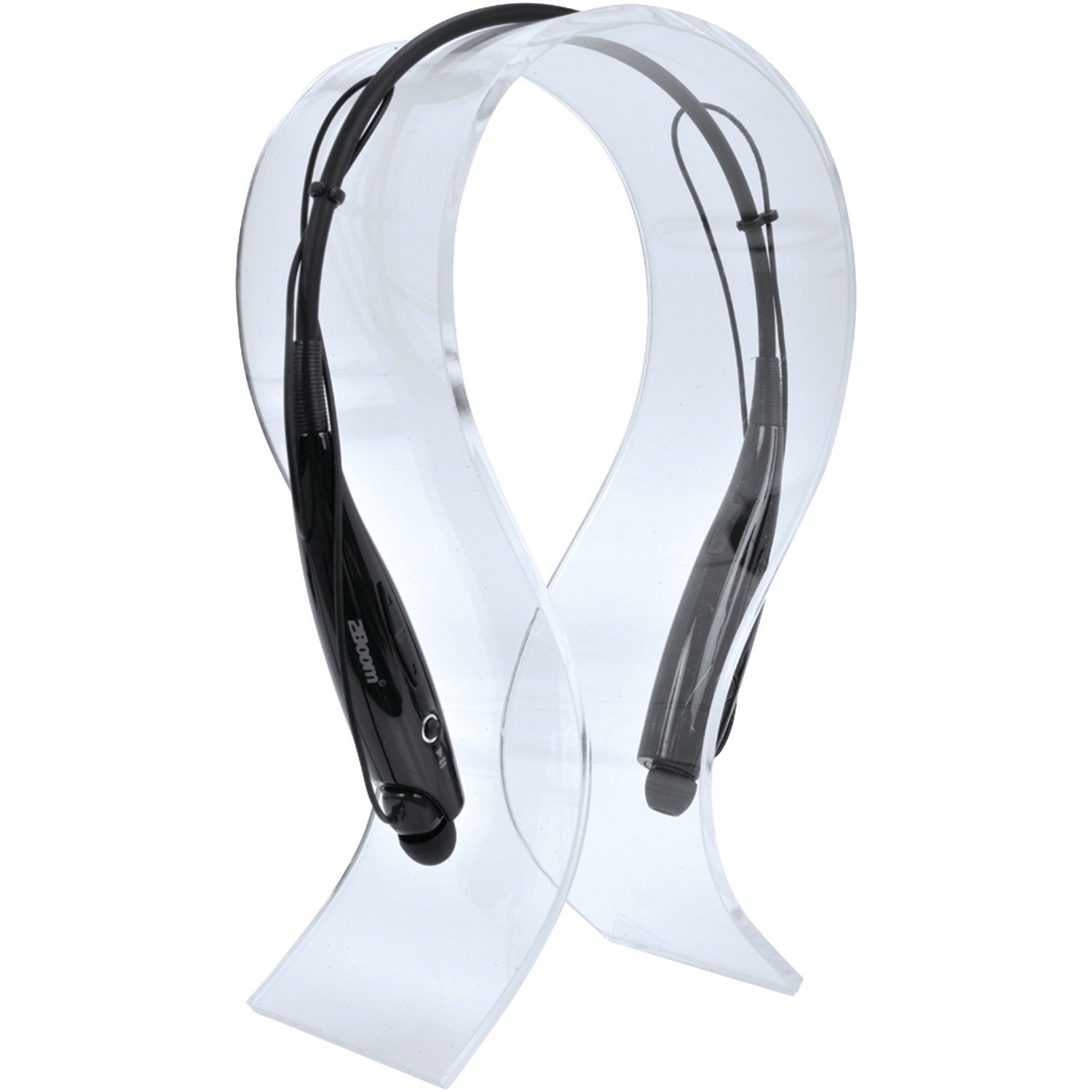
Image: The 2BOOM HPBT500K Wireless Headphone, showcasinતેની ડિઝાઇન.
Image: The included USB charging cable for the headphones.
3. ઉત્પાદન ઓવરview
Familiarize yourself with the various parts and controls of your HPBT500K headphones.

છબી: બાજુ view of the 2BOOM HPBT500K Wireless Headphone, highlighting control buttons and ports.
નિયંત્રણો અને સૂચકાંકો:
- પાવર બટન: Used to turn the headphones on/off and for pairing.
- વોલ્યુમ અપ/નેક્સ્ટ ટ્રેક: Increases volume or skips to the next song.
- વોલ્યુમ ડાઉન/ગત ટ્રેક: Decreases volume or goes to the previous song.
- મલ્ટી-ફંક્શન બટન (MFB): Play/Pause, Answer/End Call.
- માઇક્રોફોન: હેન્ડ્સ-ફ્રી વાતચીત માટે.
- એલઇડી સૂચક: Shows power status, pairing mode, and charging status.
- માઇક્રો યુએસબી ચાર્જિંગ પોર્ટ: ચાર્જિંગ કેબલ કનેક્ટ કરવા માટે.
4. હેડફોન ચાર્જ કરવા
Before first use, fully charge your headphones. A full charge typically takes about 2-3 hours.
- Connect the small end of the USB charging cable to the Micro USB charging port on your headphones.
- Connect the larger end of the USB charging cable to a USB power source (e.g., computer USB port, USB wall adapter). Ensure the power source provides DC 5V.
- The LED indicator will illuminate during charging and change color or turn off once charging is complete.
નોંધ: વોલ્યુમવાળા ચાર્જરનો ઉપયોગ કરશો નહીંtage higher than DC 5V, as this may damage the headphones.
5. Setup and Bluetooth Pairing
Follow these steps to pair your HPBT500K headphones with your Bluetooth-enabled device.
- પાવર ચાલુ: Press and hold the Power button on the headphones until the LED indicator flashes, usually alternating blue and red, indicating pairing mode.
- બ્લૂટૂથ સક્રિય કરો: On your smartphone, tablet, or other Bluetooth device, go to the Bluetooth settings and ensure Bluetooth is turned on.
- માટે શોધો ઉપકરણો: તમારું ઉપકરણ ઉપલબ્ધ બ્લૂટૂથ ઉપકરણો માટે સ્કેન કરશે.
- Select 'HPBT500K': From the list of found devices, select 'HPBT500K'.
- જોડી બનાવવાની પુષ્ટિ કરો: Once paired, the LED indicator on the headphones will typically flash blue slowly or remain solid blue, and your device may confirm the connection.
The operating distance for Bluetooth connectivity is up to 33 feet (10 meters) in an open environment. Obstacles may reduce this range.
6. ઓપરેટિંગ સૂચનાઓ
સંગીત પ્લેબેક:
- ચલાવો/થોભો: મલ્ટી-ફંક્શન બટન (MFB) એકવાર દબાવો.
- આગળનો ટ્રેક: વોલ્યુમ અપ બટન દબાવો અને પકડી રાખો.
- પાછલો ટ્રેક: વોલ્યુમ ડાઉન બટન દબાવો અને પકડી રાખો.
- અવાજ વધારો: વોલ્યુમ અપ બટનને થોડા સમય માટે દબાવો.
- અવાજ ધીમો: વોલ્યુમ ડાઉન બટનને થોડા સમય માટે દબાવો.
Music playback time is up to 3 hours on a full charge.
હેન્ડ્સ-ફ્રી કૉલિંગ:
- કૉલનો જવાબ આપો: Press the MFB once when a call comes in.
- કૉલ સમાપ્ત કરો: Press the MFB once during a call.
- કૉલ નકારો: Press and hold the MFB for approximately 2 seconds when a call comes in.
- છેલ્લો નંબર ફરીથી ડાયલ કરો: MFB ને બે વાર દબાવો.
Talk time is up to 3 hours on a full charge.
7. જાળવણી
તમારા હેડફોનની ટકાઉપણું અને શ્રેષ્ઠ કામગીરી સુનિશ્ચિત કરવા માટે, આ જાળવણી માર્ગદર્શિકા અનુસરો:
- Keep the headphones dry. Avoid exposure to moisture, rain, or liquids.
- હેડફોનને નરમ, સૂકા કપડાથી સાફ કરો. કઠોર રસાયણો અથવા ઘર્ષક ક્લીનર્સનો ઉપયોગ કરશો નહીં.
- હેડફોનને અતિશય તાપમાનથી દૂર ઠંડી, સૂકી જગ્યાએ સંગ્રહિત કરો.
- હેડફોનને પડતું મૂકવાનું કે જોરદાર અસર થવાનું ટાળો.
- હેડફોન્સને ડિસએસેમ્બલ કરવાનો કે સુધારવાનો પ્રયાસ કરશો નહીં, કારણ કે આ વોરંટી રદ કરશે.
8. મુશ્કેલીનિવારણ
If you encounter issues with your HPBT500K headphones, refer to the following common problems and solutions:
- હેડફોન ચાલુ નથી થતા:
Ensure the headphones are fully charged. Connect them to a power source using the provided USB cable. - ઉપકરણ સાથે જોડી બનાવી શકાતી નથી:
Make sure Bluetooth is enabled on your device and the headphones are in pairing mode (LED flashing blue/red). Move the headphones closer to your device. Try turning both devices off and on again. - કોઈ અવાજ નહીં અથવા ઓછો અવાજ નહીં:
હેડફોન અને તમારા કનેક્ટેડ ડિવાઇસ બંને પર વોલ્યુમ લેવલ તપાસો. ખાતરી કરો કે હેડફોન યોગ્ય રીતે જોડાયેલા છે. - નબળી અવાજ ગુણવત્તા અથવા ડિસ્કનેક્શન:
Ensure there are no obstructions between the headphones and your device. Move closer to your device. Avoid environments with strong Wi-Fi or other wireless interference. - માઇક્રોફોન કામ કરી રહ્યો નથી:
Ensure the headphones are properly connected and selected as the audio input device on your phone/computer.
9. સ્પષ્ટીકરણો
| લક્ષણ | સ્પષ્ટીકરણ |
|---|---|
| બ્લૂટૂથ સંસ્કરણ | 2.1 + EDR |
| સંચાલન અંતર | 33 ફૂટ (10 મીટર) સુધી |
| સંગીત પ્લેબેક સમય | 3 કલાક સુધી |
| ટૉક ટાઈમ | 3 કલાક સુધી |
| ચાર્જિંગ ઇનપુટ વોલ્યુમtage | ડીસી 5 વી |
| ચાર્જિંગ સમય | લગભગ 2-3 કલાક |
| સ્પીકર આઉટપુટ | 2 x 40mW |
| બિલ્ટ-ઇન બેટરી | 3.7V, 150mAh |
| વસ્તુનું વજન | 113 ગ્રામ |
| ઉત્પાદનના પરિમાણો (LxWxH) | 23.11 x 16.76 x 3.81 સેમી |
| સમાવાયેલ ઘટકો | Headphone with charging cable |
| નિયંત્રણ પદ્ધતિ | સ્પર્શ |
| ખાસ લક્ષણો | હલકો, માઇક્રોફોન શામેલ છે |
10. વોરંટી અને સપોર્ટ
For warranty information or technical support, please refer to the documentation provided at the time of purchase or contact 2BOOM customer service. Keep your proof of purchase for warranty claims.