
1. ઉત્પાદન ઓવરview
The Force1 U34W Dragonfly is a compact, high-definition FPV mini drone designed for beginners and indoor flying. It features a 720p HD camera for live video streaming and photo capture, offering an immersive First-Person View (FPV) experience. Its small size and stable flight characteristics make it ideal for learning drone piloting.

Image: The Force1 U34W Dragonfly Mini Drone, showcasing its compact design and integrated camera.
મુખ્ય લક્ષણો:
- 720p HD Camera: Records crisp 720p HD video and captures high-resolution photos.
- WiFi FPV Capability: Connects to a mobile app for live video streaming and FPV flying.
- ઊંચાઈ હોલ્ડ: Maintains a consistent altitude for stable flight.
- હેડલેસ મોડ: Simplifies controls by eliminating the need to adjust drone orientation.
- ગુરુત્વાકર્ષણ મોડ: Allows control by tilting your smartphone.
- 1-Key Lift/Land: Simplifies takeoff and landing with a single button press.
- 360 ફ્લિપ્સ: Performs aerial stunts with ease.
- પ્રોપેલર ગાર્ડ્સ: Integrated guards protect propellers during indoor flight.
2. બોક્સમાં શું છે
Before starting, please ensure all components are present in the package:
- U34W Dragonfly Wi-Fi FPV RC Quadcopter Drone
- 720p HD Drone Camera (integrated)
- 2.4Ghz Transmitter (Remote Control)
- Extra Propellers (4)
- 7.4v 350mAh Li-Po Battery (2)
- યુએસબી ચાર્જર
- સ્ક્રુડ્રાઈવર
- વપરાશકર્તા માર્ગદર્શિકા (આ દસ્તાવેજ)
3. સેટઅપ માર્ગદર્શિકા
3.1 બેટરી ચાર્જ કરી રહી છે
- Connect the Li-Po battery to the provided USB charger.
- Plug the USB charger into a compatible USB power source (e.g., computer, USB wall adapter).
- The indicator light on the charger will show the charging status. Refer to the charger's specific instructions for light indications (typically red for charging, green for fully charged).
- Charging time is approximately 60-90 minutes. Do not overcharge the battery.
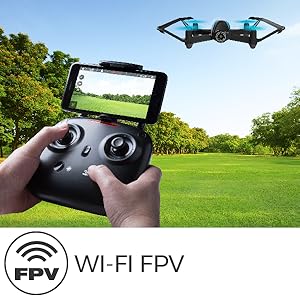
Image: The drone battery, highlighting the importance of charging for extended flight time.
૪.૨ ડ્રોન બેટરી ઇન્સ્ટોલ કરવી
- Ensure the drone's power switch is in the OFF position.
- Carefully insert the fully charged Li-Po battery into the drone's battery compartment.
- બેટરી કમ્પાર્ટમેન્ટ કવર સુરક્ષિત કરો.
3.3 ટ્રાન્સમીટર સેટઅપ
- Install 4 AA batteries (not included) into the 2.4Ghz transmitter. Ensure correct polarity.
- બેટરી કવર બંધ કરો.
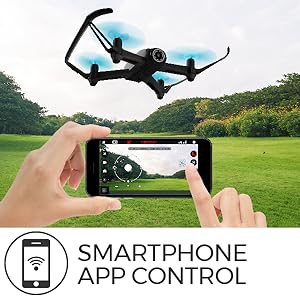
Image: The U34W Dragonfly drone alongside its 2.4 GHz transmitter, ready for control.
3.4 Pairing Drone and Transmitter
- ડ્રોનને સપાટ, સ્તરની સપાટી પર મૂકો.
- ડ્રોનની પાવર સ્વીચ ચાલુ કરો. ડ્રોનની સૂચક લાઇટો ફ્લેશ થશે.
- ટ્રાન્સમીટર ચાલુ કરો.
- Push the left joystick (throttle) all the way up, then all the way down. The drone's lights will stop flashing and become solid, indicating successful pairing.
3.5 Mobile App Installation (for FPV and VR)
- Scan the QR code in the quick start guide or search for the "UDIRC FPV" app in your smartphone's app store (iOS/Android).
- એપ્લિકેશન ડાઉનલોડ કરો અને ઇન્સ્ટોલ કરો.
- Turn on the drone and connect your smartphone to the drone's Wi-Fi network (usually named "UDIRC-XXXXXX").
- Open the app to access live FPV feed and advanced controls.
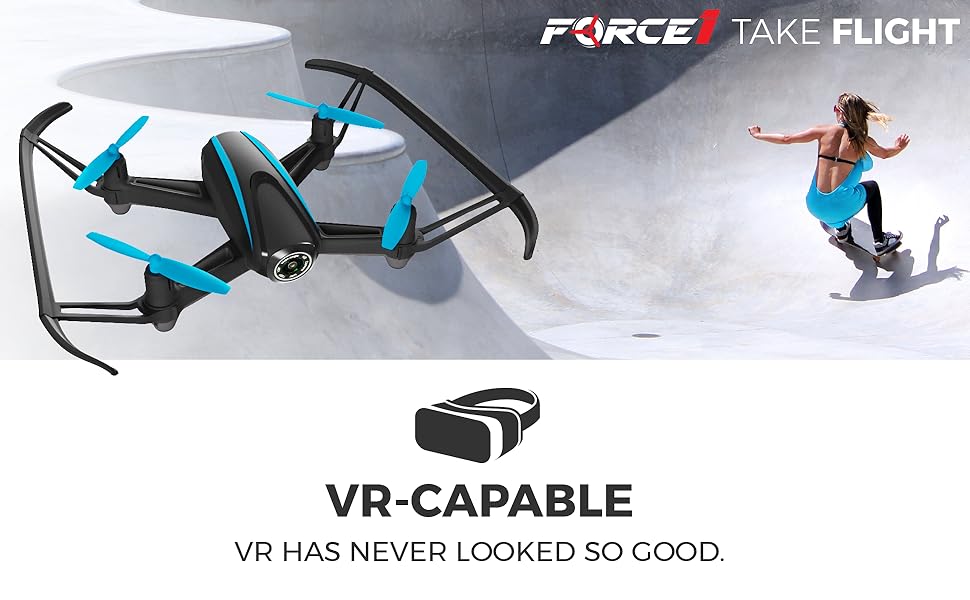
Image: A father and son enjoying live video feed from the drone on a smartphone, demonstrating the FPV feature.
4. ઓપરેટિંગ સૂચનાઓ
૬.૫ મૂળભૂત ફ્લાઇટ નિયંત્રણો
- ટેકઓફ/લેન્ડિંગ: Press the 1-Key Lift/Land button on the transmitter or app. Alternatively, push both joysticks down and out to start motors, then slowly push the left joystick up to ascend.
- ચડવું/ઉતરવું: Use the left joystick (throttle) up or down.
- આગળ/પાછળ: Use the right joystick up or down.
- Left/Right Sideways Flight: Use the right joystick left or right.
- Turn Left/Right (Yaw): Use the left joystick left or right.
4.2 Special Flight Modes
- ઊંચાઈ હોલ્ડ: The drone automatically maintains its current altitude. Use the left joystick only for ascending/descending.
- હેડલેસ મોડ: Press the Headless Mode button. The drone will orient itself relative to the pilot, regardless of its actual front direction. Press again to exit.
- Gravity Mode (via App): In the app, select Gravity Mode. Tilt your smartphone to control the drone's direction.
- Path Mode (via App): In the app, draw a flight path on your screen, and the drone will follow it automatically.
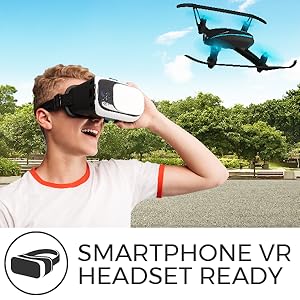
Image: A smartphone screen displaying the 'Path Mode' feature, allowing users to draw a flight path for the drone.
4.3 કેમેરા ઓપરેશન
- ફોટો લો: Press the photo button on the transmitter or in the app.
- વિડિઓ રેકોર્ડ કરો: Press the video button on the transmitter or in the app to start/stop recording.
- FPV Viewing: Ensure your smartphone is connected to the drone's Wi-Fi and the app is open for live video feed.
- VR Capability: For an immersive experience, place your smartphone into a compatible VR headset while using the FPV app.
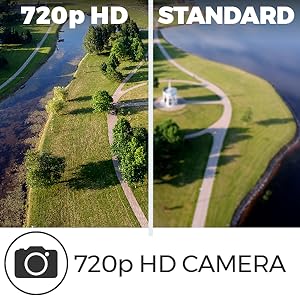
Image: A person wearing a VR headset, experiencing real-time FPV flight with the U34W Dragonfly drone.
4.4 Flight Safety Tips
- Always fly in open areas, away from people, animals, and obstacles.
- ભારે પવન કે પ્રતિકૂળ હવામાનમાં ઉડાન ન ભરો.
- દરેક સમયે ડ્રોન સાથે દૃષ્ટિની રેખા જાળવો.
- દરેક ફ્લાઇટ પહેલાં ખાતરી કરો કે બેટરી સંપૂર્ણપણે ચાર્જ થઈ ગઈ છે.
- Respect local drone regulations and privacy laws.
વિડિઓ: એક ઓવરview of the Force1 U34W Dragonfly Drone's features, including Altitude Hold, 1-Key Lift/Land, and its 720p HD camera.
5. જાળવણી
5.1 પ્રોપેલર રિપ્લેસમેન્ટ
If a propeller is damaged, replace it with a new one from the spare parts kit. Ensure the correct propeller (A or B) is installed on the corresponding motor. Use the included screwdriver for removal and installation.
5.2 સફાઈ
Use a soft, dry cloth to clean the drone. Avoid using water or harsh chemicals, which can damage electronic components.
5.3 બેટરી કેર
- ઠંડી, સૂકી જગ્યાએ બેટરી સ્ટોર કરો.
- Do not leave batteries fully charged or fully discharged for extended periods.
- If the drone will not be used for a long time, remove the batteries from both the drone and the transmitter.
6. મુશ્કેલીનિવારણ
| સમસ્યા | સંભવિત કારણ | ઉકેલ |
|---|---|---|
| Drone does not respond to transmitter. | Not paired; low battery in drone or transmitter. | Re-pair the drone and transmitter. Charge drone battery; replace transmitter batteries. |
| ડ્રોન અનિયમિત રીતે ઉડે છે અથવા ફરતું રહે છે. | Uncalibrated gyroscope; damaged propeller. | Calibrate the gyroscope (refer to quick start guide). Replace damaged propellers. |
| No FPV video feed. | Not connected to drone's Wi-Fi; app not open. | Ensure phone is connected to drone's Wi-Fi. Open the UDIRC FPV app. |
| ટૂંકી ફ્લાઇટ સમય. | બેટરી સંપૂર્ણપણે ચાર્જ થઈ નથી; જૂની બેટરી. | Fully charge the battery. Consider replacing old batteries. |
7. સ્પષ્ટીકરણો
| લક્ષણ | વિગત |
|---|---|
| બ્રાન્ડ | ફોર્સ1 |
| મોડેલનું નામ | Dragonfly (U34W) |
| ખાસ લક્ષણો | App-controlled, FPV-capable, Integrated-camera, Wi-Fi |
| વય શ્રેણી (વર્ણન) | બાળક |
| રંગ | કાળો |
| વિડિઓ કેપ્ચર રિઝોલ્યુશન | ૧૦૮૦પી (૧૯૨૦x૧૦૮૦ પિક્સેલ્સ) |
| કનેક્ટિવિટી ટેકનોલોજી | USB, Wi-Fi |
| કૌશલ્ય સ્તર | શિખાઉ માણસ |
| વસ્તુનું વજન | 1.6 પાઉન્ડ |
| બેટરી ક્ષમતા | 350 મિલીamp Hours (7.4v Li-Po) |
| વિડિઓ કેપ્ચર ફોર્મેટ | MP4 |
| નિયંત્રણ પ્રકાર | રીમોટ કંટ્રોલ, એપ કંટ્રોલ |
| વાયરલેસ કોમ્યુનિકેશન ટેકનોલોજી | Wi-Fi |
| બેટરી સેલ કમ્પોઝિશન | લિથિયમ પોલિમર |
| સપોર્ટેડ ઇમેજ ફોર્મેટ | JPEG |
| ઓપ્ટિકલ સેન્સર ટેકનોલોજી | CMOS |
| સામગ્રી | નાયલોન, પ્લાસ્ટિક |