
પરિચય
This manual provides comprehensive instructions for the installation, operation, maintenance, and troubleshooting of your Comtrend WAP-EN300C Wireless Access Point.
The WAP-EN300C is a business-grade solution designed to deliver robust wireless coverage, combining a 400mW high power radio with -95dBm high sensitivity.
મુખ્ય લક્ષણો
- Low-cost business-grade solution with 400mW high power radio and -95dBm high sensitivity for robust wireless coverage.
- Easy setup of Guest Networks to isolate the local network from wireless clients via an IP filter.
- Manages the handoff of client devices from one access point to another with negligible interruption.
- Supports guest network feature, cluster configuration, and smart handover.
- 802.11n speeds up to 300Mbps, includes a Gigabit Ethernet Port, and is PoE (Power over Ethernet) Powered (802.3af Compatible).
Physical Description and Components
The Comtrend WAP-EN300C is a ceiling-mount wireless access point, designed for discreet integration into various environments.

આગળ view of the Comtrend WAP-EN300C Wireless Access Point, showing the white circular casing with the 'COMTREND' logo and a blue LED indicator light.

કોણીય view of the Comtrend WAP-EN300C Wireless Access Point, highlighting the ventilation slots around the circumference and the 'COMTREND' logo on the top surface.

ઉત્પાદન સમાપ્તview graphic for the Comtrend WAP-EN300C, illustrating its key features such as N300 WiFi, 400mW high power, -95dBm high sensitivity, and TR-069 support. It also highlights benefits like guest network setup, cluster configuration, and smart handover.
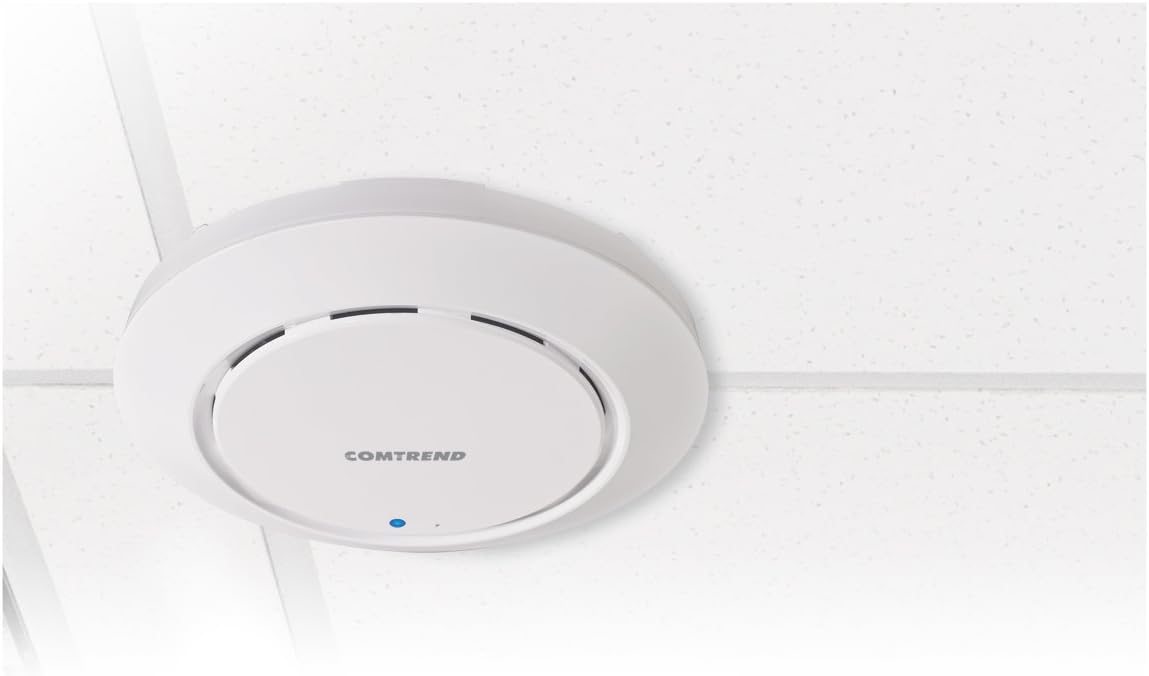
The Comtrend WAP-EN300C Wireless Access Point mounted on a ceiling, demonstrating its discreet and integrated design.
સેટઅપ અને ઇન્સ્ટોલેશન
ઉપકરણને પાવરિંગ
The WAP-EN300C supports Power over Ethernet (PoE) (802.3af Compatible). Connect a compatible PoE injector or PoE-enabled switch to the Gigabit Ethernet port on the device.
નેટવર્ક કનેક્શન
Connect the device to your network using a standard Ethernet cable via its Gigabit Ethernet port.
માઉન્ટ કરવાનું
The device is designed for ceiling mounting. Ensure proper ventilation and secure attachment. Refer to the included mounting kit instructions for detailed steps.
ઓપરેટિંગ સૂચનાઓ
પ્રારંભિક રૂપરેખાંકન
ઉપકરણને ઍક્સેસ કરો web-based management interface by connecting a computer to the same network segment as the WAP-EN300C. Refer to the default IP address and login credentials provided in the quick start guide or on the device label.
વાયરલેસ નેટવર્ક સેટઅપ
Within the management interface, navigate to the wireless settings to configure your Wi-Fi network (SSID), security type (WPA2-PSK recommended), and password.
Guest Network Configuration
Utilize the guest network feature to create isolated networks for visitors, preventing access to your main local network. This can be configured via an IP filter within the management interface.
Smart Handover and Cluster Configuration
For deployments with multiple access points, configure smart handover to ensure seamless roaming for client devices. Cluster configuration allows for centralized management of multiple WAP-EN300C units.
જાળવણી
ફર્મવેર અપડેટ્સ
Regularly check for and apply firmware updates to ensure optimal performance, security, and access to new features. Firmware can be remotely managed via TR-069 or through the web ઇન્ટરફેસ
બેકઅપ રૂપરેખાંકન
It is recommended to regularly back up your device's configuration settings. This allows for quick restoration in case of a reset or replacement.
સફાઈ
ઉપકરણના બાહ્ય ભાગને નરમ, સૂકા કપડાથી સાફ કરો. પ્રવાહી ક્લીનર્સ અથવા એરોસોલ્સનો ઉપયોગ કરશો નહીં.
મુશ્કેલીનિવારણ
પાવર સૂચક લાઈટ નથી
Ensure the PoE connection is secure and the PoE injector/switch is powered on and functioning correctly.
મેનેજમેન્ટ ઇન્ટરફેસ ઍક્સેસ કરી શકાતું નથી
Verify your computer is on the same network segment as the access point. Check the device's IP address and ensure there are no IP conflicts. Try resetting the device to factory defaults if necessary (refer to the reset procedure in the quick start guide).
Poor Wireless Coverage
Check the placement of the access point. Ensure there are no major obstructions. Consider adding more access points for larger areas.
Slow Wireless Speeds
Verify that your client devices support 802.11n. Check for channel interference and try changing the wireless channel in the management interface. Ensure the device is connected to a Gigabit Ethernet port.
ટેકનિકલ વિશિષ્ટતાઓ
| લક્ષણ | વિગત |
|---|---|
| વાયરલેસ પ્રકાર | 802.11 એન |
| આવર્તન બેન્ડ વર્ગ | સિંગલ-બેન્ડ |
| ડેટા ટ્રાન્સફર રેટ | 300 મેગાબિટ્સ પ્રતિ સેકન્ડ |
| કનેક્ટિવિટી ટેકનોલોજી | વાયર્ડ, વાયરલેસ |
| ઇથરનેટ પોર્ટ | ગીગાબીટ ઈથરનેટ |
| શક્તિ | PoE (802.3af Compatible) |
| આઇટમ મોડલ નંબર | WAP-EN300C |
| વસ્તુનું વજન | ૧.૬૨ ઔંસ (૦.૧ પાઉન્ડ) |
| ઉત્પાદન પરિમાણો | 6.93 x 6.93 x 1.26 ઇંચ |
| ઉત્પાદક | Comtrend |
| યુપીસી | 897384000456 |
વોરંટી અને આધાર
For warranty information and technical support, please refer to the official Comtrend webસાઇટ અથવા તેમની ગ્રાહક સેવાનો સંપર્ક કરો.
Online resources may include FAQs, driver downloads, and additional documentation.
Manufacturer: Comtrend
Webસાઇટ: www.comtrend.com