
પરિચય
This manual provides instructions for the ZdalaMit AH59-02692E replacement remote control. This remote is designed to be compatible with various Samsung Soundbar models, offering a direct replacement without the need for complex programming. Please read this manual carefully to ensure proper use and longevity of your remote control.
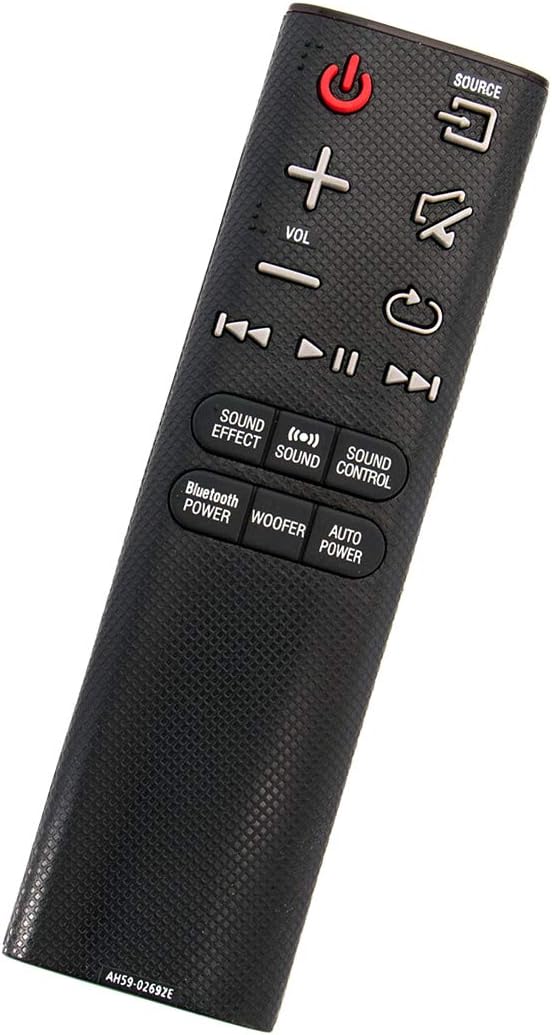
કોણીય view of the ZdalaMit AH59-02692E replacement remote control, showing its ergonomic design.
સેટઅપ
The ZdalaMit AH59-02692E remote control requires no programming or pairing. Simply insert the batteries, and it will be ready for use with your compatible Samsung Soundbar.
બેટરી ઇન્સ્ટોલેશન
- રિમોટ કંટ્રોલની પાછળના ભાગમાં બેટરીનો ડબ્બો શોધો.
- બેટરી કવર ખોલવા માટે તેને નીચેની તરફ સ્લાઇડ કરો.
- Insert two (2) 1.5V AAA alkaline batteries, ensuring the positive (+) and negative (-) terminals match the diagrams inside the compartment.
- જ્યાં સુધી તે સુરક્ષિત રીતે ક્લિક ન કરે ત્યાં સુધી બેટરી કવરને પાછું સ્થાન પર સ્લાઇડ કરો.
નોંધ: Batteries are not included with the remote control. Always use new AAA alkaline batteries for optimal performance.
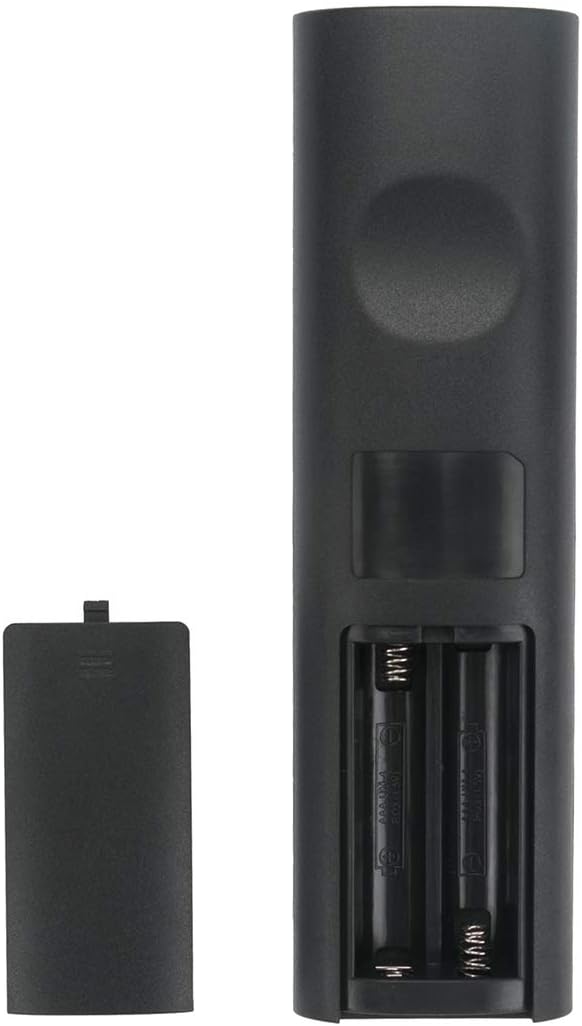
પાછળ view બેટરી કમ્પાર્ટમેન્ટ ખુલ્લો રાખીને રિમોટ કંટ્રોલનો, જે દર્શાવે છે કે બેટરી ક્યાં દાખલ કરવી.
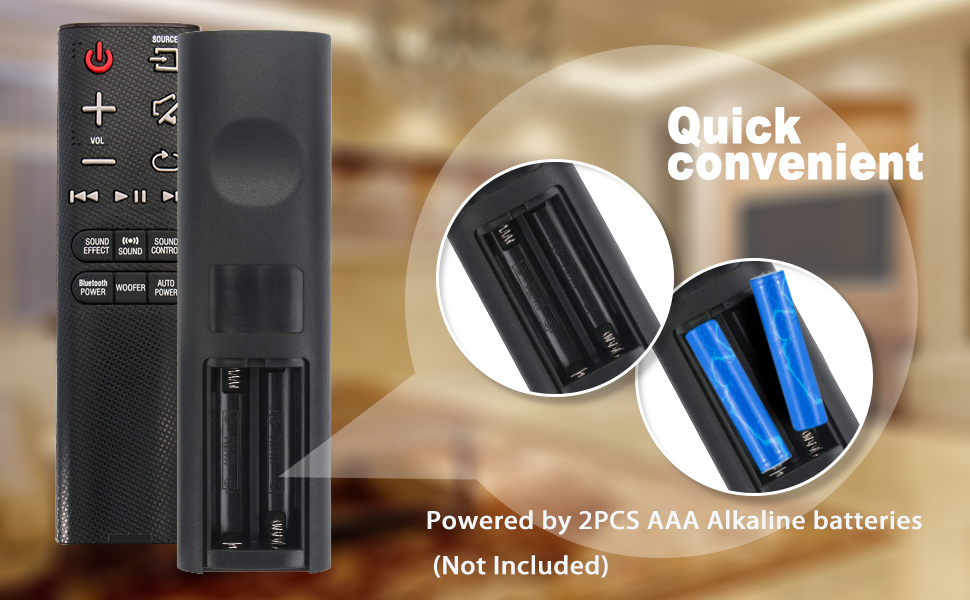
Illustration showing the correct way to insert two AAA batteries into the remote control's battery compartment.
ઓપરેટિંગ સૂચનાઓ
Once batteries are installed, the remote is ready to control your compatible Samsung Soundbar. Ensure there is a clear line of sight between the remote control and the soundbar's infrared receiver.

આગળ view of the ZdalaMit AH59-02692E remote control, displaying all functional buttons.
બટન કાર્યો
- પાવર (લાલ બટન): સાઉન્ડબારને ચાલુ અથવા બંધ કરે છે.
- સ્ત્રોત: Cycles through available input sources (e.g., D.IN, BT, HDMI, AUX).
- VOL (+/-): માસ્ટર વોલ્યુમ સ્તરને સમાયોજિત કરે છે.
- મ્યૂટ: અવાજને મ્યૂટ અથવા અનમ્યૂટ કરો.
- પાછા ફરો/પાછા: Navigates back in menus or previous track.
- ચલાવો/થોભો: મીડિયા પ્લેબેકને નિયંત્રિત કરે છે.
- Skip (Forward/Backward): આગલા અથવા પાછલા ટ્રેક પર જાય છે.
- સાઉન્ડ અસર: Cycles through various sound effects/modes.
- અવાજ: Adjusts specific sound settings.
- ધ્વનિ નિયંત્રણ: Accesses advanced sound settings.
- BLUETOOTH POWER: Activates or deactivates Bluetooth power.
- વૂફર: સબવૂફર સ્તરને સમાયોજિત કરે છે.
- ઓટો પાવર: Toggles the auto power function.
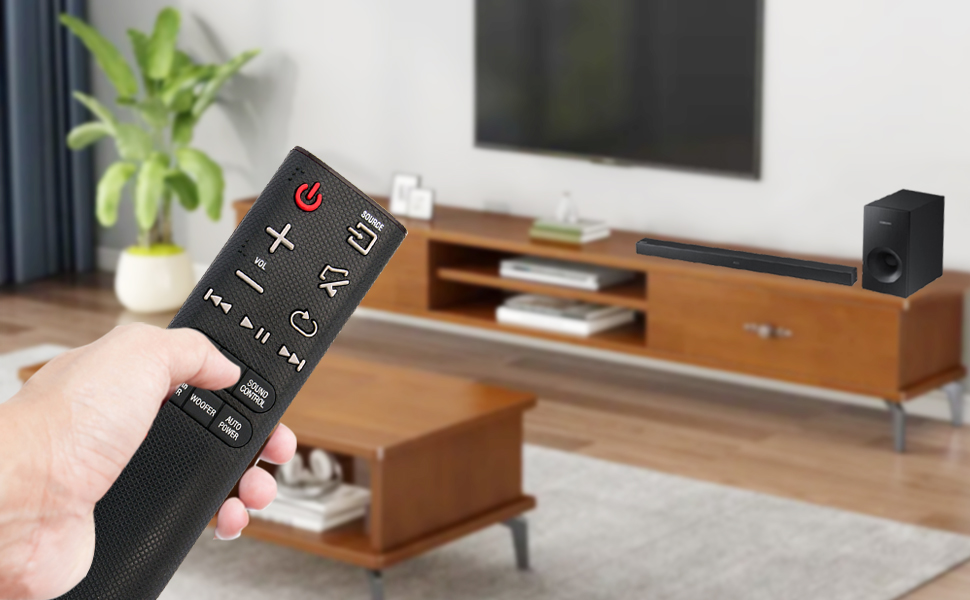
A user operating the remote control with a Samsung Soundbar and television in a home environment.
જાળવણી
યોગ્ય જાળવણી તમારા રિમોટ કંટ્રોલના લાંબા સમય સુધી ટકી રહેવા અને વિશ્વસનીય કામગીરીની ખાતરી આપે છે.
બેટરી રિપ્લેસમેન્ટ
Replace batteries when the remote's response becomes sluggish or stops working. Always replace both AAA batteries at the same time with new ones. Do not mix old and new batteries, or different types of batteries.
સફાઈ
To clean the remote, gently wipe it with a soft, dry cloth. Do not use liquid cleaners, sprays, or abrasive materials, as these can damage the remote's surface or internal components.
સંગ્રહ
Store the remote control in a cool, dry place away from direct sunlight and extreme temperatures. If the remote will not be used for an extended period, remove the batteries to prevent leakage and potential damage.
મુશ્કેલીનિવારણ
જો તમને તમારા રિમોટ કંટ્રોલમાં સમસ્યા આવે છે, તો નીચેના સામાન્ય ઉકેલોનો સંદર્ભ લો:
- રિમોટ પ્રતિસાદ આપતું નથી:
- બેટરીઓ યોગ્ય ધ્રુવીયતા સાથે યોગ્ય રીતે દાખલ કરવામાં આવી છે કે નહીં તે તપાસો.
- Replace old batteries with new 1.5V AAA alkaline batteries.
- Ensure there are no obstructions between the remote control and the soundbar's infrared receiver.
- Confirm the remote is pointed directly at the soundbar.
- મર્યાદિત શ્રેણી:
- Ensure batteries are fresh. Weak batteries can reduce the remote's effective range.
- સિગ્નલ પાથને અવરોધતી કોઈપણ વસ્તુઓને દૂર કરો.
- ખોટી કાર્યક્ષમતા:
- This remote is pre-programmed for compatible Samsung Soundbars. If functions are incorrect, verify your soundbar model is listed as compatible.
વિશિષ્ટતાઓ
| લક્ષણ | વિગત |
|---|---|
| બ્રાન્ડ | ZdalaMit |
| મોડેલનું નામ | AH59-02692E |
| મોડલ નંબર | AH59-02692E-ZDLMT |
| સુસંગત ઉપકરણો | Samsung Soundbars (HW-J355, HW-J450, HW-J460, HW-J550, HW-J551, HW-J6000, HW-J6001, HW-JM35, HW-JM45, HW-JM45C, HW-JM6000, HW-JM6000C, HW-J430, etc.) |
| કનેક્ટિવિટી ટેકનોલોજી | ઇન્ફ્રારેડ |
| પાવર સપ્લાય | 2 x 1.5V AAA આલ્કલાઇન બેટરીઓ |
| મહત્તમ શ્રેણી | ૧૦ ફૂટ (આશરે ૩ મીટર) |
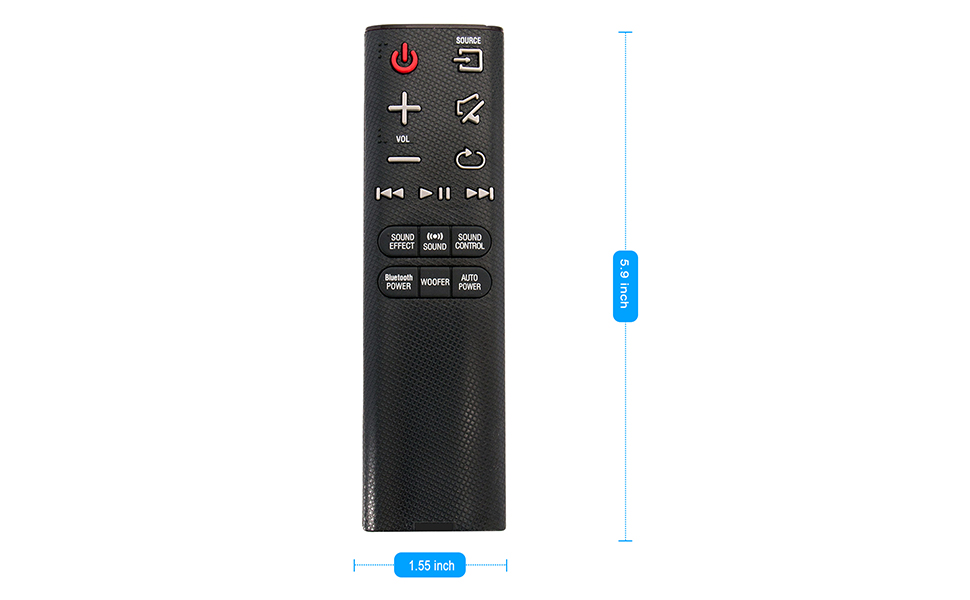
| આઇટમના પરિમાણો (L x W x H) | ૧૨.૨" x ૧૪" x ૫૭.૨" |
| ખાસ લક્ષણ | પ્રી-પ્રોગ્રામ્ડ |
Visual representation of the remote control's dimensions (length and width).
વોરંટી માહિતી
This ZdalaMit remote control comes with a 1 વર્ષની વોરંટી from the date of purchase. This warranty covers manufacturing defects under normal use. It does not cover damage caused by misuse, accidents, unauthorized modifications, or battery leakage.
આધાર
For any questions, concerns, or assistance regarding your ZdalaMit AH59-02692E replacement remote control, please contact the seller or manufacturer directly. Refer to your purchase documentation for specific contact details.
We are committed to providing reliable products and support.