
પરિચય
Thank you for choosing the Birlea IEV 2508 Orka Entertainment Center. This manual provides essential information for the safe and correct assembly, operation, and maintenance of your new furniture. Please read these instructions carefully before beginning assembly and retain them for future reference.
The Orka Entertainment Center is designed for elegance and innovative design, constructed from high-quality melamine for resistance and durability.
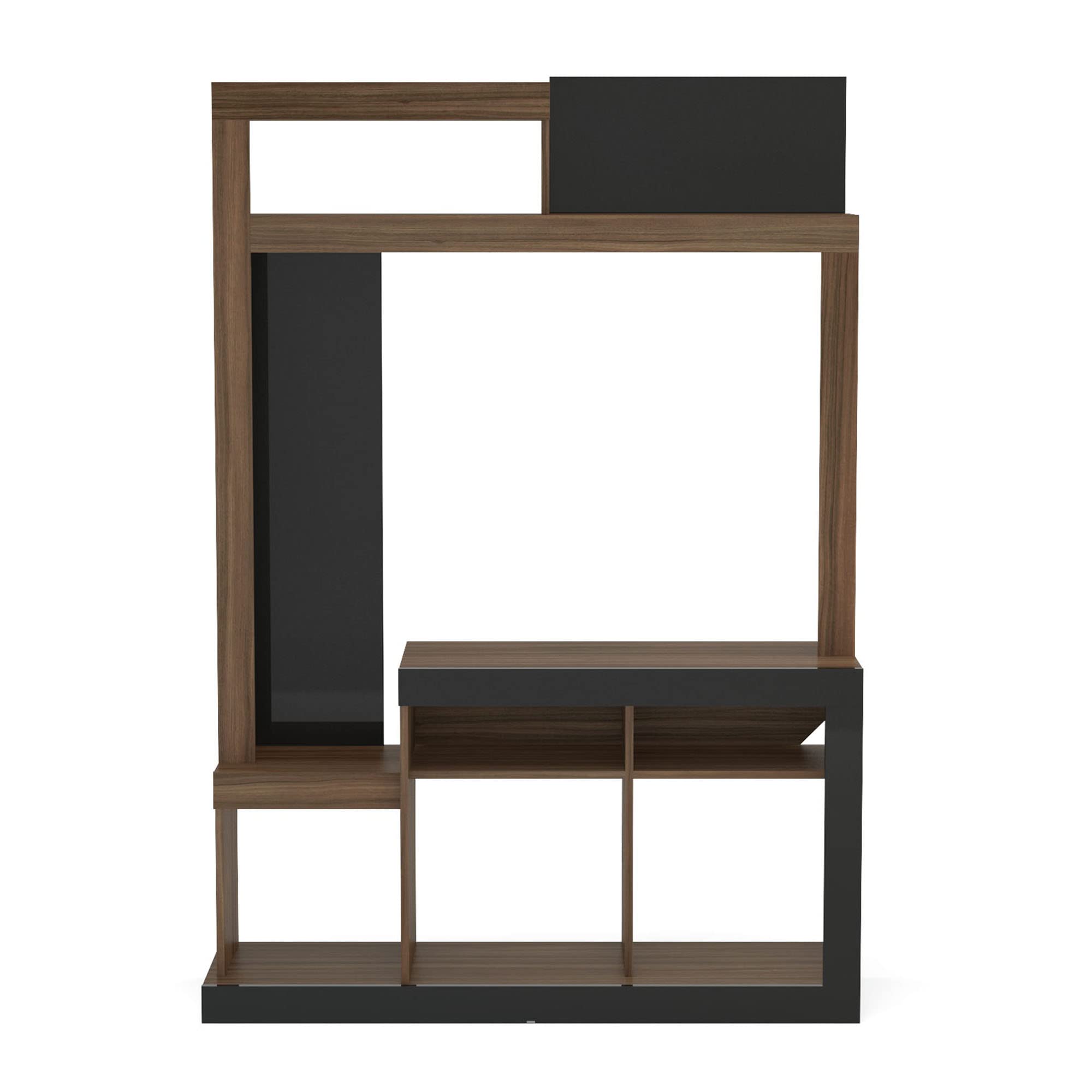
Image: The Birlea IEV 2508 Orka Entertainment Center, showcasing its design and functionality with a television and decorative items.
સેટઅપ અને એસેમ્બલી
Assembly is required for this product. Please follow these steps carefully to ensure proper construction and stability. It is recommended to have two people for assembly.
જરૂરી સાધનો (શામેલ નથી):
- ફિલિપ્સ હેડ સ્ક્રુડ્રાઈવર
- હેમર
- માપન ટેપ
એસેમ્બલી પગલાં:
- ભાગો ખોલો અને ઓળખો: Carefully unpack all components and hardware. Lay them out on a clean, soft surface to prevent scratches. Refer to the parts list (usually included in the packaging) to identify each piece.
- આધાર એસેમ્બલ કરો: Begin by attaching the base panels. Ensure all cam locks and dowels are securely fastened.
- સાઇડ પેનલ્સ જોડો: Connect the main vertical side panels to the base. Pay close attention to the orientation of each panel as indicated in the diagrams.
- છાજલીઓ અને વિભાજકો સ્થાપિત કરો: Insert the fixed and adjustable shelves and internal dividers into their designated slots. Secure them with the provided hardware.
- Assemble the Top Section: Attach the upper horizontal and vertical panels to form the top storage area.
- પાછળની પેનલ જોડો: Carefully align and attach the back panel(s) to the unit. Use small nails or screws as provided to secure it, ensuring the unit is square.
- Final Tightening and Placement: Once all parts are assembled, gently tighten all screws and cam locks. Move the assembled unit to its desired location.
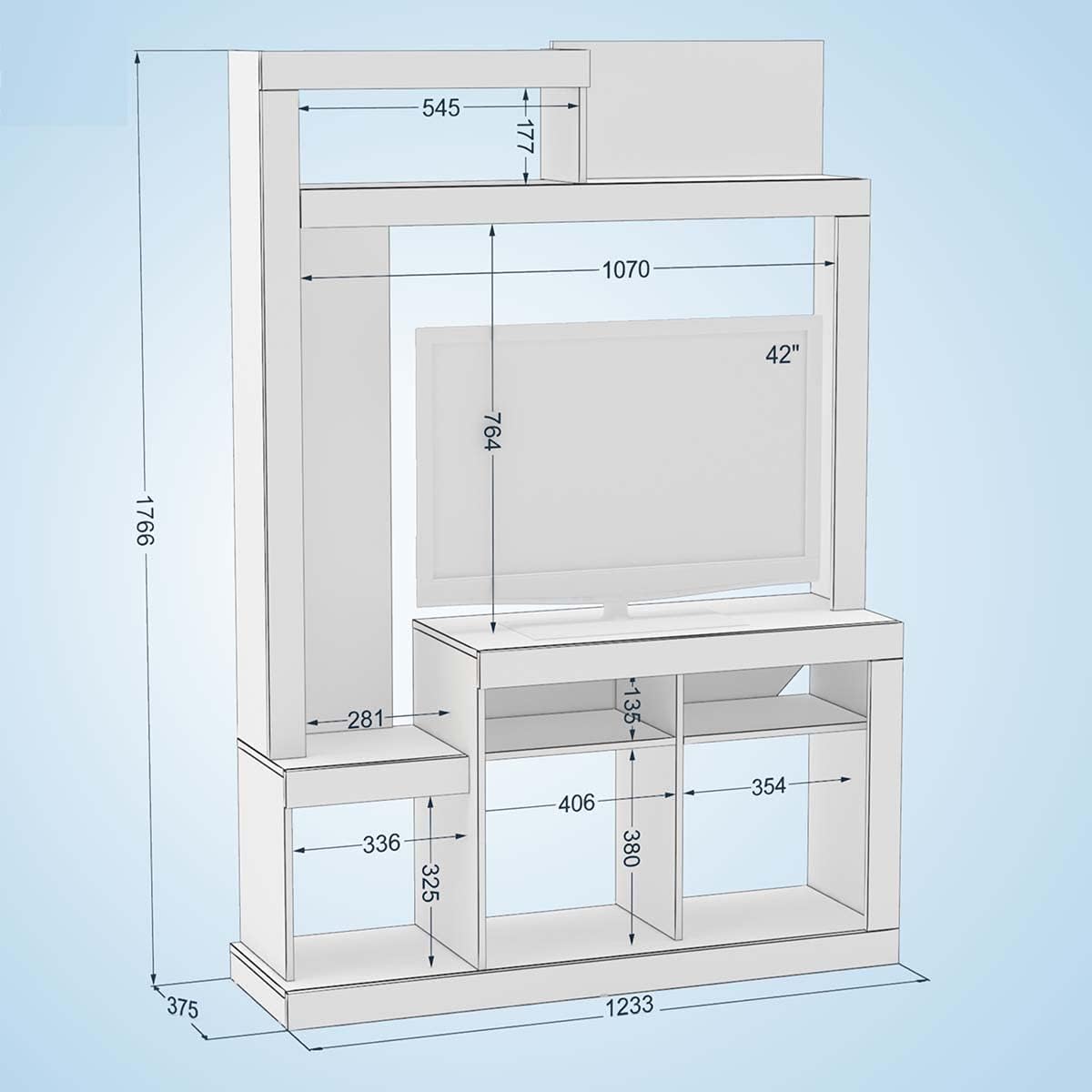
Image: Technical diagram showing the dimensions of the entertainment center, including overall height (1766mm), width (1233mm), and depth (375mm), along with internal shelf measurements.
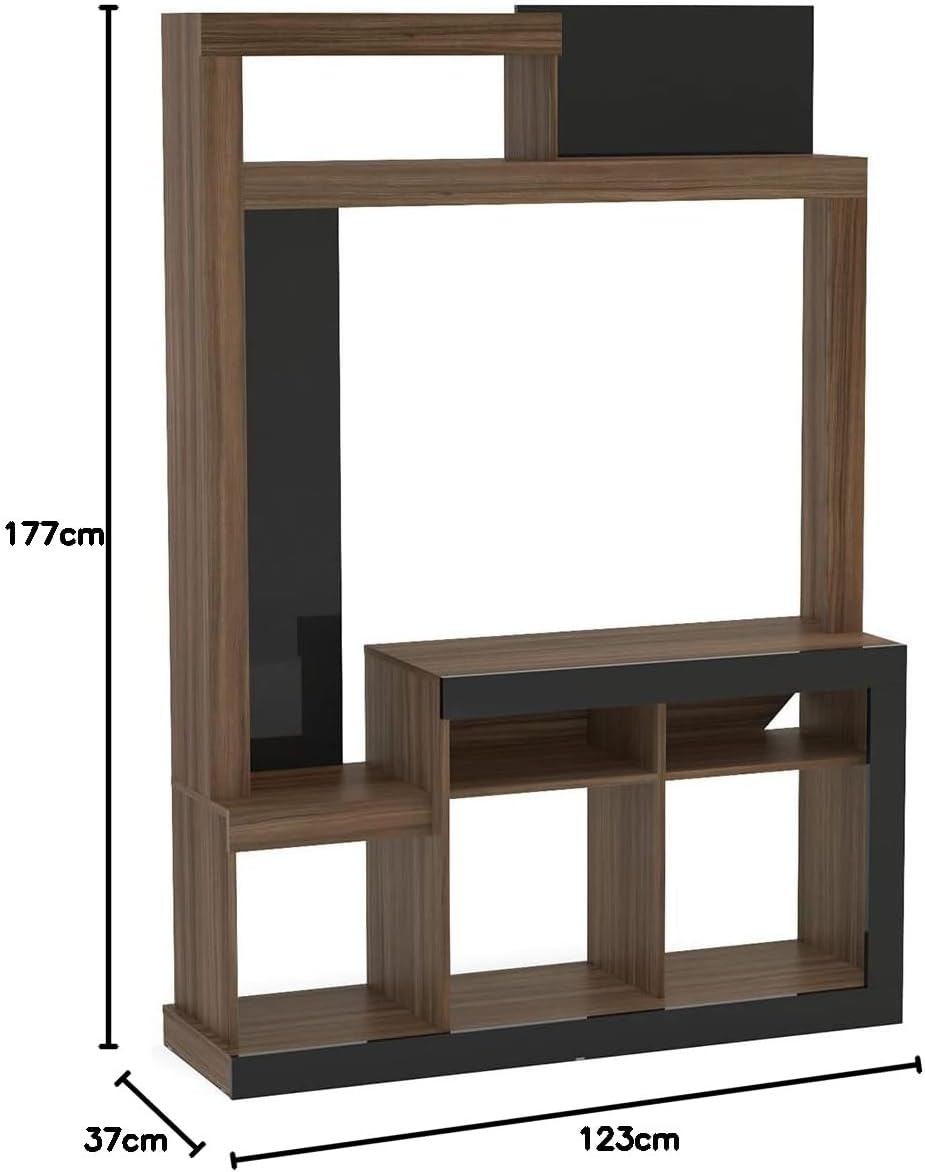
Image: Simplified dimension diagram of the entertainment center, indicating a height of 177cm, width of 123cm, and depth of 37cm.
ઓપરેટિંગ સૂચનાઓ
The Birlea IEV 2508 Orka Entertainment Center is designed to organize your television and media devices efficiently.
Placing Your Television:
- Place your television on the designated central shelf. The maximum recommended TV size is approximately 42 inches, based on the internal width of the TV compartment (approximately 1070mm or 42 inches).
- Ensure the television is centered and stable. The maximum weight capacity for the unit is 60 kg. Do not exceed this limit.
Using Storage Compartments:
- Utilize the various shelves and compartments for media players, gaming consoles, sound systems, books, and decorative items.
- સ્થિરતા જાળવવા માટે છાજલીઓ પર વજન સમાનરૂપે વિતરિત કરો.

Image: The entertainment center in use, displaying a television, audio equipment, and decorative elements on its shelves.
જાળવણી અને સંભાળ
Proper care will ensure the longevity and appearance of your Birlea IEV 2508 Orka Entertainment Center.
સફાઈ:
- સોફ્ટ સાથે સપાટીઓ સાફ કરો, ડીamp cloth. Avoid abrasive cleaners or harsh chemicals, as they can damage the melamine finish.
- હઠીલા નિશાન માટે, હળવા સાબુના દ્રાવણનો ઉપયોગ કરો અને તરત જ સ્વચ્છ કપડાથી સૂકવી દો.
સામાન્ય સંભાળ:
- Avoid exposing the unit to direct sunlight or extreme temperature changes, which can cause fading or warping.
- Periodically check all fasteners and tighten them if necessary to maintain structural integrity.
- રક્ષણાત્મક કોસ્ટર વિના ગરમ વસ્તુઓ સીધી સપાટી પર ન મૂકો.
મુશ્કેલીનિવારણ
If you encounter any issues with your entertainment center, please refer to the following common solutions:
Unit is Wobbly or Unstable:
- ખાતરી કરો કે બધા સ્ક્રૂ, કેમ લોક અને ડોવેલ સંપૂર્ણપણે કડક છે.
- Check that the unit is placed on a flat, level surface. Use furniture glides or shims if the floor is uneven.
- Verify that all panels are correctly aligned according to the assembly instructions.
ખૂટતા અથવા ક્ષતિગ્રસ્ત ભાગો:
- Carefully re-check all packaging materials to ensure no small parts were overlooked.
- If parts are genuinely missing or damaged upon arrival, contact the retailer or manufacturer's customer support immediately for assistance.
એસેમ્બલી દરમિયાન મુશ્કેલી:
- Review the assembly diagrams and instructions step-by-step. Sometimes a small detail, like panel orientation, can be crucial.
- Do not force parts together. If a piece does not fit, re-examine the instructions for correct placement.
વિશિષ્ટતાઓ
| બ્રાન્ડ | બિરલીયા |
| મોડેલનું નામ | Orka |
| મોડલ નંબર | ORKEUWBK |
| રંગ | Avellana/Negro (Hazelnut/Black) |
| સામગ્રી | મેલામાઈન |
| પરિમાણો (D x W x H) | 37.5 cm x 123.2 cm x 176.6 cm (14.76 in x 48.5 in x 69.5 in) |
| વસ્તુનું વજન | 8000 Grams (8 kg / 17.6 lbs) |
| મહત્તમ વજન ક્ષમતા | 60 કિલોગ્રામ (132 lbs) |
| એસેમ્બલી જરૂરી | હા |
| ભલામણ કરેલ ઉપયોગ | TV, Media Storage |
| શૈલી | સમકાલીન |
વોરંટી માહિતી
Specific warranty details for the Birlea IEV 2508 Orka Entertainment Center may vary by retailer and region. Please refer to your purchase documentation or contact the seller directly for information regarding warranty coverage, terms, and conditions.
ગ્રાહક આધાર
For any questions, concerns, or assistance with your Birlea IEV 2508 Orka Entertainment Center, please contact the retailer from whom you purchased the product. They will be able to provide the most accurate and timely support.
When contacting support, please have your purchase receipt, product model number (ORKEUWBK), and a description of the issue ready.