
1. પરિચય
This manual provides instructions for the Haoge PK-EOS Lens Mount Adapter. This adapter enables the use of Pentax K mount lenses on Canon EOS EF/EF-S mount camera bodies. It is designed for photographers who wish to utilize their existing Pentax K mount lenses with Canon EOS camera systems, offering a cost-effective solution for expanding lens options.
2. ઉત્પાદન ઓવરview
The Haoge PK-EOS Lens Mount Adapter is a precision-machined accessory crafted from metal, ensuring durability and a secure fit. It features a robust design without electronic contacts, meaning all operations will be manual. The adapter is designed to be installed and removed with ease, though a firm grip and correct procedure are necessary.
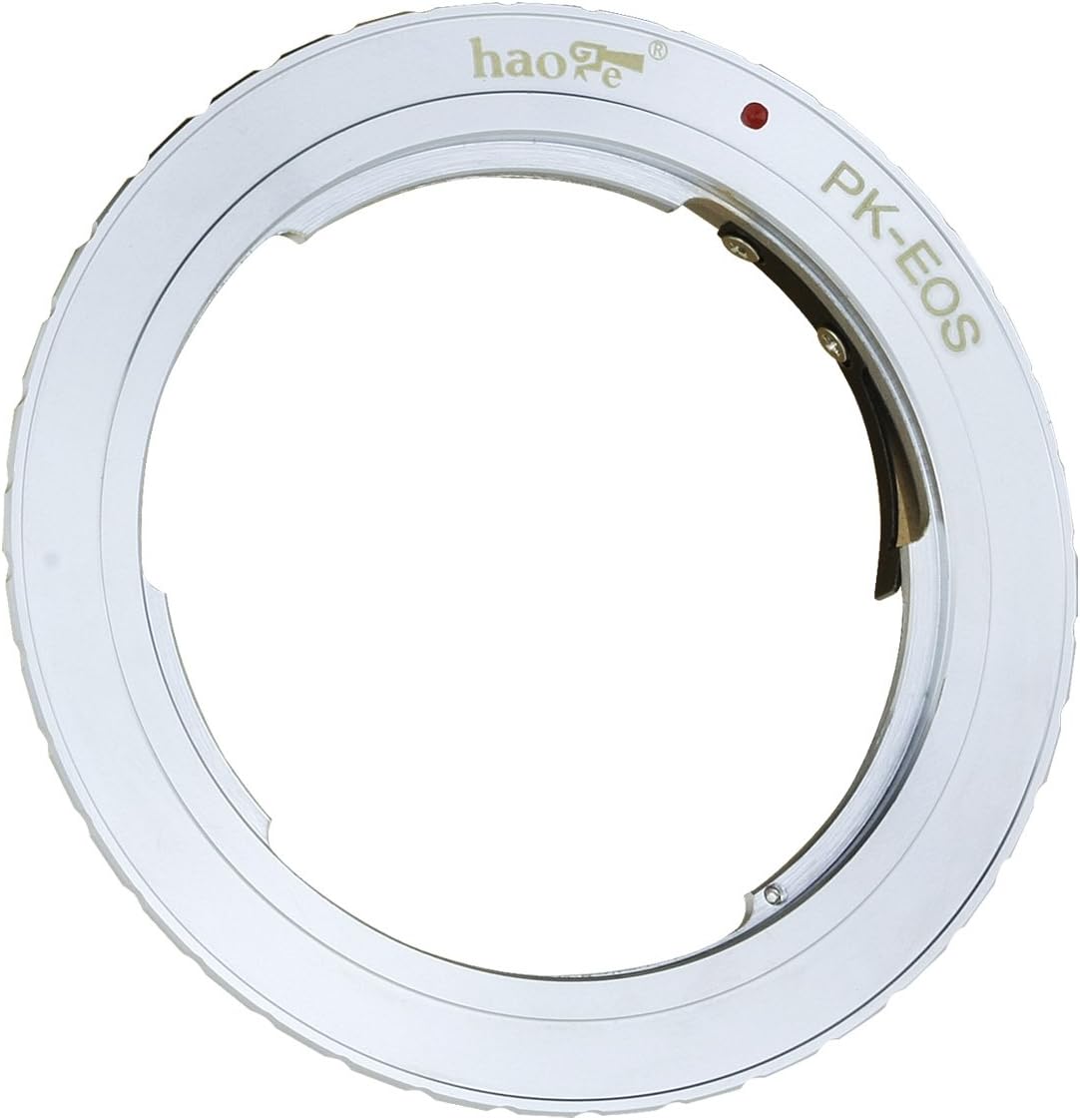
છબી 1: આગળ view of the Haoge PK-EOS Lens Mount Adapter. This image displays the adapter's front side, which connects to the Pentax K mount lens.

છબી ૪.૧: બાજુ view of the Haoge PK-EOS Lens Mount Adapter. This image shows the adapter's profile, highlighting its metallic construction and thickness.
3. સુસંગતતા
This adapter is compatible with the following:
- લેન્સ: All Pentax K mount lenses.
- કેમેરા: All Canon EOS EF/EF-S mount cameras, including but not limited to: Canon EOS 1D/1Ds (Mark II, III, IV, X, C), 5D (Mark II, III, IV), 7D, 10D, 20D, 30D, 40D, 50D, 60D, 60Da, Rebel series (xt, xti, xs, xsi, T1i, T2i, T3, T3i, T4), 300D, 350D, 400D, 450D, 500D, 550D, 1000D, and newer models.
4. સેટઅપ અને ઇન્સ્ટોલેશન
Follow these steps to properly attach and detach the lens mount adapter:
4.1. Attaching the Adapter to a Pentax K Mount Lens
- Align the red dot on the adapter with the red dot (or index mark) on your Pentax K mount lens.
- Insert the adapter into the lens mount and rotate it clockwise until it clicks securely into place. Ensure the adapter is firmly seated.
4.2. Attaching the Lens with Adapter to a Canon EOS Camera
- Align the red dot on the adapter with the red dot (or index mark) on your Canon EOS camera body.
- Insert the adapter into the camera mount and rotate it clockwise until it clicks securely into place.
- Before use, ensure your Canon EOS camera is set to 'Shoot without lens' or 'Release shutter without lens' in its menu settings. This is crucial for the camera to operate with a lens that lacks electronic contacts. Refer to your camera's manual for specific instructions on this setting.

છબી 3: પાછળ view of the Haoge PK-EOS Lens Mount Adapter. This image shows the adapter's rear side, which connects to the Canon EOS camera body.
4.3. Removing the Adapter from the Lens
To remove the adapter from the Pentax K mount lens:
- Locate the small black sheet metal tab on the back of the adapter (as shown in Image 4).
- Firmly press and hold this black sheet metal tab.
- While holding the tab, rotate the adapter counter-clockwise to unscrew it from the lens.

Image 4: Diagram illustrating the process of unmounting the adapter from the lens. The diagram highlights the black sheet metal tab that must be pressed to release the adapter.
4.4. Removing the Lens with Adapter from the Camera
To remove the lens and adapter assembly from the Canon EOS camera body:
- Press the lens release button on your Canon EOS camera body.
- Rotate the lens and adapter assembly counter-clockwise until it detaches from the camera body.
5. ઓપરેટિંગ સૂચનાઓ
When using the Haoge PK-EOS Lens Mount Adapter, it is important to understand that all lens functions will be manual due to the absence of electronic contacts between the lens and the camera.
- મેન્યુઅલ ફોકસ: Focus must be adjusted manually by rotating the focus ring on your Pentax K mount lens. Utilize your camera's LCD screen or viewfinder for precise focusing. Many Canon EOS cameras offer focus peaking or magnification features to assist with manual focusing.
- મેન્યુઅલ એક્સપોઝર: Aperture and exposure settings must be set manually. You can operate in either Manual (M) mode or Aperture Priority (AV) mode on your Canon EOS camera.
- છિદ્ર નિયંત્રણ: Adjust the aperture directly on the lens's aperture ring.
- મીટરિંગ: The camera's light meter will function, but it will not receive aperture information from the lens. You will need to adjust shutter speed and ISO based on the camera's meter reading to achieve correct exposure.
૪. મહત્વપૂર્ણ બાબતો
- No Electronic Communication: The adapter does not transmit electronic signals between the lens and the camera. Therefore, autofocus, automatic aperture control, and AE (Automatic Exposure) metering will be disabled.
- મેન્યુઅલ કામગીરી જરૂરી: You must focus manually and set exposure parameters (aperture, shutter speed, ISO) manually.
- કેમેરા સેટિંગ્સ: Ensure your camera is configured to 'Shoot without lens' or 'Release shutter without lens' to allow operation with the adapter.
7. જાળવણી
To ensure the longevity and optimal performance of your Haoge PK-EOS Lens Mount Adapter, follow these maintenance guidelines:
- સફાઈ: Use a clean, dry microfiber cloth to wipe the adapter. Avoid using harsh chemicals or abrasive materials.
- સંગ્રહ: Store the adapter in a dry, dust-free environment when not in use. It is recommended to attach lens and body caps to both ends of the adapter if stored separately from a lens or camera.
- હેન્ડલિંગ: Handle the adapter carefully to prevent scratches or damage to the mounting surfaces, which could affect its fit and performance.
8. મુશ્કેલીનિવારણ
- જોડવામાં/અલગ કરવામાં મુશ્કેલી: The adapter is designed for a snug fit. If you experience difficulty attaching or detaching, ensure proper alignment of the index marks and apply firm, steady pressure while rotating. For removal from the lens, remember to press the small black sheet metal tab as described in Section 4.3.
- "Lens Mount Error" on Camera: This typically occurs when the camera is not set to operate without a lens. Navigate to your camera's menu and enable the 'Shoot without lens' or 'Release shutter without lens' option.
- Loose Lens on Adapter: While the adapter provides a secure connection to the camera, some Pentax K lenses may have slight variations in their mount. If a lens feels slightly loose on the adapter, ensure it is fully rotated and clicked into place. If the issue persists, it may be due to manufacturing tolerances of the specific lens.
- છબી ગુણવત્તા સમસ્યાઓ: Ensure your lens elements are clean and free from dust or smudges. Also, verify that your manual focus is precise.
9. સ્પષ્ટીકરણો
| બ્રાન્ડ | Haoge |
| મોડલ નંબર | PK-EOS |
| સામગ્રી | ધાતુ |
| રંગ | ચાંદી |
| વસ્તુનું વજન | 1.44 ઔંસ (આશરે 40.8 ગ્રામ) |
| પેકેજ પરિમાણો | 2.83 x 2.8 x 0.67 ઇંચ |
| એક્સપોઝર નિયંત્રણ પ્રકાર | મેન્યુઅલ |
| Shooting Modes Supported | Aperture Priority (AV), Manual (M) |
10. વોરંટી અને સપોર્ટ
Warranty information for the Haoge PK-EOS Lens Mount Adapter is not provided in the available product data. For specific warranty details or technical support, please refer to the official Haoge website or contact the retailer from whom the product was purchased.