
SIMOLIO JH-712
SIMOLIO Kids Bluetooth Headphones User Manual
મોડલ: JH-712
1. પરિચય
Thank you for choosing SIMOLIO Kids Bluetooth Headphones. These headphones are designed with children's hearing safety in mind, featuring multiple volume limiting levels and a comfortable, durable design. This manual provides detailed instructions for setup, operation, and maintenance to ensure optimal performance and longevity of your headphones.
2. મુખ્ય લક્ષણો
- શ્રવણ સંરક્ષણ: Exclusive 3-level volume limiter (75dB/85dB/94dB) suitable for toddlers, kids, and adults.
- ડ્યુઅલ મોડ કનેક્ટિવિટી: Supports both wireless Bluetooth and wired 3.5mm audio connections.
- બિલ્ટ-ઇન માઇક્રોફોન: Enables hands-free calling in Bluetooth mode.
- Share Port: Allows daisy-chaining another headphone for shared listening.
- લાંબી બેટરી જીવન: Up to 15 hours of music/talk time in wireless mode.
- આરામ અને ટકાઉપણું: Adjustable headband with memory stainless steel strips and soft noise-isolating memory foam earmuffs.
- પોર્ટેબલ ડિઝાઇન: Foldable design with an included hard EVA carrying case for easy storage and travel.

Image: SIMOLIO Kids Bluetooth Headphones in grey, shown with charging cable, AUX cable, and hard EVA carrying case.
3. બોક્સમાં શું છે
પેકેજ ખોલતી વખતે, કૃપા કરીને ખાતરી કરો કે નીચેની બધી વસ્તુઓ શામેલ છે:
- SIMOLIO Kids Bluetooth Headphones (Model: JH-712)
- યુએસબી ચાર્જિંગ કેબલ
- 3.5mm AUX ઓડિયો કેબલ
- Hard EVA Carrying Case
- વપરાશકર્તા માર્ગદર્શિકા (આ દસ્તાવેજ)
4. સેટઅપ માર્ગદર્શિકા
૨.૧ હેડફોન ચાર્જ કરવા
Before first use, fully charge the headphones. A full charge takes approximately 2-3 hours.
- Connect the small end of the USB charging cable to the charging port on the headphone.
- USB ચાર્જિંગ કેબલના મોટા છેડાને USB પાવર એડેપ્ટર (શામેલ નથી) અથવા કમ્પ્યુટરના USB પોર્ટ સાથે કનેક્ટ કરો.
- The LED indicator light will turn red during charging and turn off when fully charged.
4.2 Adjusting Volume Limit
The headphones feature a 3-level volume limiter to protect hearing. The switch is located on the left earcup.
- 75dB: Toddler Mode (lowest volume, recommended for very young children).
- 85dB: Kids Mode (standard safe listening level for most children).
- 94dB: Travel Mode (higher volume for noisy environments, suitable for older children/adults).

Image: Close-up of the headphone earcup highlighting the 3-level volume limit switch (75dB, 85dB, 94dB).
5. ઓપરેટિંગ સૂચનાઓ
5.1 Wireless (Bluetooth) Mode
- પાવર ચાલુ: Press and hold the Multi-function Button (MFB) for 3 seconds until the LED indicator flashes blue.
- જોડી બનાવવું: The headphones will automatically enter pairing mode (LED flashes red and blue alternately).
- કનેક્ટ કરો: On your device (smartphone, tablet, laptop), enable Bluetooth and select "SIMOLIO JH-712" from the list of available devices. The LED will turn solid blue when connected.
- નિયંત્રણો:
- Press MFB once to Play/Pause music or Answer/End calls.
- Press MFB twice to Redial last number.
- Press MFB three times to activate voice assistant (Siri, Google Assistant).
- Press Volume + to increase volume.
- Press Volume - to decrease volume.
- Press Next Track button to skip to the next song.
- Press Previous Track button to go to the previous song.
- પાવર બંધ: Press and hold the MFB for 3 seconds until the LED indicator turns red and then off.

Image: A child wearing SIMOLIO headphones while using a laptop, illustrating the "Safe Volume Limited" feature in a study environment.

Image: Two children demonstrating wireless and wired modes. One child uses headphones wirelessly with a laptop, the other uses them wired with a smartphone. Note: Microphone only works in Bluetooth mode.
૩.૨.૩ વાયર્ડ મોડ
The headphones can be used as wired headphones even if the battery is depleted.
- Insert one end of the 3.5mm AUX audio cable into the audio input port on the headphone.
- Insert the other end of the 3.5mm AUX audio cable into the audio output jack of your device (e.g., tablet, phone, computer).
- In wired mode, the headphone's battery is not used, and the volume limiting feature remains active. Note that the built-in microphone will not function in wired mode.
5.3 Share Port Function
The share port allows multiple headphones to listen to the same audio source.
- Connect the first SIMOLIO headphone to your device via Bluetooth (wireless) or AUX cable (wired).
- Connect one end of a 3.5mm AUX audio cable to the share port on the first headphone.
- Connect the other end of the 3.5mm AUX audio cable to the audio input port of a second headphone.
- Both headphones will now play audio from the same source.
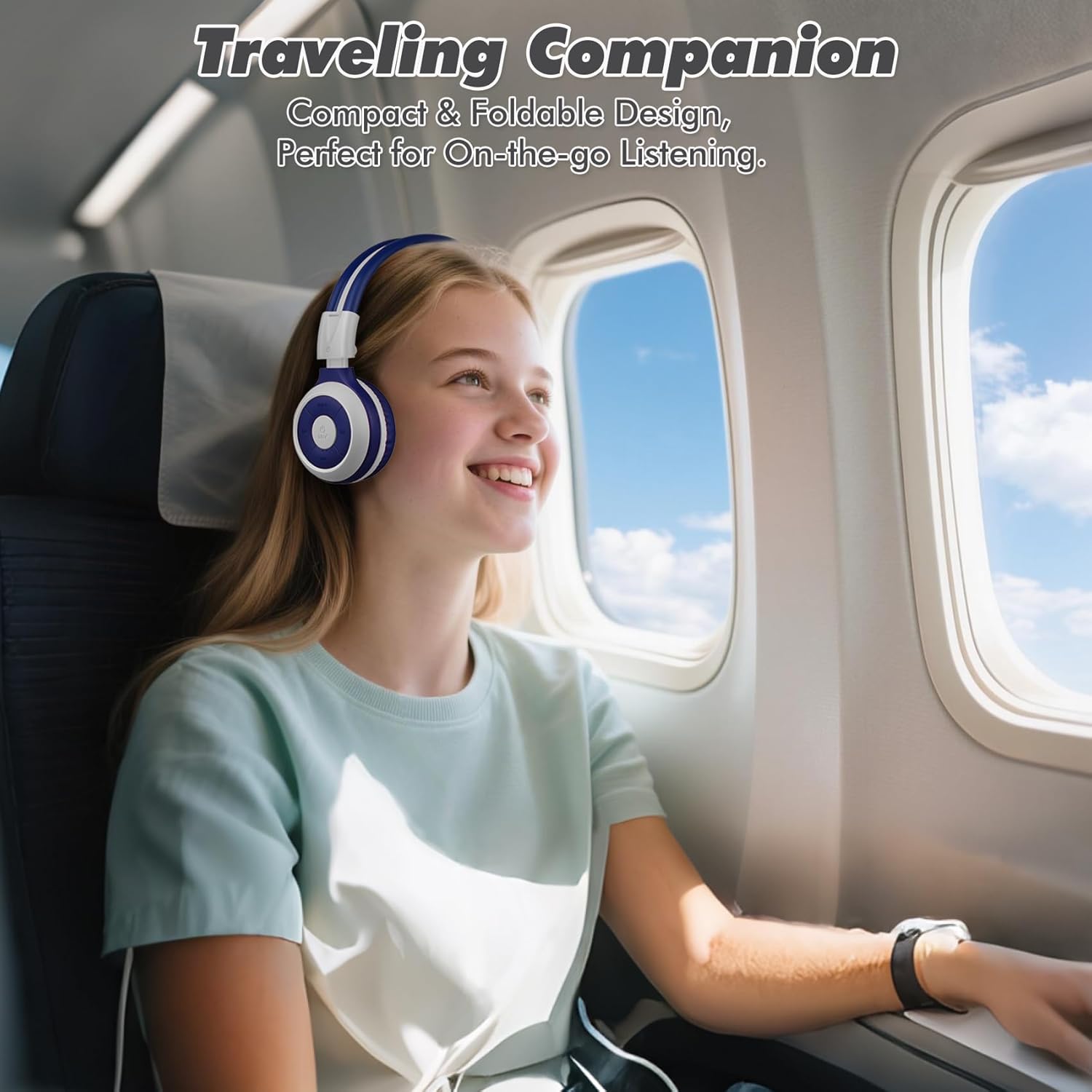
Image: A child comfortably wearing SIMOLIO headphones on an airplane, highlighting the compact and foldable design for travel.
6. જાળવણી અને સંભાળ
- સફાઈ: હેડફોન સાફ કરવા માટે નરમ, સૂકા કપડાનો ઉપયોગ કરો. ઘર્ષક ક્લીનર્સ અથવા સોલવન્ટનો ઉપયોગ કરશો નહીં.
- સંગ્રહ: When not in use, fold the headphones and store them in the provided hard EVA carrying case to protect them from dust and damage.
- તાપમાન: Avoid exposing the headphones to extreme temperatures (hot or cold) or high humidity.
- પાણીનો સંપર્ક: These headphones are not waterproof. Avoid contact with water or other liquids.
- હેન્ડલિંગ: Do not bend the headband hinge excessively. While durable, improper force can cause damage.

Image: Diagram illustrating the flexibility of the headband with memory elastic metal strips, showing how it can be remoulded to fit the user's head. Important note: Do not bend the hinge.
7. મુશ્કેલીનિવારણ
| સમસ્યા | સંભવિત કારણ | ઉકેલ |
|---|---|---|
| હેડફોન ચાલુ થતા નથી. | બેટરી ઓછી છે અથવા ખતમ થઈ ગઈ છે. | Charge the headphones fully using the provided USB cable. |
| બ્લૂટૂથ દ્વારા જોડી બનાવી શકાતી નથી. | હેડફોન પેરિંગ મોડમાં નથી; ડિવાઇસ બ્લૂટૂથ બંધ છે; ડિવાઇસથી ખૂબ દૂર છે. | Ensure headphones are in pairing mode (flashing red/blue). Turn device Bluetooth off/on. Move headphones closer to device (within 10 meters). |
| વાયરલેસ મોડમાં કોઈ અવાજ નથી. | Volume too low; not connected; incorrect audio output selected on device. | Increase headphone and device volume. Ensure headphones are successfully paired. Check device's audio output settings. |
| વાયર્ડ મોડમાં કોઈ અવાજ નથી. | AUX cable not fully inserted; cable damaged; device audio jack issue. | Ensure AUX cable is fully inserted into both headphone and device. Try a different AUX cable. Test with another device. |
| માઇક્રોફોન કામ કરી રહ્યો નથી. | Headphones in wired mode; device microphone settings. | The microphone only functions in Bluetooth mode. Ensure headphones are connected wirelessly. Check device's microphone privacy settings. |
8. સ્પષ્ટીકરણો
| લક્ષણ | વિગત |
|---|---|
| મોડેલનું નામ | Kids Wireless Bluetooth Headphones JH-712G |
| કનેક્ટિવિટી ટેકનોલોજી | Wireless (Bluetooth), Wired (3.5mm AUX) |
| બ્લૂટૂથ રેન્જ | 10 મીટર (33 ફૂટ) |
| બેટરી જીવન | Up to 15 Hours (wireless mode) |
| ઑડિઓ ડ્રાઇવરનું કદ | 40 મિલીમીટર |
| Volume Limiting Levels | 75dB, 85dB, 94dB |
| સામગ્રી | એક્રેલોનિટ્રિલ બ્યુટાડીન સ્ટાયરીન (ABS) |
| ઉત્પાદન પરિમાણો | 5.51 x 3.15 x 5.31 ઇંચ |
| વસ્તુનું વજન | 13.4 ઔંસ |
| સમાવાયેલ ઘટકો | Charging Cable, AUX Cable, User Manual, Carrying EVA Case |
9. વોરંટી અને સપોર્ટ
SIMOLIO provides a 12-month hassle-free warranty for these headphones. For any product-related inquiries, technical support, or warranty claims, please contact SIMOLIO customer service through the following channels:
- ઈમેલ: Refer to the contact information provided on the product packaging or SIMOLIO official webસાઇટ
- Supportનલાઇન સપોર્ટ: Visit the SIMOLIO Store on Amazon: SIMOLIO Store
Please have your model number (JH-712) and purchase date ready when contacting support.
Ask a question about this manual
Ask about setup, troubleshooting, compatibility, parts, safety, or missing instructions. Manuals+ will review the question and use this page’s manual context to help answer it.