
પરિચય
Thank you for choosing TRANYA B530 True Wireless Earbuds. This manual provides essential information for setting up, operating, and maintaining your earbuds. Please read it thoroughly before use to ensure optimal performance and longevity of your device.
The TRANYA B530 earbuds feature Bluetooth 5.0 technology, Aptx/AAC compatibility for high-quality audio, CVC8.0 noise cancellation for clear calls, and an IPX5 waterproof rating, making them suitable for various activities including sports and exercise.
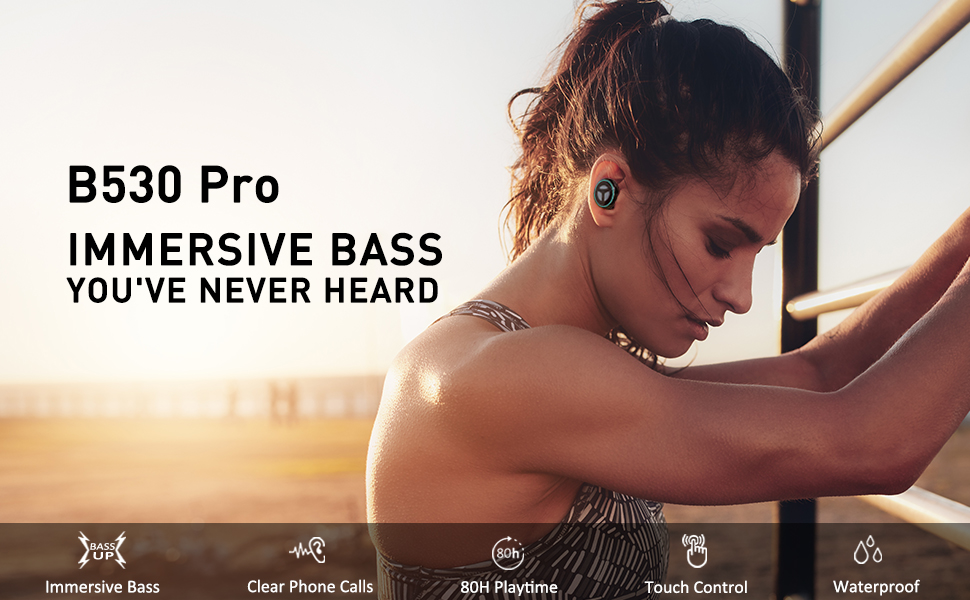
Image: TRANYA B530 True Wireless Earbuds and their charging case, showcasinઆકર્ષક કાળી ડિઝાઇન.
પેકેજ સામગ્રી
ખાતરી કરો કે બધી વસ્તુઓ તમારા પેકેજમાં હાજર છે:
- TRANYA B530 True Wireless Earbuds (Left & Right)
- ચાર્જિંગ કેસ
- Silicone Eartips (3 pairs: Small, Medium, Large)
- માઇક્રો યુએસબી ચાર્જિંગ કેબલ
- વપરાશકર્તા માર્ગદર્શિકા


Image: Micro USB charging cable and various sizes of silicone eartips included in the package.
સેટઅપ
૪.૧. ઇયરબડ્સ અને કેસ ચાર્જ કરવા
Before first use, fully charge the earbuds and the charging case. Connect the Micro USB charging cable to the charging port on the case and a power source. The LED indicators on the case will show the charging status.
- ચાર્જિંગ કેસ: કુલ રમવાનો સમય 80 કલાક સુધી.
- ઇયરબડ્સ: એક ચાર્જ પર 10 કલાક સુધીનો પ્લેટાઇમ.

Image: TRANYA B530 earbuds shown with their charging case, highlighting the ultra-long playtime of up to 80 hours.
2. તમારા ઉપકરણ સાથે પેરિંગ
The earbuds support effortless pairing and automatic on/off functionality.
- Remove both earbuds from the charging case. They will automatically power on and enter pairing mode.
- On your device (smartphone, tablet, etc.), go to Bluetooth settings and select "TRANYA B530" from the list of available devices.
- Once connected, you will hear a confirmation tone, and the earbud indicator lights will turn off.
The earbuds support both Sync Mode (stereo) and Mono Mode (single earbud use).

Image: Illustration showing TRANYA B530 earbuds in both Sync Mode (stereo) and Mono Mode (single earbud), with a smartphone screen displaying successful Bluetooth pairing.
ઓપરેટિંગ સૂચનાઓ
The TRANYA B530 earbuds feature multi-functional touch controls for easy management of music and calls.

Image: A person using TRANYA B530 earbuds, demonstrating the multi-functional touch controls for volume, calling, voice assistance, and audio playback.
સંગીત નિયંત્રણ
- ચલાવો/થોભો: બંને ઇયરબડ પર એક વાર ટેપ કરો.
- અવાજ વધારો: જમણા ઇયરબડ પર બે વાર ટેપ કરો.
- અવાજ ધીમો: ડાબા ઇયરબડ પર બે વાર ટેપ કરો.
- આગળનો ટ્રેક: જમણા ઇયરબડ પર ત્રણ વાર ટેપ કરો.
- પાછલો ટ્રેક: ડાબા ઇયરબડ પર ત્રણ વાર ટેપ કરો.
ક Callલ મેનેજમેન્ટ
- જવાબ/કૉલ સમાપ્ત કરો: બંને ઇયરબડ પર એક વાર ટેપ કરો.
- કૉલ નકારો: કોઈપણ ઇયરબડને 2 સેકન્ડ માટે દબાવી રાખો.
વૉઇસ સહાયક
- વોઇસ આસિસ્ટન્ટ (સિરી, ગુગલ આસિસ્ટન્ટ) સક્રિય કરો: કોઈપણ ઇયરબડને 3 સેકન્ડ માટે દબાવી રાખો.
જાળવણી
Proper maintenance ensures the longevity and performance of your TRANYA B530 earbuds.
- સફાઈ: ઇયરબડ્સ અને ચાર્જિંગ કેસને નિયમિતપણે નરમ, સૂકા કપડાથી સાફ કરો. કઠોર રસાયણો અથવા ઘર્ષક સામગ્રીનો ઉપયોગ કરવાનું ટાળો.
- સંગ્રહ: જ્યારે ઉપયોગમાં ન હોય, ત્યારે ઇયરબડ્સને ધૂળ અને નુકસાનથી બચાવવા માટે તેમના ચાર્જિંગ કેસમાં રાખો.
- પાણીનો સંપર્ક: While IPX5 waterproof, avoid prolonged exposure to water or submersion. Ensure earbuds are dry before placing them back in the charging case.
મુશ્કેલીનિવારણ
જો તમને તમારા ઇયરબડ્સમાં સમસ્યા આવે, તો નીચેના ઉકેલો અજમાવી જુઓ:
| સમસ્યા | ઉકેલ |
|---|---|
| ઇયરબડ્સ જોડી રહ્યાં નથી | Ensure earbuds are fully charged. Turn off and on your device's Bluetooth. Try resetting the earbuds (refer to user manual for specific reset instructions). |
| માત્ર એક ઇયરબડ કામ કરે છે | Place both earbuds back in the case, then remove them simultaneously to re-establish stereo connection. Check battery levels of both earbuds. |
| નબળી અવાજ ગુણવત્તા | Ensure earbuds are properly seated in your ears with the correct size eartips for a good seal. Check for obstructions in the earbud nozzles. Ensure your device is within Bluetooth range. |
| ચાર્જિંગ સમસ્યાઓ | Ensure the charging cable is securely connected. Try a different charging cable or power adapter. Clean the charging contacts on the earbuds and inside the case. |
વિશિષ્ટતાઓ
- મોડલ: B530
- બ્લૂટૂથ સંસ્કરણ: 5.0
- વાયરલેસ ટેકનોલોજી: બ્લૂટૂથ
- બ્લૂટૂથ રેન્જ: 10 મીટર
- ઓડિયો કોડેક્સ: Aptx, AAC
- અવાજ નિયંત્રણ: CVC8.0 Noise Cancellation (for calls)
- ડ્રાઈવર: Nano-Ti Diaphragm
- પાણી પ્રતિકાર સ્તર: IPX5 (વોટરપ્રૂફ)
- Earbud Playtime (Single Charge): 10 કલાક સુધી
- કુલ રમવાનો સમય (ચાર્જિંગ કેસ સાથે): 80 કલાક સુધી
- નિયંત્રણ પ્રકાર: Touch Control (Media, Call, Voice Assistant, Volume)
- વજન: ૪.૮ ગ્રામ (પ્રતિ ઇયરબડ)
- સામગ્રી: પ્લાસ્ટિક
વોરંટી અને આધાર
TRANYA B530 True Wireless Earbuds come with a standard 12-month warranty. You can extend your warranty to 15 months by registering your product on the official TRANYA webખરીદીના 14 દિવસની અંદર સાઇટ.
For product information, support, or warranty claims, please visit www.tranya.com અથવા ગ્રાહક સપોર્ટનો સંપર્ક કરો support@tranya.com.
સત્તાવાર ઉત્પાદન વિડિઓ
વિડિઓ: એક સત્તાવાર ઉત્પાદન સમાપ્તview of the TRANYA B530 Pro Wireless Earbuds, highlighting key features and design.