
1. ઉત્પાદન ઓવરview
The BoxWave DirectSync Cable is designed to provide efficient charging and high-speed data transfer for compatible devices, such as the Holux GPSport 260. This durable cable features a shielded design and reinforced strain reliefs to ensure longevity and reliable performance.

Image: The BoxWave DirectSync Cable shown alongside a Holux GPSport 260 device, illustrating its intended use.
2. સેટઅપ અને કનેક્શન
To begin using your DirectSync Cable, follow these simple steps:
- કનેક્ટર્સને ઓળખો: The DirectSync Cable has a standard USB-A connector on one end and a Mini USB connector on the other.
- ઉપકરણ સાથે કનેક્ટ કરો: Insert the Mini USB connector into the corresponding port on your Holux GPSport 260 or other compatible device. Ensure the connector is fully seated.
- પાવર/ડેટા સ્ત્રોત સાથે કનેક્ટ કરો: Insert the USB-A connector into a compatible USB port on a computer, wall adapter, car charger, or power bank for charging or data transfer.

છબી: વિગતવાર view of the DirectSync Cable, highlighting its USB-A and Mini USB connectors.
3. ઓપરેટિંગ સૂચનાઓ
3.1 તમારા ઉપકરણને ચાર્જ કરી રહ્યું છે
Once connected to a power source, the DirectSync Cable will automatically begin charging your compatible device. The charging status is typically indicated on your device's screen.
3.2 ડેટા ટ્રાન્સફર
For data transfer, connect the USB-A end of the cable to a computer's USB port. Your device should appear as a removable storage drive or be recognized by relevant software. You can then transfer files such as GPS logs, maps, or other data at Hi-Speed USB 2.0 rates (up to 480Mbps).
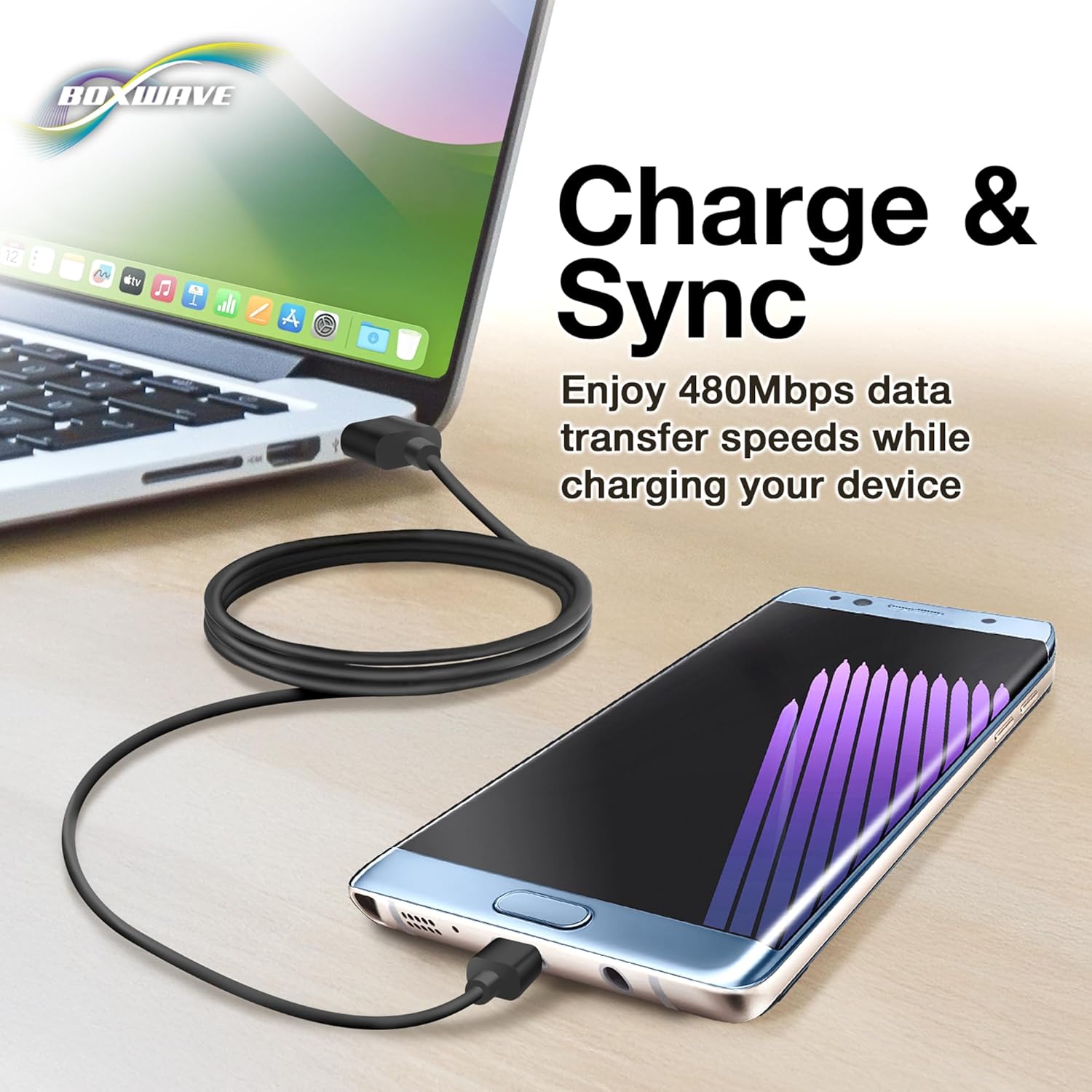
Image: The DirectSync Cable facilitating both charging and data synchronization between a device and a laptop.
4. જાળવણી અને સંભાળ
To ensure the longevity and optimal performance of your DirectSync Cable, please observe the following care guidelines:
- Avoid Kinks and Bends: Do not sharply bend or kink the cable, especially near the connectors. The cable features reinforced strain reliefs to minimize damage, but excessive force can still cause internal wire breakage.
- યોગ્ય સંગ્રહ: When not in use, coil the cable loosely. Avoid tightly wrapping it around objects or tying it in knots.
- ક્લીન કનેક્ટર્સ: Keep the connectors free from dust and debris. Use a dry, soft cloth to gently wipe them if necessary.
- કાળજી સાથે હેન્ડલ કરો: Always pull from the connector housing, not the cable itself, when disconnecting.

Image: A close-up demonstrating the reinforced strain relief design at the cable's connectors, which helps prevent kinking and tearing.
5. મુશ્કેલીનિવારણ
If you encounter issues with your DirectSync Cable, try the following solutions:
- ઉપકરણ ચાર્જ થતું નથી:
- ખાતરી કરો કે કેબલના બંને છેડા સુરક્ષિત રીતે જોડાયેલા છે.
- એક અલગ USB પોર્ટ અથવા પાવર એડેપ્ટર અજમાવી જુઓ.
- Verify that your device's charging port is clean and undamaged.
- Test the cable with another compatible device, if possible, to determine if the issue is with the cable or the device.
- ડેટા ટ્રાન્સફર સમસ્યાઓ:
- Confirm the cable is connected to a computer's data-enabled USB port (not just a charging port).
- Restart both your device and the computer.
- Check your device's settings to ensure it's configured for data transfer (e.g., "File ટ્રાન્સફર" મોડ).
- તમારા કમ્પ્યુટર પર એક અલગ USB પોર્ટ અજમાવી જુઓ.
- કેબલ નુકસાન:
Visually inspect the cable for any signs of physical damage, such as cuts, fraying, or bent connectors. A damaged cable should be replaced.
6. સ્પષ્ટીકરણો
| ઉત્પાદન નામ | BoxWave DirectSync Cable |
| મોડલ નંબર | Not specified (Generic DirectSync Cable) |
| કનેક્ટર્સ | USB-A to Mini USB |
| ડેટા ટ્રાન્સફર ઝડપ | Hi-Speed USB 2.0 (up to 480Mbps) |
| કાર્યક્ષમતા | Charge and Sync |
| કેબલ લંબાઈ | Generous length (approx. 3 feet based on A+ content image) |
| લક્ષણો | Shielded cable, Reinforced rubberized grommet strain reliefs |
| વસ્તુનું વજન | 3.2 ઔંસ |
7. સપોર્ટ માહિતી
For technical assistance or inquiries regarding your BoxWave DirectSync Cable, limited third-party technical support is available (up to 3 inquiries via messaging). Please refer to your purchase documentation or the seller's contact information for details on how to reach support.
This product is manufactured by BoxWave Corporation.