
Amazon Basics MPPDA-08CRN8-BCG2
Amazon Basics 3-In-1 Portable Air Conditioner User Manual
Model: MPPDA-08CRN8-BCG2 | Brand: Amazon Basics
મહત્વપૂર્ણ સલામતી માહિતી
Please read all instructions carefully before operating the appliance and retain for future reference. Always follow basic safety precautions to reduce the risk of fire, electric shock, and personal injury.
- ખાતરી કરો કે પાવર સપ્લાય વોલ્યુમ સાથે મેળ ખાય છેtagઇ યુનિટની જરૂરિયાતો.
- ક્ષતિગ્રસ્ત કોર્ડ અથવા પ્લગ વડે યુનિટને ચલાવશો નહીં.
- એર ઇનલેટ્સ અથવા આઉટલેટ્સને અવરોધિત કરશો નહીં.
- એકમને જ્વલનશીલ પદાર્થોથી દૂર રાખો.
- સફાઈ અથવા સેવા આપતા પહેલા હંમેશા યુનિટને અનપ્લગ કરો.
- આ ઉપકરણ ઓછી શારીરિક, સંવેદનાત્મક અથવા માનસિક ક્ષમતાઓ અથવા અનુભવ અને જ્ઞાનનો અભાવ ધરાવતી વ્યક્તિઓ (બાળકો સહિત) દ્વારા ઉપયોગ માટે બનાવાયેલ નથી, સિવાય કે તેમની સુરક્ષા માટે જવાબદાર વ્યક્તિ દ્વારા ઉપકરણના ઉપયોગ અંગેની દેખરેખ અથવા સૂચના આપવામાં આવી હોય.
ઉત્પાદન ઓવરview
The Amazon Basics 3-In-1 Portable Air Conditioner provides cooling, dehumidifying, and fan-only functions for versatile climate control in your home or office.

છબી: આગળ view of the Amazon Basics Portable Air Conditioner unit with its remote control.
મુખ્ય લક્ષણો:
- 3-ઇન-1 વર્સેટિલિટી: Cool, Dry (Dehumidifier), and Fan-only functions.
- ઠંડક ક્ષમતા: 12,000 BTU (ASHRAE) / 8,000 BTU (SACC) for spaces up to 550 sq. ft.
- Advanced Comfort: Auto-swing louvers, Sleep mode, 3 fan speeds, 3 cooling settings.
- વપરાશકર્તા મૈત્રીપૂર્ણ: Digital display, programmable timer (0.5 to 24 hours), remote control with "FOLLOW ME" function.
- ગતિશીલતા: Built-in wheels and ergonomic handles for easy movement.

Image: Diagram showing the dimensions of the portable air conditioner, adjustable fan levers, remote control range (26 ft / 8 m), and rolling caster wheels.
સેટઅપ અને ઇન્સ્ટોલેશન
Proper installation is crucial for efficient operation. The unit comes with a complete window kit for easy setup.
વિન્ડો કિટ ઇન્સ્ટોલેશન:
The window kit is compatible with standard, crank, and egress windows, allowing for both horizontal and vertical venting.

Image: Illustrations demonstrating how to install the window kit for both horizontal and vertical window orientations.
- બારી તૈયાર કરો: Open the window where you intend to install the unit.
- Assemble Window Slider Kit: Connect the window slider panels to fit the width or height of your window opening.
- Insert Slider: Insert the assembled window slider into the window opening. Close the window sash to secure the slider.
- Secure Slider: Adjust the window slider to the height/width of the window assembly and secure it with the provided plastic bolt.
- Attach Exhaust Hose: Connect one end of the exhaust hose to the air conditioner's exhaust port and the other end to the window kit adapter. Ensure a tight seal to prevent hot air from re-entering the room.
- પોઝિશન યુનિટ: Place the portable AC unit on a flat, stable surface near the window, ensuring the exhaust hose is not kinked or bent sharply.

Image: Diagrams illustrating flexible installation options for both sash and sliding windows, showing compatible window dimensions (26.6 to 49.1 inches / 67.6 cm to 124.7 cm wide/tall).
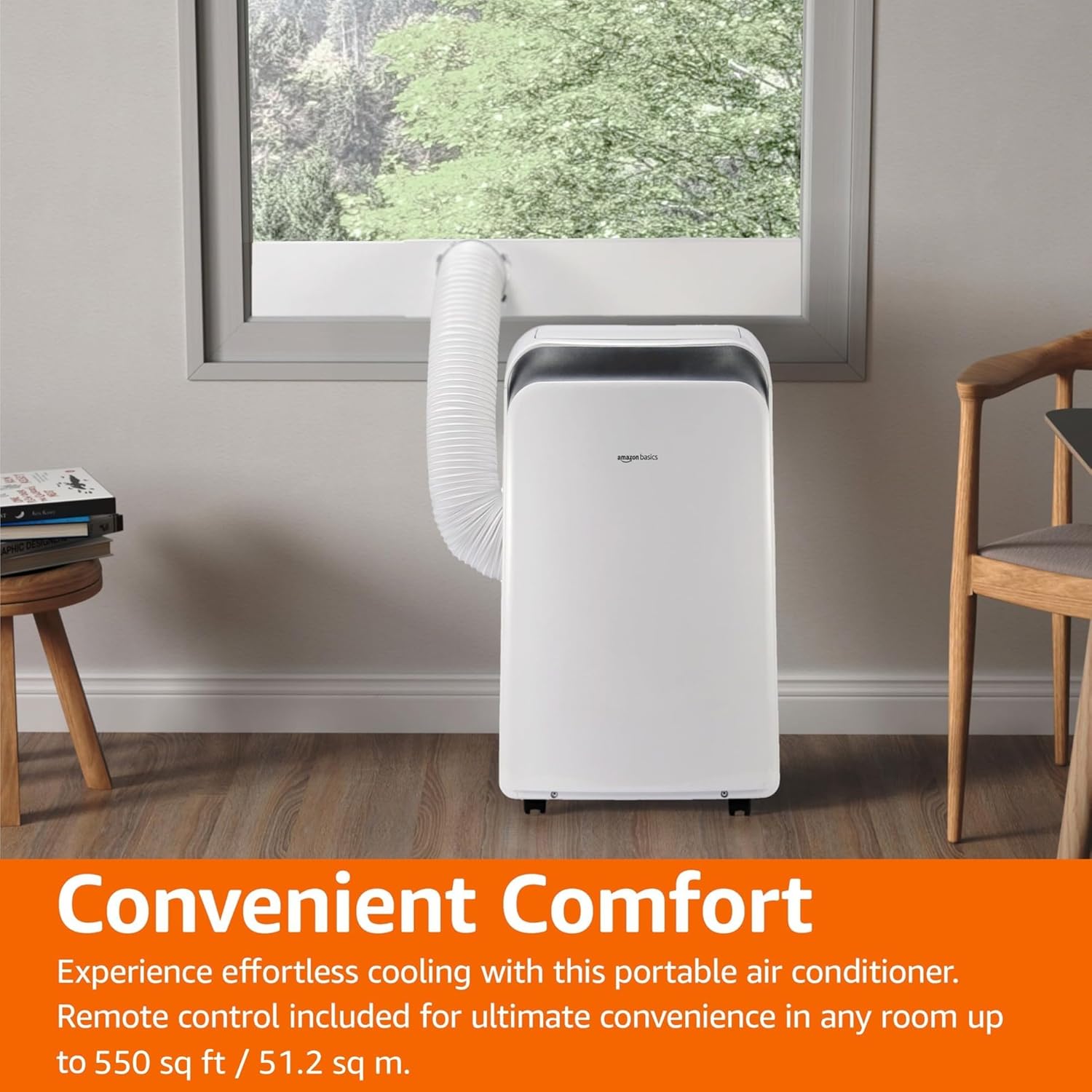
Image: The portable air conditioner unit installed in a living space, with the exhaust hose connected to a window, demonstrating its convenient placement.
ઓપરેટિંગ સૂચનાઓ
The unit can be operated using the control panel on the unit or the included remote control.

Image: Close-up of the portable air conditioner's digital display and control buttons, highlighting its 3-in-1 design, automatic timer, 3 cooling settings, and 12,000 BTU capacity.
કંટ્રોલ પેનલ અને રિમોટ:
- પાવર બટન: એકમ ચાલુ/બંધ કરે છે.
- મોડ બટન: Cycles through Cool, Dry (Dehumidifier), and Fan modes.
- તાપમાન બટનો (+/-): ઇચ્છિત તાપમાનને સમાયોજિત કરે છે.
- ફેન સ્પીડ બટન: પંખાની ગતિ (નીચી, મધ્યમ, ઊંચી) પસંદ કરે છે.
- ટાઈમર બટન: Sets the auto ON/OFF timer (0.5 to 24 hours).
- નિદ્રા સ્થિતિ: Activates energy-saving sleep function.
- Autoટો મોડ: The unit intelligently selects between cooling and fan-only operation based on room temperature.
- Follow Me Function (Remote): The remote control acts as a thermostat, allowing the unit to cool to the temperature at the remote's location.
ઓપરેટિંગ મોડ્સ:
- કૂલ મોડ: Provides powerful cooling. Set desired temperature and fan speed.
- ડ્રાય (ડિહ્યુમિડિફાયર) મોડ: હવામાંથી વધારાનો ભેજ દૂર કરે છે. આ સ્થિતિમાં પંખાની ગતિ સામાન્ય રીતે નિશ્ચિત હોય છે.
- ચાહક સ્થિતિ: ઠંડક વગર હવાનું પરિભ્રમણ કરે છે. ઇચ્છિત પંખાની ગતિ પસંદ કરો.
- Autoટો મોડ: The unit intelligently selects between cooling and fan-only operation to maintain the set temperature.
જાળવણી
Regular maintenance ensures optimal performance and extends the life of your portable air conditioner.
એર ફિલ્ટર સફાઈ:
ઉપયોગ અને હવાની ગુણવત્તાના આધારે એર ફિલ્ટરને દર બે અઠવાડિયે કે તેથી વધુ વખત સાફ કરવું જોઈએ.
- પાવર આઉટલેટમાંથી યુનિટને અનપ્લગ કરો.
- યુનિટની પાછળ અથવા બાજુમાંથી એર ફિલ્ટર શોધો અને દૂર કરો.
- ફિલ્ટરને ગરમ, સાબુવાળા પાણીથી ધોઈ લો. સારી રીતે ધોઈ લો.
- ફિલ્ટરને યુનિટમાં ફરીથી દાખલ કરતા પહેલા તેને હવામાં સંપૂર્ણપણે સૂકવવા દો.
પાણીનો નિકાલ:
In Dry (Dehumidifier) mode or high humidity conditions, the internal water tank may fill up. The unit will typically stop operating and display an error code when the tank is full.
- Place a shallow pan or bucket under the drainage port at the bottom rear of the unit.
- પાણી બહાર નીકળવા દેવા માટે ડ્રેઇન પ્લગ દૂર કરો.
- એકવાર ડ્રેઇન થઈ ગયા પછી, ડ્રેઇન પ્લગને સુરક્ષિત રીતે બદલો.
- For continuous drainage, connect a drain hose (not included) to the continuous drain port.
સંગ્રહ:
If storing the unit for an extended period, ensure it is completely drained and the filter is clean and dry. Store in a cool, dry place, preferably in its original packaging.
મુશ્કેલીનિવારણ
ગ્રાહક સપોર્ટનો સંપર્ક કરતા પહેલા, કૃપા કરીને નીચેના સામાન્ય મુદ્દાઓ અને ઉકેલોનો સંદર્ભ લો.
| સમસ્યા | સંભવિત કારણ | ઉકેલ |
|---|---|---|
| યુનિટ ચાલુ થતું નથી. | પાવર નથી, પાવર કોર્ડ અનપ્લગ થયેલ છે, સર્કિટ બ્રેકર ટ્રીપ થઈ ગયું છે. | પાવર કનેક્શન તપાસો, સર્કિટ બ્રેકર રીસેટ કરો. |
| યુનિટ અસરકારક રીતે ઠંડુ થતું નથી. | Dirty air filter, blocked air intake/outlet, room too large, windows/doors open, exhaust hose not properly installed. | Clean air filter, clear obstructions, ensure room size is within capacity, close windows/doors, check exhaust hose connection. |
| એકમ ઘોંઘાટીયા છે. | યુનિટ સમતલ સપાટી પર નથી, પંખામાં અવરોધ છે. | Place unit on a flat surface, check for foreign objects in fan. |
| પાણી લીકેજ. | Drain plug loose, continuous drain hose kinked or blocked, internal water tank full. | Ensure drain plug is secure, clear any kinks/blockages in drain hose, empty internal water tank. |
| રીમોટ કંટ્રોલ કામ કરતું નથી. | બેટરી બંધ થઈ ગઈ, રિમોટ અને યુનિટ વચ્ચે અવરોધ. | Replace batteries, ensure clear line of sight to unit's receiver. |
વિશિષ્ટતાઓ
| લક્ષણ | વિગત |
|---|---|
| મોડલ નંબર | MPPDA-08CRN8-BCG2 |
| ઠંડક ક્ષમતા (ASHRAE) | 12,000 BTU |
| ઠંડક ક્ષમતા (SACC) | 8,000 BTU |
| ભલામણ કરેલ કવરેજ વિસ્તાર | 550 ચોરસ ફૂટ સુધી. |
| કાર્યો | Cool, Dry (Dehumidifier), Fan |
| ભાગtage | 115 વોલ્ટ |
| રેફ્રિજન્ટ | R32 |
| ઉત્પાદનના પરિમાણો (L x W x H) | 45.39 x 36.5 x 70 સેમી (17.87 x 14.37 x 27.56 ઇંચ) |
| વસ્તુનું વજન | 22.68 કિગ્રા (50 lbs) |
| મોસમી ઉર્જા કાર્યક્ષમતા ગુણોત્તર (SEER) | 10 |
| ખાસ લક્ષણો | 3-In-1 (Cool/Dry/Ventilation), Digital Display, Remote Control, Auto Mode, Sleep Mode, Auto-Swing Louvers |
વોરંટી અને આધાર
For warranty information or technical support, please refer to the Amazon Basics product page or contact Amazon customer service directly. Keep your purchase receipt for warranty claims.
Supportનલાઇન સપોર્ટ: Visit the Amazon Basics store page for FAQs and additional resources.
ગ્રાહક સેવા: Contact Amazon customer service for assistance with product issues or warranty claims.
Ask a question about this manual
Ask about setup, troubleshooting, compatibility, parts, safety, or missing instructions. Manuals+ will review the question and use this page’s manual context to help answer it.