
1. પરિચય
The SOMKTN Northern Lights Galaxy Aurora Projector is designed to transform your space into a mesmerizing aurora and starry sky. It features dynamic aurora light effects, a built-in white noise sound machine, a Bluetooth speaker, and multiple control options including remote, app, and voice commands via Alexa or Google Assistant.

Image 1.1: The Northern Lights Galaxy Aurora Projector, showcasing its compact design and various control methods.
2. પેકેજ સામગ્રી
- Northern Lights Galaxy Aurora Projector
- રીમોટ કંટ્રોલ
- USB Cable (Power Adapter not always included, use a 5V/2A adapter)
- વપરાશકર્તા માર્ગદર્શિકા
3. સલામતી માહિતી
- ઉપકરણને ડિસએસેમ્બલ અથવા સંશોધિત કરશો નહીં.
- Keep away from water and high humidity.
- Use only the specified power adapter (5V/2A recommended).
- Avoid direct eye exposure to the laser light.
- બાળકોની પહોંચથી દૂર રાખો.
4. સેટઅપ
4.1 પાવર કનેક્શન
Connect the provided USB cable to the projector and plug the other end into a compatible 5V/2A USB power adapter (not included) or a USB port. The projector will automatically power on.
4.2 App Installation and Connection (Smart Life App)
- Download the "Smart Life" app from your smartphone's app store (iOS or Android).
- Ensure the projector is connected to power and turned on.
- Repeatedly toggle the projector's slide button (OFF-WiFi-OFF-WiFi-OFF-WiFi) until the white light flashes rapidly. Keep the button on "WiFi" mode.
- Open the Smart Life app, tap "Add device".
- Select "Lighting - Light Source (BLE+WiFi)" and enter your 2.4GHz Wi-Fi network password.
- The app will begin adding the device. Once connected, you can control the projector via the app.

Image 4.1: Connecting the projector to the Smart Life app via 2.4GHz Wi-Fi.
4.3 Connecting to Amazon Alexa / Google Assistant
- Download the "Amazon Alexa" app on your phone.
- In the Alexa app, search for the "Smart Life" skill.
- Enable the skill and authorize Alexa to log in to your Smart Life App account.
- Once linked, you can control your projector with voice commands.

Image 4.2: The projector is compatible with Amazon Alexa for convenient voice control.
5. ઓપરેટિંગ સૂચનાઓ
5.1 Basic Operation (Device Buttons & Remote Control)
The projector can be controlled directly using the buttons on the device or the included remote control. The remote allows for power on/off, rotation control, and brightness adjustment (10%, 40%, 70%, 100%).

Image 5.1: Control the projector using the included remote or your smartphone via the app.
5.2 Light Modes and Colors
The projector offers 14 dynamic aurora light colors. Through the Smart Life App, you can access 16 million color options, supporting solid, bi-color, tri-color, and four-color combinations. You can also adjust the brightness of both aurora and star lights.

Image 5.2: Explore 16 million colors and 48 scenario models for diverse lighting effects.
5.3 Sound Machine (White Noise)
The projector features 8 built-in soothing sounds to aid relaxation and sleep. These include White Noise, Ocean Waves, Summer Night, Thunder, Stream, and 3 Lullabies. You can switch between white noise and Bluetooth speaker modes via the "BT/WN" button on the host device or through the app.
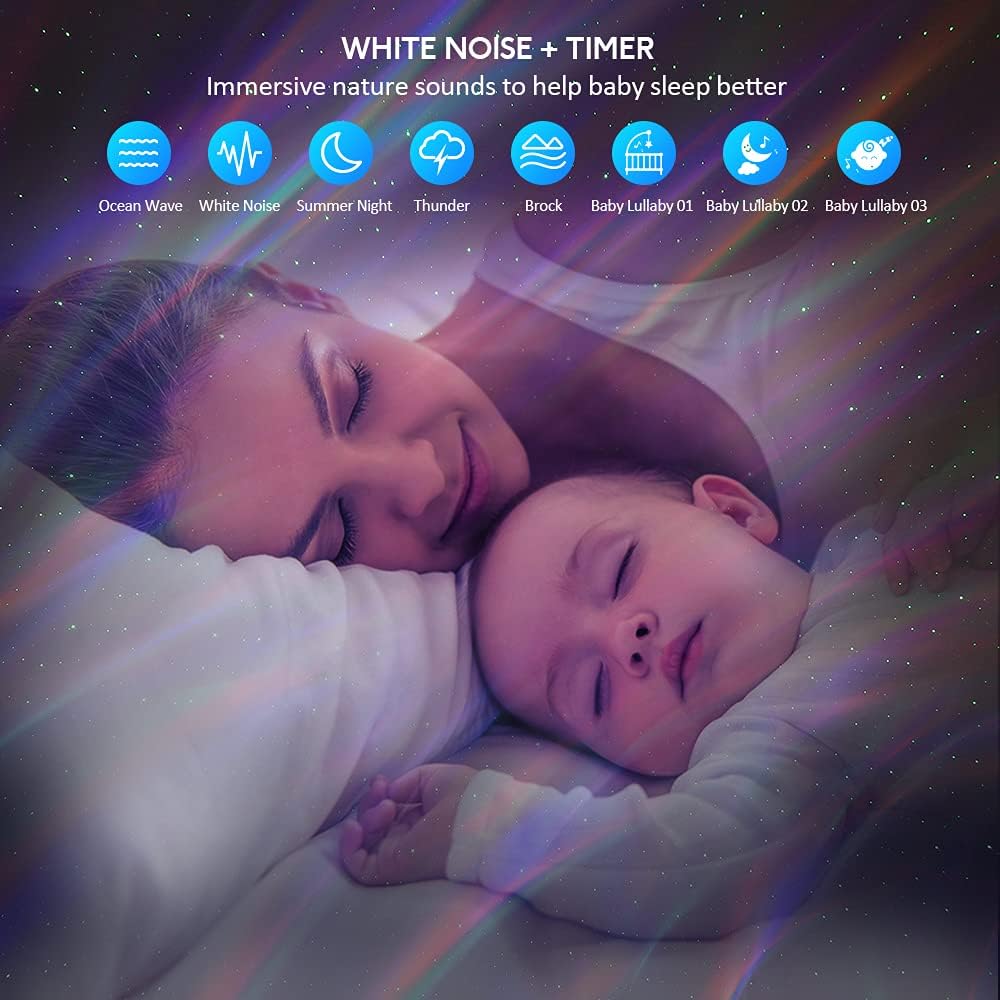
Image 5.3: The integrated white noise function provides soothing sounds for relaxation and sleep.
5.4 બ્લૂટૂથ સ્પીકર
The built-in Bluetooth 5.0 speaker allows you to play your favorite music. In voice control mode, the aurora light can synchronize with the music beats or hand claps, creating a dynamic disco effect.

Image 5.4: Enjoy your favorite music through the built-in Bluetooth speaker, with lights syncing to the beat.
5.5 ટાઈમર કાર્ય
The projector includes 1-hour and 2-hour auto-off timing functions in manual mode. You can also customize power on/off schedules at any time using the Smart Life App.

Image 5.5: Utilize the auto-off timer and adjust brightness for a personalized experience.
૫.૨ એપ્લિકેશન નિયંત્રણ સુવિધાઓ
Beyond basic controls, the Smart Life App allows for advanced customization:
- Change between 16 million Northern Light effects.
- Adjust aurora light and star light brightness independently.
- Switch between Bluetooth music speaker and white noise sounds.
- Customize up to 48 scenarios and create your own mood scenes.
૬.૩ વોઇસ કંટ્રોલ (એલેક્સા / ગુગલ આસિસ્ટન્ટ)
After connecting to Alexa or Google Assistant, use simple voice commands to control the projector. Exampલેસ સમાવેશ થાય છે:
- "Alexa, turn on Music Star Light."
- "Alexa, set star projector to blue."
- "Alexa, set star projector to 60 percent."
Video 5.6: Demonstration of the projector's features, including app control, white noise, and Alexa integration.
6. જાળવણી
- Clean the projector's surface with a soft, dry cloth.
- ઘર્ષક ક્લીનર્સ અથવા સોલવન્ટનો ઉપયોગ કરશો નહીં.
- જ્યારે ઉપયોગમાં ન હોય ત્યારે ઠંડી, સૂકી જગ્યાએ સ્ટોર કરો.
7. મુશ્કેલીનિવારણ
| સમસ્યા | સંભવિત કારણ | ઉકેલ |
|---|---|---|
| પ્રોજેક્ટર ચાલુ થતો નથી. | પાવર નથી કે ખામીયુક્ત કનેક્શન નથી. | Ensure power cable is securely connected and power adapter is working. |
| કોઈ પ્રક્ષેપણ. | Light source off or obstructed. | Check if the light is turned on via remote/app. Ensure nothing is blocking the projection lens. |
| Cannot connect to Smart Life App. | Incorrect Wi-Fi band or pairing mode. | Ensure your Wi-Fi is 2.4GHz. Re-enter pairing mode by toggling the WiFi switch as per setup instructions. |
| બ્લૂટૂથ સ્પીકર કનેક્ટ થઈ રહ્યું નથી. | Bluetooth not enabled or device not in pairing mode. | Ensure Bluetooth is enabled on your phone and the projector is in Bluetooth mode. |
8. સ્પષ્ટીકરણો
- મોડલ: SKE-JBP-J01
- પરિમાણો: 6.4"D x 6.3"W x 4.5"H
- વસ્તુનું વજન: 10 ઔંસ
- સામગ્રી: એક્રેલોનિટ્રિલ બ્યુટાડીન સ્ટાયરીન (ABS)
- પાવર સ્ત્રોત: કોર્ડેડ ઇલેક્ટ્રિક
- ભાગtage: 5 વોલ્ટ
- વાટtage: 10 વોટ્સ
- પ્રકાશ સ્ત્રોત પ્રકાર: એલઇડી
- કનેક્ટિવિટી: બ્લૂટૂથ 5.0, વાઇ-ફાઇ (2.4GHz)
- નિયંત્રણ પદ્ધતિઓ: Device Buttons, Remote Control, Smart Life App, Voice Control (Alexa, Google Assistant)
- સફેદ અવાજ અવાજો: 8 (White Noise, Ocean Waves, Summer Night, Thunder, Stream, 3 Lullabies)
- ટાઈમર: 1H, 2H Auto-off (customizable via App)
9. વોરંટી અને સપોર્ટ
For warranty information and technical support, please refer to the contact details provided on the product packaging or the official SOMKTN webસાઇટ વોરંટી દાવા માટે તમારી ખરીદીની રસીદ રાખો.