
1. પરિચય
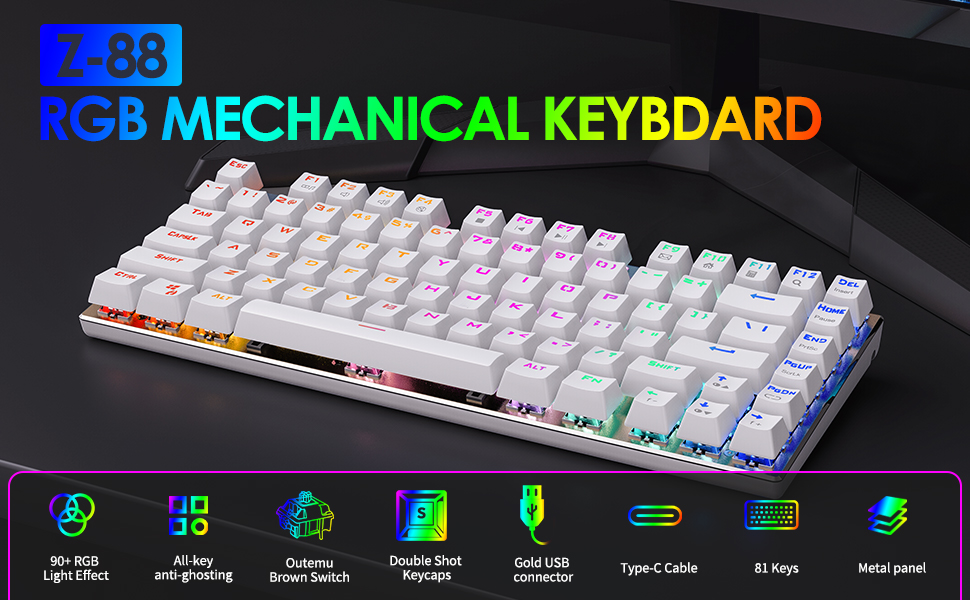
The E-Yooso Z-88 is a compact 81-key mechanical gaming keyboard designed for performance and durability. It features Outemu Red Switches, customizable RGB backlighting, and full anti-ghosting technology. This manual provides detailed instructions for setting up, operating, maintaining, and troubleshooting your keyboard.

Image 1.1: E-Yooso Z-88 Mechanical Gaming Keyboard, showcasinતેની કોમ્પેક્ટ ડિઝાઇન અને RGB લાઇટિંગ.
2. પેકેજ સામગ્રી
પેકેજને અનબોક્સ કરતી વખતે કૃપા કરીને તેની સામગ્રી તપાસો:
- E-Yooso Z-88 Mechanical Gaming Keyboard
- USB Cable (Type-C detachable)
- કીકેપ પુલર
- વપરાશકર્તા માર્ગદર્શિકા (આ દસ્તાવેજ)
3. સેટઅપ સૂચનાઓ
૫.૧ કીબોર્ડને જોડવું
- Connect the detachable Type-C USB cable to the port on the back of the keyboard.
- USB કેબલના બીજા છેડાને તમારા કમ્પ્યુટર પર ઉપલબ્ધ USB પોર્ટમાં પ્લગ કરો.
- The keyboard will be automatically recognized by your operating system. No additional drivers are typically required.
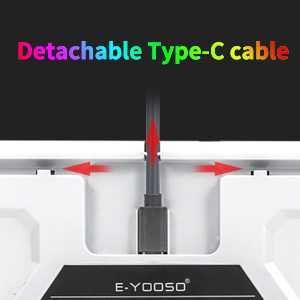
Image 3.1: Illustration of the detachable Type-C USB cable connection to the keyboard.
૨.૩ સિસ્ટમ સુસંગતતા
The E-Yooso Z-88 keyboard is compatible with the following operating systems:
- Windows 10, Windows 8, Windows 7, Windows XP
- Mac OS X
- વિન્ડોઝ વિસ્ટા
4. ઓપરેટિંગ સૂચનાઓ
૪.૧ યાંત્રિક સ્વીચો
The keyboard is equipped with Outemu Red Switches, offering a linear feedback with a quiet sound. These switches are designed for responsiveness and durability, with a lifespan of over 50 million keystrokes. The switches are hot-swappable, allowing for easy replacement with other 3-pin Outemu switches (e.g., brown, blue, silver).
છબી 4.1: વિગતવાર view of the Outemu Red Mechanical Switches and keycaps.
૪.૨ RGB બેકલાઇટિંગ નિયંત્રણ
The Z-88 keyboard features extensive RGB backlighting with multiple modes and customization options:
- Change RGB Backlight Modes: દબાવો Fn + PgDn to cycle through 14 different RGB backlit modes.
- Change Solid Light Modes: દબાવો Fn + -/= to cycle through 7 solid color lighting modes.
- બેકલાઇટ બ્રાઇટનેસ એડજસ્ટ કરો: દબાવો Fn + ↑ (Up Arrow) to increase brightness, and Fn + ↓ (Down Arrow) to decrease brightness (5 levels).
- બેકલાઇટ સ્પીડ એડજસ્ટ કરો: દબાવો Fn + ← (Left Arrow) to decrease speed, and Fn + → (Right Arrow) to increase speed.
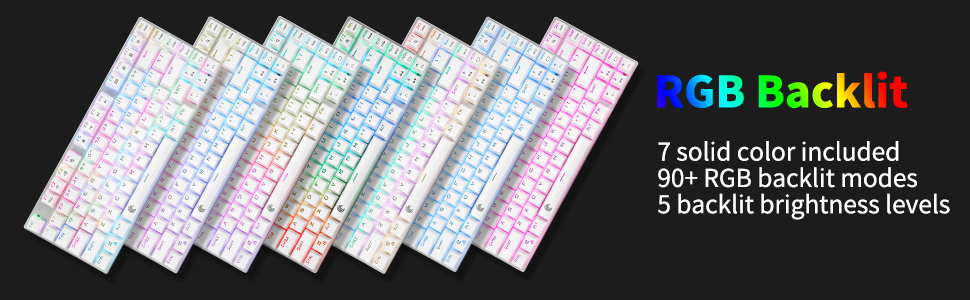
Image 4.2: Various RGB backlighting modes displayed on the keyboard.
૩.૩ મલ્ટીમીડિયા અને ફંક્શન કી
The keyboard includes convenient multimedia function keys accessible via the Fn કી:
| Function Key Combination | ક્રિયા |
|---|---|
| Fn + F1 | મીડિયા પ્લેયર ખોલો |
| Fn + F2 | વોલ્યુમ + |
| Fn + F3 | ભાગ - |
| Fn + F4 | મ્યૂટ કરો |
| Fn + F5 | પાછલો ટ્રેક |
| Fn + F6 | નેક્સ્ટ ટ્રૅક |
| Fn + F7 | ચલાવો/થોભો |
| Fn + F8 | રમવાનું બંધ કરો |
| Fn + F9 | Open Email |
| Fn + F10 | હોમપેજ ખોલો |
| Fn + F11 | કેલ્ક્યુલેટર ખોલો |
| Fn + F12 | શોધો |
| Fn + ESC | Reset Keyboard Settings |
| Fn + PgDn | બેકલાઇટ મોડ સ્વિચ કરો |
| Fn + WIN | વિન્ડોઝ કી લૉક/અનલૉક કરો |

Image 4.3: Diagram illustrating the multimedia and function key combinations.
૩.૪ એન્ટી-ઘોસ્ટિંગ
The E-Yooso Z-88 features full N-key rollover (NKRO) anti-ghosting technology. This means all 81 mechanical keys are conflict-free, ensuring that every keystroke is registered accurately, even during rapid and simultaneous key presses, which is crucial for gaming performance.

Image 4.4: Visual representation of the anti-ghosting capability, highlighting multiple simultaneous key presses.
5. જાળવણી
૫.૧ કીબોર્ડ સાફ કરવું
શ્રેષ્ઠ કામગીરી અને દેખાવ જાળવવા માટે:
- સાફ કરતા પહેલા તમારા કમ્પ્યુટરથી કીબોર્ડ ડિસ્કનેક્ટ કરો.
- નરમ, લિન્ટ-ફ્રી કાપડનો ઉપયોગ કરોampened with water or a mild cleaning solution to wipe the keycaps and frame.
- For dust and debris between keys, use compressed air or the included keycap puller to remove keycaps and clean thoroughly.
- કઠોર રસાયણો અથવા ઘર્ષક સામગ્રીનો ઉપયોગ કરવાનું ટાળો.
૪.૨.૧ સ્વીચો બદલવી
The Z-88 features hot-swappable Outemu switches. To replace a switch:
- Use the keycap puller to carefully remove the desired keycap.
- Use a switch puller (not included, but often comes with replacement switches) to gently pull the switch out of its socket.
- Align the pins of the new 3-pin Outemu switch with the holes on the PCB and press firmly until it clicks into place.
- કીકેપ ફરીથી જોડો.
5.3 Splash Resistance
The keyboard is designed with splash resistance. While it can withstand minor spills, it is not waterproof. Avoid submerging the keyboard in liquids or exposing it to excessive moisture.
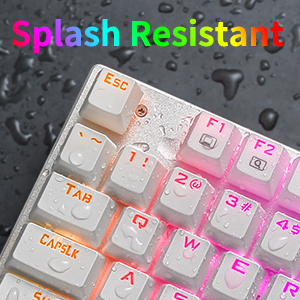
Image 5.1: Illustration of the keyboard's splash-resistant design.
6. મુશ્કેલીનિવારણ
If you encounter issues with your E-Yooso Z-88 keyboard, please refer to the following common solutions:
- કીબોર્ડ જવાબ આપી રહ્યું નથી: Ensure the USB cable is securely connected to both the keyboard and the computer. Try a different USB port or a different computer to rule out port or system issues.
- ચોક્કસ કી કામ કરતી નથી: If only a few keys are unresponsive, try removing and reseating their switches (if you have a switch puller). Ensure no debris is lodged under the keycap or switch.
- બેકલાઇટ કામ કરતી નથી અથવા ખોટી છે: દબાવો Fn + PgDn or Fn + -/= to cycle through modes. Adjust brightness with Fn + ↑/↓. If issues persist, try resetting the keyboard with Fn + ESC.
- Windows key locked: દબાવો Fn + WIN to toggle the Windows key lock.
- તૂટક તૂટક જોડાણ: Ensure the detachable Type-C cable is fully inserted and not damaged. Try a different Type-C cable if available.
જો આ પગલાંઓથી તમારી સમસ્યા હલ ન થાય, તો કૃપા કરીને ગ્રાહક સપોર્ટનો સંપર્ક કરો.
7. સ્પષ્ટીકરણો
| લક્ષણ | વિગત |
|---|---|
| બ્રાન્ડ | E-Yooso |
| મોડલ નંબર | Z-88 |
| કનેક્ટિવિટી ટેકનોલોજી | USB (ટાઈપ-C ડિટેચેબલ કેબલ) |
| સ્વિચ પ્રકાર | Outemu Red (Linear, Hot-swappable 3-pin) |
| કીની સંખ્યા | 81 |
| બેકલાઇટિંગ | RGB (21 modes) |
| વિરોધી ઘોસ્ટિંગ | Full N-key Rollover |
| સુસંગત ઓપરેટિંગ સિસ્ટમ્સ | Windows 10/8/7/XP, Mac OS X, Windows VISTA |
| સામગ્રી | ABS Plastic, Aluminum Keyboard Plate |
| પરિમાણો (L x W x H) | 32 સેમી x 15 સેમી x 3.5 સેમી |
| વજન | 0.75 કિલોગ્રામ |
| બોક્સ સમાવિષ્ટો | Keyboard, USB Cable, Keycap Puller |
8. વોરંટી અને સપોર્ટ
8.1 વોરંટી માહિતી
E-Yooso products are covered by a limited warranty against manufacturing defects. Please refer to the warranty card included with your purchase or visit the official E-Yooso webવિગતવાર વોરંટી નિયમો અને શરતો માટે સાઇટ. વોરંટી દાવાઓ માટે ખરીદીનો પુરાવો રાખો.
8.2 ગ્રાહક સપોર્ટ
For technical assistance, troubleshooting, or warranty inquiries, please contact E-Yooso customer support through their official website or the contact information provided with your product packaging. When contacting support, please have your product model (Z-88) and purchase details ready.