
1. પરિચય
ખરીદી બદલ આભારasing the boAt Stone 190 Bluetooth Speaker. This manual provides essential information for setting up, operating, and maintaining your speaker. Please read it carefully before use to ensure optimal performance and longevity of your device.

Image: The boAt Stone 190 speaker showcasing its portable and lightweight design, ideal for on-the-go use.
2. પેકેજ સામગ્રી
કૃપા કરીને નીચેની વસ્તુઓ માટે બોક્સ ચેક કરો:
- boAt સ્ટોન 190 બ્લૂટૂથ સ્પીકર
- યુએસબી ચાર્જિંગ કેબલ
- વપરાશકર્તા માર્ગદર્શિકા
3. ઉત્પાદન ઓવરview અને નિયંત્રણો
Familiarize yourself with the speaker's layout and control buttons.

છબી: ઉપરથી નીચે સુધી view of the boAt Stone 190 speaker, highlighting its integrated control buttons for easy operation.
- પાવર બટન: પાવર ચાલુ/બંધ કરવા માટે દબાવો અને પકડી રાખો.
- પ્લે/પોઝ બટન: સંગીત ચલાવવા અથવા થોભાવવા માટે દબાવો.
- વોલ્યુમ વધારો (+): વૉલ્યૂમ વધારવા માટે દબાવો. આગલા ટ્રેક માટે દબાવો અને પકડી રાખો.
- અવાજ ધીમો (-): અવાજ ઘટાડવા માટે દબાવો. પાછલા ટ્રેક માટે દબાવો અને પકડી રાખો.
- મોડ બટન (M): Press to switch between modes (if applicable).
- ચાર્જિંગ પોર્ટ: USB ચાર્જિંગ કેબલને કનેક્ટ કરવા માટે.
4. સ્પીકરને ચાર્જ કરવો
પ્રથમ ઉપયોગ કરતા પહેલા, સ્પીકરને સંપૂર્ણપણે ચાર્જ કરો. આપેલ USB ચાર્જિંગ કેબલનો ઉપયોગ કરો.
- Connect the small end of the USB cable to the charging port on the speaker.
- USB કેબલના મોટા છેડાને USB પાવર એડેપ્ટર (શામેલ નથી) અથવા કમ્પ્યુટરના USB પોર્ટ સાથે કનેક્ટ કરો.
- LED સૂચક ચાર્જિંગ સ્થિતિ બતાવશે. સંપૂર્ણ ચાર્જ થયા પછી તે બંધ થઈ જશે અથવા રંગ બદલાઈ જશે.
A full charge provides up to 4 hours of playback time with its 800mAh battery capacity.

Image: The boAt Stone 190 speaker, illustrating its 800mAh battery capacity and up to 4 hours of playback time.
5. બ્લૂટૂથ જોડી
Follow these steps to connect your boAt Stone 190 speaker to a Bluetooth-enabled device.

Image: The boAt Stone 190 speaker, highlighting its instant wireless connectivity via Bluetooth V5.0.
- પાવર ચાલુ: Press and hold the Power button on the speaker until you hear an audible prompt and the LED indicator flashes, indicating it's in pairing mode.
- બ્લૂટૂથ સક્ષમ કરો: On your smartphone, tablet, or other Bluetooth device, go to the Bluetooth settings and enable Bluetooth.
- ઉપકરણ પસંદ કરો: In the list of available devices, search for and select "boAt Stone 190".
- કનેક્શનની પુષ્ટિ કરો: Once paired, you will hear a confirmation tone, and the LED indicator will stop flashing and remain solid.
- ફરીથી કનેક્ટ કરો: જ્યારે ચાલુ થશે ત્યારે સ્પીકર આપમેળે છેલ્લા જોડીવાળા ઉપકરણ સાથે ફરીથી કનેક્ટ થવાનો પ્રયાસ કરશે.
૫. સ્પીકરનું સંચાલન
સંગીત પ્લેબેક
- ચલાવો/થોભો: પ્લે/પોઝ બટન દબાવો.
- અવાજ વધારો: '+' બટનને ટૂંકું દબાવો.
- અવાજ ધીમો: '-' બટનને ટૂંકું દબાવો.
- આગળનો ટ્રેક: '+' બટનને લાંબા સમય સુધી દબાવી રાખો.
- પાછલો ટ્રેક: '-' બટનને લાંબા સમય સુધી દબાવી રાખો.
કૉલ કાર્યો
- જવાબ/કૉલ સમાપ્ત કરો: પ્લે/પોઝ બટન દબાવો.
- કૉલ નકારો: પ્લે/પોઝ બટનને દબાવી રાખો.
7. પાણી પ્રતિકાર (IPX7)
The boAt Stone 190 speaker features an IPX7 water resistance rating.
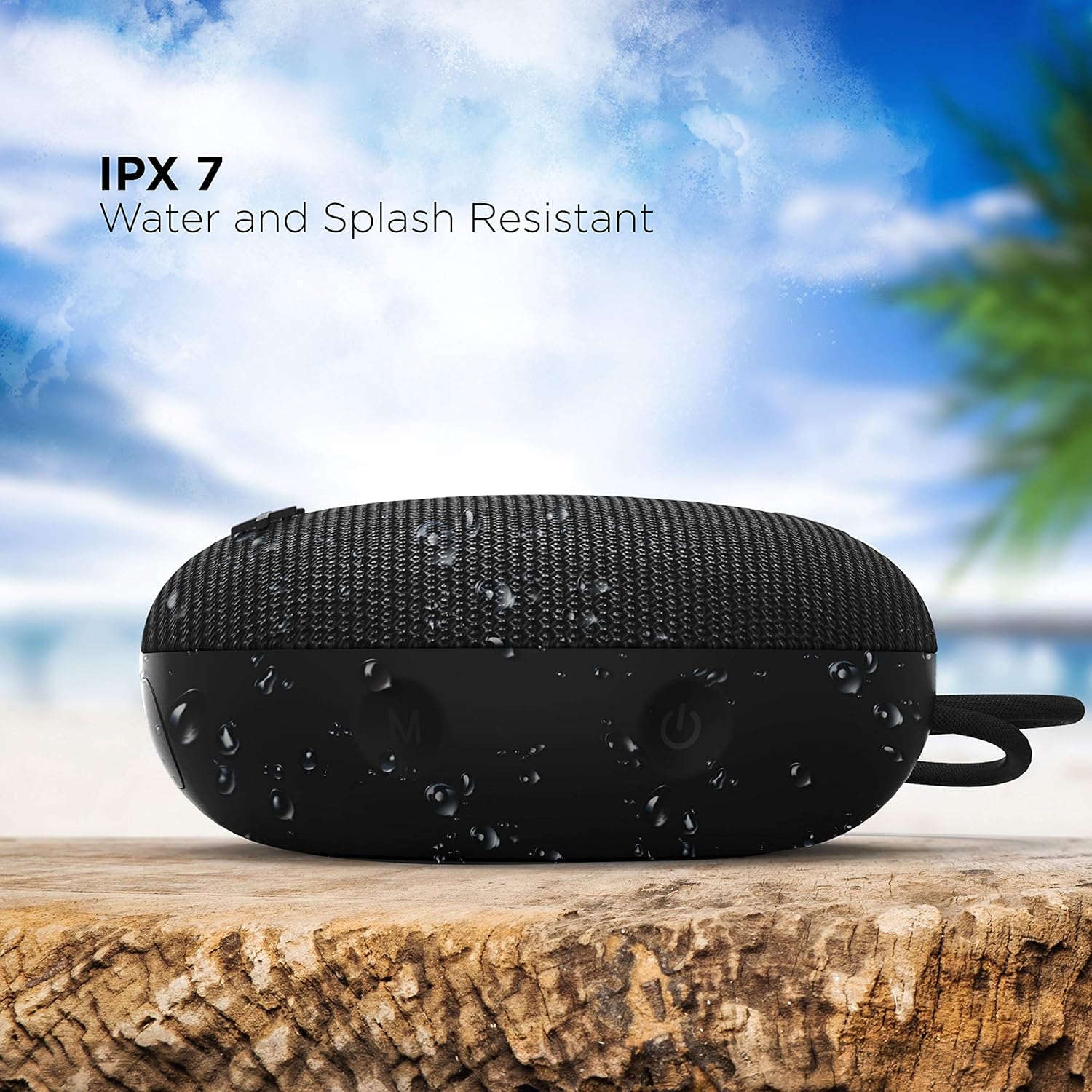
Image: The boAt Stone 190 speaker, demonstrating its IPX7 water and splash resistant capabilities, suitable for outdoor use.
- IPX7 means the speaker can be immersed in water up to 1 meter for 30 minutes.
- It is resistant to splashes, rain, and accidental submersion.
- સ્પીકરને પાણીમાં નાખતા પહેલા ખાતરી કરો કે ચાર્જિંગ પોર્ટ કવર સુરક્ષિત રીતે બંધ છે.
- Do not intentionally submerge the speaker for extended periods or in water deeper than 1 meter.
8. જાળવણી અને સંભાળ
- સફાઈ: સ્પીકરને સોફ્ટથી સાફ કરો, ડીamp કાપડ કઠોર રસાયણો અથવા ઘર્ષક ક્લીનર્સનો ઉપયોગ કરશો નહીં.
- સંગ્રહ: સ્પીકરને અતિશય તાપમાન અને સીધા સૂર્યપ્રકાશથી દૂર ઠંડી, સૂકી જગ્યાએ સંગ્રહિત કરો.
- ચાર્જિંગ પોર્ટ: ચાર્જિંગ પોર્ટને ધૂળ અને કાટમાળથી મુક્ત રાખો.
- બેટરી: To preserve battery life, charge the speaker at least once every three months if not in regular use.
9. મુશ્કેલીનિવારણ
| સમસ્યા | ઉકેલ |
|---|---|
| સ્પીકર ચાલુ થતો નથી. | ખાતરી કરો કે સ્પીકર ચાર્જ થયેલ છે. તેને પાવર સ્ત્રોત સાથે કનેક્ટ કરો અને ફરી પ્રયાસ કરો. |
| બ્લૂટૂથ ઉપકરણ સાથે જોડી શકાતી નથી. | Make sure the speaker is in pairing mode (flashing LED). Turn off and on Bluetooth on your device. Ensure the speaker is within range (10 meters). Forget previous pairings on your device and try again. |
| કોઈ અવાજ નથી કે ઓછો અવાજ નથી. | Increase volume on both the speaker and your connected device. Ensure the speaker is properly paired. Check if the audio source is playing. |
| ધ્વનિ વિકૃતિ. | Move the speaker closer to your device. Reduce volume on either the speaker or the connected device. Ensure there are no obstructions causing interference. |
10. સ્પષ્ટીકરણો
Technical details of the boAt Stone 190 Bluetooth Speaker.

Image: The boAt Stone 190 speaker, highlighting its 5 Watt audio output and 52mm full-range driver for clear sound.
| લક્ષણ | વિગત |
|---|---|
| બ્રાન્ડ | બોટ |
| મોડેલનું નામ | સ્ટોન 190 |
| સ્પીકર મહત્તમ આઉટપુટ પાવર | 5 વોટ્સ |
| કનેક્ટિવિટી ટેકનોલોજી | બ્લૂટૂથ |
| બ્લૂટૂથ સંસ્કરણ | V5.0 (Inferred from image) |
| ઓડિયો આઉટપુટ મોડ | મોનો |
| સ્પીકરનો પ્રકાર | આઉટડોર |
| પાણી પ્રતિકાર સ્તર | IPX7 (વોટરપ્રૂફ) |
| સ્પીકરનું કદ | 52 મિલીમીટર |
| બેટરી ક્ષમતા | 800mAh (Inferred from image) |
| બેટરી સરેરાશ જીવન | 4 કલાક |
| પાવર સ્ત્રોત | બેટરી સંચાલિત |
| આઇટમના પરિમાણો (D x W x H) | ૪૦.૩ડી x ૩૧.૫વોટ x ૩૦.૭એચ સેન્ટીમીટર |
| વસ્તુનું વજન | 150 ગ્રામ |
| સુસંગત ઉપકરણો | Desktop, Laptop, MP3 Player, Smartphone, Tablet |
11. સલામતી માહિતી
- સ્પીકરને ડિસએસેમ્બલ, રિપેર અથવા ફેરફાર કરશો નહીં. આનાથી આગ લાગી શકે છે, ઇલેક્ટ્રિક શોક લાગી શકે છે અથવા ઉત્પાદનને સંપૂર્ણ નુકસાન થઈ શકે છે.
- Do not expose the speaker to extreme temperatures (above 45°C or below -10°C).
- સ્પીકરને બાળકો અને પાલતુ પ્રાણીઓથી દૂર રાખો.
- સુનાવણીના નુકસાનને રોકવા માટે લાંબા સમય સુધી ઉચ્ચ વોલ્યુમ સ્તર પર સાંભળવાનું ટાળો.
- ફક્ત આપેલ ચાર્જિંગ કેબલ અથવા પ્રમાણિત સમકક્ષનો ઉપયોગ કરો.
12. Customer Support & Warranty
For product-related queries, support, or warranty information, please contact boAt customer service.
- સપોર્ટનો સંપર્ક કરો: +91(022)69181920
- ઈમેલ: info@imaginemarketingindia.com
- ઉત્પાદક: ઇમેજિન માર્કેટિંગ લિ.
- સરનામું: Unit no. 204 & 205, 2nd floor, D-wing & E-wing, Corporate Avenue, Andheri Ghatkopar Link Road, Mumbai, Maharashtra-400093, India.