
પરિચય
This manual provides comprehensive instructions for the assembly, operation, and maintenance of your tectake Gaming Office Chair, model 403452. Please read these instructions carefully before use to ensure proper function and safety. Keep this manual for future reference.
સલામતી ચેતવણીઓ
- મહત્તમ વજન ક્ષમતા: This chair is designed to support a maximum weight of 100 કિગ્રા (220 lbs). Exceeding this limit can lead to instability, damage to the chair, and potential injury.
- Ensure all components are securely fastened before use. Regularly check and tighten screws as needed.
- ખુરશી પર ઊભા ન રહો.
- ખુરશીના પાછળના ભાગ અથવા આર્મરેસ્ટ પર ભારે વસ્તુઓ રાખવાનું ટાળો.
- ગોઠવણ દરમિયાન બાળકોને ફરતા ભાગોથી દૂર રાખો.
- ખુરશીનો ઉપયોગ સપાટ, સ્થિર સપાટી પર કરો.
ઉત્પાદન ઓવરview
The tectake Gaming Office Chair combines ergonomic design with robust construction for comfortable and extended use. Key features include:
- Modern and ergonomic design
- મજબૂત અને ટકાઉ બાંધકામ
- Thick padding for comfortable seating
- Soft synthetic leather cover
- Breathable mesh inserts
- Height adjustable with safety gas lift
- Adjustable tilt mechanism
- 360-ડિગ્રી પરિભ્રમણ
- Stable cross base with 5 smooth, floor-friendly double casters
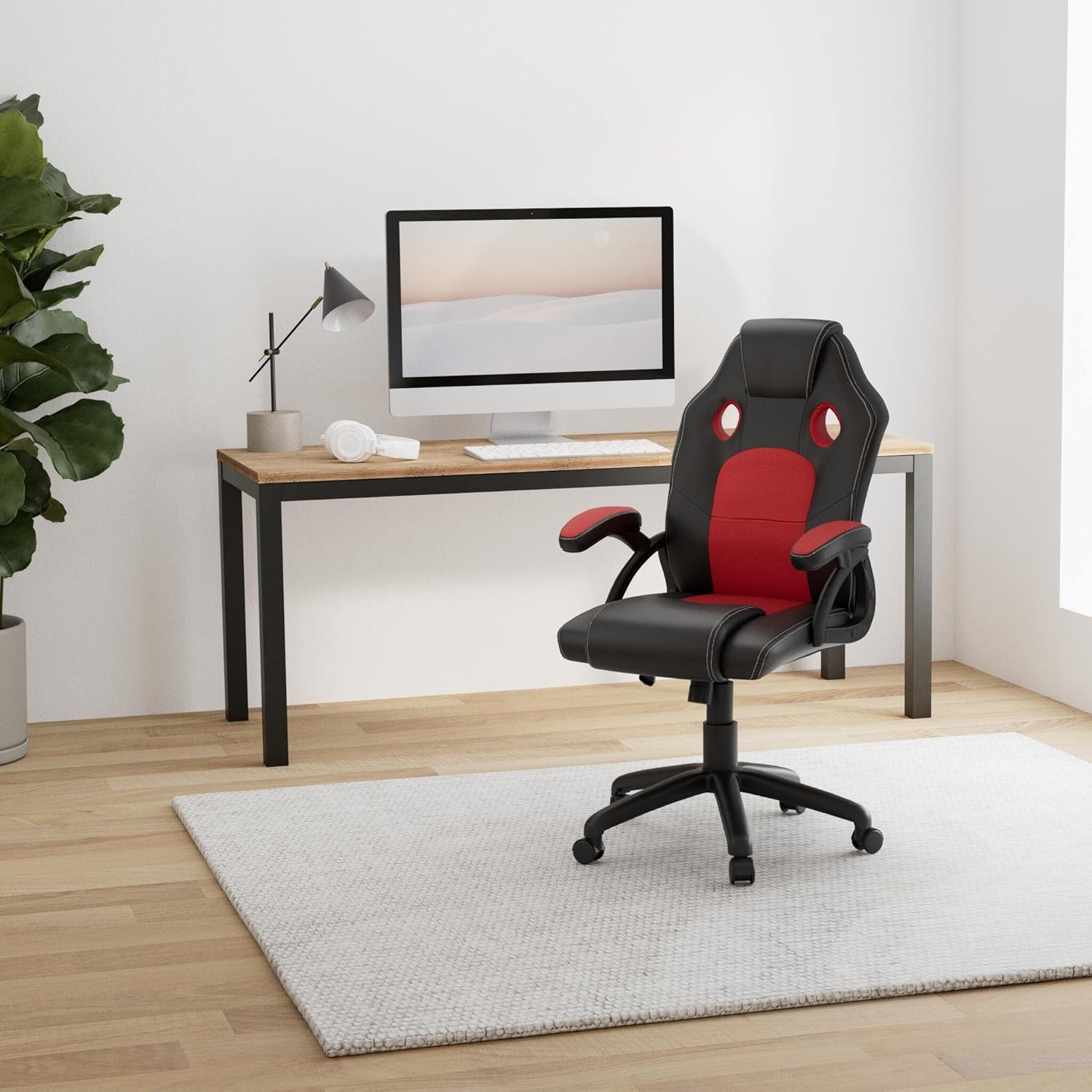
Image: The tectake Gaming Office Chair (black and red) positioned in a contemporary office environment with a desk and computer.

છબી: આગળ view of the tectake Gaming Office Chair, highlighting the black and red upholstery and ergonomic shape.
સેટઅપ અને એસેમ્બલી
પેકેજ સામગ્રી:
- tectake Gaming Office Chair components
- એસેમ્બલી સૂચનાઓ
- Required hardware (screws, tools if included)
Assembly of the tectake Gaming Office Chair is designed to be straightforward. Please follow these steps carefully:
- અનપૅક ઘટકો: Carefully remove all parts from the packaging. Verify that all components listed in the package contents are present. Refer to the included assembly instructions for a detailed parts list.
- કાસ્ટરને બેઝ સાથે જોડો: Insert the five double casters into the holes on the cross base until they click securely into place.
- ગેસ લિફ્ટ દાખલ કરો: Place the gas lift cylinder into the center hole of the assembled cross base.
- Assemble Seat Mechanism: Attach the seat mechanism to the underside of the seat cushion using the provided screws. Ensure the front of the mechanism faces the front of the seat.
- આર્મરેસ્ટ જોડો: Secure the armrests to both the seat cushion and the backrest using the designated screws. Do not overtighten initially.
- Connect Backrest to Seat: Attach the backrest to the seat cushion, aligning the pre-drilled holes. Secure with screws.
- Place Seat Assembly on Gas Lift: એસેમ્બલ કરેલી સીટ અને બેકરેસ્ટને ગેસ લિફ્ટ સિલિન્ડર પર કાળજીપૂર્વક મૂકો, ખાતરી કરો કે તે કેન્દ્રિત અને સ્થિર છે.
- અંતિમ કડકીકરણ: Once all parts are assembled, tighten all screws firmly.
A detailed assembly instruction sheet is included in the product packaging for visual guidance.
ઓપરેટિંગ સૂચનાઓ
Your tectake Gaming Office Chair offers several adjustment options for personalized comfort:
- ઊંચાઈ ગોઠવણ: To adjust the seat height, pull the lever located under the right side of the seat upwards.
- To raise the seat: Lift the lever while taking your weight off the seat.
- To lower the seat: Lift the lever while seated.
- ઝુકાવ મિકેનિઝમ: The chair features an adjustable tilt mechanism.
- To enable tilting: Pull the same lever (used for height adjustment) outwards.
- To lock the tilt: Push the lever inwards.
- The tension of the tilt can be adjusted by rotating the round knob located under the front of the seat. Turn clockwise to increase tension (harder to tilt), counter-clockwise to decrease tension (easier to tilt).
- 360-ડિગ્રી સ્વિવલ: The chair is designed to swivel freely 360 degrees for easy movement and access.
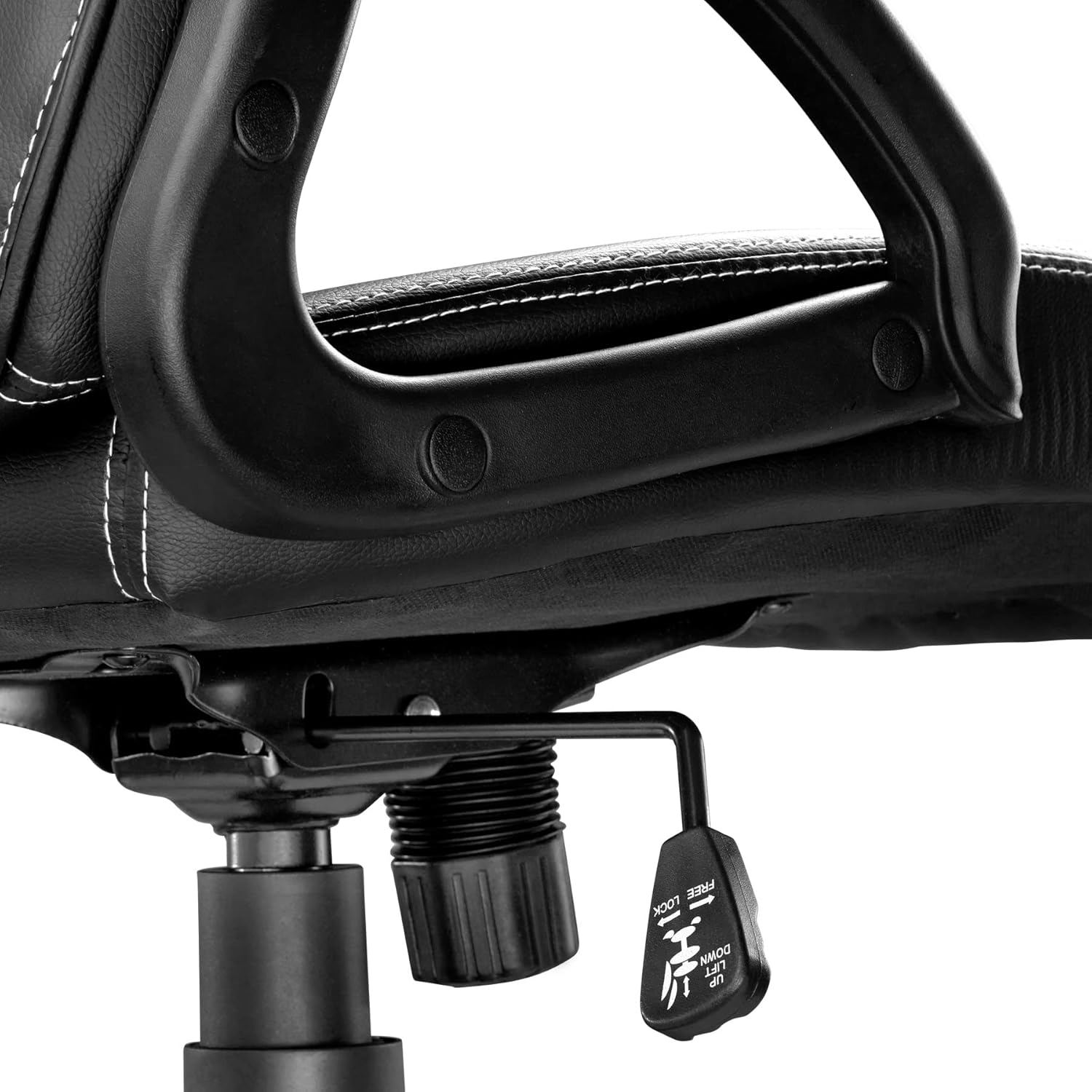
છબી: ક્લોઝ-અપ view of the height adjustment and tilt lock lever located under the seat.
જાળવણી
Proper maintenance will extend the life and appearance of your chair:
- સફાઈ: The synthetic leather cover is easy to clean. Wipe with a damp કાપડ અને હળવા સાબુના દ્રાવણનો ઉપયોગ કરો. કઠોર રસાયણો અથવા ઘર્ષક ક્લીનર્સ ટાળો.
- નિરીક્ષણ: Periodically inspect all screws and bolts to ensure they are tight. Retighten as necessary to maintain stability and safety.
- કાસ્ટર્સ: સરળ હલનચલન સુનિશ્ચિત કરવા માટે કેસ્ટરને વાળ અને કાટમાળથી મુક્ત રાખો.
- સીધો સૂર્યપ્રકાશ ટાળો: સીધા સૂર્યપ્રકાશના લાંબા સમય સુધી સંપર્કમાં રહેવાથી સામગ્રી ઝાંખી પડી શકે છે અથવા તિરાડ પડી શકે છે.
મુશ્કેલીનિવારણ
| સમસ્યા | સંભવિત કારણ | ઉકેલ |
|---|---|---|
| ખુરશી અસ્થિર અથવા ધ્રુજતી છે. | છૂટા સ્ક્રૂ અથવા અસમાન એસેમ્બલી. | બધા એસેમ્બલી સ્ક્રૂ તપાસો અને કડક કરો. ખાતરી કરો કે ખુરશી સપાટ સપાટી પર છે. |
| સીટની ઊંચાઈ ગોઠવણ કામ કરી રહી નથી. | ગેસ લિફ્ટમાં ખામી અથવા લીવર કાર્યરત ન હોવું. | Ensure the lever is fully pulled. If the issue persists, the gas lift may need replacement. Contact customer support. |
| Casters not rolling smoothly. | Debris (hair, dust) caught in casters. | Clean casters thoroughly. Ensure they are properly inserted into the base. |
| Chair makes squeaking noises. | ભાગો વચ્ચે છૂટા જોડાણો અથવા ઘર્ષણ. | Tighten all screws. Apply a small amount of silicone lubricant to moving parts if necessary, avoiding upholstery. |
વિશિષ્ટતાઓ

Image: Detailed diagram illustrating the dimensions of the chair, including total height, seat height, seat width, and depth.
| લક્ષણ | વિગત |
|---|---|
| મોડલ નંબર | 403452 |
| કુલ પરિમાણો (પગ x ઘ x ઘન) | Approx. 68 x 69 x 104.5 - 114.5 cm (26.8 x 27.2 x 41.1 - 45.1 inches) |
| સીટની ઊંચાઈ | Approx. 47-57 cm (18.5-22.4 inches) |
| Seat Surface (W x D) | આશરે 51 x 50 સેમી (20.1 x 19.7 ઇંચ) |
| ગાદી જાડાઈ | ૩૦ સેમી (૧૨ ઇંચ) સુધી |
| બેકરેસ્ટ ઊંચાઈ | આશરે. 63 સેમી (24.8 ઇંચ) |
| Armrest (W x D) | આશરે 7.5 x 25.5 સેમી (3.0 x 10.0 ઇંચ) |
| Distance Armrest to Floor | Approx. 67-77 cm (26.4-30.3 inches) |
| આર્મરેસ્ટ્સ વચ્ચેનું અંતર | આશરે. 49 સેમી (19.3 ઇંચ) |
| Cross Base Diameter | આશરે. 70 સેમી (27.6 ઇંચ) |
| Double Caster Diameter/Width | આશરે ૧૩૬.૯ મીમી (૫.૩૯ ઇંચ) |
| મહત્તમ લોડ ક્ષમતા | 100 કિગ્રા (220 lbs) |
| વજન | આશરે. 13 કિગ્રા (28.7 પાઉન્ડ) |
| સામગ્રી | Polyurethane, Polyvinyl Chloride (PVC), Polypropylene (PP), Nylon |
| રંગ | કાળો/લાલ |
વોરંટી અને આધાર
Information regarding specific warranty terms is typically provided with your purchase documentation. For support, spare parts, or further inquiries, please contact tectake customer service through their official webસાઇટ અથવા રિટેલર જ્યાંથી ઉત્પાદન ખરીદવામાં આવ્યું હતું.
Visit the official tectake webવધુ માહિતી માટે સાઇટ: www.tectake.de