
1. પરિચય
This manual provides detailed instructions for the safe installation, operation, and maintenance of your Utilitech 6-Pack Canless Color Choice Dimmable Recessed Downlight. Please read all instructions carefully before beginning installation and retain this manual for future reference.
1.1 સલામતી માહિતી
- Always turn off power at the circuit breaker before installation, removal, or servicing.
- જો તમને ઇન્સ્ટોલેશન પ્રક્રિયાના કોઈપણ ભાગ વિશે ખાતરી ન હોય તો લાયક ઇલેક્ટ્રિશિયનનો સંપર્ક કરો.
- ખાતરી કરો કે બધા વિદ્યુત જોડાણો સ્થાનિક કોડ અને વટહુકમોનું પાલન કરે છે.
- Do not install in areas with direct exposure to water spray unless specifically rated for such conditions. This product is rated for indoor and outdoor use.
- Do not attempt to modify the product. Any modifications may void the warranty and create a safety hazard.
- Wear appropriate safety gear, including safety glasses and gloves, during installation.
2. પેકેજ સામગ્રી
ઇન્સ્ટોલેશન શરૂ કરતા પહેલા ખાતરી કરો કે બધા ઘટકો હાજર છે.
- 6 x Canless Tethered Downlights
- 6 x Trim Kits
- સૂચના માર્ગદર્શિકા (આ દસ્તાવેજ)
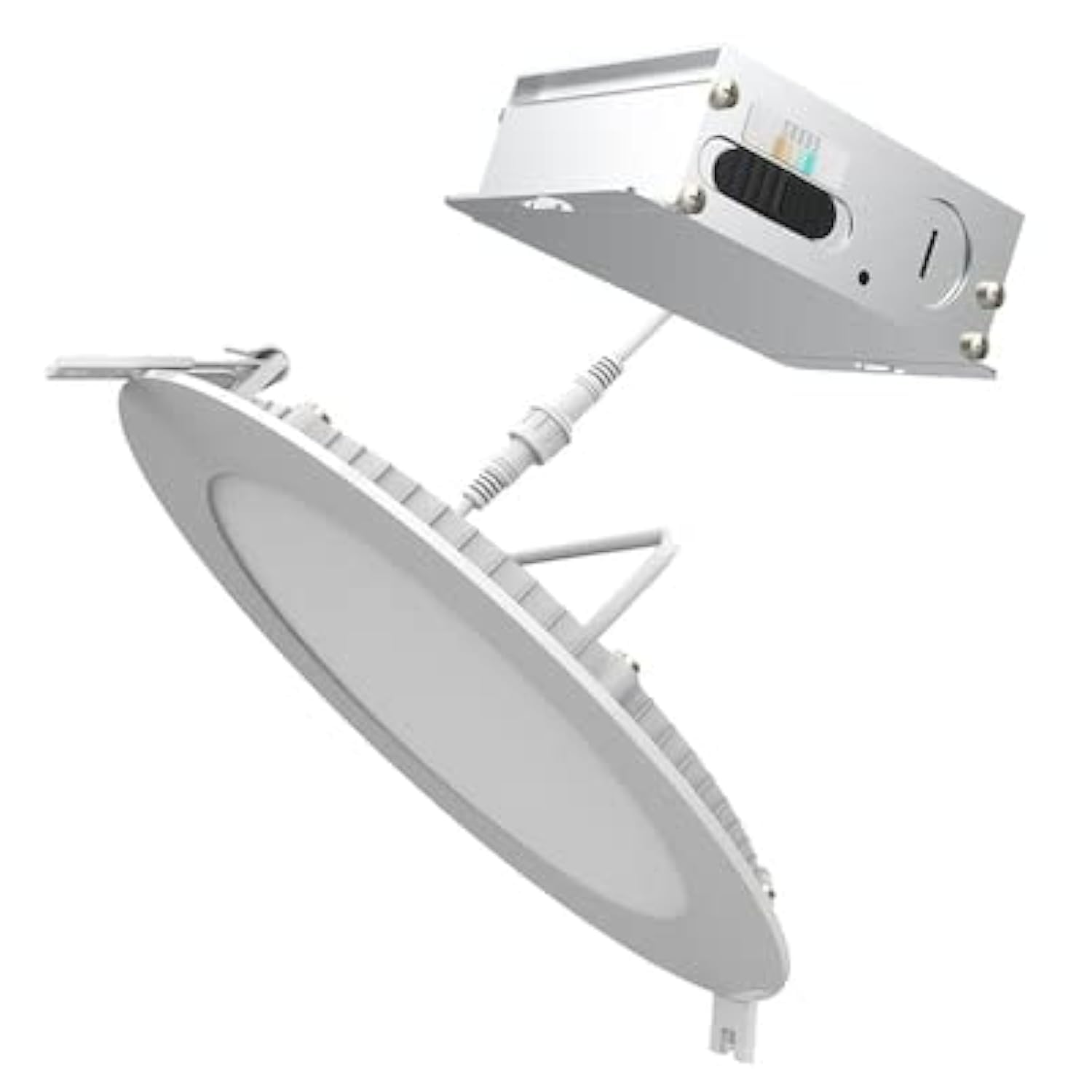
Image 2.1: Contents of the Utilitech 6-Pack Canless Recessed Downlight Kit. Includes the downlights and trim kits.
3. સેટઅપ અને ઇન્સ્ટોલેશન
These canless recessed downlights are designed for easy installation without the need for an existing recessed can or junction box. They are suitable for low plenum clearance applications.
૨.૨ જરૂરી સાધનો (શામેલ નથી)
- Hole Saw (appropriate size for 5-inch or 6-inch fixture, refer to instruction sheet for exact dimension)
- વાયર સ્ટ્રિપર્સ
- સ્ક્રુડ્રાઈવર
- સલામતી ચશ્મા
- મોજા
3.2 સ્થાપન પગલાં
- પાવર બંધ કરો: શરૂ કરતા પહેલા, ખાતરી કરો કે સર્કિટ બ્રેકર પર ઇન્સ્ટોલેશન વિસ્તારનો પાવર બંધ છે.
- છિદ્ર કાપો: Using a hole saw, cut a hole in the drywall at the desired location. Refer to the separate instruction sheet for the precise hole dimension required for your 5-inch or 6-inch fixture.
- Run Wiring: Run the electrical wire cable from the direct line voltage to the location of the canless retrofit kit.
- વાયરિંગ કનેક્ટ કરો: Open the knockout on the canless retrofit kit's quick connect terminal. Connect the line voltage wires to the quick connect terminal. Ensure proper polarity (Live, Neutral, Ground).
- ડેઝી ચેઇન (વૈકલ્પિક): If installing multiple downlights, you can daisy chain additional wire from the quick connect terminal through another knockout to your next canless retrofit kit.
- ફિક્સર દાખલ કરો: Gently push the spring-loaded clips on the downlight fixture through the cut hole in the ceiling.
- સુરક્ષિત ફિક્સ્ચર: The springs will pull up on the retrofit kit, securing it firmly against the ceiling for an airtight seal.
- પાવર પુન Restસ્થાપિત કરો: Once all fixtures are installed and secured, restore power at the circuit breaker.
4. ઓપરેટિંગ સૂચનાઓ
This downlight features Color Choice (5CCT) and dimmable functionality.
4.1 Color Temperature Selection (5CCT)
The fixture allows you to select from five color temperatures (2700K to 6500K). The color temperature switch is located on the fixture itself, typically on the driver box or the back of the light. Before final installation into the ceiling, select your desired color temperature. Once installed, you may need to remove the fixture to change the setting.
- 2700K: Warm White, similar to incandescent light.
- 3000K: Soft White, slightly cooler than 2700K.
- 4000K: Cool White, neutral white light.
- 5000K: Bright White, daylight-like appearance.
- 6500K: Daylight, very cool white with a bluish tint.
૬.૩ ઝાંખપ કાર્યક્ષમતા
This downlight is dimmable. To utilize the dimming feature, ensure you have a compatible LED dimmer switch installed on the circuit. Refer to your dimmer switch's instructions for proper operation.
5. જાળવણી
The Utilitech Canless Recessed Downlight requires minimal maintenance.
- સફાઈ: સફાઈ કરતા પહેલા ખાતરી કરો કે પાવર બંધ છે. ફિક્સ્ચરને નરમ, સૂકા અથવા સહેજ ડીથી સાફ કરોamp કાપડ ઘર્ષક ક્લીનર્સ અથવા સોલવન્ટનો ઉપયોગ કરશો નહીં.
- એલઇડી આ સંકલિત LED પ્રકાશ સ્ત્રોત લાંબા આયુષ્ય માટે રચાયેલ છે અને તે વપરાશકર્તા દ્વારા બદલી શકાય તેવું નથી.
6. મુશ્કેલીનિવારણ
If you experience issues with your downlight, refer to the following common problems and solutions:
| સમસ્યા | સંભવિત કારણ | ઉકેલ |
|---|---|---|
| પ્રકાશ ચાલુ થતો નથી. | ફિક્સ્ચર માટે કોઈ શક્તિ નથી. છૂટક વાયરિંગ કનેક્શન. ખામીયુક્ત સ્વીચ. | સર્કિટ બ્રેકર તપાસો. Verify all wire connections are secure (power off first). Test the switch with another device. |
| પ્રકાશ અયોગ્ય રીતે ઝબકે છે અથવા ઝાંખો પડે છે. | અસંગત ડિમર સ્વીચ. છૂટક વાયરિંગ. | ખાતરી કરો કે ડિમર LED સુસંગત છે. વાયરિંગ કનેક્શન તપાસો (પહેલા પાવર બંધ કરો). |
| ખોટું રંગ તાપમાન. | Color temperature switch set incorrectly. | Turn off power, carefully remove fixture, adjust 5CCT switch to desired setting, reinstall. |
7. સ્પષ્ટીકરણો
| લક્ષણ | વિગત |
|---|---|
| બ્રાન્ડ | યુટિલિટેક |
| મોડલ નંબર | LLEDR6XT/5CCT/6 |
| ઉત્પાદન પરિમાણો | ૧૧"લિ x ૪"પગ x ૧૩"કલો |
| રંગ | સફેદ |
| પ્રકાશ સ્ત્રોત પ્રકાર | સંકલિત એલઇડી |
| વાટtage | 65 Watts (Equivalent) |
| તેજ | 65 Lumens (Note: This seems low for 65W equivalent, usually 65W equivalent is around 800 lumens. User should verify actual lumen output from product packaging if available.) |
| રંગ તાપમાન (CCT) | 2700K - 6500K (5CCT Selectable) |
| ડિમેબલ | હા |
| ઇન્સ્ટોલેશનનો પ્રકાર | Flush Mount, Canless Recessed |
| ઇન્ડોર/આઉટડોર વપરાશ | ઇન્ડોર, આઉટડોર |
| પાવર સ્ત્રોત | હાર્ડવાયર્ડ |
| કાર્યક્ષમતા | એનર્જી સ્ટાર સર્ટિફાઇડ |
| પ્રમાણપત્ર | ETL |
| સામગ્રી | Plastic (Shade) |
| વસ્તુનું વજન | ૧.૧૮ પાઉન્ડ (પેક માટે) |
8. વોરંટી અને સપોર્ટ
For warranty information or technical support, please refer to the documentation included with your purchase or contact Utilitech customer service. Keep your proof of purchase for warranty claims.