
પરિચય
This manual provides detailed instructions for the installation, operation, and maintenance of your Podofo Android Double Din Car Stereo. This unit features a 10.1-inch touch screen, 2GB RAM, 32GB ROM, GPS navigation, Bluetooth, Wi-Fi, USB mirror link, FM radio, and supports a rear view camera. Please read this manual thoroughly before use to ensure proper functionality and safety.
બૉક્સમાં શું છે
ઇન્સ્ટોલેશન શરૂ કરતા પહેલા ખાતરી કરો કે બધા ઘટકો હાજર છે:
- 1 x પાવર કેબલ
- 1 x જીપીએસ એન્ટેના
- 1 x Camera Input Cable
- 1 x RCA Input and Output Cable Set
- 2 x USB કેબલ
- 2 x Metal Frame
- 4 x સ્ક્રૂ
- 1 x સૂચના માર્ગદર્શિકા
- 1 x રીઅર View Camera (12 LEDs, IP68 waterproof)

Image: Package contents including the main unit, power cable, GPS antenna, camera input, RCA cables, USB cables, metal frames, screws, instruction manual, and rear view કેમેરા
સેટઅપ અને ઇન્સ્ટોલેશન
વાયરિંગ જોડાણો
Proper wiring is crucial for the stereo's functionality. Refer to the diagram below for connecting the power, audio, and camera inputs.

Image: Wiring diagram illustrating connections for front/rear speakers, subwoofer, video out, video in, AUX in/out, microphone, and power.
પાછળ View કેમેરા ઇન્સ્ટોલેશન
The included rear view camera enhances safety during reversing. Connect the camera as shown in the diagram and video below. Ensure the camera's positive wire is connected to the reversing lamp's positive pole, and the negative wire to ground.

છબી: પાછળનો ભાગ view camera wiring diagram, showing connections to the car stereo's camera input, reversing lamp, and ground.
Video: Demonstration of connecting the rear view camera to the car stereo system.
ઓપરેટિંગ સૂચનાઓ
વપરાશકર્તા ઈન્ટરફેસ અને પ્રદર્શન
The 10.1-inch touch screen with 1024*600 resolution provides a clear and responsive interface. The Android operating system ensures smooth operation and quick app launches.
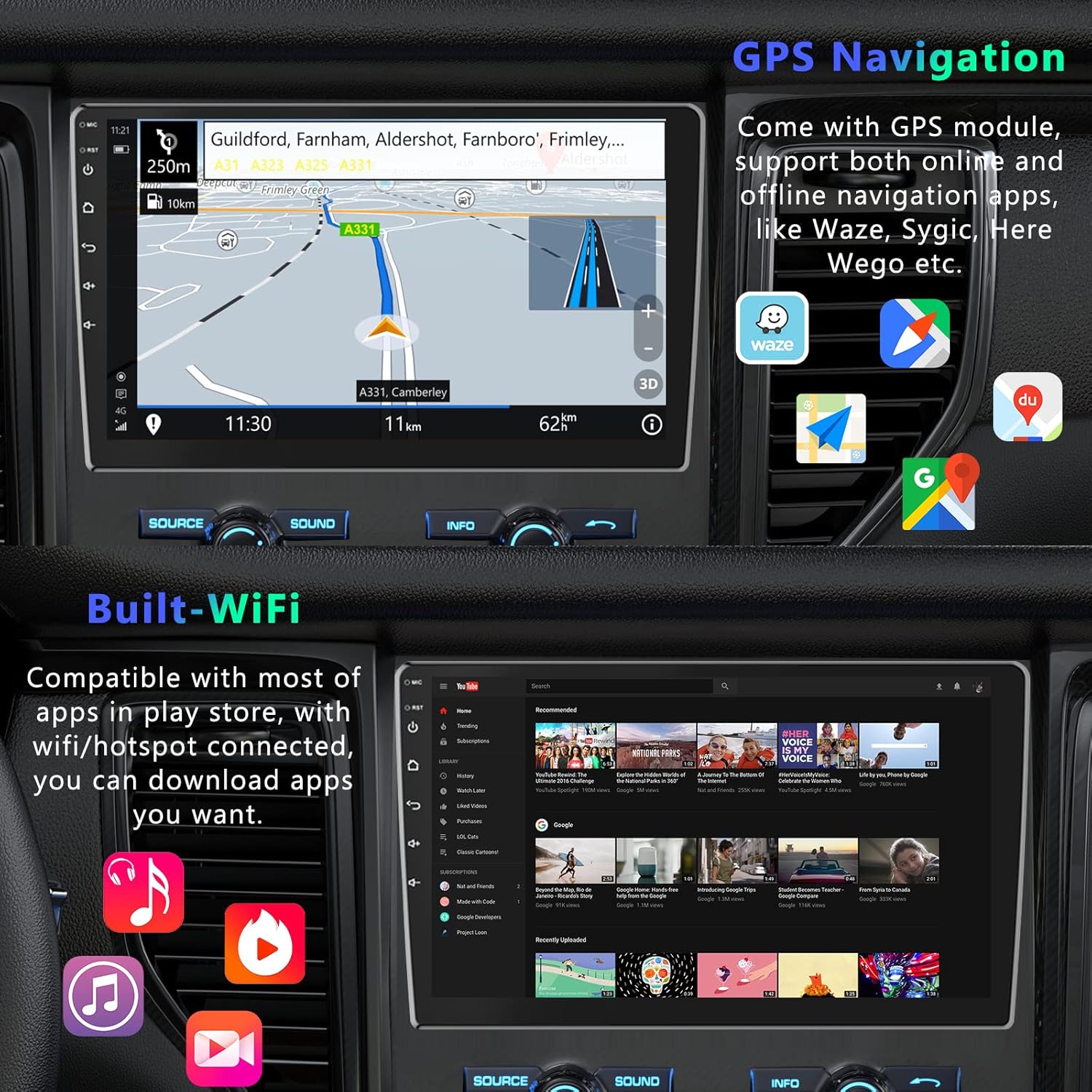
Image: Various home screen layouts and app icons on the 10.1-inch touchscreen car stereo.
જીપીએસ નેવિગેશન
The built-in GPS receiver supports both online and offline navigation. North American maps are pre-installed for offline use. Connect to Wi-Fi or a mobile hotspot to download additional navigation apps like Sygic, Tomtom, or Waze for real-time traffic and weather updates.

Image: GPS navigation display with map, route, and navigation app icons.
બ્લૂટૂથ કનેક્ટિવિટી
Integrated Bluetooth with A2DP allows for hands-free calling and music streaming. Pair your smartphone to make and receive calls directly from the stereo, and enjoy your favorite music wirelessly.

Image: Bluetooth hands-free calling interface on the car stereo.
મિરર લિંક કાર્યક્ષમતા
Mirror Link allows you to display your smartphone's screen directly on the car stereo. This feature supports both Android (via USB or Wi-Fi) and iPhone (via Wi-Fi).

Image: Phone Link feature displaying a mirrored smartphone screen on the car stereo.
Video: Demonstration of Mirror Link functionality for Android and iOS smartphones.
Wi-Fi કનેક્ટિવિટી
Connect the stereo to Wi-Fi or a mobile hotspot to access online features, download apps from the Play Store, and browse the internet.

Image: Wi-Fi connected screen showing YouTube and other applications.
Smart Split Screen
The split-screen feature allows you to display two applications simultaneously, such as navigation and music playback, for enhanced multitasking.
Image: Smart Split Screen feature showing navigation and music player simultaneously.
સ્ટીયરિંગ વ્હીલ નિયંત્રણ
Configure your steering wheel controls to quickly switch functions, adjust volume, and manage calls without taking your hands off the wheel.
Image: Steering Wheel Control settings interface.
વિશિષ્ટતાઓ
| બ્રાન્ડ | પોડોફો |
| વાહન સેવાનો પ્રકાર | કાર |
| સ્ક્રીન માપ | 10.1 ઇંચ |
| ખાસ લક્ષણ | ટચસ્ક્રીન |
| કનેક્ટિવિટી ટેકનોલોજી | બ્લૂટૂથ, Wi-Fi |
| નકશાનો પ્રકાર | ઉત્તર અમેરિકા |
| ઓડિયો આઉટપુટ મોડ | સ્ટીરિયો |
| માઉન્ટિંગ પ્રકાર | પેનલ માઉન્ટ |
| ઠરાવ | 1024 x 600 |
| ઓપરેટિંગ સિસ્ટમ | એન્ડ્રોઇડ |
| મેમરી સ્ટોરેજ ક્ષમતા | 32 જીબી |
| ટચ સ્ક્રીન પ્રકાર | કેપેસિટીવ |
| ડિસ્પ્લે પ્રકાર | એલઇડી |
| માનવ-ઇન્ટરફેસ ઇનપુટ | બટનો, માઇક્રોફોન, ટચસ્ક્રીન |
| સુસંગત ઉપકરણો | સ્માર્ટફોન |
| નિયંત્રણ પદ્ધતિ | એપ્લિકેશન, ટચ |
| સપોર્ટેડ સેટેલાઇટ નેવિગેશન સિસ્ટમ | જીપીએસ |
જાળવણી
તમારા કાર સ્ટીરિયોના લાંબા સમય સુધી ઉપયોગ અને શ્રેષ્ઠ કામગીરીની ખાતરી કરવા માટે, આ જાળવણી માર્ગદર્શિકા અનુસરો:
- સફાઈ: સ્ક્રીન અને બહારનો ભાગ સાફ કરવા માટે નરમ, સૂકા કપડાનો ઉપયોગ કરો. ઘર્ષક ક્લીનર્સ અથવા સોલવન્ટ્સ ટાળો.
- તાપમાન: Do not expose the unit to extreme temperatures, direct sunlight for prolonged periods, or high humidity.
- સૉફ્ટવેર અપડેટ્સ: Periodically check for and install software updates to ensure the best performance and access to new features.
- કેબલ જોડાણો: તૂટક તૂટક સમસ્યાઓ ટાળવા માટે ખાતરી કરો કે બધા કેબલ સુરક્ષિત રીતે જોડાયેલા છે.
મુશ્કેલીનિવારણ
If you encounter issues with your Podofo car stereo, refer to the following common troubleshooting steps:
- કોઈ શક્તિ નથી: Check all power connections. Ensure the car's ignition is on and the fuse is not blown.
- કોઈ અવાજ નથી: Verify speaker connections. Check volume levels and audio settings. Ensure the correct audio source is selected.
- ટચસ્ક્રીન પ્રતિભાવવિહીન: યુનિટ ફરી શરૂ કરવાનો પ્રયાસ કરો. જો સમસ્યા ચાલુ રહે, તો ફેક્ટરી રીસેટ જરૂરી બની શકે છે (નોંધ: આ બધો વપરાશકર્તા ડેટા ભૂંસી નાખશે).
- GPS કામ કરતું નથી: ખાતરી કરો કે GPS એન્ટેના યોગ્ય રીતે ઇન્સ્ટોલ કરેલું છે અને તેમાં સ્પષ્ટ છે view of the sky. Check navigation app settings.
- બ્લૂટૂથ કનેક્શન સમસ્યાઓ: Ensure Bluetooth is enabled on both the stereo and your device. Delete previous pairings and try reconnecting.
- પાછળ View કેમેરા દેખાતો નથી: Check the camera's power and video input connections. Ensure the reverse gear is engaged.
For further assistance, please contact Podofo customer support.
વોરંટી અને આધાર
Podofo offers a 2-year warranty for this product. For any concerns regarding installation, operation, or technical support, please reach out to us directly via Amazon. Our professional team is dedicated to providing specialized support and assistance.

Image: Podofo brand commitment to customer satisfaction, including warranty and support details.