
પરિચય
This manual provides instructions for the ZdalaMit NH000UD Replacement Remote Control, designed for use with various Emerson TV models including LC320EMFX, LC195EMX, LC320EMXF, LC320EMXFB2, and LC320EMX. This remote control is pre-programmed and requires no additional setup beyond battery installation.
સેટઅપ
To begin using your NH000UD replacement remote control, follow these simple steps:
- બેટરી કમ્પાર્ટમેન્ટ ખોલો: Locate the battery compartment cover on the back of the remote control. Slide or press the latch to open it.
- બેટરી દાખલ કરો: Insert two (2) AAA alkaline batteries into the compartment. Ensure the positive (+) and negative (-) terminals of the batteries match the markings inside the compartment.
- બેટરી કમ્પાર્ટમેન્ટ બંધ કરો: બેટરી કમ્પાર્ટમેન્ટ કવર બદલો, ખાતરી કરો કે તે સુરક્ષિત રીતે જગ્યાએ ક્લિક કરે છે.
- કોઈ પ્રોગ્રામિંગ જરૂરી નથી: The NH000UD remote control is pre-programmed for compatible Emerson TV models. No additional programming or code entry is necessary. It is ready for use immediately after battery installation.
ઓપરેટિંગ સૂચનાઓ
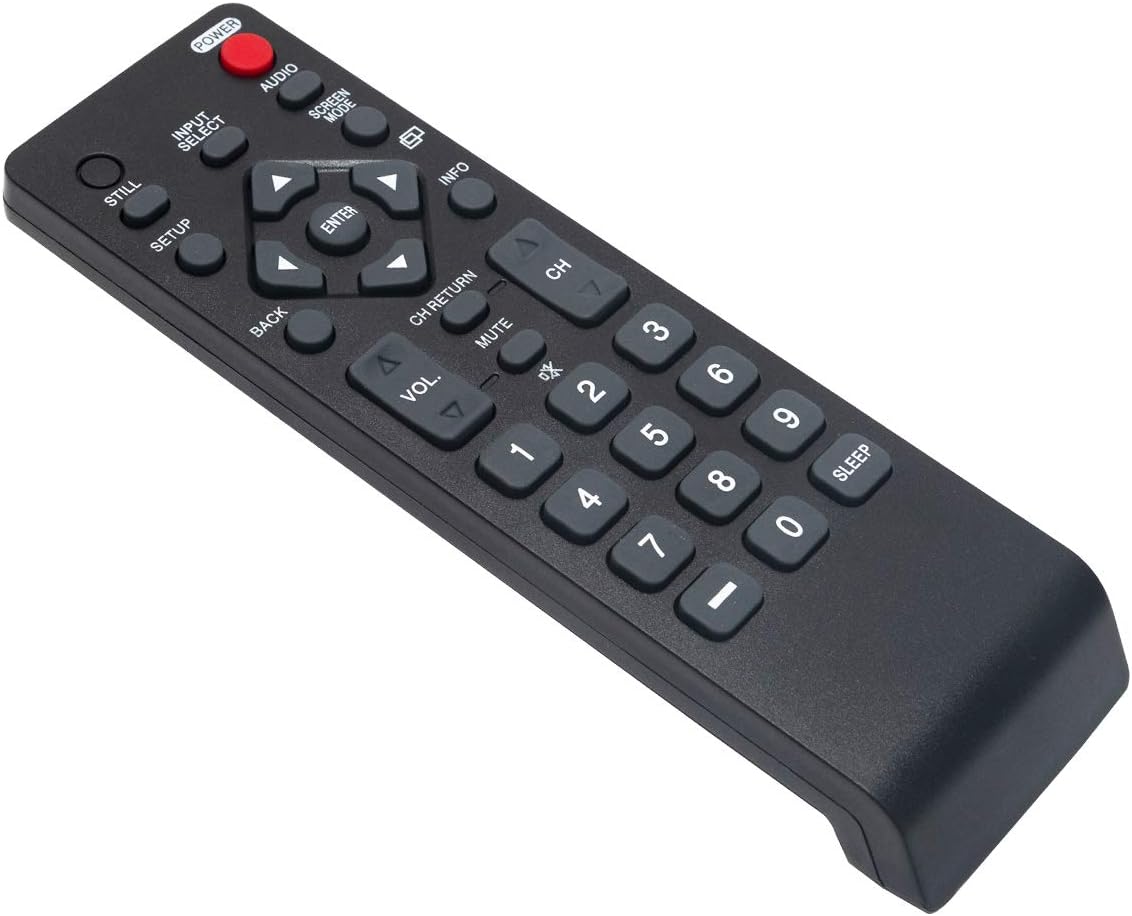
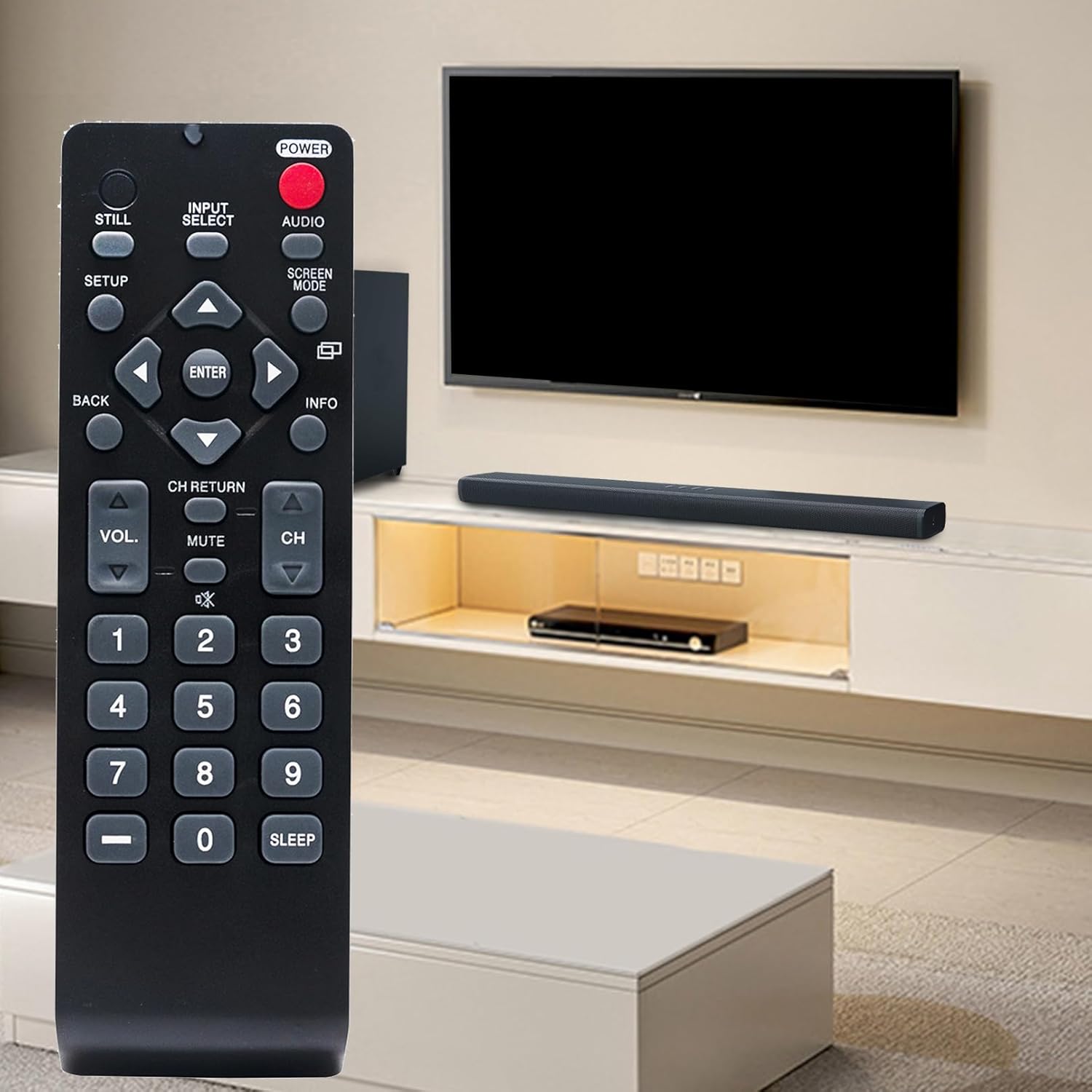
The NH000UD remote control provides full functionality for your compatible Emerson TV. Point the remote directly at the TV's infrared sensor for optimal performance.
- પાવર બટન (પાવર): ટીવી ચાલુ અથવા બંધ કરવા માટે દબાવો.
- Input Select (ઇનપુટ પસંદ કરો): ઉપલબ્ધ ઇનપુટ સ્ત્રોતો (દા.ત., HDMI, AV, ઘટક) દ્વારા ચક્ર.
- વોલ્યુમ નિયંત્રણ (વીઓએલ +/-): ટીવીના વોલ્યુમ સ્તરને સમાયોજિત કરે છે.
- Channel Control (સીએચ +/-): ટીવી ચેનલો ઉપર કે નીચે બદલે છે.
- મૌન (મૌન): Silences the TV audio. Press again to restore sound.
- Navigation Buttons (Arrows and દાખલ કરો): મેનુઓ નેવિગેટ કરવા અને પસંદગીઓની પુષ્ટિ કરવા માટે વપરાય છે.
- પાછળ (પાછળ): પાછલા મેનુ અથવા સ્ક્રીન પર પાછા ફરે છે.
- માહિતી (માહિતી): વર્તમાન પ્રોગ્રામ અથવા ઇનપુટ વિશે માહિતી દર્શાવે છે.
- Screen Mode (સ્ક્રીન મોડ): Adjusts the screen display mode.
- ઓડિયો (ઓડિયો): ઓડિયો ટ્રેક અથવા મોડ્સ પસંદ કરે છે.
- ન્યુમેરિક કીપેડ (0-9): સીધા ચેનલ નંબરો દાખલ કરો.
- ઊંઘ (ઊંઘ): ટીવી આપમેળે બંધ થવા માટે ટાઇમર સેટ કરે છે.
જાળવણી
- બેટરી રિપ્લેસમેન્ટ: Replace batteries when the remote's range decreases or buttons become unresponsive. Always replace both batteries simultaneously with new AAA alkaline batteries. Do not mix old and new batteries, or different types of batteries.
- સફાઈ: રિમોટ કંટ્રોલને નરમ, સૂકા કપડાથી સાફ કરો. પ્રવાહી ક્લીનર્સ, સ્પ્રે અથવા ઘર્ષક સામગ્રીનો ઉપયોગ કરશો નહીં, કારણ કે આ રિમોટની સપાટી અથવા આંતરિક ઘટકોને નુકસાન પહોંચાડી શકે છે.
- સંગ્રહ: રિમોટ કંટ્રોલને સીધા સૂર્યપ્રકાશ અને અતિશય તાપમાનથી દૂર ઠંડી, સૂકી જગ્યાએ સંગ્રહિત કરો. જો રિમોટનો ઉપયોગ લાંબા સમય સુધી ન થાય, તો લીકેજ અટકાવવા માટે બેટરીઓ દૂર કરો.
મુશ્કેલીનિવારણ
- રિમોટ પ્રતિસાદ આપતું નથી:
- ખાતરી કરો કે બેટરીઓ યોગ્ય ધ્રુવીયતા સાથે યોગ્ય રીતે દાખલ કરવામાં આવી છે.
- જૂની બેટરીઓને નવી AAA આલ્કલાઇન બેટરીથી બદલો.
- રિમોટ કંટ્રોલ અને ટીવીના ઇન્ફ્રારેડ સેન્સર વચ્ચે કોઈ અવરોધ છે કે નહીં તે તપાસો.
- Ensure you are within the effective operating range (up to 33 feet) and pointing the remote directly at the TV.
- ચોક્કસ બટનો કામ કરતા નથી:
- This may indicate low battery power. Try replacing the batteries.
- Inspect the button for any physical damage or debris that might be preventing it from pressing correctly.
વિશિષ્ટતાઓ
| બ્રાન્ડ | ZdalaMit |
| મોડેલનું નામ | NH000UD |
| મોડલ નંબર | NH000UD |
| સુસંગત ઉપકરણો | Emerson Televisions (e.g., LC320EMFX, LC195EMX, LC320EMXF, LC320EMXFB2, LC320EMX) |
| કનેક્ટિવિટી ટેકનોલોજી | ઇન્ફ્રારેડ |
| બટનોની સંખ્યા | 20 |
| મહત્તમ શ્રેણી | 33 ફીટ |
| બેટરીનો પ્રકાર | 2 x AAA આલ્કલાઇન બેટરી (શામેલ નથી) |
| આઇટમના પરિમાણો (L x W x H) | ૧૨.૨" x ૧૪" x ૫૭.૨" |
| વસ્તુનું વજન | 2.1 ઔંસ |

વોરંટી માહિતી
This ZdalaMit NH000UD Replacement Remote Control comes with a 1 વર્ષની વોરંટી from the date of purchase. This warranty covers manufacturing defects under normal use. It does not cover damage caused by misuse, accidents, unauthorized modifications, or battery leakage. Please retain your proof of purchase for warranty claims.
ગ્રાહક આધાર
Should you have any questions, require assistance, or encounter issues not covered in this manual, please do not hesitate to contact ZdalaMit customer support. Refer to your product packaging or the retailer's webચોક્કસ સંપર્ક વિગતો માટે સાઇટ.
For further information or support, you may visit the official ZdalaMit webસાઇટ અથવા પ્લેટફોર્મ જ્યાંથી ઉત્પાદન ખરીદવામાં આવ્યું હતું.