
1. પરિચય
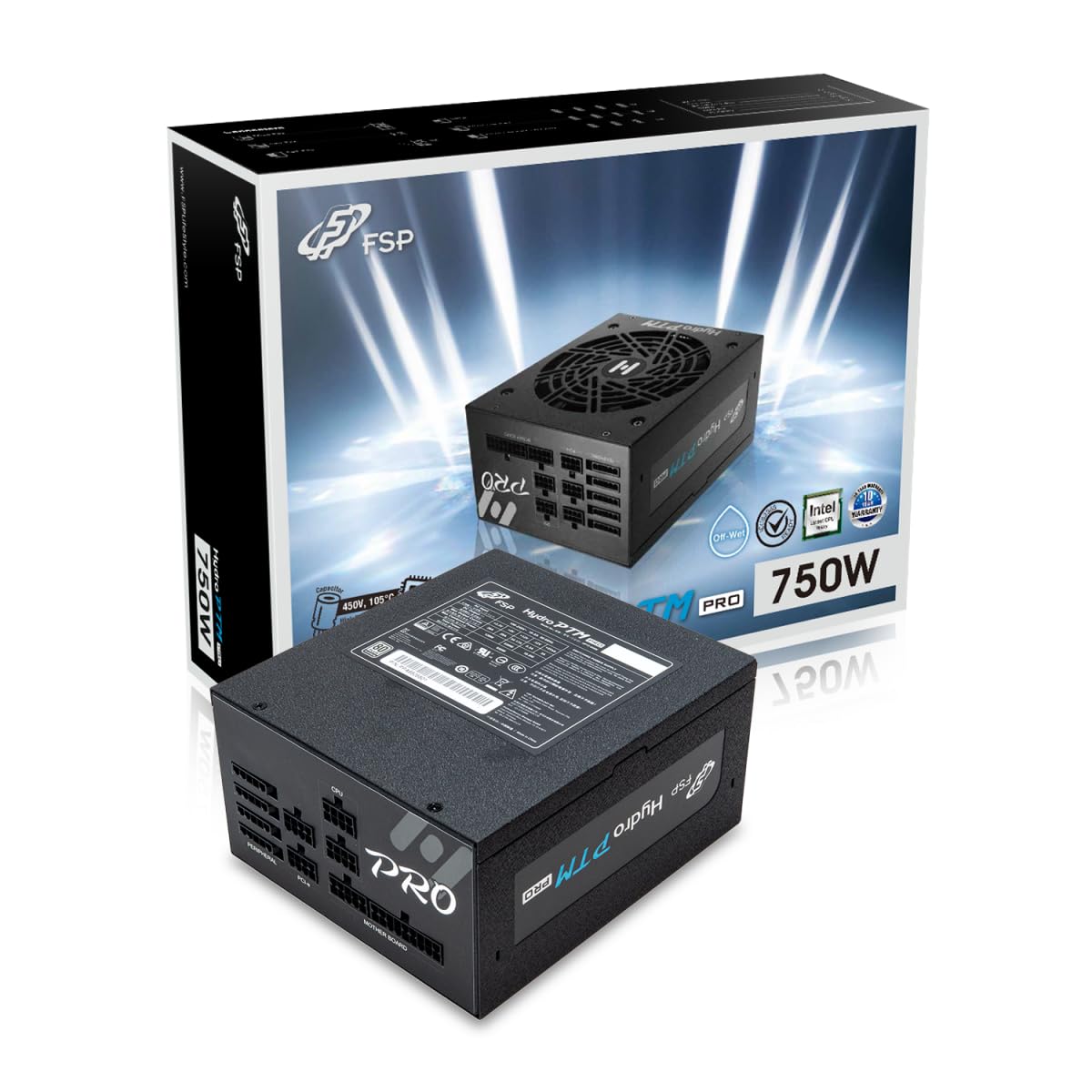
This manual provides detailed instructions for the installation, operation, and maintenance of your FSP Hydro PTM Pro 750W 80 Plus Platinum Full Modular ATX 12V Power Supply (Model: HPT2-750M). Please read this manual thoroughly before using the product to ensure proper function and safety.
The FSP Hydro PTM Pro series is designed for high efficiency and durability, featuring a conformal coating for protection against dust, humidity, and stains. It includes a semi-fanless Eco Mode for quiet operation under low loads and fully modular black ribbon cables for flexible system builds.
2. સલામતી માહિતી
ચેતવણી: Improper installation or use can result in serious injury or damage to the power supply and other components. Always follow these safety guidelines:
- પાવર સપ્લાય યુનિટ ખોલશો નહીં. ઉચ્ચ વોલ્યુમtagઅંદર es હાજર છે, અને વપરાશકર્તા-સેવાયોગ્ય ભાગો નથી. યુનિટ ખોલવાથી વોરંટી રદ થશે.
- ઇન્સ્ટોલેશન અથવા જાળવણી પહેલાં ખાતરી કરો કે પાવર સપ્લાય AC પાવર આઉટલેટથી ડિસ્કનેક્ટ થયેલ છે.
- સારી રીતે હવાની અવરજવરવાળી જગ્યાએ વીજ પુરવઠો સ્થાપિત કરો.
- Use only the modular cables provided with this power supply. Using incompatible cables may cause damage to the power supply and connected components.
- This product is designed for use in personal computers. Do not use it for any other purpose.
- વીજ પુરવઠો પાણી, ભેજ અને અતિશય તાપમાનથી દૂર રાખો.
- સિસ્ટમ પર પાવર કરતા પહેલા બધા કનેક્શન્સ સુરક્ષિત છે તેની ખાતરી કરો.

3. પેકેજ સામગ્રી
ખાતરી કરો કે બધી વસ્તુઓ તમારા પેકેજમાં હાજર છે:
- FSP Hydro PTM Pro 750W Power Supply Unit (HPT2-750M)
- એસી પાવર કોર્ડ
- Modular Cable Set (refer to the "Cable Length and Connectors" section for details)
- માઉન્ટિંગ સ્ક્રૂ
- વપરાશકર્તા માર્ગદર્શિકા (આ દસ્તાવેજ)
4. સેટઅપ અને ઇન્સ્ટોલેશન
4.1 ભૌતિક સ્થાપન
- તમારી સિસ્ટમ તૈયાર કરો: ખાતરી કરો કે તમારું કમ્પ્યુટર સંપૂર્ણપણે બંધ છે અને દિવાલના આઉટલેટમાંથી અનપ્લગ થયેલ છે.
- જૂનો પાવર સપ્લાય દૂર કરો (જો લાગુ હોય તો): Disconnect all cables from your old power supply and remove it from the PC case.
- પાવર સપ્લાય માઉન્ટ કરો: Insert the FSP Hydro PTM Pro 750W into the power supply bay of your PC case. Secure it with the provided mounting screws.
- Connect Motherboard Cables:
- Connect the 20+4 Pin ATX cable to your motherboard's main power connector.
- Connect the 4+4 Pin CPU (EPS) cable(s) to your motherboard's CPU power connector(s).
- પેરિફેરલ કેબલ્સ કનેક્ટ કરો:
- Connect the 6+2 Pin PCI-E cables to your graphics card(s).
- SATA પાવર કેબલ્સને તમારા SSD, HDD અને ઓપ્ટિકલ ડ્રાઇવ સાથે કનેક્ટ કરો.
- Connect Molex cables to any other peripherals requiring them.
- સુરક્ષિત જોડાણો: Ensure all modular cables are firmly seated into both the power supply and the respective components.
- એસી પાવર કનેક્ટ કરો: Plug the AC power cord into the power supply's AC inlet and then into a wall outlet or surge protector.
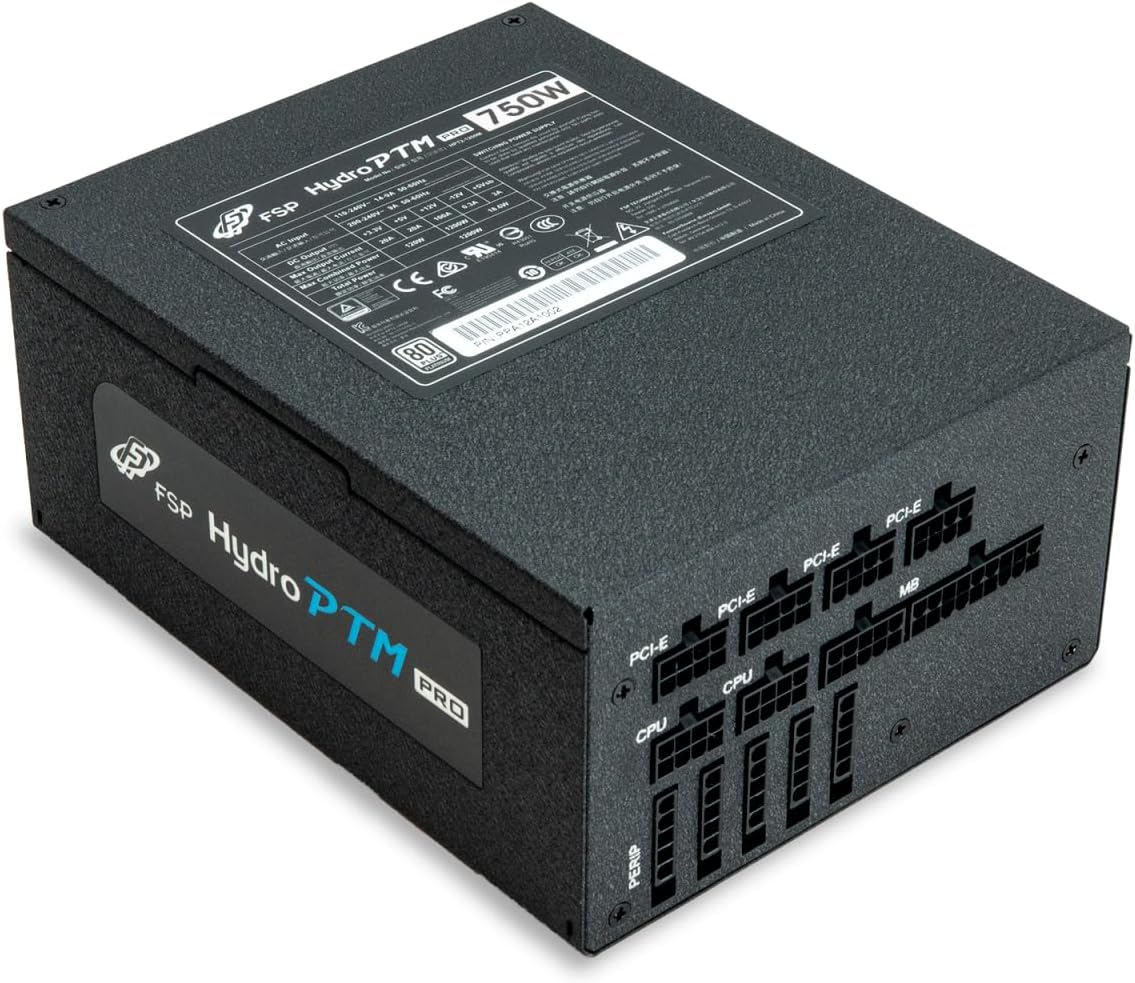
4.2 Cable Length and Connectors
The FSP Hydro PTM Pro 750W comes with a set of fully modular black ribbon cables. Refer to the diagram below for connector types and approximate lengths.

5. ઓપરેશન
5.1 પાવરિંગ ચાલુ/બંધ
After completing the installation, ensure the main power switch on the back of the power supply is in the "ON" (I) position. You can then power on your computer using its case power button.
5.2 ઇકો મોડ
The Hydro PTM Pro features a semi-fanless Eco Mode. When enabled, the power supply fan will remain off until the system load exceeds approximately 30%. This provides silent operation during low-power tasks.
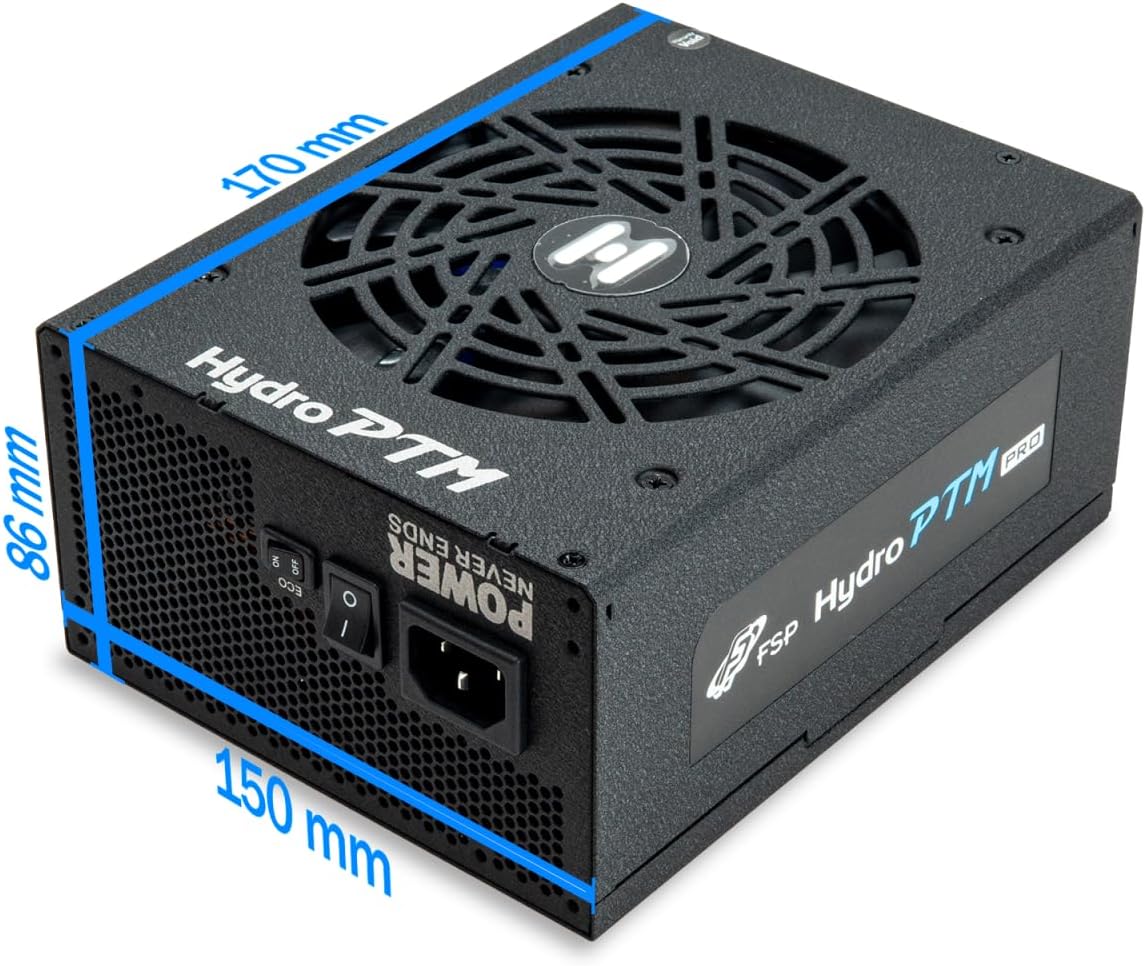
- To activate Eco Mode: Locate the "ECO" switch next to the main power switch on the rear of the power supply and set it to the "ON" position.
- To disable Eco Mode: Set the "ECO" switch to the "OFF" position. The fan will operate continuously based on temperature.
વિડિઓ: એક ઓવરview of the FSP Hydro PTM Pro series, highlighting features like conformal coating, Eco Mode, and modular design. This video is provided by FSP GROUP USA.
6. જાળવણી
6.1 સફાઈ
To maintain optimal performance and longevity, periodically clean your power supply:
- Ensure the power supply is completely powered off and unplugged from the AC outlet before cleaning.
- Use compressed air to gently remove dust from the fan grille and ventilation openings.
- નરમ, સૂકા કપડાથી બહારનો ભાગ સાફ કરો. પ્રવાહી ક્લીનર્સ અથવા સોલવન્ટનો ઉપયોગ કરશો નહીં.
6.2 પર્યાવરણીય સંરક્ષણ
The FSP Hydro PTM Pro features a proprietary conformal coating that protects internal components from dust, humidity, and stains. This allows the power supply to reliably operate in environments with up to 95% relative humidity. While this coating offers enhanced protection, it is still recommended to operate the power supply in a clean, dry environment for best results.
7. મુશ્કેલીનિવારણ
જો તમને તમારા પાવર સપ્લાયમાં સમસ્યાઓ આવે, તો નીચેની સામાન્ય સમસ્યાઓ અને ઉકેલોનો સંદર્ભ લો:
| સમસ્યા | સંભવિત કારણ | ઉકેલ |
|---|---|---|
| સિસ્ટમ પાવર ચાલુ નથી. |
|
|
| System powers on but immediately shuts down. |
|
|
| Fan is not spinning (Eco Mode off). |
|
|
If the problem persists after attempting these solutions, please contact FSP customer support.
8. સ્પષ્ટીકરણો
| લક્ષણ | વિગત |
|---|---|
| મોડેલનું નામ | Hydro PTM Pro (HPT2-750M) |
| બ્રાન્ડ | FSP |
| આઉટપુટ વોટtage | 750W |
| ૮૦ પ્લસ સર્ટિફિકેશન | પ્લેટિનમ |
| ફોર્મ ફેક્ટર | એટીએક્સ |
| પાવર સપ્લાય ડિઝાઇન | સંપૂર્ણ મોડ્યુલર |
| ઠંડક પદ્ધતિ | Air (135mm fan) |
| ઇનપુટ વોલ્યુમtage | 115-240 વોલ્ટ |
| પરિમાણો (L x W x H) | 170 x 150 x 86 mm (6.7 x 5.9 x 3.4 ઇંચ) |
| રક્ષણ | OCP, OVP, SCP, OPP, UVP, OTP |
| કેપેસિટર્સ | Japanese-made Electrolytic Capacitors |
| પીએફસી | Active PFC ≥ 99% |
| કોન્ફોર્મલ કોટિંગ | Yes (Dust, Humidity, Stain protection) |
9. વોરંટી અને સપોર્ટ
9.1 વોરંટી માહિતી
The FSP Hydro PTM Pro 750W power supply is covered by a 10 વર્ષની વોરંટી ખરીદીની તારીખથી. આ વોરંટી સામાન્ય ઉપયોગ હેઠળ સામગ્રી અને કારીગરીમાં ખામીઓને આવરી લે છે. વોરંટી દાવાઓ માટે કૃપા કરીને ખરીદીનો પુરાવો રાખો.
વોરંટી આના પરિણામે થતા નુકસાનને આવરી લેતી નથી:
- અયોગ્ય સ્થાપન અથવા કામગીરી.
- Accidental damage, abuse, or misuse.
- અનધિકૃત સમારકામ અથવા ફેરફારો.
- Natural disasters or external causes.
9.2 ગ્રાહક સપોર્ટ
For technical assistance, troubleshooting, or warranty inquiries, please contact FSP customer support. Refer to the official FSP webસૌથી અદ્યતન સંપર્ક માહિતી માટે સાઇટ.
FSP GROUP USA
Visit the FSP Store on Amazon