
Tasmor JYX-5050x18N
TASMOR 10M USB RGB LED Strip Light User Manual
Model: JYX-5050x18N
બ્રાન્ડ: તસ્મોર
પરિચય
Thank you for choosing the TASMOR 10M USB RGB LED Strip Light. This product is designed to provide versatile and vibrant lighting for various indoor settings, including bedrooms, living rooms, kitchens, and for special occasions like parties and holidays. This manual provides essential information for safe installation, operation, and maintenance of your LED strip light.
સલામતી માહિતી
- આ ઉત્પાદન માટે રચાયેલ છે માત્ર ઇન્ડોર ઉપયોગપાણી કે વધુ ભેજના સંપર્કમાં આવશો નહીં.
- Ensure the installation surface is clean, dry, and smooth for proper adhesion.
- Do not connect the LED strip to power while it is still rolled up, as this may cause overheating.
- Only use the provided power adapter and components.
- Do not attempt to repair or modify the product. Refer to qualified personnel for service.
- બાળકોની પહોંચથી દૂર રાખો.
- The LED strip can be cut at designated marks (every 4 poles, 10mm wide). Ensure power is disconnected before cutting.
ઉત્પાદન ઓવરview
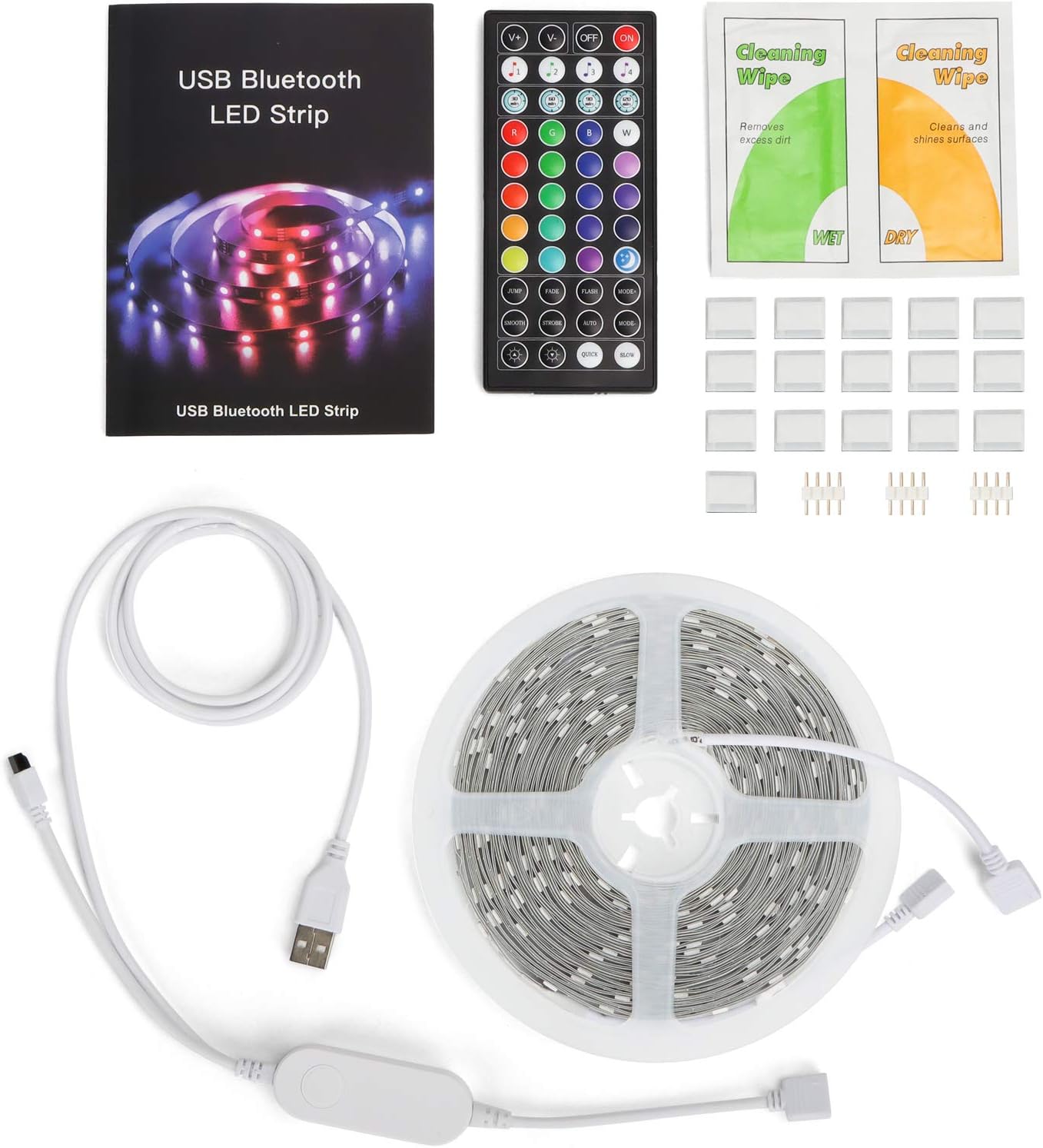
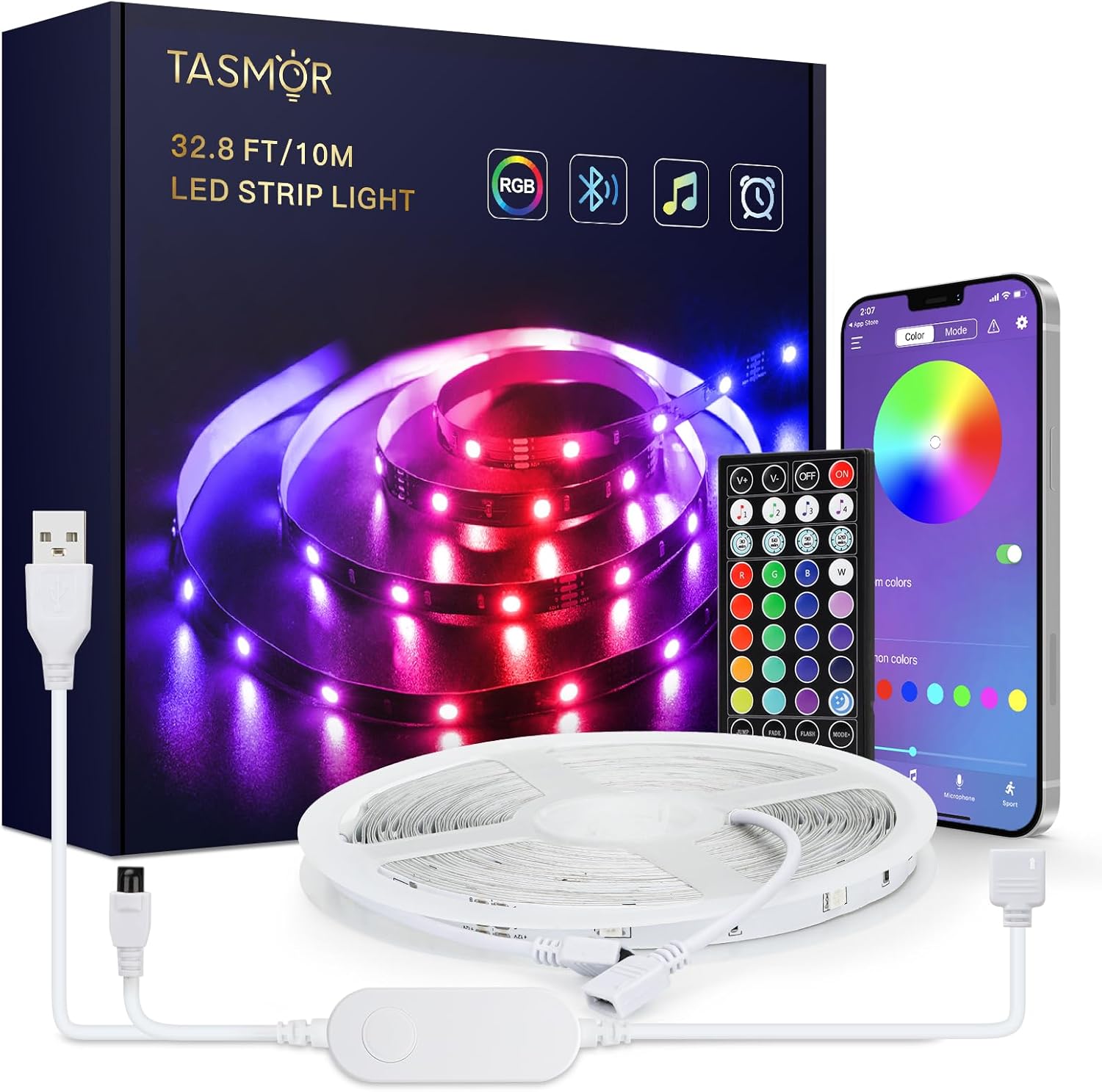
The TASMOR 10M USB RGB LED Strip Light system includes the following components:
- 10-meter RGB LED Strip Light
- 44-key IR Remote Control
- In-line Control Box with USB power cable
- વપરાશકર્તા માર્ગદર્શિકા
- Cleaning Wipes (may be included)
- Adhesive clips/mounts (may be included)
સેટઅપ અને ઇન્સ્ટોલેશન
- સપાટી તૈયાર કરો: Choose a clean, dry, and smooth surface for installation. Wipe the surface with the provided cleaning wipes (if applicable) and allow it to dry completely.
- LED સ્ટ્રીપ ખોલો: Fully unroll the LED strip before connecting it to power to prevent overheating.
- ઘટકો જોડો:
- Connect the LED strip to the in-line control box. Ensure the arrows on the connectors align.
- Connect the USB plug from the in-line control box to a 5V USB power source (e.g., USB wall adapter, power bank, computer USB port).

Figure 3: Connection Diagram. This diagram illustrates the correct way to connect the LED strip to its controller and power source. - સ્ટ્રીપને વળગી રહો: Peel off the self-adhesive backing from the LED strip gradually as you press it firmly onto the prepared surface.

Figure 4: Installation Features. This image demonstrates the strong 3M adhesive, the ability to cut the strip at marked intervals, and its flexibility for bending around corners. - Cutting the Strip (Optional): If the strip is too long, you can cut it at the designated cutting marks (indicated by copper pads and a scissor icon) every 4 poles. Ensure power is disconnected before cutting.
ઓપરેટિંગ સૂચનાઓ
Your TASMOR LED Strip Light offers three convenient control methods:

1. In-line Control Box
The small button on the in-line control box allows for basic control:
- Press once to turn ON/OFF.
- Press repeatedly to cycle through basic colors and dynamic modes.
2. 44-Key IR Remote Control
The remote control provides comprehensive access to various functions:
- પાવર બટન: ચાલુ/બંધ કરો.
- બ્રાઇટનેસ એડજસ્ટમેન્ટ: પ્રકાશની તીવ્રતા વધારો અથવા ઘટાડો.
- સ્થિર રંગો: 20 preset static colors.
- DIY Buttons: Customize and save your own colors.
- ડાયનેમિક મોડ્સ: 6 dynamic modes (e.g., Flash, Strobe, Fade, Smooth).
- સંગીત મોડ્સ: 4 music modes that react to sound.
3. MagicStrip APP (Bluetooth Control)
For advanced features and customization, download the "MagicStrip" app from the App Store or Google Play. Ensure Bluetooth is enabled on your smartphone.
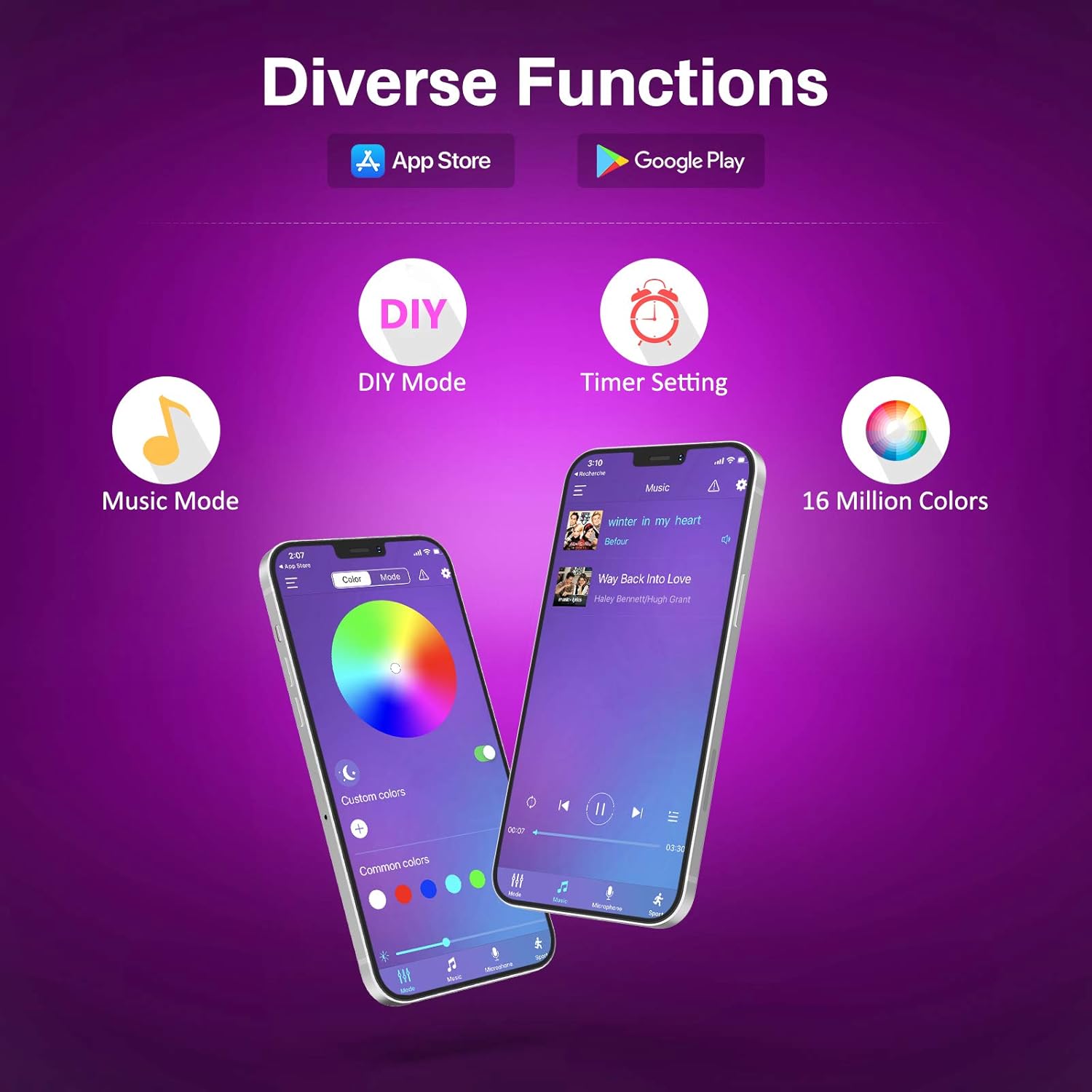
- કલર પેલેટ: Access to 16 million colors for precise selection.
- Brightness & Saturation: Fine-tune light intensity and color vibrancy.
- DIY મોડ્સ: Create and save custom lighting effects.
- સંગીત સમન્વયન મોડ: The lights change color and speed in sync with music played through your phone's microphone. Adjust sensitivity and mode.
- ટાઈમર કાર્ય: Schedule the lights to turn ON/OFF at specific times.
- ગતિશીલ દ્રશ્યો: Explore over 30 pre-programmed dynamic scenes and modes.


જાળવણી
- સફાઈ: Gently wipe the LED strip with a dry, soft cloth to remove dust. Do not use liquid cleaners or immerse the strip in water.
- સંલગ્નતા: If the strip begins to peel, reinforce it with additional adhesive clips or double-sided tape.
- સંગ્રહ: When not in use for extended periods, disconnect from power and store the strip in a cool, dry place.
મુશ્કેલીનિવારણ
| સમસ્યા | સંભવિત કારણ | ઉકેલ |
|---|---|---|
| લાઈટો ચાલુ થતી નથી. | No power, loose connection, remote battery dead. | Check USB power source. Ensure all connections are secure. Replace remote battery (2 x A batteries required for remote, not included). |
| રીમોટ કંટ્રોલ કામ કરતું નથી. | Remote battery dead, IR sensor blocked, remote too far. | Replace remote battery. Ensure no obstructions between remote and IR receiver on the control box. Operate within 5-8 meters of the receiver. |
| APP cannot connect to the strip. | Bluetooth not enabled, app not paired, interference. | Ensure Bluetooth is enabled on your phone. Restart the app and the LED strip (unplug/replug USB). Try pairing again. |
| લાઇટ્સ ઝાંખી અથવા ટમટમતી હોય છે. | Insufficient power, damaged strip. | Ensure USB power source provides sufficient current (e.g., 5V/2A). If a section is damaged, it may need replacement. |
| રંગો ખોટા છે. | Incorrect connection, app/remote setting. | Check that the arrows on the connectors are aligned. Reset the strip by unplugging and replugging. Try different color settings on the remote or app. |
વિશિષ્ટતાઓ
| બ્રાન્ડ | તસ્મોર |
| ઉત્પાદક | તસ્મોર |
| મોડલ નંબર | JYX-5050x18N |
| ઉત્પાદનના પરિમાણો (L x W x H) | 1000 x 10 x 0.1 cm (10 meters) |
| વસ્તુનું વજન | 240 ગ્રામ |
| રંગ | USB-10m (RGB) |
| સામગ્રી | પ્લાસ્ટિક |
| બલ્બની સંખ્યા | 180 |
| સમાવાયેલ ઘટકો | 10m RGB LED Strip Light, 44-key Remote Control, 1-button Control Box and App for control |
| ભાગtage | 5 વોલ્ટ |
| ચોક્કસ ઉપયોગો | માત્ર ઇન્ડોર ઉપયોગ |
| ખાસ લક્ષણો | Non-waterproof, No adapter included (USB powered) |
| પ્લગ પ્રકાર | Electrical Cable (USB) |
| બેટરી(ઓ) શામેલ છે | ના |
| બેટરી(ઓ) જરૂરી છે | Yes (2 x A for remote control) |
| બલ્બનો પ્રકાર | એલઇડી |
| તેજસ્વી પ્રવાહ | 150 એલએમ |
| શક્તિ | 60 વોટ્સ |
| આઇપી રેટિંગ | IP20 |
વોરંટી અને આધાર
For warranty information and technical support, please refer to the seller's policy on the purchase platform or contact the manufacturer directly. Please retain your proof of purchase for any warranty claims.
Manufacturer: Tasmor
Ask a question about this manual
Ask about setup, troubleshooting, compatibility, parts, safety, or missing instructions. Manuals+ will review the question and use this page’s manual context to help answer it.