
1. પરિચય
Welcome to the user manual for your XOOPAR Buddy Cable XP71031. This document provides essential information on how to set up, operate, and maintain your multi-connector cable. Please read these instructions carefully to ensure proper use and longevity of your product.
2. ઉત્પાદન ઓવરview
The XOOPAR Buddy Cable is a versatile charging and data transfer solution designed for modern mobile devices. It features a unique 'Buddy' shaped design and a compact keychain format for enhanced portability. This cable integrates three common connectors:
- યુએસબી-એ: For connecting to standard USB ports on computers, wall adapters, and power banks.
- યુએસબી-સી: Compatible with a wide range of modern smartphones (e.g., Huawei, Google), tablets, and laptops.
- વીજળી: Designed for Apple iPhones, iPads, and other Lightning-compatible devices.

Image: The XOOPAR Buddy Cable showcasing its three integrated connectors (USB-A, USB-C, and Lightning) and its coiled cable design.
3. સેટઅપ
Using the XOOPAR Buddy Cable is straightforward. Follow these steps to connect your devices:
- કનેક્ટર્સને ઓળખો: Locate the appropriate connector for your power source (USB-A) and your mobile device (USB-C or Lightning).
- પાવર સ્રોત સાથે કનેક્ટ કરો: Plug the USB-A end of the Buddy Cable into a compatible USB port on a wall adapter, computer, or power bank.
- ઉપકરણ સાથે કનેક્ટ કરો: Plug the USB-C or Lightning end into the charging port of your smartphone or other compatible device.
- કનેક્શન ચકાસો: Ensure both ends are securely connected. Your device should indicate that it is charging or connected for data transfer.
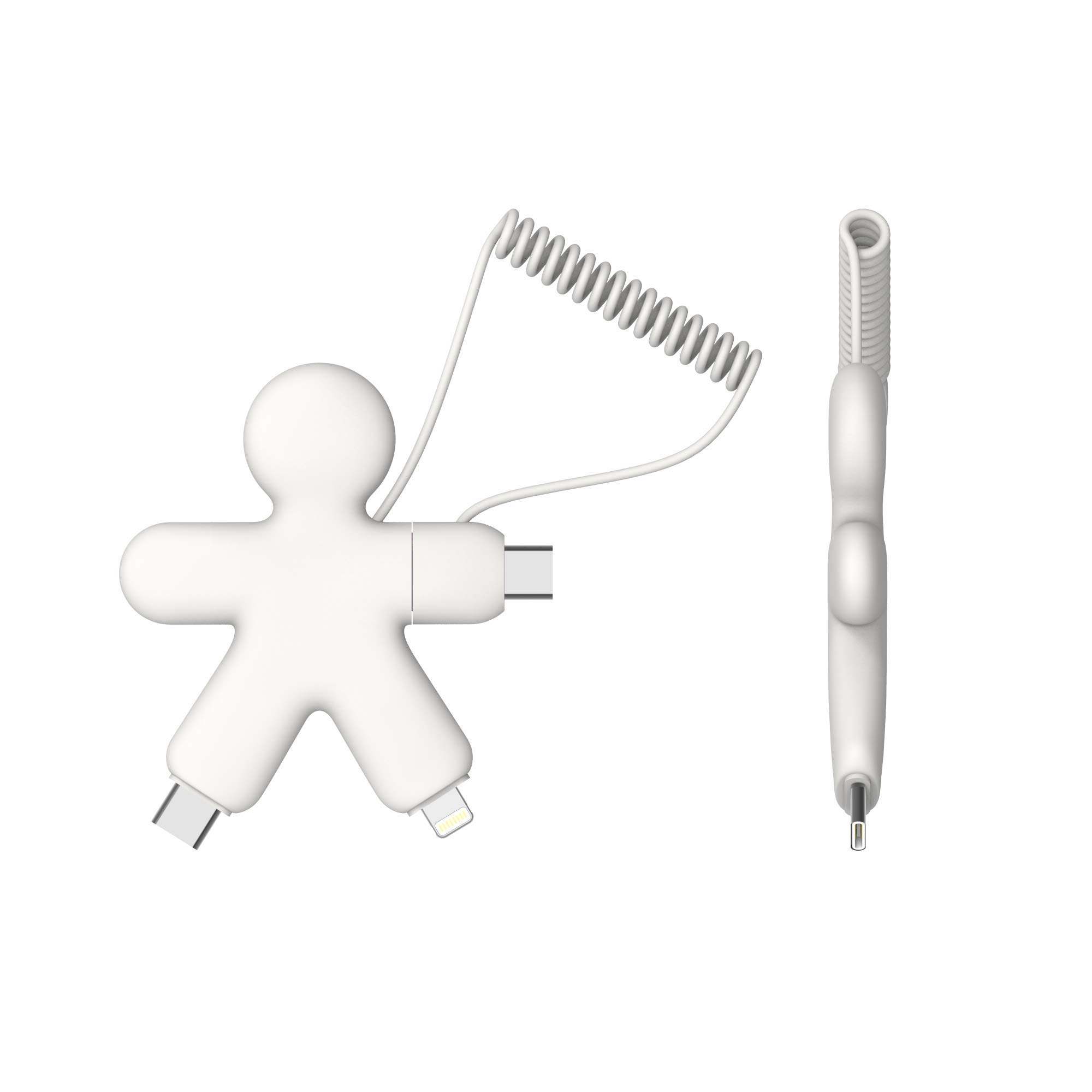
Image: The XOOPAR Buddy Cable facilitating a connection between a smartphone and a portable power bank.
4. ઓપરેટિંગ સૂચનાઓ
The XOOPAR Buddy Cable is designed for both charging and data synchronization. Its high-speed capabilities ensure efficient performance.
4.1. તમારું ઉપકરણ ચાર્જ કરી રહ્યું છે
Once connected as described in the Setup section, your device will begin charging. The cable supports standard charging speeds. For optimal charging, use a compatible power adapter or a powered USB port.

Image: A smartphone being charged by the XOOPAR Buddy Cable connected to a laptop's USB port.
4.2. ડેટા ટ્રાન્સફર
When connected to a computer, the XOOPAR Buddy Cable allows for data transfer between your device and the computer. Depending on your device and operating system, you may need to confirm the connection type (e.g., 'Allow' on your phone for data access).
5. જાળવણી
To ensure the longevity and optimal performance of your XOOPAR Buddy Cable, follow these maintenance guidelines:
- સફાઈ: Gently wipe the cable and connectors with a dry, soft cloth. Avoid using harsh chemicals or abrasive materials.
- સંગ્રહ: Store the cable in a cool, dry place away from direct sunlight and extreme temperatures. The coiled design helps prevent tangling.
- હેન્ડલિંગ: Avoid excessive bending or pulling on the cable, especially near the connectors, to prevent internal damage. Always grasp the connector head when plugging or unplugging.
- ભેજ: Keep the cable away from water and other liquids. If it gets wet, ensure it is completely dry before use.
6. મુશ્કેલીનિવારણ
If you encounter issues with your XOOPAR Buddy Cable, try the following troubleshooting steps:
- ઉપકરણ ચાર્જ થતું નથી:
- Ensure both ends of the cable are securely plugged into the power source and your device.
- અલગ પાવર એડેપ્ટર અથવા USB પોર્ટનો ઉપયોગ કરવાનો પ્રયાસ કરો.
- Test the cable with a different device to rule out a device-specific issue.
- કેબલ અથવા કનેક્ટર્સને કોઈપણ દૃશ્યમાન નુકસાન માટે તપાસો.
- ધીમું ચાર્જિંગ:
- Ensure your power source provides sufficient output (e.g., a wall adapter is generally faster than a computer USB port).
- તમારા ઉપકરણ પર બિનજરૂરી એપ્લિકેશનો બંધ કરો.
- ડેટા ટ્રાન્સફર સમસ્યાઓ:
- Confirm that your device is set to allow data transfer when connected to a computer.
- Try restarting both your device and the computer.
- ખાતરી કરો કે તમારા કમ્પ્યુટરના USB ડ્રાઇવરો અપ ટુ ડેટ છે.
7. સ્પષ્ટીકરણો
| લક્ષણ | વિગત |
|---|---|
| બ્રાન્ડ | ઝૂપર |
| મોડલ નંબર | XP71031 |
| રંગ | સફેદ |
| કનેક્ટર્સ | USB-A, USB-C, Lightning |
| ખાસ લક્ષણો | High Speed, Keychain Format |
| સુસંગત ઉપકરણો | Smartphones (Apple, Huawei, Google, etc.) |
| ઉત્પાદક | XOOPAR |
| મૂળ દેશ | ચીન |
8. વોરંટી માહિતી
Specific warranty details for the XOOPAR Buddy Cable XP71031 are typically provided with the product packaging or can be found on the official Xoopar webસાઇટ. વ્યાપક વોરંટી નિયમો અને શરતો માટે કૃપા કરીને આ સંસાધનોનો સંદર્ભ લો.
9. આધાર
For further assistance, technical support, or inquiries regarding your XOOPAR Buddy Cable XP71031, please visit the official Xoopar website or contact their customer service department. Contact information is usually available on the product packaging or the manufacturer's webસાઇટ