
1. પરિચય
The HoldPeak HP-882C Digital Sound Level Meter is a portable device designed for measuring decibel noise. It features a wide measuring range, automatic backlight, and data hold functions, making it suitable for various acoustic measurements, including those in architectural acoustics and industrial safety. This manual provides essential information for the safe and effective operation of your device.

Figure 1: HoldPeak HP-882C Digital Sound Level Meter with its main components labeled. (1) MIC Enclosures Wind, (2) Automatic Backlight Sensor, (3) Power Switch, (4) FAST/SLOW Time Constant Selection, (5) Maximum and Minimum Value Button, (6) LCD Display.
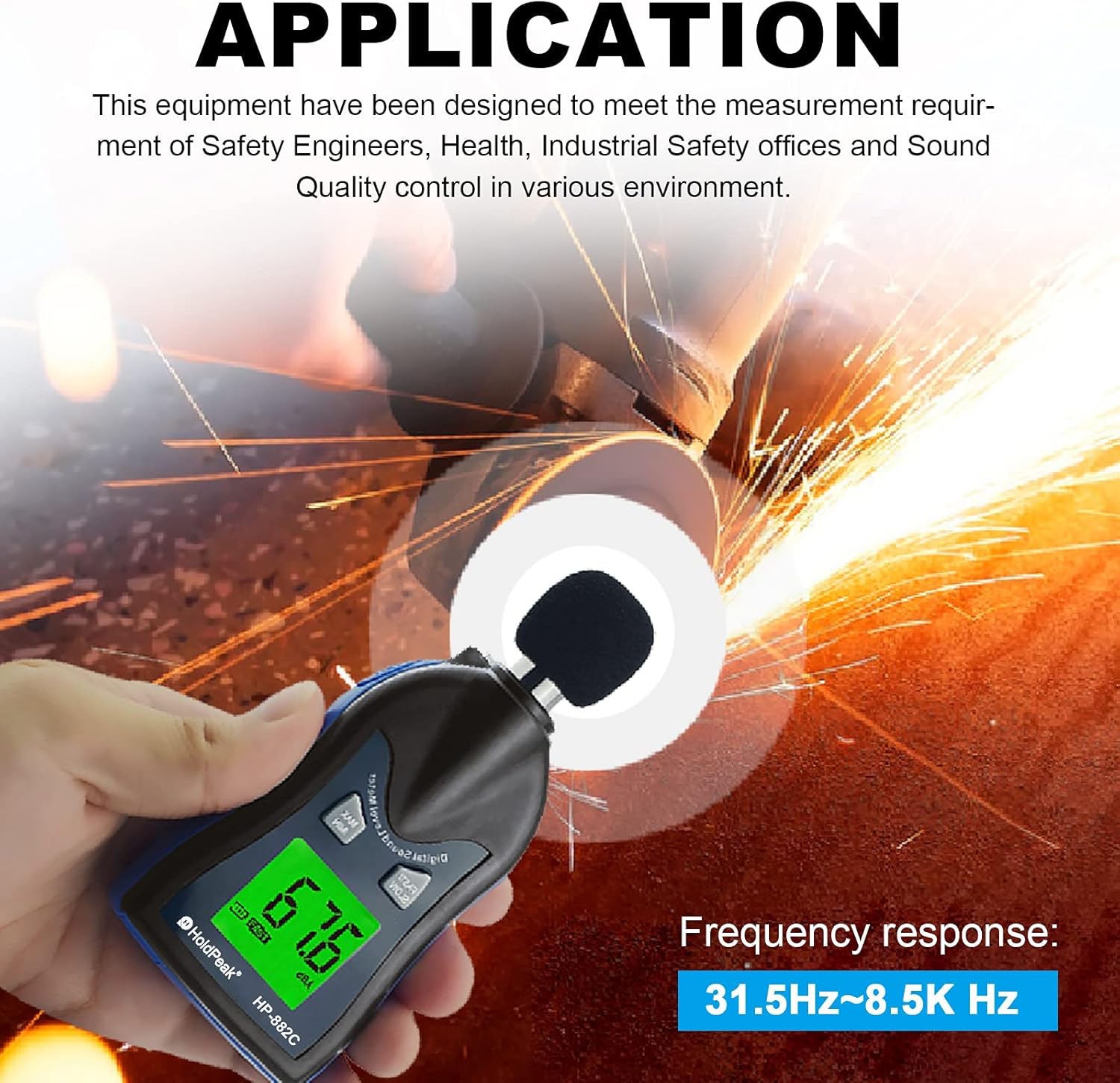
Figure 2: The HP-882C is designed to meet measurement requirements for safety engineers, health, industrial safety offices, and sound quality control in various environments.
2. સેટઅપ
2.1 બેટરી ઇન્સ્ટોલેશન
- ઉપકરણની પાછળ બેટરી કમ્પાર્ટમેન્ટ કવર શોધો.
- કમ્પાર્ટમેન્ટ ખોલવા માટે કવર સ્લાઇડ કરો અથવા અનક્લિપ કરો.
- Insert two (2) AAA 1.5V batteries, ensuring correct polarity (+/-).
- બેટરી કમ્પાર્ટમેન્ટ કવર સુરક્ષિત રીતે બદલો.
Note: Batteries are included with the device. Please ensure they are installed correctly before first use.
2.2 પ્રારંભિક પાવર-ઓન
After installing the batteries, press the power switch (labeled '3' in Figure 1) to turn on the device. The LCD display will illuminate, and the device will be ready for measurement.
3. ઓપરેટિંગ સૂચનાઓ
3.1 પાવર ચાલુ/બંધ
- ચાલુ કરવા માટે: દબાવો પાવર સ્વિચ.
- બંધ કરવા માટે: દબાવો પાવર સ્વિચ again. The device also features an automatic power-off function to conserve battery life.
3.2 માપ લેવું
Hold the sound level meter with the microphone (1) pointed towards the sound source. The current decibel level will be displayed on the LCD screen (6).
3.3 FAST/SLOW Time Weighting
દબાવો ઝડપી ધીમુ button (4) to select the desired time weighting:
- ઝડપી: Measures sound levels with a 125ms time constant, suitable for capturing sudden noise changes.
- સ્લો: Measures sound levels with a 1-second time constant, suitable for averaging fluctuating noise levels.
3.4 MAX/MIN Value Display
દબાવો MAX/MIN button (5) to cycle through the display modes:
- Current real-time measurement.
- Maximum (MAX) decibel value recorded since power-on.
- Minimum (MIN) decibel value recorded since power-on.
૫.૬ ઓટોમેટિક બેકલાઇટ
The device features an automatic LCD backlight sensor (2). The backlight will automatically illuminate in low-light conditions, making the display clearer and easier to read, especially at night or in dim environments.
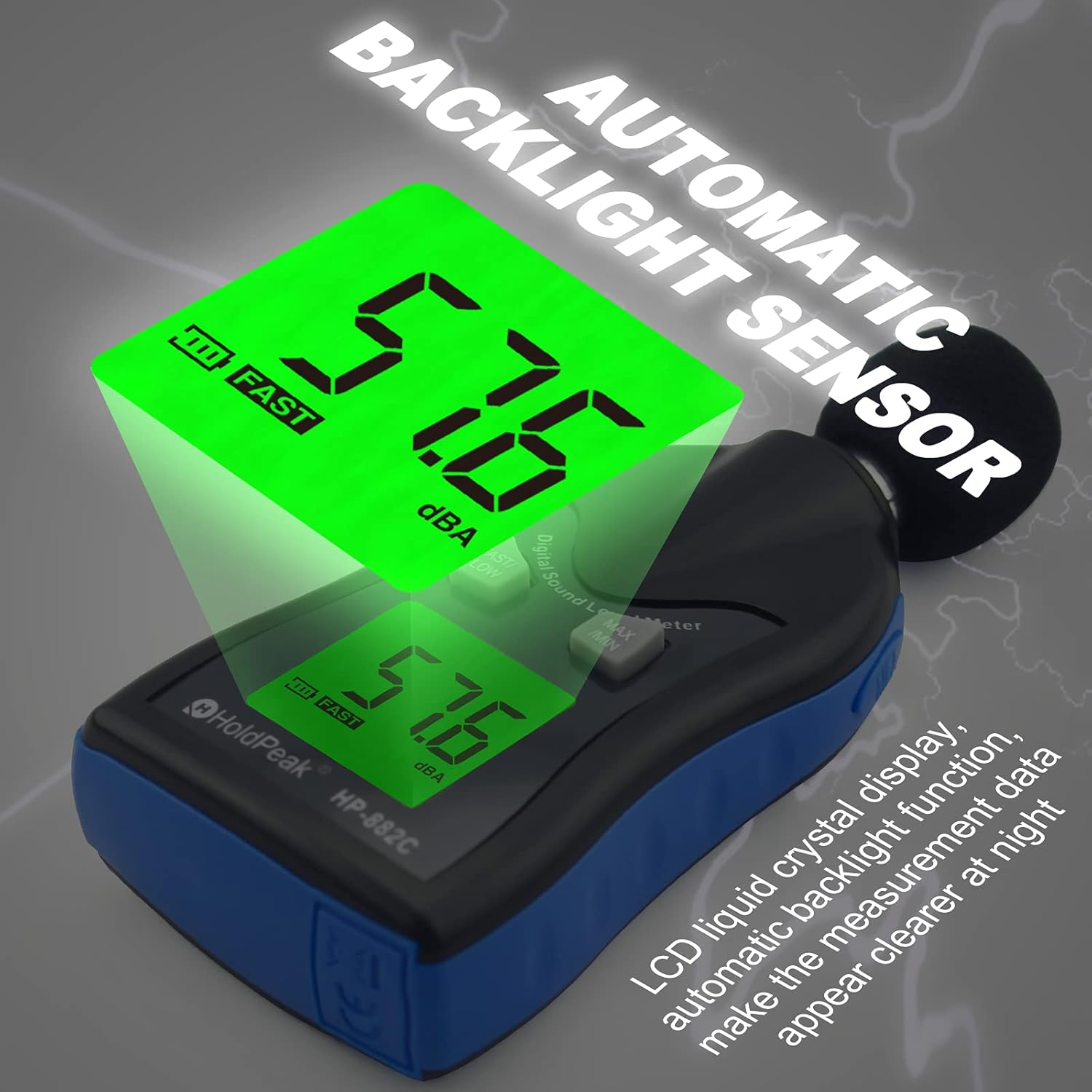
Figure 3: The automatic backlight sensor ensures clear readability of the LCD display in various lighting conditions.
3.6 Windscreen Usage
When measuring in environments with wind speeds exceeding 10 meters per second, it is recommended to use a wind cover (MIC Enclosures Wind, 1) over the microphone. This helps to reduce wind noise interference and improve measurement accuracy.
3.7 Decibel Level Interpretation
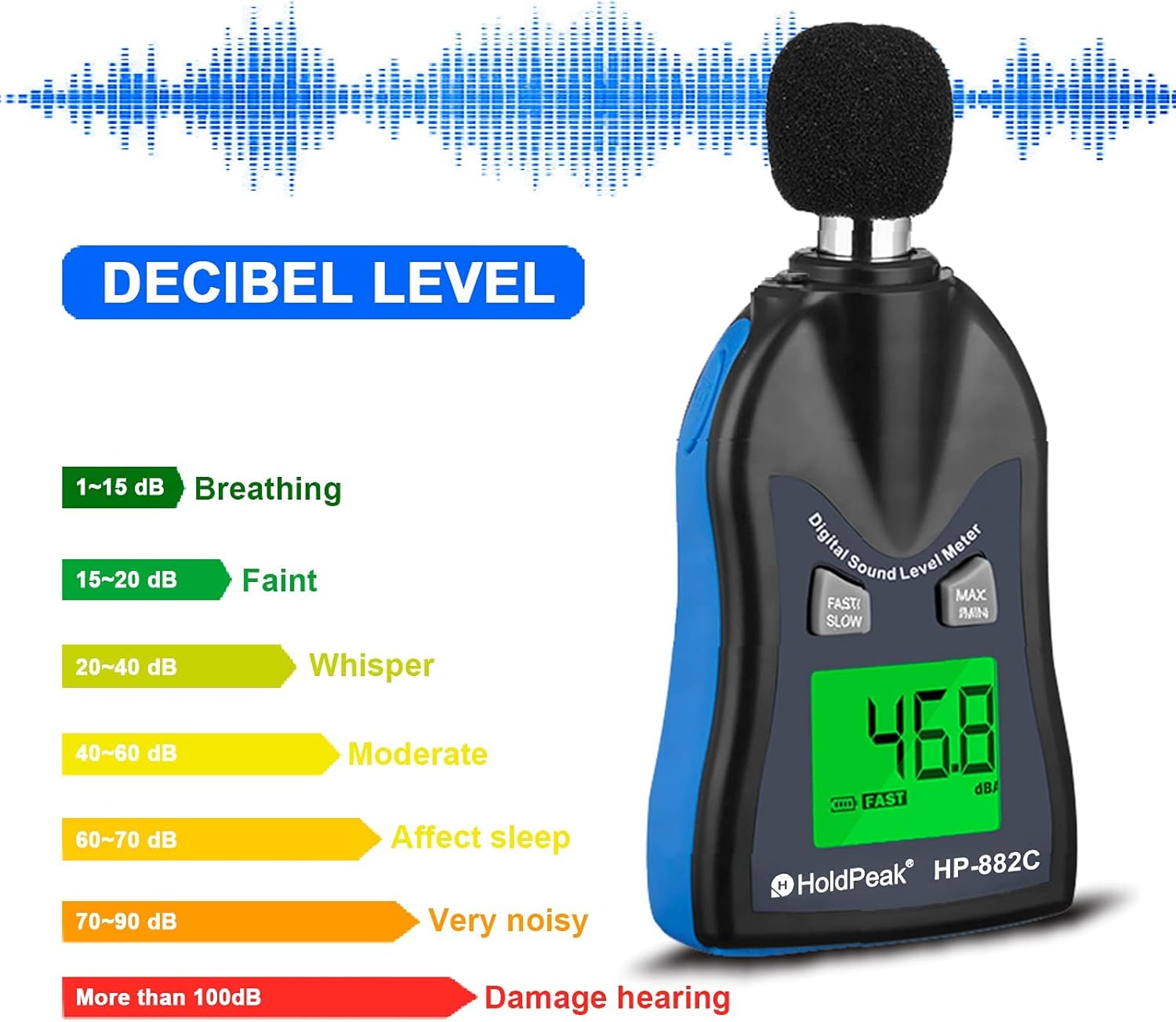
Figure 4: General guide for interpreting decibel levels.
- 1-15 ડીબી: શ્વાસ
- 15-20 ડીબી: Faint
- 20-40 ડીબી: Whisper
- 40-60 ડીબી: મધ્યમ
- 60-70 ડીબી: Affects sleep
- 70-90 ડીબી: Very noisy
- 100 ડીબી કરતાં વધુ: Damage hearing
4. જાળવણી
4.1 સફાઈ
To clean the device, use a soft, dry cloth. Do not use abrasive cleaners or solvents. Avoid immersing the meter in water or exposing it to excessive moisture.
4.2 બેટરી રિપ્લેસમેન્ટ
When the battery indicator on the LCD display shows low power, replace the batteries promptly to ensure accurate measurements. Follow the battery installation steps in Section 2.1.
4.3 સંગ્રહ
When not in use for extended periods, remove the batteries from the device. Store the sound level meter in a cool, dry place with a storage temperature between -10°C and 60°C and relative humidity between 10% and 70%.
5. મુશ્કેલીનિવારણ
૬.૨ અચોક્કસ વાંચન
- Check for wind interference: If measuring outdoors or in windy conditions, ensure the wind cover is properly installed.
- બેટરી સ્તર: Low batteries can affect performance. Replace batteries if the indicator shows low power.
- પર્યાવરણીય પરિસ્થિતિઓ: Ensure operating temperature and humidity are within specified ranges (0~40°C, 10~80% RH).
- Device malfunction: If readings remain consistently inaccurate despite checking the above, the device may require service. Contact customer support.
૧૦.૧ ઉપકરણ ચાલુ નથી થઈ રહ્યું
- બેટરી ઇન્સ્ટોલેશન: Verify that batteries are inserted correctly with the right polarity.
- બેટરીની સ્થિતિ: તાજી બેટરીઓ સાથે બદલો.
- પાવર સ્વીચ: Ensure the power switch is fully pressed.
6. સ્પષ્ટીકરણો

Figure 5: The HP-882C device, its packaging, and included AAA batteries.
| લક્ષણ | સ્પષ્ટીકરણ |
|---|---|
| માપન શ્રેણી | 30 ~ 130 ડીબી |
| ચોકસાઈ | ±1.5 ડીબી |
| આવર્તન પ્રતિભાવ | 31.5 Hz ~ 8 KHz |
| આવર્તન વજન | A |
| ડિજિટલ ડિસ્પ્લે | 4 digits, 0.1 dB resolution |
| Sampલિંગ દર | 2 વખત/સેકન્ડ |
| માઇક્રોફોન | 1/2 ઇંચ કન્ડેન્સર માઇક્રોફોન |
| શક્તિ | 2 x AAA 1.5V બેટરી |
| બેટરી જીવન | આશરે 30 કલાક (આલ્કલાઇન બેટરી) |
| ઓપરેટિંગ તાપમાન/ભેજ | 0 ~ 40°C, 10 ~ 80% RH |
| સંગ્રહ તાપમાન/ભેજ | -10 ~ 60°C, 10 ~ 70% RH |
| ગતિશીલ લાક્ષણિકતાઓ | ઝડપી ધીમુ |
| વજન | 144g (બેટરી સાથે) |
| પરિમાણો | 20.5 x 56.5 x 125 મીમી |
7. વોરંટી અને સપોર્ટ
7.1 વોરંટી માહિતી
This HoldPeak HP-882C Digital Sound Level Meter comes with a 365-day warranty from the date of purchase. This warranty covers manufacturing defects and ensures the product functions as intended under normal use.
7.2 ગ્રાહક સપોર્ટ
If you encounter any problems with your device or have questions regarding its operation, please contact the seller directly. Our customer support team aims to respond to your inquiries as soon as possible, typically within 24 hours.