
1. પરિચય
The COMPUTHERM T-32 room thermostat is designed for controlling most boilers and air conditioners available in the EU. It can be easily connected to any gas boiler with a two-wire thermostatic connection point, and to all air conditioning systems or electrical appliances, whether they have a 24V or 230V control circuit.
This digital thermostat allows for more precise temperature measurement and adjustment compared to traditional thermostats. It helps reduce energy costs while maintaining comfort by regulating the connected appliance (e.g., a gas boiler or pump) based on the measured and set temperatures.
મુખ્ય લક્ષણો:
- ચોક્કસ તાપમાન નિયંત્રણ: Easily set desired temperature between 5°C and 30°C in 0.5°C increments.
- Constant Indoor Temperature: Switching sensitivity of ±0.2°C or 0.1°C ensures a uniform and stable room temperature.
- બહુમુખી સુસંગતતા: Suitable for boilers with a two-wire connection and various HVAC systems (24V or 230V).
- હીટિંગ અને કૂલિંગ મોડ્સ: Supports both heating and cooling functions.
- ડિજિટલ ડિસ્પ્લે: Provides clear and accurate temperature readings.
2. સેટઅપ અને ઇન્સ્ટોલેશન
મહત્વપૂર્ણ: ઉપકરણ સક્ષમ વ્યક્તિ દ્વારા ઇન્સ્ટોલ કરવું આવશ્યક છે.
2.1 પેકેજ સામગ્રી
ખાતરી કરો કે બધા ઘટકો હાજર છે:
- 1x COMPUTHERM T-32 Digital Room Thermostat
- 2x AAA બેટરી
- Mounting hardware (screws and wall plugs)

Figure 1: Package contents including the thermostat, batteries, and mounting hardware.
2.2 બેટરી ઇન્સ્ટોલેશન
- Carefully remove the back cover of the thermostat.
- Insert the two AAA batteries into the battery compartment, ensuring correct polarity (+/-).
- પાછલા કવરને બદલો.
2.3 માઉન્ટિંગ અને વાયરિંગ
The thermostat is designed for wall mounting in a room. Choose a location away from direct sunlight, drafts, or heat sources that could affect temperature readings.
- Separate the front panel from the back plate.
- Mark the desired mounting position on the wall.
- છિદ્રો ડ્રિલ કરો અને દિવાલના પ્લગ દાખલ કરો.
- Secure the back plate to the wall using the provided screws.
- Connect the two-wire control circuit from your boiler or HVAC system to the terminals on the back plate. Refer to the wiring diagram on the back of the thermostat for correct connections.
- Carefully reattach the front panel to the back plate.

આકૃતિ 2: પાછળ view of the thermostat with wiring terminals and battery compartment details.
3. ઓપરેશન
3.1 ઓવર ડિસ્પ્લેview
The digital display shows the current room temperature and the set desired temperature. The thermostat features three control buttons below the display.

આકૃતિ 3: ફ્રન્ટ view of the COMPUTHERM T-32 thermostat with its digital display and three control buttons.
૫.૨ ઇચ્છિત તાપમાન સેટ કરવું
Use the temperature control buttons (typically marked with up and down arrows or similar symbols) to adjust the desired temperature. Each press changes the temperature by 0.5°C within a range of 5°C to 30°C.
- દબાવો ઉપર એરો ઇચ્છિત તાપમાન વધારવા માટે બટન.
- દબાવો નીચે એરો ઇચ્છિત તાપમાન ઘટાડવા માટે બટન.
The thermostat will automatically regulate the connected heating or cooling appliance to maintain the set temperature within its switching sensitivity of ±0.2°C.
3.3 Heating Mode Operation
In heating mode, if the measured room temperature falls below the set temperature minus the switching sensitivity (e.g., 22°C - 0.2°C = 21.8°C), the thermostat will activate the heating appliance. It will deactivate the heating when the room temperature rises above the set temperature plus the switching sensitivity (e.g., 22°C + 0.2°C = 22.2°C).
3.4 Cooling Mode Operation
In cooling mode, the operation is reversed. If the measured room temperature rises above the set temperature plus the switching sensitivity, the thermostat will activate the cooling appliance. It will deactivate cooling when the room temperature falls below the set temperature minus the switching sensitivity.
Note: After a temperature change using the thermostat's adjustment buttons, the switching sensitivity is temporarily not considered, allowing the thermostat to react to a difference of ±0.1°C for immediate response.
4. જાળવણી
- સફાઈ: થર્મોસ્ટેટને નરમ, સૂકા કપડાથી સાફ કરો. ઘર્ષક ક્લીનર્સ અથવા સોલવન્ટનો ઉપયોગ કરશો નહીં.
- બેટરી રિપ્લેસમેન્ટ: Replace batteries when the low battery indicator appears on the display. Always use new AAA alkaline batteries.
- અવરોધો ટાળો: Ensure no objects block the thermostat's ventilation slots or sensor, as this can affect temperature accuracy.
5. મુશ્કેલીનિવારણ
| સમસ્યા | સંભવિત કારણ | ઉકેલ |
|---|---|---|
| થર્મોસ્ટેટ ડિસ્પ્લે ખાલી છે. | મૃત અથવા ખોટી રીતે ઇન્સ્ટોલ કરેલી બેટરીઓ. | યોગ્ય ધ્રુવીયતા સુનિશ્ચિત કરીને, બેટરી બદલો. |
| હીટિંગ/કૂલિંગ સિસ્ટમ કામ કરી રહી નથી. | Incorrect wiring; system power off; thermostat in wrong mode. | Check wiring connections (consult a professional); ensure system power is on; verify thermostat is set to appropriate mode (heating/cooling). |
| અચોક્કસ તાપમાન વાંચન. | Thermostat located near heat source/draft; sensor obstructed. | Relocate thermostat if possible; ensure no obstructions around the sensor. |
| Temperature fluctuates too much. | High switching sensitivity setting (not applicable for T-32 as it's fixed). | The T-32 has a fixed sensitivity of ±0.2°C. Ensure proper placement and insulation of the room. |
6. સ્પષ્ટીકરણો
- મોડલ: T32
- પાવર સ્ત્રોત: 2x AAA 1.5V Alkaline Batteries (included)
- નિયંત્રણ વોલ્યુમtage: 24V AC અથવા 230V AC
- લોડ ક્ષમતા: 8 Ampઇરેસ
- તાપમાન માપન શ્રેણી: 5°C થી 30°C
- તાપમાન સેટિંગ રેન્જ: 5°C થી 30°C
- Temperature Setting Increment: 0.5°C
- સ્વિચિંગ સંવેદનશીલતા: ±0.2°C (or ±0.1°C after manual adjustment)
- પરિમાણો (L x W x H): 8.5 x 8.5 x 2.8 સેમી
- વજન: 160 ગ્રામ
- કનેક્ટિવિટી: વાયર્ડ
- રંગ: સફેદ


Figure 4: Dimensions of the COMPUTHERM T-32 thermostat.
7. વોરંટી
The COMPUTHERM T-32 Digital Room Thermostat comes with a ૧ વર્ષની ઉત્પાદકની વોરંટી. વોરંટી દાવાઓ માટે કૃપા કરીને ખરીદીનો પુરાવો રાખો. વોરંટી સામાન્ય ઉપયોગ હેઠળ સામગ્રી અને કારીગરીમાં ખામીઓને આવરી લે છે.
8. આધાર
For further assistance or if you encounter issues not covered in this manual, please refer to the official COMPUTHERM website or contact your retailer. Always ensure that any electrical work is performed by a qualified professional.
For more information, you may visit the manufacturer's webસાઇટ: www.calorsol.de
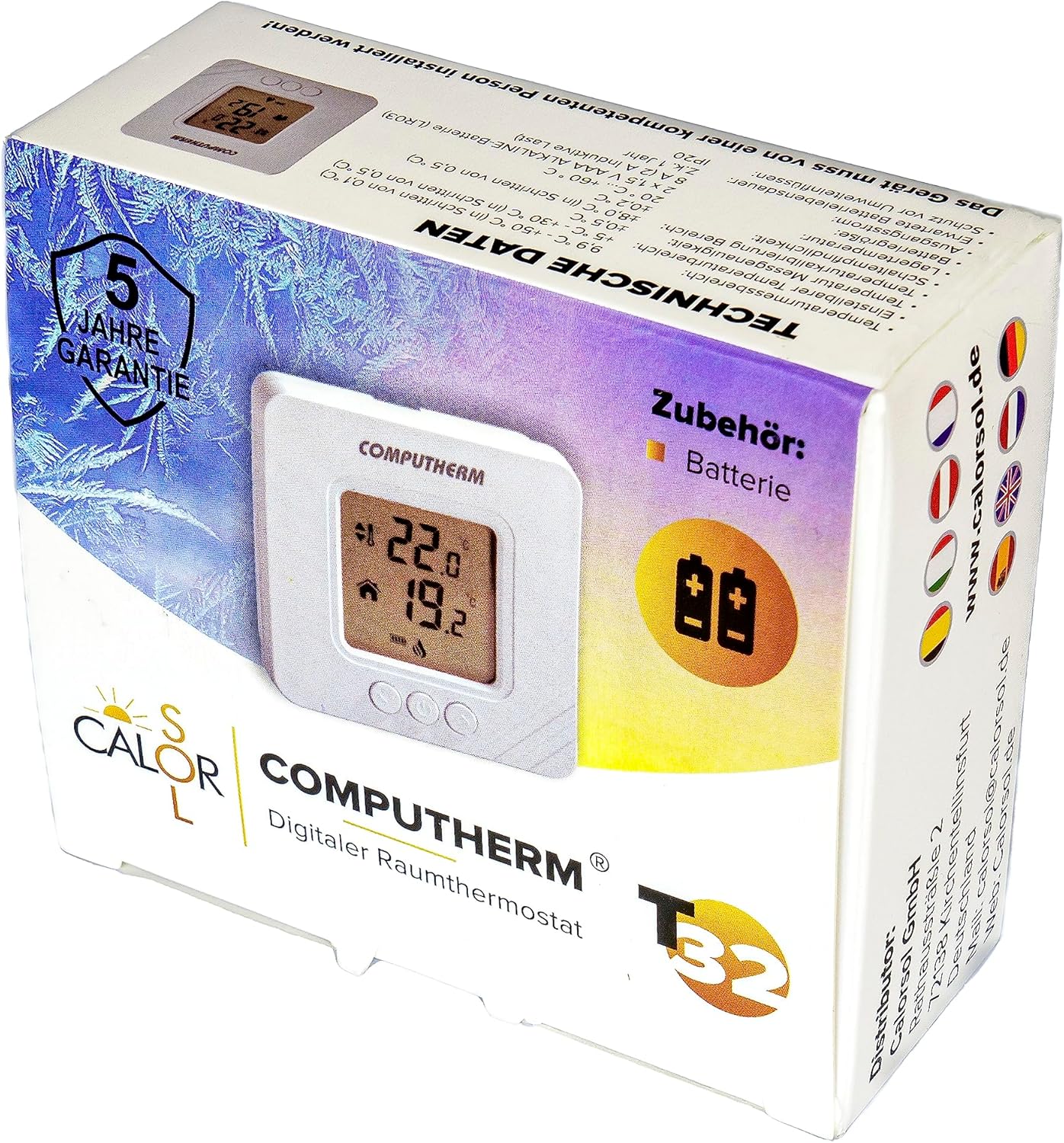
Figure 5: Product packaging displaying warranty information and technical data.