
પરિચય
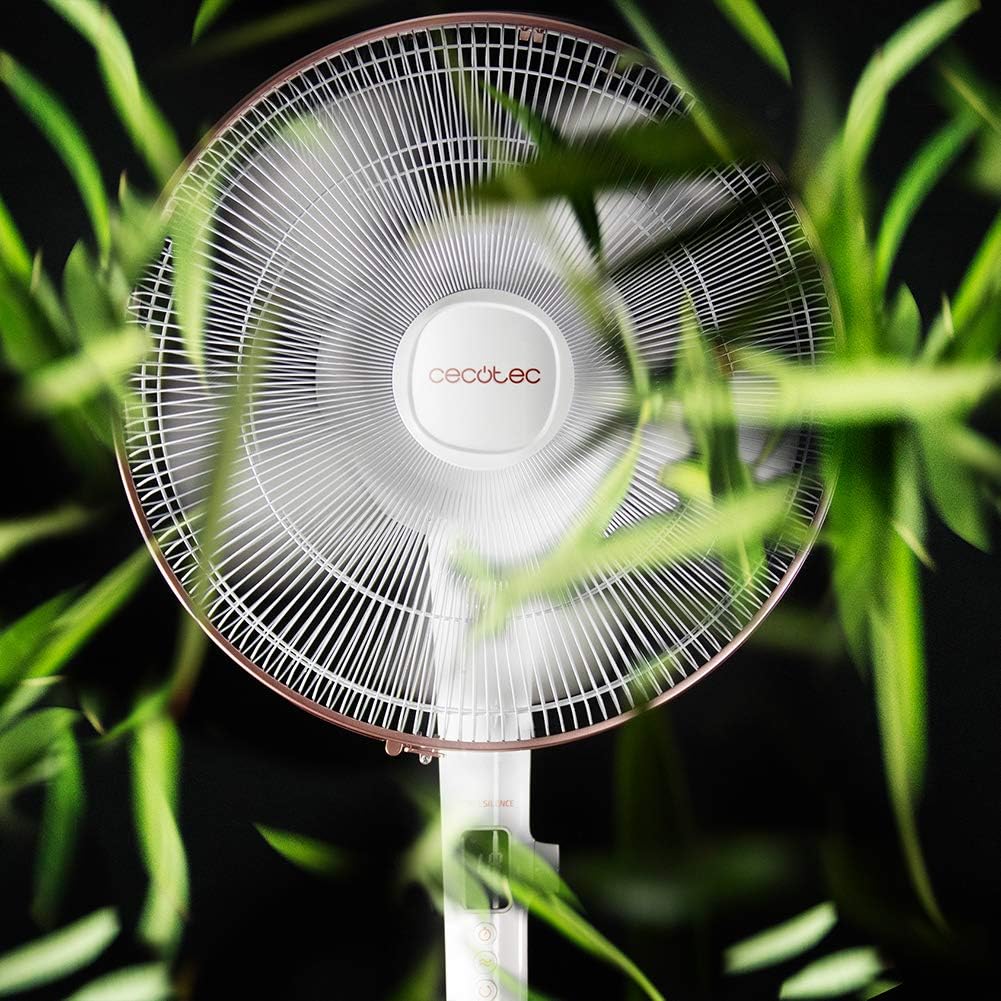
Thank you for choosing the Cecotec EnergySilence 1030 SmartExtreme Pedestal Fan. This fan is designed to provide powerful yet quiet air circulation with advanced features for enhanced comfort. It incorporates a highly efficient DC motor, offering 24 speed settings and 3 operational modes to suit various needs. Please read this manual carefully before use to ensure proper operation, maintenance, and safety.
બૉક્સમાં શું છે
- ચાહક શરીર
- રીમોટ કંટ્રોલ
- વપરાશકર્તા માર્ગદર્શિકા
સલામતી સૂચનાઓ
- Always unplug the fan from the power outlet before cleaning or performing any maintenance.
- પંખાનું ગ્રિલ કાર્યરત હોય ત્યારે તેમાં આંગળીઓ કે કોઈપણ વસ્તુ દાખલ કરશો નહીં.
- પંખાને પાણી કે અન્ય પ્રવાહીથી દૂર રાખો. ડી માં ઉપયોગ કરશો નહીંamp વાતાવરણ
- Ensure the power cord is not damaged or pinched. Do not operate the fan with a damaged cord or plug.
- આ ઉપકરણ ઓછી શારીરિક, સંવેદનાત્મક અથવા માનસિક ક્ષમતાઓ અથવા અનુભવ અને જ્ઞાનનો અભાવ ધરાવતી વ્યક્તિઓ (બાળકો સહિત) દ્વારા ઉપયોગ માટે બનાવાયેલ નથી, સિવાય કે તેમની સુરક્ષા માટે જવાબદાર વ્યક્તિ દ્વારા ઉપકરણના ઉપયોગ અંગેની દેખરેખ અથવા સૂચના આપવામાં આવી હોય.
- પંખો પલટી ન જાય તે માટે તેને સ્થિર, સપાટ સપાટી પર મૂકો.
- ઓપરેશન દરમિયાન પંખાને ઢાંકશો નહીં.
એસેમ્બલી અને સેટઅપ
The Cecotec EnergySilence 1030 SmartExtreme fan requires minimal assembly. Carefully unpack all components. The main fan body, including the motor and blades, will need to be securely attached to the pedestal and base. Ensure all parts click into place or are tightened as per the visual instructions provided in the included manual. The fan features an adjustable telescopic pole, allowing you to set the height between 115 cm and 135 cm for optimal air distribution.

ઓપરેટિંગ સૂચનાઓ
કંટ્રોલ પેનલ
The fan features an intuitive control panel with an LED screen displaying the current settings.

- પાવર બટન (ચાલુ/બંધ): પંખો ચાલુ અથવા બંધ કરવા માટે દબાવો.
- ઝડપ ગોઠવણ: Use the dedicated buttons or dial to cycle through 24 speed settings. The current speed will be shown on the LED display.
- મોડ બટન: Press to switch between the three available modes: Eco, Sleep, and Turbo.
- ટાઈમર બટન: Press to activate and set the timer for up to 18 hours.
- ઓસિલેશન બટન: Press to enable or disable the automatic oscillation function.
રીમોટ કંટ્રોલ
The fan can also be conveniently operated using the included remote control.

- કંટ્રોલ પેનલ પર ઉપલબ્ધ બધા કાર્યો રિમોટ કંટ્રોલ દ્વારા પણ સુલભ છે.
- શ્રેષ્ઠ પ્રતિભાવ માટે ખાતરી કરો કે રિમોટ કંટ્રોલ પંખાના રીસીવર તરફ હોય.
- AAA બેટરીની જરૂર છે (શામેલ નથી).
Modes and Speeds
The fan offers 24 speed settings and 3 distinct modes:
- ઇકો મોડ: Operates at a lower power consumption, ideal for energy saving.
- નિદ્રા સ્થિતિ: Designed for quiet operation, gradually decreasing fan speed to provide a comfortable sleeping environment.
- ટર્બો મોડ: Provides maximum airflow for rapid cooling.
ટાઈમર કાર્ય
The programmable timer allows you to set the fan to operate for a specific duration, up to a maximum of 18 hours. Once the set time expires, the fan will automatically turn off.
ઓસિલેશન
Activate the automatic oscillation function to distribute fresh air more widely across the room. This feature ensures a broader coverage area, enhancing overall comfort.
જાળવણી
નિયમિત સફાઈ શ્રેષ્ઠ કામગીરી સુનિશ્ચિત કરે છે અને તમારા પંખાના આયુષ્યને લંબાવે છે.
- Before cleaning, always unplug the fan from the power supply.
- સોફ્ટનો ઉપયોગ કરો, ડીamp બાહ્ય સપાટીઓ સાફ કરવા માટે કાપડનો ઉપયોગ કરો. ઘર્ષક ક્લીનર્સ અથવા સોલવન્ટનો ઉપયોગ કરશો નહીં.
- Periodically clean the fan blades and protective grilles to remove dust and debris. This can be done using a soft brush or a vacuum cleaner with a brush attachment.
- પંખો પાછો પ્લગ કરતા પહેલા ખાતરી કરો કે તે સંપૂર્ણપણે સુકાઈ ગયો છે.
મુશ્કેલીનિવારણ
| સમસ્યા | સંભવિત કારણ | ઉકેલ |
|---|---|---|
| પંખો ચાલુ થતો નથી | No power supply; Power cord not properly connected; Fan is off. | Check power outlet; Ensure power cord is securely plugged in; Press the power button. |
| નબળો હવા પ્રવાહ | Low speed setting; Dust accumulation on blades/grille. | Increase speed setting; Clean fan blades and grilles. |
| અસામાન્ય અવાજ | Loose parts; Obstruction in fan blades. | Check for loose components and tighten if necessary; Remove any obstructions. If noise persists, contact support. |
| રીમોટ કંટ્રોલ કામ કરતું નથી | Dead batteries; Obstruction between remote and fan. | Replace batteries; Ensure clear line of sight to fan's receiver. |
વિશિષ્ટતાઓ
| લક્ષણ | વિગત |
|---|---|
| બ્રાન્ડ | સીકોટેક |
| મોડલ નંબર | 05915 |
| શક્તિ | 28 વોટ્સ |
| ભાગtage | 230V (AC) |
| ઉત્પાદન પરિમાણો | 45D x 45W x 135H cm (adjustable height) |
| વસ્તુનું વજન | 5.4 કિલોગ્રામ |
| ચાહક ડિઝાઇન | પેડેસ્ટલ ફેન |
| ઝડપ સેટિંગ્સ | 24 |
| મોડ્સ | Eco, Sleep, Turbo |
| ટાઈમર | 18 કલાક સુધી |
| ઓસિલેશન | સ્વયંસંચાલિત |
| ખાસ લક્ષણ | પોર્ટેબલ |
વોરંટી અને આધાર
વોરંટી માહિતી અને ગ્રાહક સપોર્ટ માટે, કૃપા કરીને તમારા ઉત્પાદન સાથે સમાવિષ્ટ વોરંટી કાર્ડનો સંદર્ભ લો અથવા સત્તાવાર સેકોટેકની મુલાકાત લો. website. If you encounter any issues not covered in this manual, please contact Cecotec customer service for assistance.