
BOMAKER Mini WiFi Projector 10''
BOMAKER Mini WiFi Projector 10'' User Manual
Model: Mini WiFi Projector 10''
1. પરિચય
This manual provides comprehensive instructions for the setup, operation, maintenance, and troubleshooting of your BOMAKER Mini WiFi Projector 10''. Please read this manual thoroughly before using the projector to ensure proper operation and to maximize its lifespan. Keep this manual for future reference.
The BOMAKER Mini WiFi Projector 10'' is a portable 720P HD LCD projector designed for home cinema, gaming, and various multimedia applications. It features WiFi connectivity for smartphone mirroring, multiple input options including HDMI, USB, and AV, and supports projection sizes up to 300 inches.
2. મહત્વપૂર્ણ સલામતી માહિતી
To prevent fire, electric shock, or injury, always observe the following safety precautions:
- વેન્ટિલેશનના છિદ્રોને અવરોધશો નહીં. પ્રોજેક્ટરની આસપાસ પૂરતા પ્રમાણમાં હવા પ્રવાહની ખાતરી કરો.
- જ્યારે lamp ચાલુ છે. તેજસ્વી પ્રકાશ આંખને નુકસાન પહોંચાડી શકે છે.
- Do not expose the projector to rain or moisture to avoid electric shock.
- પ્રોજેક્ટર સાથે પૂરા પાડવામાં આવેલ પાવર એડેપ્ટરનો જ ઉપયોગ કરો.
- પ્રોજેક્ટરને સ્થિર, સ્તરની સપાટી પર મૂકો.
- વીજળીના તોફાન દરમિયાન અથવા લાંબા સમય સુધી ઉપયોગ ન કરવામાં આવે ત્યારે પ્રોજેક્ટરને પાવર આઉટલેટમાંથી અનપ્લગ કરો.
- Do not attempt to repair this product yourself. Refer all servicing to qualified service personnel.
3. પેકેજ સામગ્રી
ખાતરી કરો કે નીચે સૂચિબદ્ધ બધી વસ્તુઓ તમારા પેકેજમાં શામેલ છે:
- 1 x BOMAKER Mini WiFi Projector
- 1 x રીમોટ કંટ્રોલ
- 1 x પાવર એડેપ્ટર
- 1 x HDMI કેબલ
- 1 x AV કેબલ
- 1 x વપરાશકર્તા માર્ગદર્શિકા
4. ઉત્પાદન ઓવરview
તમારા પ્રોજેક્ટરના વિવિધ ભાગો અને જોડાણોથી પરિચિત થાઓ.

આકૃતિ 4.1: આગળ view of the BOMAKER Mini WiFi Projector. This image shows the projector's lens, focus ring, and keystone correction dial, with a smartphone wirelessly connected and displaying content on its screen, illustrating the WiFi mirroring capability.
૫.૧. ઇનપુટ/આઉટપુટ પોર્ટ્સ
The projector features a variety of ports for connecting different devices.

આકૃતિ 4.2: પાછળ view of the projector displaying its connectivity options. From left to right, the ports include AV, USB, Audio Out, VGA, HDMI, and Micro SD card slot, allowing for versatile device connections.
- AV પોર્ટ: Connect to older devices using the included AV cable.
- યુએસબી પોર્ટ: મીડિયા ચલાવવા માટે USB ડ્રાઇવને કનેક્ટ કરવા માટે files.
- ઓડિયો આઉટ: બાહ્ય સ્પીકર્સ અથવા હેડફોન કનેક્ટ કરો.
- VGA પોર્ટ: Connect to computers or laptops with a VGA output.
- HDMI પોર્ટ: Connect to devices like laptops, gaming consoles (PS4), TV sticks, etc.
- માઇક્રો એસડી કાર્ડ સ્લોટ: મીડિયા ચલાવવા માટે માઇક્રો SD કાર્ડ દાખલ કરો files.
5. સેટઅપ
5.1. પ્લેસમેન્ટ
તમારા પ્રોજેક્ટર માટે યોગ્ય સ્થાન પસંદ કરો. શ્રેષ્ઠ માટે viewing, place the projector on a flat, stable surface or mount it. The optimal projection distance is between 8.2 and 11.2 feet (2.5 to 3.4 meters) for a screen size of 30 to 300 inches.
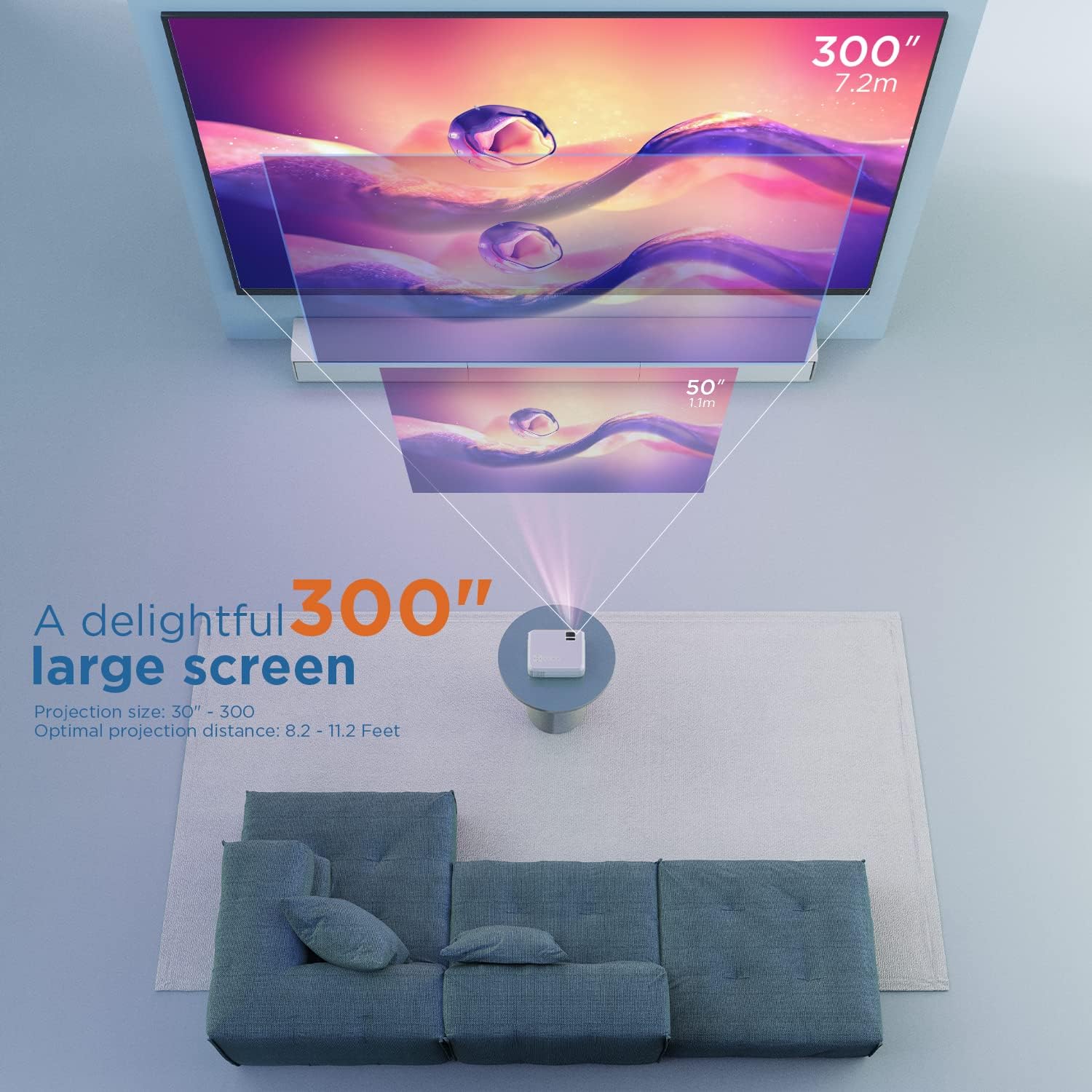
આકૃતિ 5.1: Illustration of projection distances and corresponding screen sizes. The image demonstrates how varying the distance between the projector and the screen affects the projected image size, from 50 inches (1.1m) to 300 inches (7.2m).
5.2. પાવર કનેક્શન
- પાવર એડેપ્ટરને પ્રોજેક્ટરના પાવર ઇનપુટ પોર્ટ સાથે કનેક્ટ કરો.
- પાવર એડેપ્ટરને વોલ આઉટલેટમાં પ્લગ કરો.
- પ્રોજેક્ટર અથવા રિમોટ કંટ્રોલ પર પાવર બટન દબાવો અને તેને ચાલુ કરો.
૩. ફોકસ અને કીસ્ટોન કરેક્શન
- ફોકસ: છબી સ્પષ્ટ અને તીક્ષ્ણ ન થાય ત્યાં સુધી પ્રોજેક્ટર લેન્સ પર ફોકસ રિંગ ફેરવો.
- કીસ્ટોન: If the projected image appears trapezoidal, adjust the keystone correction dial (usually located near the lens) until the image is rectangular.
6. ઓપરેટિંગ સૂચનાઓ
6.1. મૂળભૂત કામગીરી
- પાવર ચાલુ/બંધ: પ્રોજેક્ટર અથવા રિમોટ કંટ્રોલ પર પાવર બટન દબાવો.
- ઇનપુટ સ્ત્રોત પસંદગી: Use the "Source" button on the remote or projector to select the desired input (HDMI, AV, USB, Micro SD, WiFi).
- વોલ્યુમ એડજસ્ટમેન્ટ: રિમોટ કંટ્રોલ પરના વોલ્યુમ બટનોનો ઉપયોગ કરો.
6.2. કનેક્ટિંગ ડિવાઇસેસ
The projector supports various connection methods:
6.2.1. HDMI કનેક્શન
Connect your laptop, gaming console (PS4), TV stick (e.g., Roku, Fire TV), or other HDMI-enabled devices using an HDMI cable. Select "HDMI" as the input source.
6.2.2. USB/Micro SD Connection
Insert a USB drive or Micro SD card into the respective port. Select "USB" or "Micro SD" as the input source. The projector will display a menu to browse and play media files (photos, videos, music, text).
6.2.3. AV Connection
Use the included AV cable to connect to devices with AV output. Select "AV" as the input source.
6.2.4. WiFi Mirroring (Smartphone Connection)
The projector supports wireless screen mirroring from smartphones (iOS and Android).
- Select "WiFi" as the input source on the projector.
- Follow the on-screen instructions to connect your smartphone to the projector's WiFi network.
- Once connected, enable screen mirroring/casting feature on your smartphone (e.g., "Screen Mirroring" for iOS, "Smart View" or "Cast" for Android).
- ઉપલબ્ધ ઉપકરણોની યાદીમાંથી પ્રોજેક્ટર પસંદ કરો.
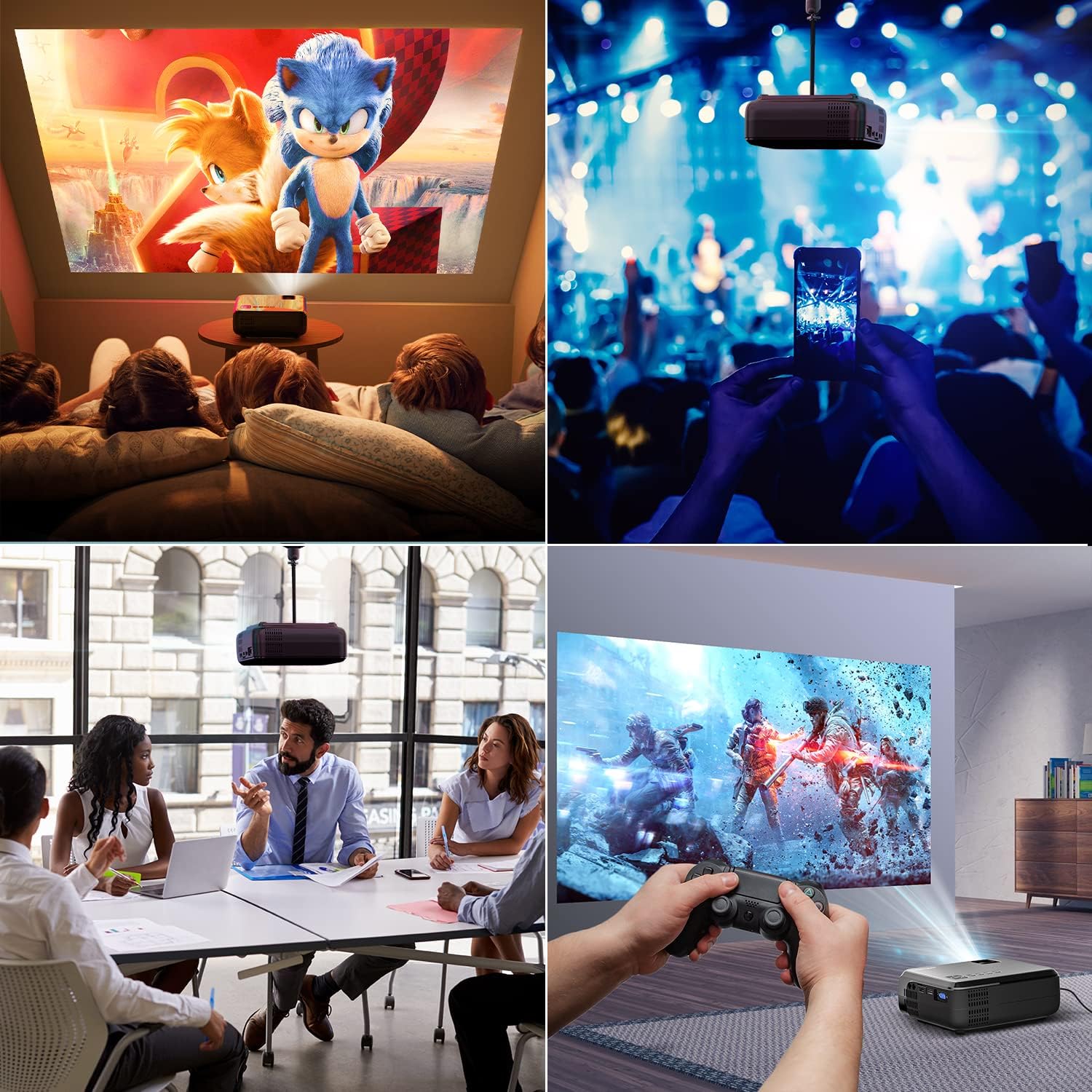
આકૃતિ 6.1: This image displays a collage of the projector in different environments: a family watching a movie, a person using a smartphone to control the projector at a concert, a business meeting with a presentation, and a person playing video games. It highlights the versatility of the BOMAKER Mini WiFi Projector for entertainment and professional use.
6.3. Visual Experience
The projector delivers a native 720P HD resolution, ensuring clear and detailed images. It supports 1080P decoding and features a high brightness output for vibrant visuals.
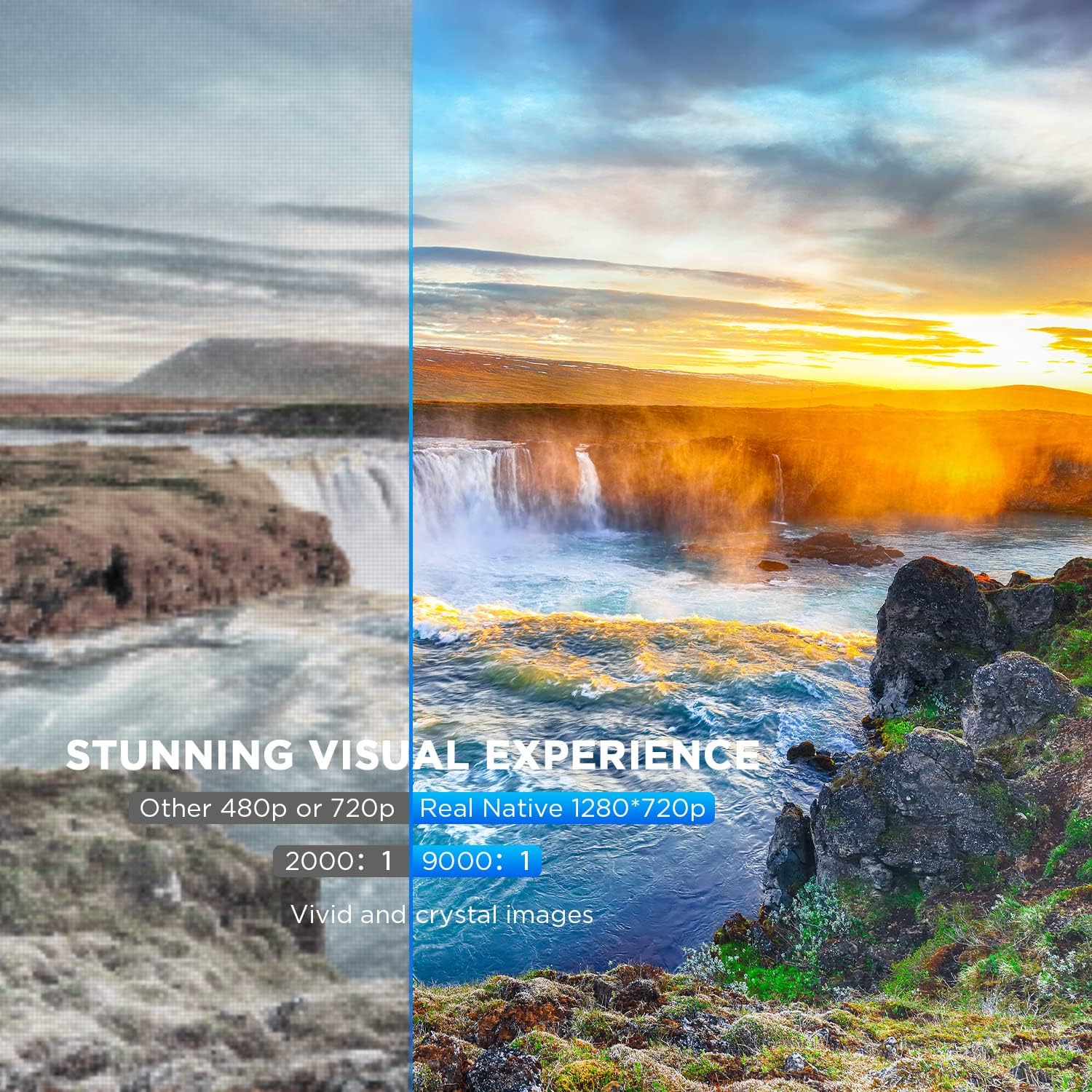
આકૃતિ 6.2: A side-by-side comparison demonstrating the difference between standard 480p/720p projection and the projector's real native 1280x720p resolution. The native resolution side shows significantly sharper details and richer colors in a landscape image, emphasizing the "Stunning Visual Experience" and "Vivid and crystal images".

આકૃતિ 6.3: This image illustrates the projector's "Crystal Clear Picture with Ultra-low Latency" feature, showing a vibrant, high-definition projection of a car racing scene on a large screen in a living room setting. The text highlights upgraded lens settings for a new visual experience with latency less than 30ms.
7. જાળવણી
7.1. લેન્સ સાફ કરવું
Use a soft, lint-free cloth specifically designed for cleaning optical lenses. Do not use abrasive cleaners or solvents. Gently wipe the lens to remove dust or smudges.
7.2. પ્રોજેક્ટર બોડીની સફાઈ
Wipe the projector's exterior with a soft, dry cloth. For stubborn dirt, a slightly damp કાપડનો ઉપયોગ કરી શકાય છે, ત્યારબાદ સૂકું કપડું વાપરી શકાય છે. ખાતરી કરો કે કોઈ પ્રવાહી વેન્ટિલેશનના છિદ્રોમાં પ્રવેશતું નથી.
7.3. સંગ્રહ
When not in use, store the projector in a cool, dry place, away from direct sunlight and extreme temperatures. Cover the lens with its cap to protect it from dust.
8. મુશ્કેલીનિવારણ
જો તમને તમારા પ્રોજેક્ટરમાં સમસ્યાઓ આવે, તો નીચેની સામાન્ય સમસ્યાઓ અને ઉકેલોનો સંદર્ભ લો:
| સમસ્યા | સંભવિત કારણ | ઉકેલ |
|---|---|---|
| સ્ક્રીન પર કોઈ છબી નથી | Power cable not connected; incorrect input source; device not powered on. | Check power connection; select correct input source; ensure connected device is on. |
| છબી અસ્પષ્ટ છે | Focus not adjusted; projector too close/far from screen. | Adjust the focus ring; reposition the projector. |
| છબી ટ્રેપેઝોઇડલ છે | Keystone correction not adjusted. | Adjust the keystone correction dial. |
| કોઈ અવાજ નથી | Volume too low; external speakers not connected; audio settings on source device. | Increase volume; connect external speakers if needed; check audio output settings on source device. |
| WiFi mirroring issues | Incorrect WiFi connection; smartphone mirroring feature not activated. | Ensure correct WiFi network is selected; activate screen mirroring on your smartphone. |
9. સ્પષ્ટીકરણો
| લક્ષણ | વિગત |
|---|---|
| બ્રાન્ડ | બોમેકર |
| મોડલ નંબર | Mini WiFi Projector 10'' |
| ડિસ્પ્લે રિઝોલ્યુશન | Native 1280 x 720 (Supports 1080P decoding) |
| ડિસ્પ્લે પ્રકાર | એલસીડી |
| કનેક્ટિવિટી ટેકનોલોજી | HDMI, Wi-Fi |
| સુસંગત ઉપકરણો | Smartphone, TV Stick, PS4, Laptop, USB Drive, Micro SD Card |
| ઉત્પાદન પરિમાણો | 22L x 17l x 9H centimeters |
| ફોર્મ ફેક્ટર | પોર્ટેબલ |
| ભલામણ કરેલ ઉપયોગો | હોમ સિનેમા, ગેમિંગ |
| રંગ | સફેદ |
10. વોરંટી અને સપોર્ટ
For warranty information or technical support, please refer to the documentation included with your purchase or contact BOMAKER customer service. Details regarding specific warranty periods and support channels are typically provided on the manufacturer's official webસાઇટ પર અથવા ઉત્પાદન પેકેજિંગની અંદર.
Ask a question about this manual
Ask about setup, troubleshooting, compatibility, parts, safety, or missing instructions. Manuals+ will review the question and use this page’s manual context to help answer it.