
1. ઉત્પાદન ઓવરview
The Generic Smart Outdoor Wireless PTZ Surveillance Camera (Model: CM30-35H-20HS300) is designed for comprehensive outdoor monitoring. It features a 3.0 Megapixel sensor for clear 1080p video, Pan-Tilt-Zoom (PTZ) functionality for wide area coverage, and both wireless (Wi-Fi) and wired connectivity options. The camera includes a built-in microphone and speaker for two-way audio, infrared night vision with LED lights for low-light recording, and motion detection capabilities. Its robust IP66 rating ensures durability in various outdoor conditions.
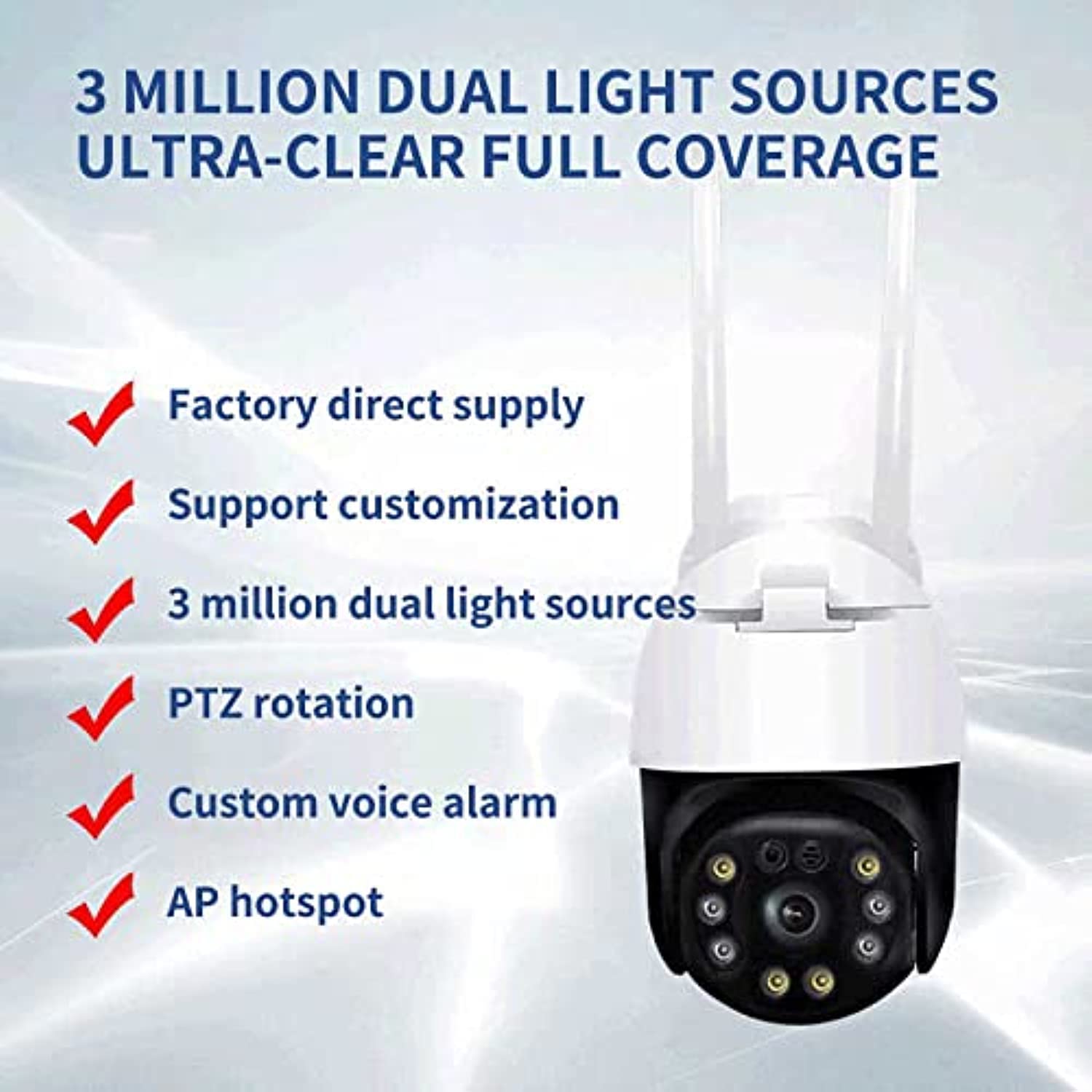
આકૃતિ 1.1: આગળ view of the Generic Smart Outdoor Wireless PTZ Surveillance Camera.
મુખ્ય લક્ષણો:
- 3.0 Megapixel 1080p Video Resolution
- Pan-Tilt-Zoom (PTZ) Functionality
- Wireless (Wi-Fi) and Wired Connectivity
- Two-Way Audio Communication (Microphone & Speaker)
- Infrared Night Vision with LED Lights
- ગતિ શોધ અને ચેતવણીઓ
- IP66 Weatherproof Rating
- Compact and Optimal Design
2. પેકેજ સામગ્રી
Please check the package carefully to ensure all items are present and in good condition. If any items are missing or damaged, contact your retailer.
- Generic Smart Outdoor Wireless PTZ Surveillance Camera
- પાવર એડેપ્ટર
- માઉન્ટિંગ સ્ક્રૂ અને વોલ પ્લગ
- નેટવર્ક કેબલ માટે વોટરપ્રૂફ કિટ (જો લાગુ હોય તો)
- ઝડપી પ્રારંભ માર્ગદર્શિકા
3. સેટઅપ
3.1 ભૌતિક સ્થાપન
તમારા કેમેરા માટે યોગ્ય સ્થાન પસંદ કરો, ખાતરી કરો કે તેમાં સ્પષ્ટ view of the area you wish to monitor and is within range of your Wi-Fi network (if using wireless). The camera is designed for wall mounting.
- Mark the drilling points on the wall using the camera's base as a template.
- છિદ્રો ડ્રિલ કરો અને દિવાલના પ્લગ દાખલ કરો.
- આપેલા સ્ક્રૂનો ઉપયોગ કરીને કેમેરા બેઝને દિવાલ સાથે જોડો.
- Adjust the camera angle as needed after mounting.
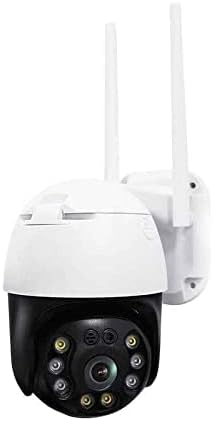
આકૃતિ 3.1: Example of the camera mounted on a wall.
3.2 પાવર કનેક્શન
Connect the provided power adapter to the camera's power input port and then plug it into a standard electrical outlet. Ensure the connection is secure and protected from weather elements if installed outdoors.
3.3 નેટવર્ક કનેક્શન
The camera supports both wireless (Wi-Fi) and wired (Ethernet) connections.
Wireless (Wi-Fi) Connection:
- Ensure your Wi-Fi router is powered on and broadcasting a 2.4GHz network.
- Follow the instructions in the mobile application to connect the camera to your Wi-Fi network. This usually involves scanning a QR code or entering Wi-Fi credentials.
વાયર્ડ (ઇથરનેટ) કનેક્શન:
- તમારા રાઉટરમાંથી કેમેરાના ઇથરનેટ પોર્ટ સાથે ઇથરનેટ કેબલ કનેક્ટ કરો.
- Use the waterproof kit to protect the Ethernet connection if installed outdoors.
૪.૨ એપ ઇન્સ્ટોલેશન અને પેરિંગ
Download the recommended mobile application (refer to the Quick Start Guide for the app name) from your smartphone's app store (iOS or Android).
- એકાઉન્ટ રજીસ્ટર કરો અને લોગ ઇન કરો.
- Tap 'Add Device' or the '+' icon.
- તમારા કેમેરા મોડેલ પસંદ કરો અથવા કેમેરા/પેકેજિંગ પરનો QR કોડ સ્કેન કરો.
- જોડી બનાવવાની પ્રક્રિયા પૂર્ણ કરવા માટે ઑન-સ્ક્રીન સંકેતોને અનુસરો.
4. ઓપરેટિંગ સૂચનાઓ
4.1 જીવંત View
Open the mobile application and select your camera from the device list to access the live video feed. You can view વાસ્તવિક સમય footage તમારા કેમેરામાંથી.
4.2 Pan/Tilt/Zoom (PTZ) Control
લાઇવ પર view screen, use the directional controls (usually arrows or a joystick icon) to pan (move horizontally) and tilt (move vertically) the camera lens. Digital zoom may also be available through pinch-to-zoom gestures.

આકૃતિ 4.1: The camera's PTZ capabilities allow for a wide viewકોણ કોણ.
૫.૨ ટુ-વે ઓડિયો
Tap the microphone icon in the app to speak through the camera's speaker. Tap the speaker icon to listen to audio from the camera's microphone. This allows for real-time communication with individuals near the camera.
૫.૩ રેકોર્ડિંગ અને પ્લેબેક
The camera supports continuous recording or event-triggered recording (e.g., motion detection). Recordings are typically stored on a microSD card (not included) or cloud storage (subscription may be required). Access recorded footage through the 'Playback' section of the app.
૫.૨ ગતિ શોધ અને ચેતવણીઓ
Configure motion detection sensitivity and alert settings within the app. When motion is detected, the camera can send push notifications to your smartphone and/or begin recording.
4.6 નાઇટ વિઝન
The camera automatically switches to infrared night vision in low-light conditions, providing clear black-and-white or color night vision footage. Ensure the LED lights are not obstructed for optimal performance.
5. જાળવણી
5.1 સફાઈ
સમયાંતરે કેમેરા લેન્સ અને હાઉસિંગને સોફ્ટ, ડી વડે સાફ કરો.amp કાપડ. કઠોર રસાયણો અથવા ઘર્ષક ક્લીનર્સનો ઉપયોગ કરશો નહીં, કારણ કે આ કેમેરાના ફિનિશ અથવા લેન્સ કોટિંગને નુકસાન પહોંચાડી શકે છે.
5.2 ફર્મવેર અપડેટ્સ
Check the mobile application regularly for available firmware updates. Keeping your camera's firmware up-to-date ensures optimal performance, security, and access to new features.
5.3 સ્ટોરેજ મેનેજમેન્ટ
If using a microSD card, periodically check its status and manage recorded footage through the app. Ensure sufficient storage space is available for new recordings.
6. મુશ્કેલીનિવારણ
જો તમને તમારા કેમેરામાં સમસ્યાઓ આવે, તો નીચેની સામાન્ય સમસ્યાઓ અને ઉકેલોનો સંદર્ભ લો:
- કૅમેરા ઑફલાઇન:
Check power connection. Ensure Wi-Fi signal is strong or Ethernet cable is securely connected. Restart the camera and your router. - ના લાઈવ View:
Verify internet connection on your smartphone. Ensure the camera is online in the app. - નબળી વિડિઓ ગુણવત્તા:
Check network bandwidth. Ensure the lens is clean and free from obstructions. Adjust camera placement for optimal lighting. - મોશન ડિટેક્શન કામ કરતું નથી:
Verify motion detection settings are enabled in the app. Adjust sensitivity levels. Ensure the camera's view અવરોધિત નથી. - દ્વિ-માર્ગી ઑડિઓ સમસ્યાઓ:
Check volume settings on your phone and in the app. Ensure microphone and speaker are not obstructed.
If problems persist, consult the app's help section or contact customer support.
7. સ્પષ્ટીકરણો
| લક્ષણ | સ્પષ્ટીકરણ |
|---|---|
| બ્રાન્ડ નામ | સામાન્ય |
| મોડલ નંબર | CM30-35H-20HS300 |
| કનેક્ટિવિટી ટેકનોલોજી | વાયરલેસ (Wi-Fi) |
| ખાસ લક્ષણો | PTZ Technology |
| પાવર સ્ત્રોત | કોર્ડેડ ઇલેક્ટ્રિક |
| માઉન્ટિંગ પ્રકાર | વોલ માઉન્ટ |
| વિડિઓ કેપ્ચર રિઝોલ્યુશન | 3.0 મેગાપિક્સેલ |
| રંગ | બહુ |
| ચેનલોની સંખ્યા | 1 |
| વાયરલેસ કોમ્યુનિકેશન ટેકનોલોજી | Wi-Fi |
| ફોર્મ ફેક્ટર | ડોમ |
| ચેતવણીનો પ્રકાર | માત્ર ગતિ |
| રૂમનો પ્રકાર | નર્સરી |
| પ્રકાશ સ્ત્રોત | ઇન્ફ્રારેડ |
| આંતરરાષ્ટ્રીય સુરક્ષા રેટિંગ | IP66 |
| ઇમેજ સેન્સર ટેકનોલોજી | CMOS |
| નાઇટ વિઝન | કલર નાઇટ વિઝન |
8. વોરંટી અને સપોર્ટ
8.1 વોરંટી માહિતી
This product comes with a standard manufacturer's warranty. Please refer to the warranty card included in your package or contact your retailer for specific warranty terms and conditions. Keep your purchase receipt as proof of purchase.
8.2 ગ્રાહક સપોર્ટ
For technical assistance, troubleshooting, or any product-related inquiries, please contact the retailer or manufacturer's customer support. Contact details can typically be found on the product packaging, the manufacturer's website, or in the Quick Start Guide.