
MediaRange MRGS102
MediaRange Gaming Keyboard and Mouse Set User Manual
Model: MRGS102
ઉત્પાદન ઓવરview
The MediaRange Gaming Keyboard and Mouse Set is designed for an immersive gaming experience, offering fast, robust, and reliable performance. The set includes a 104-key membrane keyboard with anti-ghosting and 6-key rollover, featuring a switchable rainbow backlight. The accompanying 6-button gaming mouse boasts a high-precision sensor with adjustable DPI settings and RGB backlight, ensuring accuracy and comfort during intense gameplay.
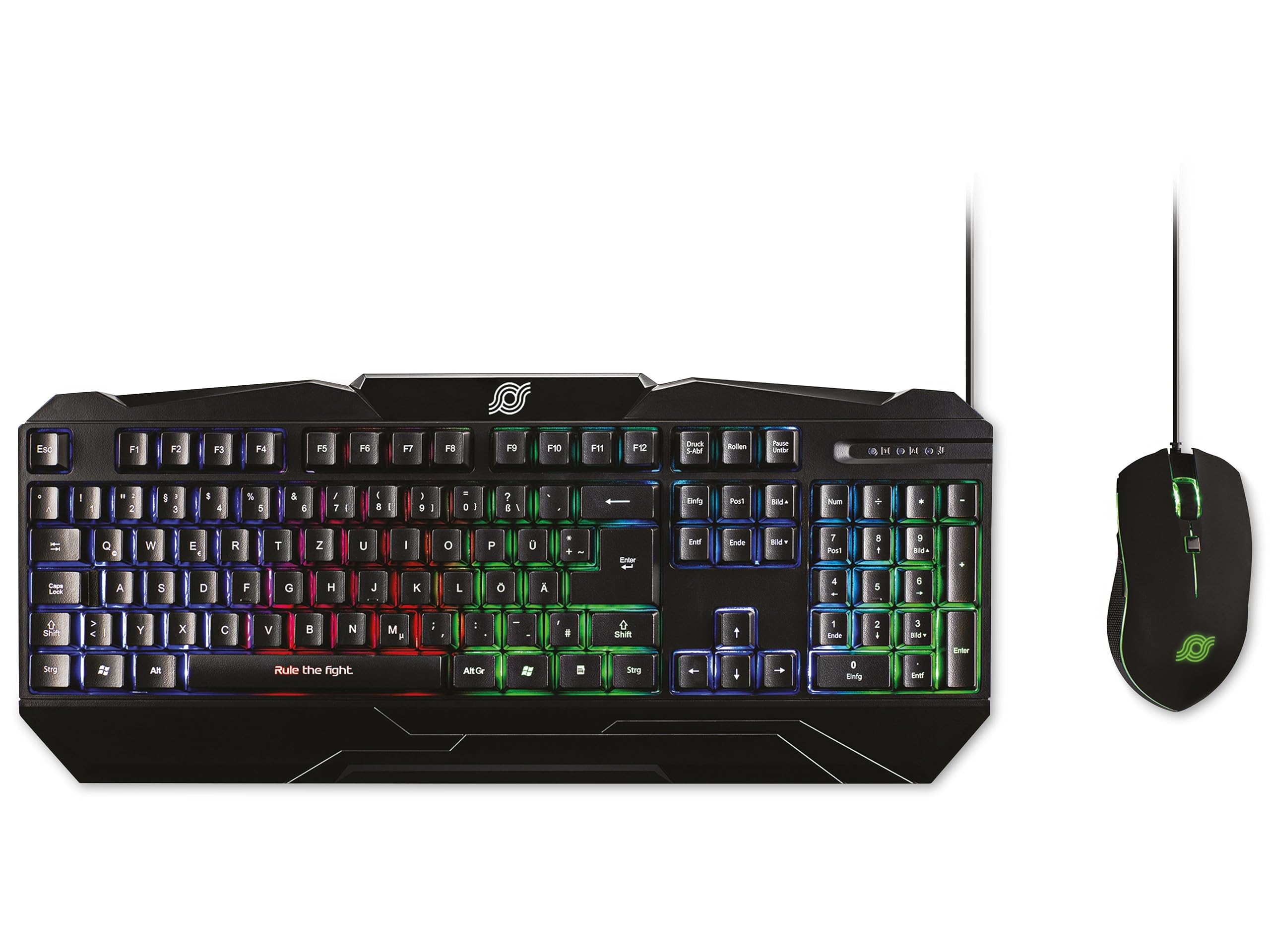
Figure 1: MediaRange Gaming Keyboard and Mouse Set. This image displays the black gaming keyboard with its QWERTZ layout and vibrant rainbow backlight, positioned next to the matching black 6-button gaming mouse, which features green RGB lighting.
સેટઅપ
The MediaRange Gaming Keyboard and Mouse Set is designed for simple plug-and-play installation.
- કીબોર્ડ કનેક્ટ કરો: Locate an available USB 1.1 port on your computer or gaming console. Insert the USB connector of the keyboard's 1.5-meter cable into the USB port.
- માઉસને કનેક્ટ કરો: Locate an available USB 2.0 port on your computer or gaming console. Insert the USB connector of the mouse's 1.8-meter cable into the USB port.
- સ્વચાલિત સ્થાપન: Your operating system (Windows, Mac, Linux) or gaming console (Playstation*, XBOX*) should automatically detect and install the necessary drivers. No additional software is required for basic functionality.
- કીબોર્ડની ઊંચાઈ ગોઠવો: For improved comfort, you can adjust the height of the keyboard using the practical height adjustment feet located on the underside.
Note: Ensure USB ports are functioning correctly if devices are not immediately recognized.
ઓપરેટિંગ સૂચનાઓ
કીબોર્ડ સુવિધાઓ
- 104-કી લેઆઉટ: Standard QWERTZ (DE/AT/CH) layout for comprehensive input.
- Anti-Ghosting with 6-Key Rollover: Ensures that up to 6 simultaneous key presses are registered accurately, preventing missed commands during fast-paced gaming.
- Rainbow Backlight: The keyboard features a vibrant rainbow backlight. To toggle the backlight on or off, locate the dedicated backlight control key (often indicated by a light bulb icon or similar) or a function key combination (e.g., Fn + Scroll Lock).
- સ્પ્લેશ-પ્રૂફ ડિઝાઇન: Provides protection against accidental spills, enhancing durability.
- નોન-સ્લિપ રબર ફીટ: Ensures stability during intense gaming sessions.
માઉસ લક્ષણો
- 6-બટન ડિઝાઇન: Includes standard left/right click, scroll wheel, and additional front and back buttons for enhanced functionality.
- એડજસ્ટેબલ DPI: The mouse offers four adjustable DPI (Dots Per Inch) settings: 800, 1000, 1600, and 2400 dpi. To switch between DPI settings, press the dedicated DPI button, usually located behind the scroll wheel. Each press cycles through the available sensitivities.
- RGB બેકલાઇટ: The mouse features an RGB backlight that enhances its aesthetic appeal. This lighting is typically static or cycles automatically and is not user-configurable for patterns.
- Ergonomic Fit & Ribbed Side Surface: Designed for comfortable use over extended periods, with a ribbed side surface for excellent grip.
- Sliding Teflon Feet: Ensures smooth and precise movement across various surfaces.
જાળવણી
Proper maintenance ensures the longevity and optimal performance of your MediaRange Gaming Set.
- કીબોર્ડ સાફ કરવું:
- As the keyboard is splash-proof, minor spills can be wiped away immediately with a dry, soft cloth.
- For general cleaning, use a soft, slightly damp cloth to wipe down the keys and surface. Avoid excessive moisture.
- Do not use harsh chemicals, abrasive cleaners, or solvents, as these can damage the surface and key legends.
- ચાવીઓ વચ્ચેથી ધૂળ અને કચરો દૂર કરવા માટે સંકુચિત હવાનો ઉપયોગ કરો.
- માઉસ સાફ કરવું:
- Wipe the mouse surface with a soft, dry, or slightly damp કાપડ
- Clean the optical sensor area on the underside with a cotton swab lightly dampened with rubbing alcohol to ensure accurate tracking.
- ખાતરી કરો કે કોઈ પ્રવાહી માઉસના આંતરિક ઘટકોમાં પ્રવેશતું નથી.
- કેબલ કેર: આંતરિક નુકસાન અટકાવવા માટે USB કેબલ્સમાં તીક્ષ્ણ વળાંક અથવા કિંક ટાળો.
- સંગ્રહ: When not in use for extended periods, store the set in a clean, dry environment away from extreme temperatures.
મુશ્કેલીનિવારણ
If you encounter issues with your MediaRange Gaming Set, try the following troubleshooting steps:
| સમસ્યા | સંભવિત કારણ / ઉકેલ |
|---|---|
| Keyboard/Mouse not recognized or not working. |
|
| Keyboard backlight is off or not changing. |
|
| માઉસ કર્સરની હિલચાલ અનિયમિત અથવા પ્રતિભાવવિહીન છે. |
|
| Keys are not responding or "ghosting" occurs. |
|
વિશિષ્ટતાઓ
| લક્ષણ | વિગત |
|---|---|
| ઉત્પાદન નામ | Gaming-Set Tastatur 104 Tasten + Maus 6-Tasten |
| મોડલ નંબર | MRGS102 |
| બ્રાન્ડ | મીડિયારેન્જ |
| કીબોર્ડ પ્રકાર | મેમ્બ્રેન ગેમિંગ કીબોર્ડ |
| કીબોર્ડ લેઆઉટ | QWERTZ (DE/AT/CH), 104 Keys |
| વિરોધી ઘોસ્ટિંગ | N-Key Rollover (6 buttons) |
| કીબોર્ડ બેકલાઇટ | Switchable Rainbow Design |
| Keyboard Durability | Over 10,000,000 keystrokes, Splash-proof |
| કીબોર્ડ કનેક્શન | USB 1.1 connection cable, 1.5 m cable length |
| કીબોર્ડ પાવર સપ્લાય | DC 5 V - 500 mA (max.); USB bus powered |
| કીબોર્ડ પરિમાણો (L x W x H) | 443 x 189 x 32 mm (17.44 x 7.44 x 1.26 inches approx.) |
| કીબોર્ડ વજન | ± 670 g (1.48 lbs approx.) |
| માઉસ પ્રકાર | 6-બટન ગેમિંગ માઉસ |
| માઉસ DPI સેટિંગ્સ | 800, 1000, 1600, 2400 dpi (adjustable) |
| માઉસ બેકલાઇટ | આરજીબી બેકલાઇટ |
| Mouse Sensor Speed | 48 IPS (Inches Per Second) |
| માઉસ પ્રવેગક | 10 જી |
| Mouse Key Life | Over 20,000,000 clicks (left/right buttons) |
| માઉસ કનેક્શન | USB 2.0 connection cable, 1.8 m cable length |
| Mouse Power Supply | ડીસી 5 વી |
| સુસંગતતા | Windows, Mac, Linux, Playstation*, XBOX* |
| ઉત્પાદનના પરિમાણો (એકંદરે) | 20.47 x 8.27 x 1.97 ઇંચ |
| Item Weight (Overall) | 2.29 પાઉન્ડ |
*Compatibility with Playstation and XBOX may vary depending on specific console model and game support for keyboard/mouse input.
વોરંટી અને આધાર
For detailed warranty information and technical support, please refer to the official MediaRange website or contact MediaRange customer service directly. Warranty terms and conditions may vary by region and retailer.
કોઈપણ વોરંટી દાવા માટે ખરીદીના પુરાવા તરીકે તમારી ખરીદી રસીદ રાખો.
Ask a question about this manual
Ask about setup, troubleshooting, compatibility, parts, safety, or missing instructions. Manuals+ will review the question and use this page’s manual context to help answer it.