Thank you for choosing the MAXTOP T5 Smartwatch. This device is designed to help you monitor your health and fitness activities, receive notifications, and manage various daily functions. Please read this manual carefully to ensure proper use and optimal performance.
Image: The MAXTOP T5 Smartwatch in use during a run, highlighting its fitness and health tracking capabilities.
2. પેકેજ સામગ્રી
ખાતરી કરો કે બધી વસ્તુઓ પેકેજમાં હાજર છે:
MAXTOP T5 Smartwatch Head
સ્ટ્રેપ જુઓ
મેગ્નેટિક ચાર્જિંગ કેબલ
વપરાશકર્તા માર્ગદર્શિકા
3. સેટઅપ અને પ્રારંભિક ઉપયોગ
૩.૨. સ્માર્ટવોચ ચાર્જ કરવી
પ્રથમ ઉપયોગ કરતા પહેલા, સ્માર્ટવોચને સંપૂર્ણપણે ચાર્જ કરો.
સ્માર્ટવોચની પાછળના ચાર્જિંગ પોઈન્ટ સાથે મેગ્નેટિક ચાર્જિંગ કેબલ જોડો.
કેબલના USB છેડાને પ્રમાણભૂત USB પાવર એડેપ્ટર (5V/1A ભલામણ કરેલ) અથવા કમ્પ્યુટરના USB પોર્ટ સાથે કનેક્ટ કરો.
The watch display will indicate charging status. A full charge typically takes approximately 2 hours.
નોંધ: The battery life is approximately 3 to 5 days with normal use and up to 7 days in standby mode. Actual battery life may vary based on usage.
૫.૩. એપ્લિકેશન ઇન્સ્ટોલેશન અને જોડી બનાવવી
To access all features and synchronize data, download and install the companion app on your smartphone.
Scan the QR code in the manual or search for "MAXTOP" or "H BAND" in your smartphone's app store (Google Play Store for Android, Apple App Store for iOS).
એપ્લિકેશન ડાઉનલોડ કરો અને ઇન્સ્ટોલ કરો.
ખાતરી કરો કે તમારા સ્માર્ટફોન પર બ્લૂટૂથ સક્ષમ છે.
Open the app and follow the on-screen instructions to create an account and pair your MAXTOP T5 Smartwatch.
During pairing, select "T5" from the list of available devices.
સુસંગતતા: Requires iOS 9.0 or higher, or Android 6.0 or higher.
4. સ્માર્ટવોચનું સંચાલન
4.1. મૂળભૂત નેવિગેશન
ટચસ્ક્રીન: મેનુ અને ફંક્શન્સ દ્વારા નેવિગેટ કરવા માટે ડાબે/જમણે, ઉપર/નીચે સ્વાઇપ કરો. પસંદ કરવા માટે ટેપ કરો.
સાઇડ બટન: હોમ સ્ક્રીન પર પાછા ફરવા અથવા ઉપકરણને સક્રિય કરવા માટે દબાવો.
Image: The MAXTOP T5 Smartwatch showing its main display with time, steps, distance, and calories.
૩.૩. ફિટનેસ ટ્રેકિંગ
The smartwatch tracks various fitness metrics throughout the day.
સ્ટેપ કાઉન્ટર: Automatically records your daily steps.
અંતર: Calculates the distance covered based on your steps.
કેલરી બળી: કેલરી ખર્ચનો અંદાજ કાઢે છે.
Image: A visual representation of the smartwatch's 24-hour tracking feature, showing steps, distance, and calorie data.
4.3. સ્પોર્ટ્સ મોડ્સ
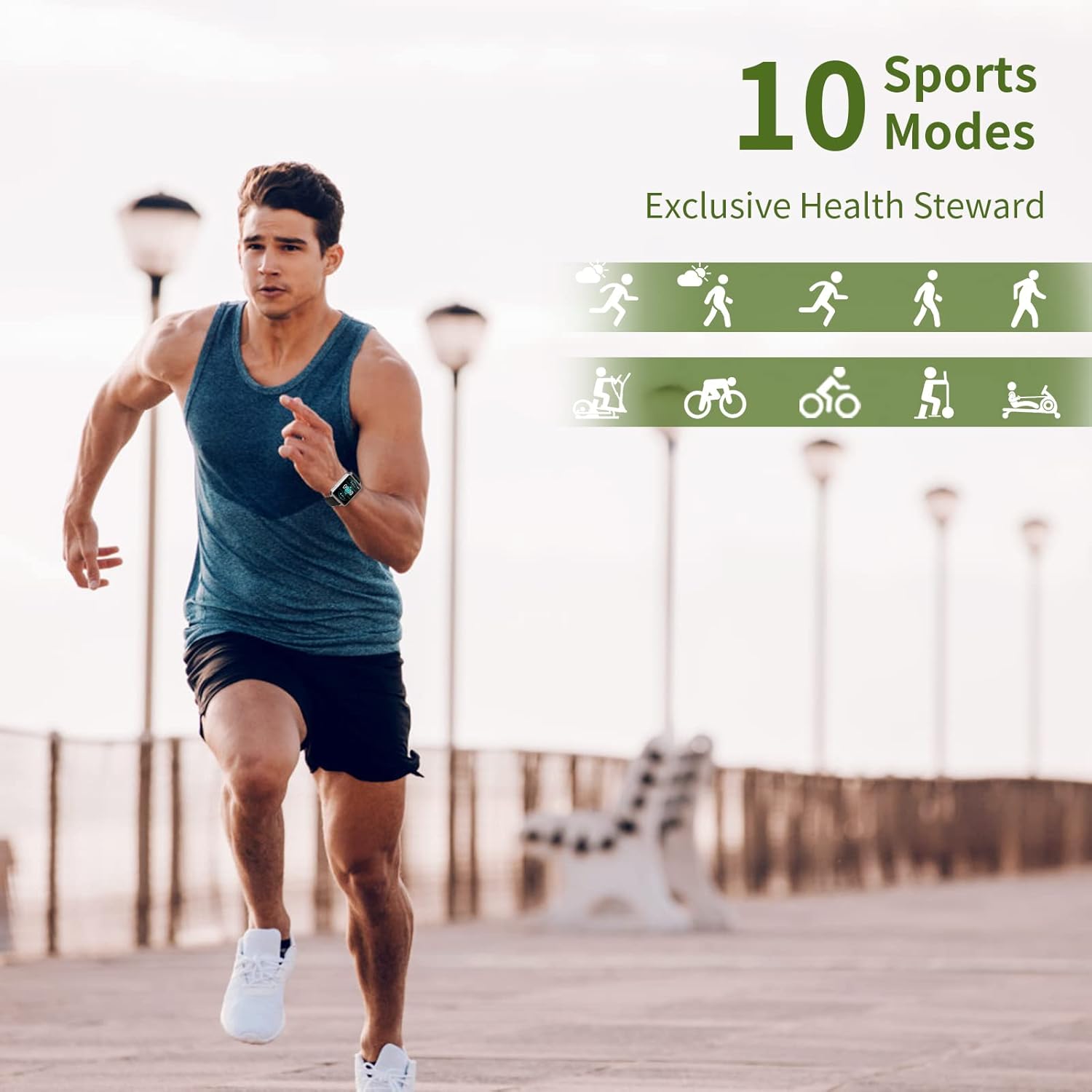
The smartwatch offers 10 exercise modes to track specific workouts.
Access the "Sports" menu on the watch.
Select your desired activity (e.g., Running, Walking, Cycling).
The watch will record duration, distance, and calories for the selected activity.
Image: A man running, with icons representing the 10 available sports modes on the MAXTOP T5 Smartwatch.
Image: A man exercising with weights, illustrating the 10 sports modes available on the smartwatch.
૩. આરોગ્ય દેખરેખ
The smartwatch provides continuous monitoring of key health metrics.
હાર્ટ રેટ મોનિટર: Measures your heart rate in real-time. Access this function from the watch menu or view એપ્લિકેશનમાં ડેટા.
બ્લડ પ્રેશર મોનિટર: Provides blood pressure readings. For medical accuracy, consult a professional medical device.
સ્લીપ ટ્રેકિંગ: તમારી ઊંઘની પેટર્નનું નિરીક્ષણ કરે છે, જેમાં ગાઢ ઊંઘ, હળવી ઊંઘ અને જાગવાનો સમયનો સમાવેશ થાય છે. View detailed analysis in the app to adjust sleep habits.
માસિક ચક્ર ટ્રેકિંગ: For female users, the app can track and predict menstrual cycles.
Image: A man sleeping, with the smartwatch displaying heart rate and icons indicating deep sleep, light sleep, and awake time tracking.
Image: The smartwatch screen showing sleep data, including duration and quality.
Image: The smartwatch displaying a heart rate reading.
Image: The smartwatch displaying a blood pressure reading.
Image: A woman wearing the smartwatch, with an overlay showing the menstrual period management feature.
4.5. સૂચનાઓ
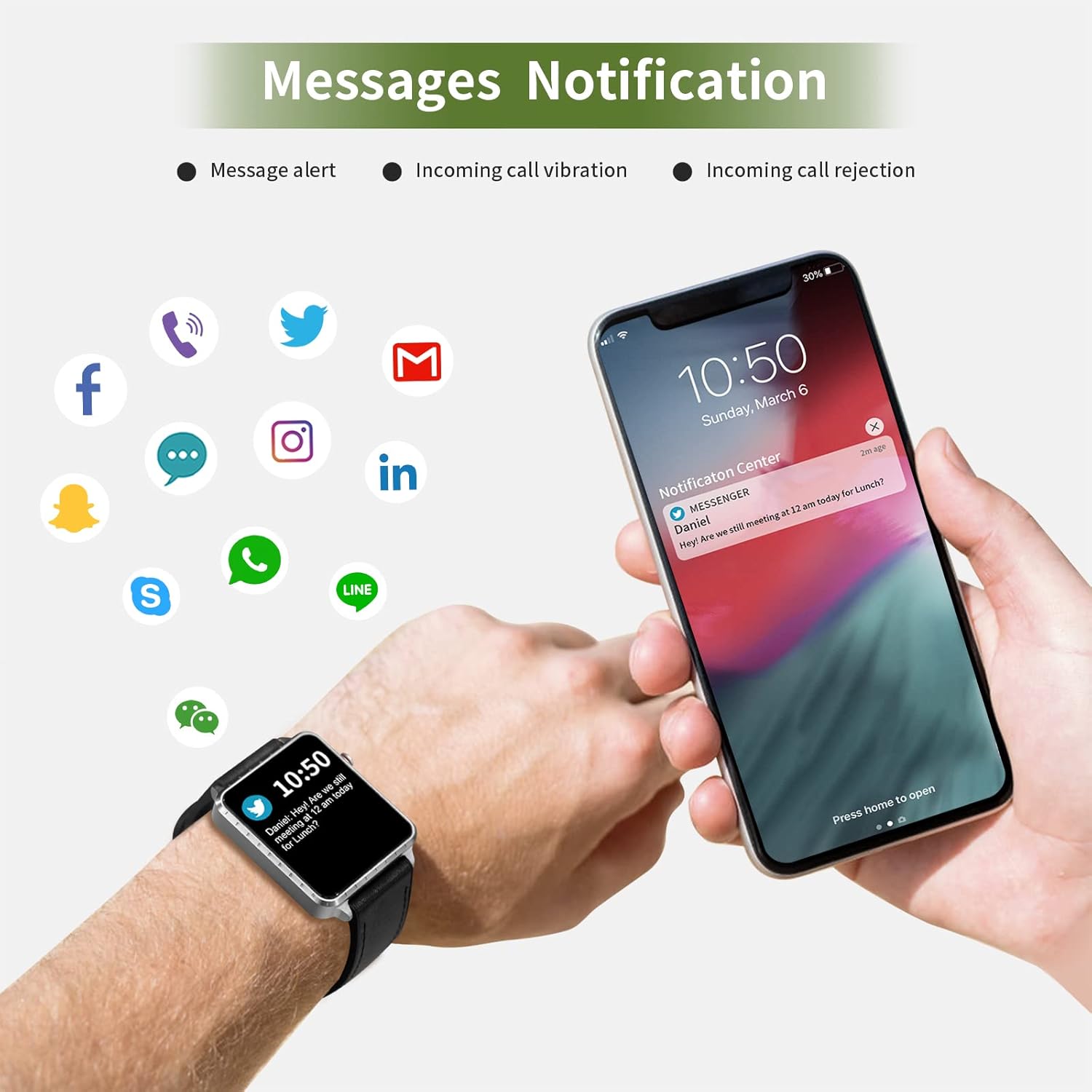
Receive call and message notifications directly on your smartwatch when paired with your phone.
ઇનકમિંગ કોલ્સ: The watch will vibrate and display caller ID. You can reject calls from the watch.
સંદેશ ચેતવણીઓ: Receive notifications from SMS, Facebook, WhatsApp, Twitter, Instagram, LinkedIn, etc.
મહત્વપૂર્ણ: The smartwatch cannot answer calls or reply to messages.
Image: The smartwatch and a smartphone displaying message notifications from social media and communication apps.
Image: The smartwatch screen showing icons for various social media and communication app notifications.
4.6. વધારાની સુવિધાઓ
સંગીત નિયંત્રણ: Control music playback on your smartphone (play, pause, skip tracks) directly from the watch.
કેમેરા રીમોટ કંટ્રોલ: Use the watch as a remote shutter for your smartphone camera.
અલાર્મ ઘડિયાળ: એપ્લિકેશન દ્વારા એલાર્મ સેટ કરો, અને ઘડિયાળ તમને ચેતવણી આપવા માટે વાઇબ્રેટ થશે.
સ્ટોપવોચ/ટાઈમર: Basic timekeeping functions.
ફોન શોધો: Locate your paired smartphone by triggering an alert sound from the watch.
બેઠાડુ રીમાઇન્ડર: The app can remind you to move if you've been inactive for too long.
કસ્ટમાઇઝ કરી શકાય તેવા ઘડિયાળના ચહેરા: Choose from various watch faces via the app.
Image: The smartwatch screen showing the camera icon, indicating its remote camera control function.
Image: The smartwatch screen showing music control icons (play, pause, skip).
Image: A collage of different watch faces available for the MAXTOP T5 Smartwatch.
5. જાળવણી
5.1. Waterproof Rating (IP68)
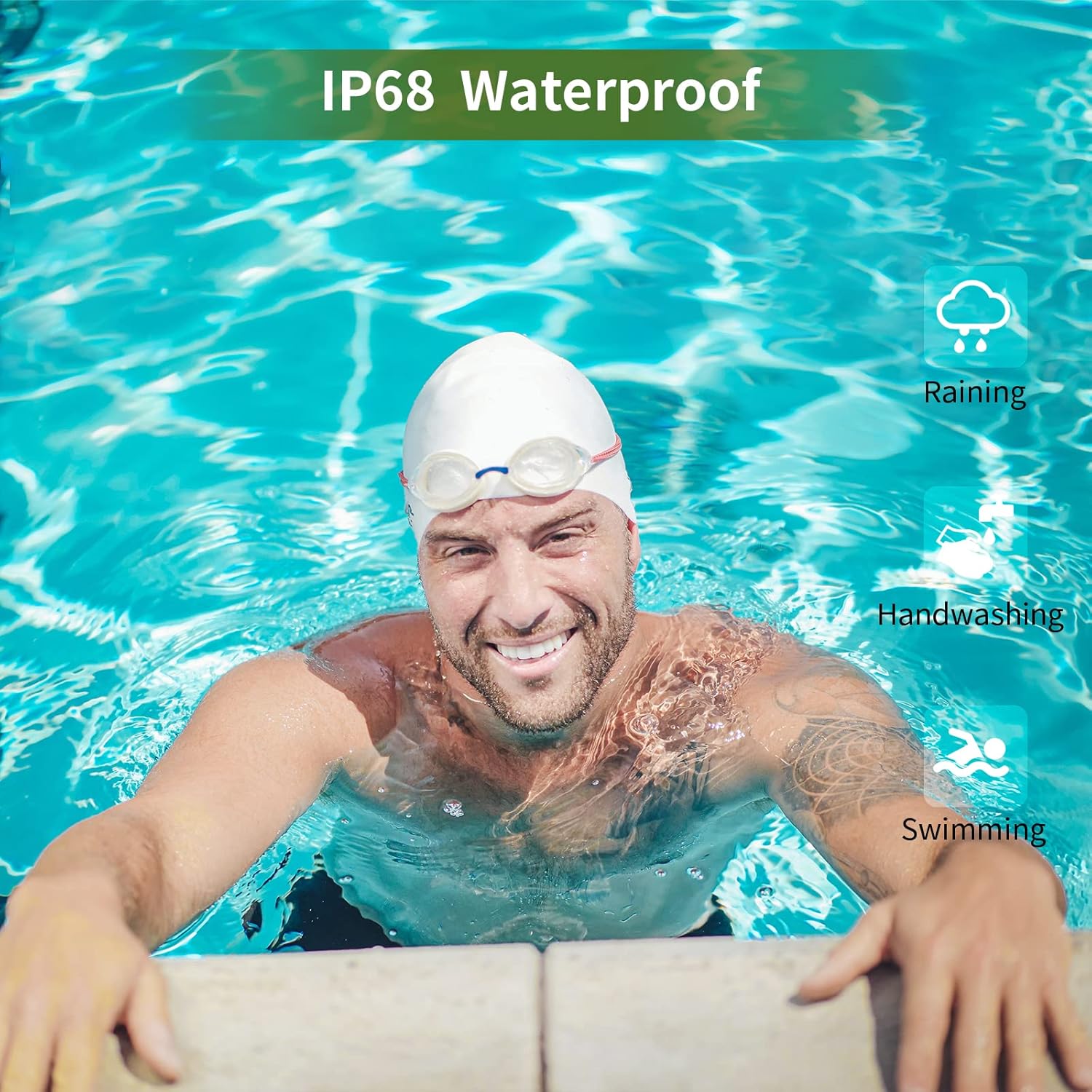
The MAXTOP T5 Smartwatch is IP68 waterproof, meaning it is dust-tight and protected against continuous immersion in water up to 1.5 meters for a maximum of 30 minutes.
You can wear the watch while washing hands, running in the rain, or swimming in shallow water.
ન કરો immerse the watch in seawater, hot water, or use it in hot springs or saunas.
Avoid exposing the watch to high-pressure water jets.
Image: A man swimming, demonstrating the IP68 waterproof capability of the MAXTOP T5 Smartwatch.
Image: The smartwatch with water droplets, visually confirming its IP68 waterproof rating.
5.2. સફાઈ
Wipe the watch and strap regularly with a soft, dry cloth. If necessary, use a slightly damp cloth and dry thoroughly. Avoid harsh chemicals.
6. મુશ્કેલીનિવારણ
ઘડિયાળ ચાલુ નથી થઈ રહી: ખાતરી કરો કે ઘડિયાળ સંપૂર્ણપણે ચાર્જ થયેલ છે. તેને ઓછામાં ઓછા 10 મિનિટ માટે ચાર્જર સાથે કનેક્ટ કરો.
સ્માર્ટફોન સાથે જોડી શકાતી નથી:
ખાતરી કરો કે તમારા ફોન પર બ્લૂટૂથ સક્ષમ છે.
ખાતરી કરો કે ઘડિયાળ બ્લૂટૂથ રેન્જ (સામાન્ય રીતે 10 મીટર) ની અંદર છે.
ઘડિયાળ અને તમારા સ્માર્ટફોન બંનેને રીસ્ટાર્ટ કરો.
એપ્લિકેશન નવીનતમ સંસ્કરણ પર અપડેટ થયેલ છે કે નહીં તે તપાસો.
If previously paired, try unpairing from your phone's Bluetooth settings and re-pairing through the app.
અચોક્કસ આરોગ્ય ડેટા:
ખાતરી કરો કે ઘડિયાળ તમારા કાંડા પર ચુસ્તપણે પહેરેલી છે, ખૂબ ચુસ્ત કે ખૂબ ઢીલી નહીં.
માપન દરમિયાન વધુ પડતી હિલચાલ ટાળો.
Environmental factors can affect readings. For medical accuracy, consult a professional medical device.
સૂચનાઓ પ્રાપ્ત થઈ નથી:
Check app permissions on your smartphone to ensure the app has access to notifications.
Verify that notification settings are enabled within the MAXTOP/H BAND app.
ખાતરી કરો કે ઘડિયાળ બ્લૂટૂથ દ્વારા જોડાયેલ છે.
ટૂંકી બેટરી જીવન:
Frequent use of features like continuous heart rate monitoring, bright screen, and numerous notifications can reduce battery life.
Reduce screen brightness and notification frequency if extended battery life is desired.
7. સ્પષ્ટીકરણો
Image: Detailed physical dimensions of the MAXTOP T5 Smartwatch, including watch face and strap measurements.
લક્ષણ
વિગત
બ્રાન્ડ
MAXTOP
મોડલ
T5
સ્ક્રીન માપ
1.54 ઇંચ
પરિમાણો
4.5 x 3.8 x 1 સેમી
વજન
250 ગ્રામ
વોટરપ્રૂફ રેટિંગ
IP68
કનેક્ટિવિટી
બ્લૂટૂથ
ઓપરેટિંગ સિસ્ટમ
iOS (૧૦.૦ અને તેથી વધુ), Android (૫.૧ અને તેથી વધુ)
બેટરીનો પ્રકાર
લિથિયમ પોલિમર
ચાર્જિંગ સમય
આશરે. 2 કલાક
બેટરી જીવન (સામાન્ય ઉપયોગ)
3-5 દિવસ
બેટરી લાઇફ (સ્ટેન્ડબાય)
7 દિવસ સુધી
સમાવાયેલ ઘટકો
Watch head, strap, magnetic charging cable, manual
8. વોરંટી અને સપોર્ટ
For warranty information and customer support, please refer to the warranty card included in your package or visit the official MAXTOP webસાઇટ
અસ્વીકરણ: The health monitoring features of this device are for general wellness and fitness purposes only and are not intended for medical diagnosis, treatment, or prevention of any disease. Always consult a medical professional for health-related concerns.
Ask a question about this manual
Ask about setup, troubleshooting, compatibility, parts, safety, or missing instructions. Manuals+ will review the question and use this page’s manual context to help answer it.