

1. પરિચય
This manual provides comprehensive instructions for the CALYPSO K5818/4 X-trem digital watch. This sporty and functional timepiece is designed for daily wear and various activities, featuring a durable plastic case, a comfortable black plastic strap, and 10 ATM water resistance. Please read this manual carefully to ensure proper use and maintenance of your watch.
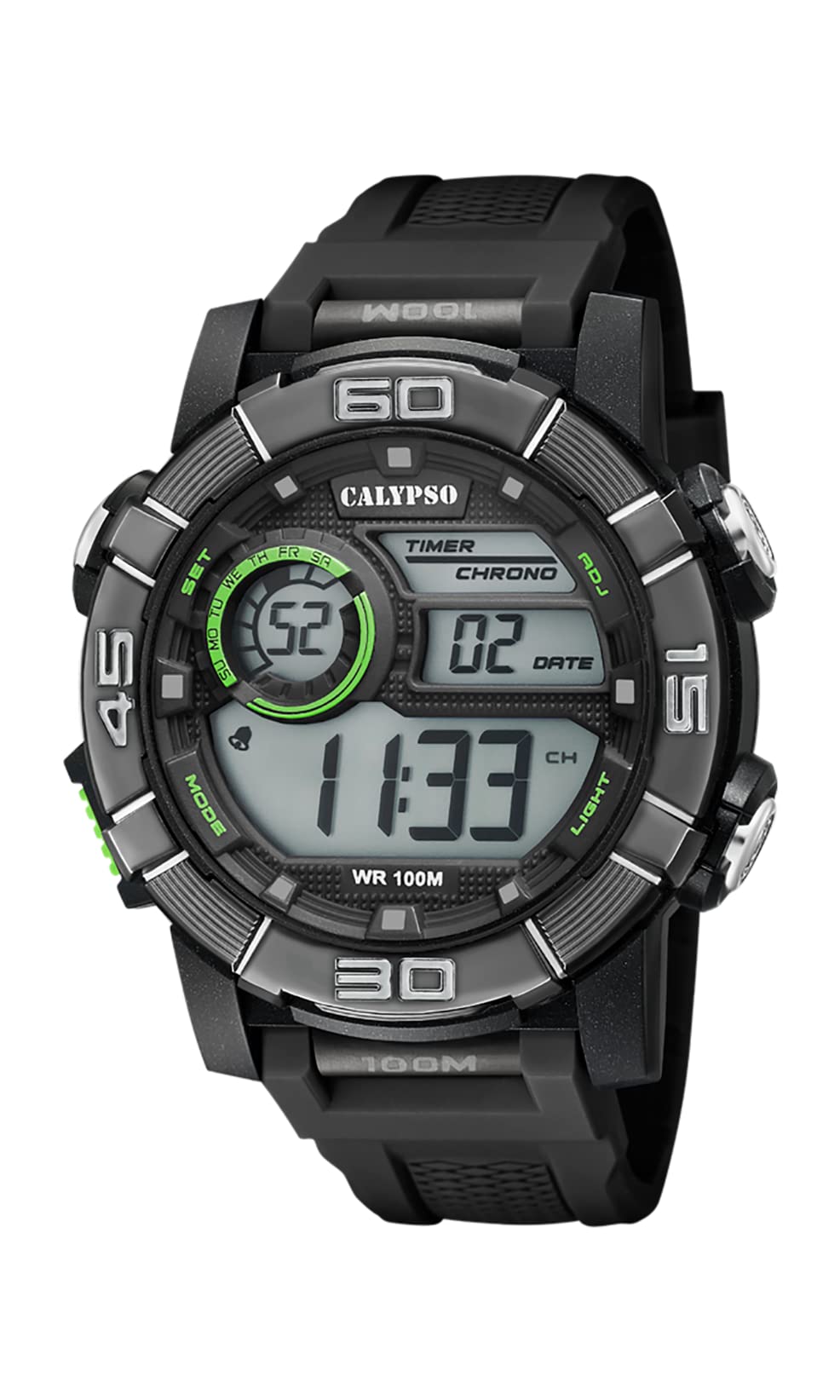
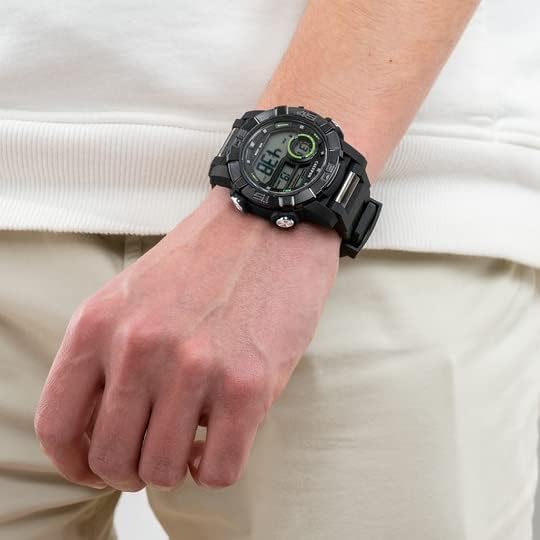
Image 1.1: CALYPSO K5818/4 X-trem Digital Watch on a wrist, showcasinતેની ડિઝાઇન.
પેકેજ સામગ્રી:
- CALYPSO K5818/4 X-trem Digital Watch
- વપરાશકર્તા માર્ગદર્શિકા (આ દસ્તાવેજ)

Image 1.2: The watch is typically supplied in a clear cylindrical packaging.
૩. નજર રાખોview અને બટન કાર્યો
Familiarize yourself with the buttons and their functions before operating your watch.
છબી 2.1: આગળ view of the watch, highlighting button locations.
- MODE Button (Left-Bottom): Cycles through different modes (Time, Chronograph, Alarm).
- SET Button (Left-Top): Used to enter and confirm settings in various modes.
- ADJ Button (Right-Top): Adjusts values during setting, starts/stops chronograph.
- LIGHT Button (Right-Bottom): Activates the backlight for illumination.
3. સેટઅપ અને મૂળભૂત કામગીરી
3.1. સમય અને તારીખ સેટ કરવી
- In Time Mode (normal time display), press and hold the સેટ સેકન્ડ ફ્લેશ થવા લાગે ત્યાં સુધી બટન દબાવો. આ સૂચવે છે કે તમે સેટિંગ મોડમાં છો.
- દબાવો પ્રકાશ સેટિંગ્સમાં સાયકલ કરવા માટે બટન: સેકન્ડ → કલાક → મિનિટ → વર્ષ → મહિનો → દિવસ → ૧૨/૨૪-કલાક ફોર્મેટ.
- નો ઉપયોગ કરો એડીજે ફ્લેશિંગ મૂલ્ય વધારવા માટે બટન.
- એકવાર બધી સેટિંગ્સ ગોઠવાઈ જાય, પછી દબાવો સેટ સેટિંગ મોડમાંથી બહાર નીકળવા માટે બટન.
3.2. ક્રોનોગ્રાફ (સ્ટોપવોચ) નો ઉપયોગ
- ટાઈમ મોડમાંથી, દબાવો મોડ ક્રોનોગ્રાફ મોડમાં પ્રવેશવા માટે એકવાર બટન દબાવો. ડિસ્પ્લે '00:00:00' બતાવશે.
- દબાવો એડીજે સ્ટોપવોચ શરૂ કરવા માટે બટન.
- દબાવો એડીજે સ્ટોપવોચ બંધ કરવા માટે ફરીથી બટન દબાવો.
- જ્યારે સ્ટોપવોચ બંધ હોય, ત્યારે દબાવો સેટ button to reset it to '00:00:00'.
- દબાવો મોડ button to return to Time Mode.
3.3. એલાર્મ સુયોજિત કરી રહ્યા છે
- ટાઈમ મોડમાંથી, દબાવો મોડ button twice to enter Alarm Mode. The display will show the alarm time.
- દબાવો અને પકડી રાખો સેટ કલાકના અંકો ફ્લેશ થવા લાગે ત્યાં સુધી બટન.
- નો ઉપયોગ કરો એડીજે ઇચ્છિત એલાર્મ કલાક સેટ કરવા માટે બટન.
- દબાવો પ્રકાશ button to move to the minute digits, then use the એડીજે ઇચ્છિત એલાર્મ મિનિટ સેટ કરવા માટે બટન.
- દબાવો સેટ એલાર્મ સમયની પુષ્ટિ કરવા અને સેટિંગ મોડમાંથી બહાર નીકળવા માટે બટન.
- In Alarm Mode, press the એડીજે button to toggle the alarm ON or OFF. An alarm icon will appear/disappear on the display.
૧. બેકલાઇટનો ઉપયોગ
દબાવો પ્રકાશ button at any time to illuminate the display for a few seconds, making it visible in low-light conditions.
4. પાણી પ્રતિકાર
Your CALYPSO K5818/4 X-trem watch has a water resistance rating of 10 ATM (100 meters).
- This means the watch is suitable for swimming, snorkeling, and water sports.
- તે છે નથી suitable for high-impact water sports or diving.
- મહત્વપૂર્ણ: Do not operate any buttons while the watch is submerged in water or wet, as this can compromise the water seal and cause damage.
- ખારા પાણીના સંપર્કમાં આવ્યા પછી, ઘડિયાળને તાજા પાણીથી ધોઈ લો અને તેને સારી રીતે સૂકવી દો.
5. જાળવણી
5.1. સફાઈ
તમારી ઘડિયાળને સારી સ્થિતિમાં રાખવા માટે:
- ઘડિયાળના કેસ અને પટ્ટાને નિયમિતપણે સોફ્ટ, ડી વડે સાફ કરો.amp કાપડ
- Avoid using harsh chemicals, solvents, or abrasive cleaners, as these can damage the watch materials.
5.2. બેટરી રિપ્લેસમેન્ટ
The watch is powered by a quartz movement with a battery. When the display becomes dim or stops functioning, the battery may need replacement. It is recommended to have the battery replaced by a qualified watch technician to ensure the water resistance seal is properly maintained.
5.3. સંગ્રહ
જ્યારે ઉપયોગમાં ન હોય, ત્યારે તમારી ઘડિયાળને સીધા સૂર્યપ્રકાશ અને અતિશય તાપમાનથી દૂર ઠંડી, સૂકી જગ્યાએ સંગ્રહિત કરો.
6. મુશ્કેલીનિવારણ
- Display is blank or faint: બેટરી ઓછી અથવા ખાલી થઈ ગઈ હોઈ શકે છે. બેટરી બદલો.
- સમય ખોટો છે: Reset the time and date according to the instructions in Section 3.1.
- બટનો પ્રતિભાવવિહીન છે: Ensure the watch is dry. If the issue persists, there may be internal damage, and professional inspection is recommended.
- ઘડિયાળની અંદર ઘનીકરણ: This indicates a breach in the water resistance. Stop using the watch immediately and seek professional service to prevent further damage.
7. સ્પષ્ટીકરણો
| લક્ષણ | સ્પષ્ટીકરણ |
|---|---|
| મોડલ નંબર | K5818/4 |
| ડિસ્પ્લે પ્રકાર | ડિજિટલ |
| ચળવળનો પ્રકાર | ક્વાર્ટઝ |
| પાણી પ્રતિકાર | ૫ એટીએમ (૫૦ મીટર) |
| કેસ સામગ્રી | Polycarbonate (Plastic) |
| બેન્ડ સામગ્રી | Polycarbonate (Plastic) |
| ડાયલ વિન્ડો મટિરિયલ | પ્લાસ્ટિક |
| કેસ વ્યાસ | 35 મિલીમીટર |
| બેન્ડ પહોળાઈ | 23 મિલીમીટર |
| કેસની જાડાઈ | 16.3 મિલીમીટર |
| વજન | 40 ગ્રામ |
| ખાસ લક્ષણો | 24-hour Display, Chronograph |
8. વોરંટી અને સપોર્ટ
૯.૧. ઉત્પાદકની વોરંટી
Your CALYPSO K5818/4 X-trem watch is covered by a manufacturer's warranty. Please refer to the warranty card included with your purchase or visit the official CALYPSO webવિગતવાર નિયમો અને શરતો માટે સાઇટ.
૯.૧. સ્પેરપાર્ટ્સની ઉપલબ્ધતા
આ મોડેલના સ્પેરપાર્ટ્સ ખરીદીની તારીખથી 5 વર્ષ સુધી ઉપલબ્ધ છે.
8.3. ગ્રાહક આધાર
For any questions, service requests, or technical support, please contact CALYPSO customer service through their official webસાઇટ અથવા અધિકૃત સેવા કેન્દ્રો. વોરંટી દાવાઓ માટે ખરીદીના પુરાવા તરીકે તમારી ખરીદી રસીદ રાખો.