
1. પરિચય
ખરીદી બદલ આભારasing the Muse M-308 BT Bluetooth Speaker. This manual provides essential information for the safe and correct use of your device. Please read it thoroughly before use and keep it for future reference.
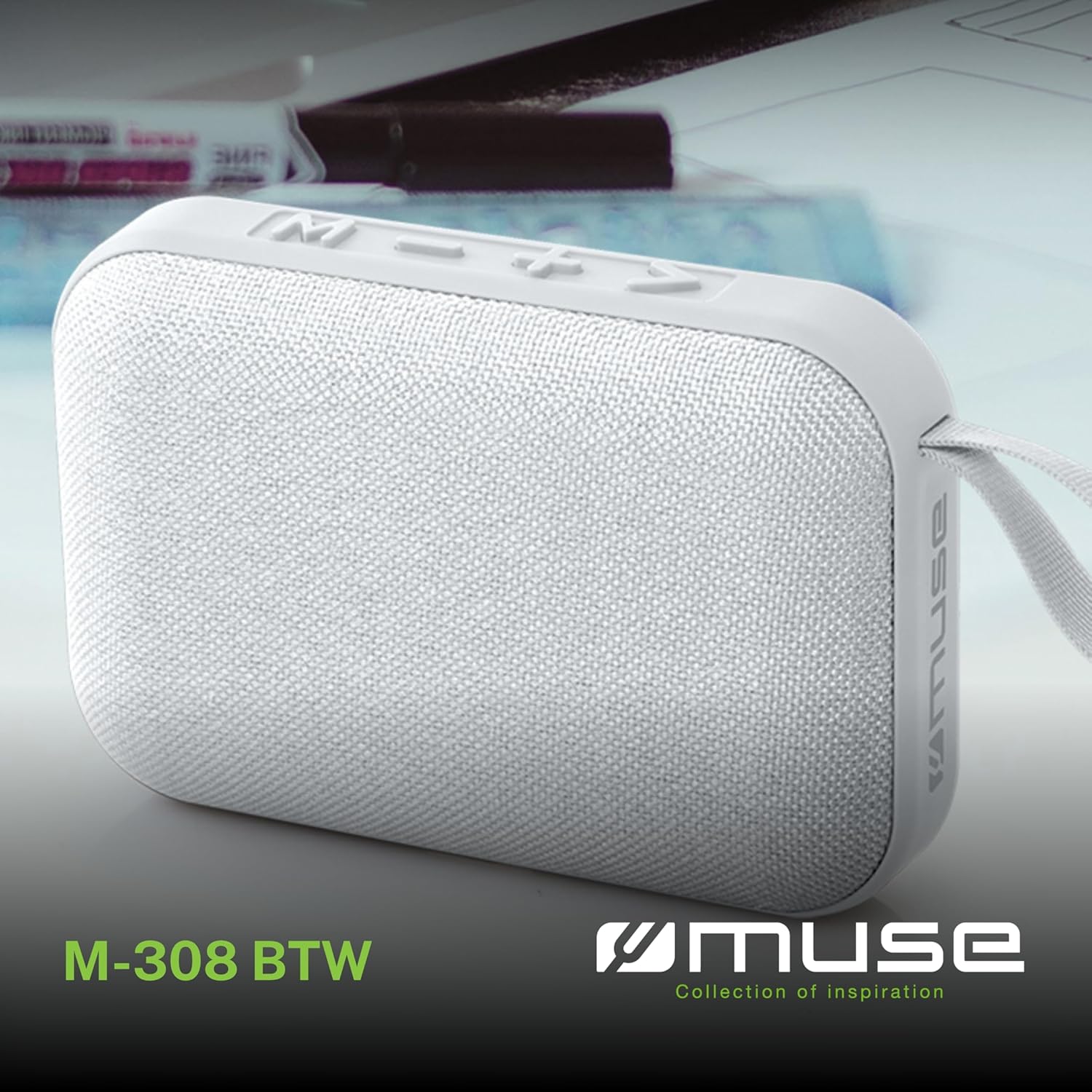
છબી 1.1: આગળ view of the Muse M-308 BT Bluetooth Speaker.
2. ઉત્પાદન સુવિધાઓ
- બ્લૂટૂથ કનેક્ટિવિટી: સુસંગત ઉપકરણોમાંથી વાયરલેસ રીતે ઓડિયો સ્ટ્રીમ કરો.
- હેન્ડ્સ-ફ્રી ફંક્શન: Integrated microphone for taking calls.
- મીડિયા પ્લેબેક: Supports music playback from USB and MicroSD (TF) cards.
- સ્ટીરિયો પેરિંગ: Connect two M-308 BT speakers for enhanced stereo sound.
- એલઇડી સૂચક: Provides visual feedback for Bluetooth pairing and charging status.
- કોમ્પેક્ટ અને હલકો: Designed for portability, weighing approximately 200g.
- બિલ્ટ-ઇન રિચાર્જેબલ બેટરી: 1200mAh capacity for up to 10 hours of playback.
- આઉટપુટ પાવર: 5 Watts for clear audio.

Image 2.1: Key features of the Muse M-308 BT speaker.

Image 2.2: Additional functionalities of the Muse M-308 BT speaker.
3. પેકેજ સામગ્રી
અનપેક કરતી વખતે ખાતરી કરો કે બધી વસ્તુઓ હાજર છે:
- Muse M-308 BT Bluetooth Speaker
- યુએસબી ચાર્જિંગ કેબલ
- વપરાશકર્તા માર્ગદર્શિકા (આ દસ્તાવેજ)
4. નિયંત્રણ અને જોડાણો
સ્પીકરના નિયંત્રણો અને કનેક્શન પોર્ટ્સથી પરિચિત થાઓ:

Image 4.1: Top panel with various connections.
- યુએસબી પોર્ટ: USB ફ્લેશ ડ્રાઇવમાંથી સંગીત વગાડવા માટે.
- માઇક્રો-યુએસબી પોર્ટ: સ્પીકર ચાર્જ કરવા માટે.
- Micro SD (TF) Card Slot: માઇક્રો SD કાર્ડથી સંગીત વગાડવા માટે.
- ચાલુ/બંધ સ્વિચ: To power the speaker on or off.

Image 4.2: Side panel with control buttons.
- M બટન (મોડ): Press to switch between Bluetooth, USB, and Micro SD modes.
- - Button (Volume Down / Previous Track):
- Short press: Decrease volume.
- Long press: Go to the previous track.
- + Button (Volume Up / Next Track):
- Short press: Increase volume.
- Long press: Go to the next track.
- > Button (Play / Pause / Call):
- Short press: Play or pause music.
- Short press (during incoming call): Answer call.
- Long press (during incoming call): Reject call.
- Short press (during call): End call.
5. સેટઅપ
૩.૧ સ્પીકરને ચાર્જ કરવું
- Connect the supplied USB charging cable to the Micro-USB port on the speaker.
- USB કેબલના બીજા છેડાને USB પાવર એડેપ્ટર (શામેલ નથી) અથવા કમ્પ્યુટરના USB પોર્ટ સાથે કનેક્ટ કરો.
- The LED indicator will illuminate to show charging status. It will turn off or change color when fully charged.
5.2 પાવરિંગ ચાલુ/બંધ
- To power on, slide the ON/OFF switch to the 'ON' position. You will hear an audible prompt.
- પાવર બંધ કરવા માટે, ચાલુ/બંધ સ્વીચને 'બંધ' સ્થિતિમાં સ્લાઇડ કરો.
5.3 બ્લૂટૂથ પેરિંગ
- Ensure the speaker is powered on and in Bluetooth mode (indicated by a flashing LED). If not, press the 'M' button to switch to Bluetooth mode.
- તમારા સ્માર્ટફોન, ટેબ્લેટ અથવા અન્ય સુસંગત ઉપકરણ પર બ્લૂટૂથ સક્ષમ કરો.
- માટે શોધો available Bluetooth devices and select "M-308 BT" from the list.
- Once paired, the LED indicator will stop flashing and remain solid, and you will hear a confirmation tone.
- The speaker will automatically connect to the last paired device when powered on, if it is within range.
૧.૫ સ્ટીરિયો પેરિંગ (TWS ફંક્શન)
To pair two M-308 BT speakers for true wireless stereo sound:
- Ensure both speakers are powered on and in Bluetooth pairing mode (LED flashing).
- On one of the speakers (this will be the primary speaker), double-press the 'M' button. The speaker will search for another M-308 BT speaker.
- Once connected, both speakers will emit a confirmation tone, and the LED on the primary speaker will flash slowly, while the LED on the secondary speaker will remain solid.
- હવે, વિભાગ 5.3 માં વર્ણવ્યા મુજબ બ્લૂટૂથ દ્વારા તમારા ઉપકરણને પ્રાથમિક સ્પીકર સાથે કનેક્ટ કરો.
6. ઓપરેટિંગ સૂચનાઓ
6.1 સંગીત વગાડવું
- બ્લૂટૂથ મોડ: After successful pairing, start playing music on your connected device. The audio will stream through the speaker.
- યુએસબી/માઈક્રો એસડી મોડ: Insert a USB flash drive or Micro SD card into the respective port. The speaker will automatically switch to the corresponding mode and begin playing music. If it doesn't, press the 'M' button to cycle through modes.
6.2 વોલ્યુમ નિયંત્રણ
- Press the '+' button to increase the volume.
- Press the '-' button to decrease the volume.
૨.૨ ટ્રેક નેવિગેશન
- Long press the '+' button to skip to the next track.
- Long press the '-' button to go back to the previous track.
6.4 હેન્ડ્સ-ફ્રી કૉલિંગ
- When a call comes in, the music will pause. Press the '>' button to answer the call.
- To end a call, press the '>' button again.
- To reject an incoming call, long press the '>' button.
7. જાળવણી
- સ્પીકરને અતિશય તાપમાન, સીધા સૂર્યપ્રકાશ અને ભેજથી દૂર રાખો.
- Do not expose the speaker to water or other liquids. This model is not water-resistant.
- સ્પીકરને નરમ, સૂકા કપડાથી સાફ કરો. ઘર્ષક ક્લીનર્સ અથવા સોલવન્ટનો ઉપયોગ કરશો નહીં.
- સ્પીકરને જાતે ડિસએસેમ્બલ કરવાનો કે રિપેર કરવાનો પ્રયાસ કરશો નહીં. આ વોરંટી રદ કરશે.
- When not in use for extended periods, charge the battery at least once every three months to maintain battery health.
8. મુશ્કેલીનિવારણ
| સમસ્યા | સંભવિત કારણ | ઉકેલ |
|---|---|---|
| સ્પીકર ચાલુ થતો નથી. | બેટરી ખતમ થઈ ગઈ છે. | આપેલા USB કેબલનો ઉપયોગ કરીને સ્પીકરને ચાર્જ કરો. |
| બ્લૂટૂથ દ્વારા જોડી બનાવી શકાતી નથી. | Bluetooth is not enabled on your device or speaker is not in pairing mode. Speaker is too far from the device. | Ensure Bluetooth is active on both devices. Make sure the speaker is in Bluetooth pairing mode (flashing LED). Move the speaker closer to your device (within 10 meters). |
| કોઈ અવાજ નથી. | Volume is too low. Speaker is not connected. Incorrect mode selected. | Increase the volume on both the speaker and your connected device. Re-pair the Bluetooth connection. Press the 'M' button to cycle through modes (Bluetooth, USB, Micro SD). |
| Music playback from Micro SD card is erratic or "screaming". | ભ્રષ્ટ files on Micro SD card. Incompatible file ફોર્મેટ | ઑડિયોની ખાતરી કરો files are in a compatible format (e.g., MP3). Try using a different Micro SD card or reformatting the current one and reloading files. |
| Speaker switches between modes (e.g., SD and BT) unexpectedly. | Interference or a temporary software glitch. | Power off the speaker, wait a few seconds, then power it back on. Ensure no other devices are causing interference. If the issue persists, try removing the Micro SD card if it's inserted. |
9. સ્પષ્ટીકરણો
| મોડેલનું નામ | M-308 BT |
| બ્રાન્ડ | મ્યુઝ |
| કનેક્ટિવિટી ટેકનોલોજી | બ્લૂટૂથ, વાયર્ડ |
| વાયરલેસ કોમ્યુનિકેશન ટેકનોલોજી | બ્લૂટૂથ |
| સ્પીકર મહત્તમ આઉટપુટ પાવર | 5 વોટ્સ |
| ઓડિયો આઉટપુટ મોડ | સ્ટીરિયો |
| સ્પીકરનો પ્રકાર | પોર્ટેબલ બ્લૂટૂથ સ્પીકર |
| ખાસ લક્ષણો | બ્લૂટૂથ |
| સુસંગત ઉપકરણો | સ્માર્ટફોન, ટેબ્લેટ |
| પાવર સ્ત્રોત | બેટરી |
| બેટરી જીવન | 10 કલાક |
| બેટરી ક્ષમતા | 1200 મિલીampકલાક |
| ઉત્પાદનના પરિમાણો (D x W x H) | 118D x 30B x 76H millimeters (11.8 x 3 x 7.6 cm) |
| વસ્તુનું વજન | 200 ગ્રામ |
| સામગ્રી | Plastic rubber material |
| Is Water Resistant | ના |
| સમાવાયેલ ઘટકો | યુએસબી ચાર્જિંગ કેબલ |
Image 9.1: Dimensions of the Muse M-308 BT speaker.
10. વોરંટી અને સપોર્ટ
The Muse M-308 BT Bluetooth Speaker comes with a 2 વર્ષની વોરંટી ખરીદીની તારીખથી.
For technical support, warranty claims, or further assistance, please contact your retailer or visit the official MUSE webસંપર્ક માહિતી માટે સાઇટ.