
Zunate KX-T2035CID
Zunate KX-T2035CID Corded Desk Phone User Manual
Model: KX-T2035CID
પરિચય
ખરીદી બદલ આભારasing the Zunate KX-T2035CID Corded Desk Phone. This manual provides essential information for setting up, operating, and maintaining your new telephone. Please read these instructions carefully before use and retain them for future reference.
મહત્વપૂર્ણ સલામતી સૂચનાઓ
To reduce the risk of fire, electric shock, or injury, always follow basic safety precautions when using this product.
- આ ઉત્પાદનનો ઉપયોગ પાણીની નજીક, જેમ કે બાથટબ, વોશબાઉલ, કિચન સિંક અથવા લોન્ડ્રી ટબ, ભીના ભોંયરામાં અથવા સ્વિમિંગ પૂલની નજીક કરશો નહીં.
- વીજળીના તોફાન દરમિયાન ટેલિફોનનો ઉપયોગ કરવાનું ટાળો. વીજળી પડવાથી ઇલેક્ટ્રિક શોક લાગવાનું જોખમ રહેલું છે.
- લીકની આસપાસના વિસ્તારમાં ગેસ લીકની જાણ કરવા માટે ટેલિફોનનો ઉપયોગ કરશો નહીં.
- Use only the power cord and telephone line cord provided with the unit.
- યુનિટને ડિસએસેમ્બલ કરશો નહીં. બધી સર્વિસિંગ લાયક સેવા કર્મચારીઓને સોંપો.
- એકમને ગરમીના સ્રોતો અને સીધા સૂર્યપ્રકાશથી દૂર રાખો.
પેકેજ સામગ્રી
ખાતરી કરો કે નીચે સૂચિબદ્ધ બધી વસ્તુઓ તમારા પેકેજમાં શામેલ છે:
- Zunate KX-T2035CID Telephone Base Unit
- હેન્ડસેટ
- વીંટળાયેલ હેન્ડસેટ કોર્ડ
- ટેલિફોન લાઇન કોર્ડ
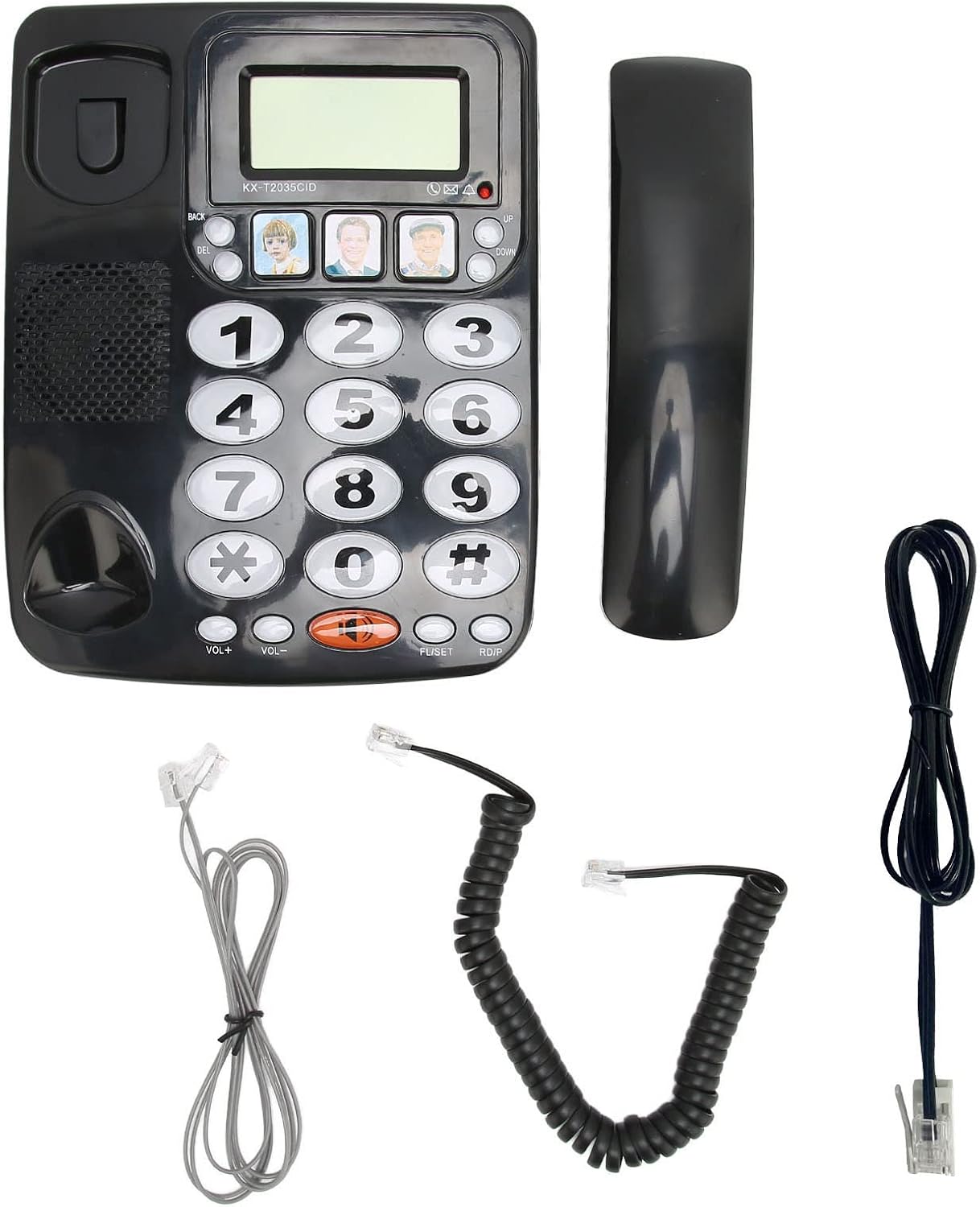
છબી: પેકેજમાં સમાવિષ્ટ બધા ઘટકો.
ઉત્પાદન ઓવરview
Familiarize yourself with the main parts of your Zunate KX-T2035CID telephone.
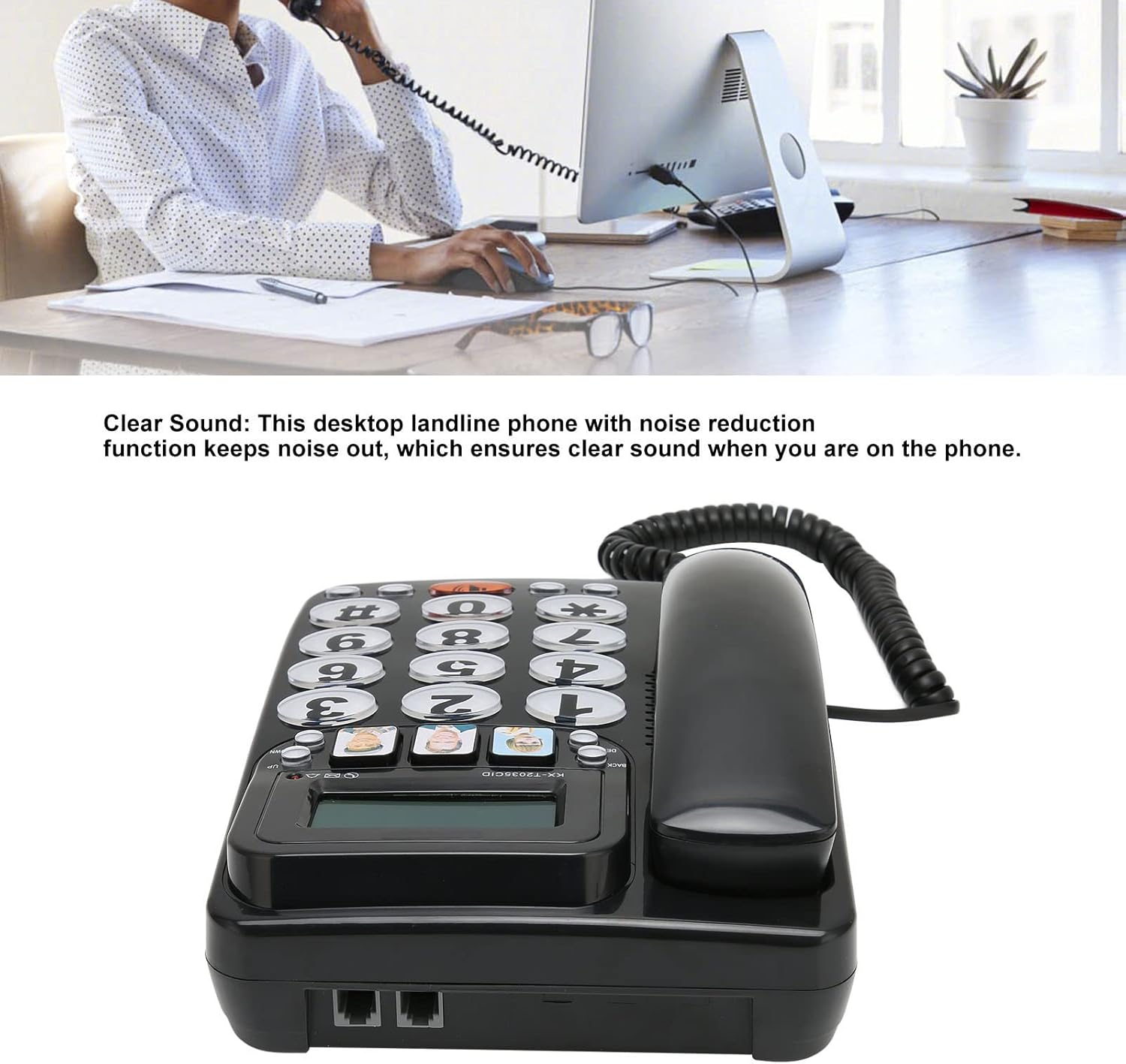
છબી: આગળ view of the telephone unit.
- ડિસ્પ્લે સ્ક્રીન: Shows caller ID information, time, and other call details.
- સંખ્યાત્મક કીપેડ: Large, easy-to-read buttons for dialing numbers.
- Memory Buttons (M1, M2, M3): Three dedicated buttons for speed dialing frequently called numbers.
- VOL+ / VOL- Buttons: Adjust handset and speaker volume.
- MUTE બટન: કૉલ દરમિયાન તમારા માઇક્રોફોનને મ્યૂટ કરે છે.
- REDIAL Button: છેલ્લો ફોન કરેલો નંબર ડાયલ કરે છે.
- FLASH Button: Used for call waiting or transferring calls (if supported by your phone service).
- Speakerphone Button (Speaker icon): સ્પીકરફોનને સક્રિય અથવા નિષ્ક્રિય કરે છે.

છબી: પાછળનો ભાગ view showing connection ports.
- હેન્ડસેટ પોર્ટ: Connects the coiled cord from the handset to the base unit.
- Line Port: Connects the telephone line cord from the base unit to the wall jack.
સેટઅપ
Follow these steps to set up your Zunate KX-T2035CID telephone:
- હેન્ડસેટ કનેક્ટ કરો:
Plug one end of the coiled handset cord into the handset and the other end into the handset port on the left side of the telephone base unit.
- ટેલિફોન લાઇન જોડો:
Plug one end of the telephone line cord into the "LINE" port on the back of the telephone base unit. Plug the other end into your telephone wall jack.
- પ્લેસમેન્ટ:
Place the telephone on a flat, stable surface, such as a desk or table. Ensure it is not near any heat sources or in direct sunlight.
Your telephone is now ready for use.
ઓપરેટિંગ સૂચનાઓ
કૉલ કરી રહ્યાં છીએ
- હેન્ડસેટ ઉપાડો અથવા દબાવો સ્પીકરફોન બટન
- ડાયલ ટોન માટે સાંભળો.
- Dial the desired telephone number using the numeric keypad.
- કૉલ સમાપ્ત કરવા માટે, હેન્ડસેટ બદલો અથવા દબાવો સ્પીકરફોન ફરીથી બટન.
કૉલનો જવાબ આપવો
- જ્યારે ફોન વાગે, ત્યારે હેન્ડસેટ ઉપાડો અથવા દબાવો સ્પીકરફોન બટન
- કૉલ સમાપ્ત કરવા માટે, હેન્ડસેટ બદલો અથવા દબાવો સ્પીકરફોન ફરીથી બટન.
છેલ્લા નંબરને ફરીથી ડાયલ કરી રહ્યાં છીએ
- હેન્ડસેટ ઉપાડો અથવા દબાવો સ્પીકરફોન બટન
- દબાવો ફરી શરૂ કરો button. The phone will automatically dial the last number called.
મ્યૂટ ફંક્શનનો ઉપયોગ કરવો
- ક aલ દરમિયાન, દબાવો મૌન button to temporarily disable your microphone. The other party will not hear you.
- દબાવો મૌન button again to resume the conversation.
વોલ્યુમ એડજસ્ટ કરી રહ્યું છે
- કૉલ દરમિયાન, દબાવો VOL+ to increase the listening volume.
- દબાવો વીઓએલ- સાંભળવાની માત્રામાં ઘટાડો.
Programming Memory Buttons (M1, M2, M3)
The phone features three direct memory buttons for quick dialing.
- હેન્ડસેટ ઉપાડો.
- દબાવો સેટ button (usually located near the memory buttons).
- તમે જે ફોન નંબર સ્ટોર કરવા માંગો છો તે ડાયલ કરો (16 અંકો સુધી).
- Press the desired memory button (M1, M2, અથવા M3) to save the number.
- હેન્ડસેટ બદલો.
To use a Memory Button: Lift the handset and press the desired memory button (M1, M2, અથવા M3). The phone will automatically dial the stored number.

Image: Detail of the large buttons and memory keys.
મુખ્ય લક્ષણો
- મોટા બટનો: Easy to see and press, ideal for users with visual impairments or dexterity challenges.
- અવાજ સાફ કરો: Designed for clear audio quality during calls.
- ફરીથી ડાયલ કરવાનું કાર્ય: Quickly redial the last outgoing number.
- મ્યૂટ ફંક્શન: Temporarily silence your microphone during a call.
- એડજસ્ટેબલ વોલ્યુમ: Control handset and speakerphone volume for comfortable listening.
- કૉલર ID: Displays incoming caller information (requires subscription to Caller ID service from your telephone provider).
- Three One-Touch Memory Buttons: Store and dial frequently used numbers with a single press.
જાળવણી
To ensure the longevity and proper functioning of your telephone:
- સફાઈ: Wipe the telephone surface with a soft, damp કાપડ ઘર્ષક ક્લીનર્સ અથવા સોલવન્ટનો ઉપયોગ કરશો નહીં.
- પ્રવાહી ટાળો: Keep the telephone away from liquids. If liquid spills on the unit, disconnect it immediately and contact qualified service personnel.
- સંગ્રહ: If storing the phone for an extended period, keep it in a cool, dry place away from direct sunlight.
મુશ્કેલીનિવારણ
If you experience issues with your telephone, try the following solutions:
| સમસ્યા | ઉકેલ |
|---|---|
| ડાયલ ટોન નથી. |
|
| Cannot hear the other party. |
|
| Other party cannot hear me. |
|
| Caller ID is not displayed. |
|
વિશિષ્ટતાઓ
| લક્ષણ | વિગત |
|---|---|
| બ્રાન્ડ | ઝુનાટે |
| મોડલ | KX-T2035CID |
| ફોનનો પ્રકાર | કોર્ડ્ડ |
| સામગ્રી | એક્રેલોનિટ્રિલ બ્યુટાડીન સ્ટાયરીન (ABS) |
| પાવર સ્ત્રોત | કોર્ડેડ ઇલેક્ટ્રિક |
| ડાયલરનો પ્રકાર | સિંગલ કીપેડ |
| જવાબ આપતી સિસ્ટમનો પ્રકાર | Digital (Note: This refers to Caller ID functionality, not an integrated answering machine) |
| કૉલર ID | હા |
વોરંટી અને આધાર
Zunate products are designed for reliability and performance. For information regarding warranty coverage, technical support, or service inquiries, please refer to the warranty card included with your purchase or contact your retailer. Please have your model number (KX-T2035CID) and purchase date available when contacting support.
Ask a question about this manual
Ask about setup, troubleshooting, compatibility, parts, safety, or missing instructions. Manuals+ will review the question and use this page’s manual context to help answer it.