
સિંગેશન SPKA24
Singsation Karaoke Machine User Manual
Model: SPKA24
પરિચય
ખરીદી બદલ આભારasing the Singsation Karaoke Machine. This portable speaker system is designed to provide dynamic sound and an engaging karaoke experience with its built-in light show, Bluetooth connectivity, and multiple audio input options. This manual will guide you through the setup, operation, and maintenance of your device to ensure optimal performance and enjoyment.
સલામતી માહિતી
ઉપકરણનો ઉપયોગ કરતા પહેલા કૃપા કરીને બધી સલામતી સૂચનાઓ કાળજીપૂર્વક વાંચો. ભવિષ્યના સંદર્ભ માટે આ માર્ગદર્શિકા રાખો.
- આગ કે ઇલેક્ટ્રિક આંચકો અટકાવવા માટે યુનિટને વરસાદ કે ભેજના સંપર્કમાં ન લાવો.
- Do not block any ventilation openings. Ensure proper airflow around the unit.
- ઉત્પાદક દ્વારા ઉલ્લેખિત જોડાણો/એસેસરીઝનો જ ઉપયોગ કરો.
- વીજળીના તોફાન દરમિયાન અથવા લાંબા સમય સુધી ઉપયોગ ન હોય ત્યારે યુનિટને અનપ્લગ કરો.
- યુનિટ જાતે રિપેર કરવાનો પ્રયાસ કરશો નહીં. બધી સર્વિસિંગ લાયક સેવા કર્મચારીઓને સોંપો.
- રેડિએટર્સ, હીટ રજિસ્ટર, સ્ટોવ અથવા ગરમી ઉત્પન્ન કરતા અન્ય ઉપકરણો જેવા ગરમીના સ્ત્રોતોથી યુનિટને દૂર રાખો.
પેકેજ સામગ્રી
Carefully unpack your Singsation Karaoke Machine and ensure all items are present:
- Singsation Karaoke Speaker
- વાયર્ડ માઇક્રોફોન
- રીમોટ કંટ્રોલ
- યુએસબી ચાર્જિંગ કેબલ
- વહન પટ્ટા

Image: Included accessories: wired microphone, remote control, and USB charging cable.
ઉત્પાદન ઓવરview
The Singsation Karaoke Machine features an intuitive control panel and various ports for versatile use.

છબી: આગળ view of the Singsation Karaoke Machine.
કંટ્રોલ પેનલની વિશેષતાઓ:
- એલઇડી ડિસ્પ્લે: વર્તમાન મોડ, ટ્રેક નંબર અથવા FM ફ્રીક્વન્સી બતાવે છે.
- માઇક્રોફોન વોલ્યુમ નિયંત્રણ: Adjusts the microphone input level.
- ઇકો કંટ્રોલ: માઇક્રોફોનના અવાજમાં ઇકો ઇફેક્ટ ઉમેરે છે.
- માસ્ટર વોલ્યુમ નિયંત્રણ: એકંદર ધ્વનિ આઉટપુટને સમાયોજિત કરે છે.
- મોડ બટન: Switches between Bluetooth, AUX, USB, Micro SD, and FM Radio modes.
- પ્લે/પોઝ બટન: મીડિયા પ્લેબેકને નિયંત્રિત કરે છે.
- પાછલા/આગલા ટ્રેક બટનો: Navigates through tracks or FM stations.
- યુએસબી પોર્ટ: USB ડ્રાઇવમાંથી સંગીત વગાડવા માટે.
- TF કાર્ડ સ્લોટ (માઈક્રો SD): For playing music from Micro SD cards.
- AUX ઇનપુટ: 3.5mm કેબલ દ્વારા બાહ્ય ઑડિઓ ઉપકરણોને કનેક્ટ કરવા માટે.
- માઇક્રોફોન ઇનપુટ: વાયર્ડ માઇક્રોફોનને કનેક્ટ કરવા માટે.
- વીજળીનું બટન: એકમ ચાલુ/બંધ કરે છે.

Image: The built-in handle allows for easy portability.
સેટઅપ
યુનિટ ચાર્જ કરવું:
Before first use, fully charge the karaoke machine. Connect the provided USB charging cable to the unit's charging port and the other end to a USB power adapter (not included) or a computer USB port. The charging indicator light will show the charging status.

Image: The unit provides up to 4 hours of playtime on a single charge.
પાવરિંગ ચાલુ/બંધ:
Locate the Power switch on the unit and slide it to the 'ON' position to power on the device. Slide it to 'OFF' to power off.
માઇક્રોફોનને કનેક્ટ કરી રહ્યું છે:
Insert the plug of the wired microphone into the Microphone Input jack on the control panel.
ઓપરેટિંગ સૂચનાઓ
બ્લૂટૂથ જોડી:
- Turn on the Singsation Karaoke Machine. It will automatically enter Bluetooth pairing mode, indicated by a flashing Bluetooth icon on the LED display.
- તમારા સ્માર્ટફોન, ટેબ્લેટ અથવા અન્ય બ્લૂટૂથ-સક્ષમ ઉપકરણ પર બ્લૂટૂથ સક્ષમ કરો.
- માટે શોધો "Singsation" or the specific model name (e.g., "SPKA24") in your device's Bluetooth list.
- Select the device to pair. Once connected, the Bluetooth icon on the display will stop flashing.
- You can now stream audio wirelessly from your device to the karaoke machine.
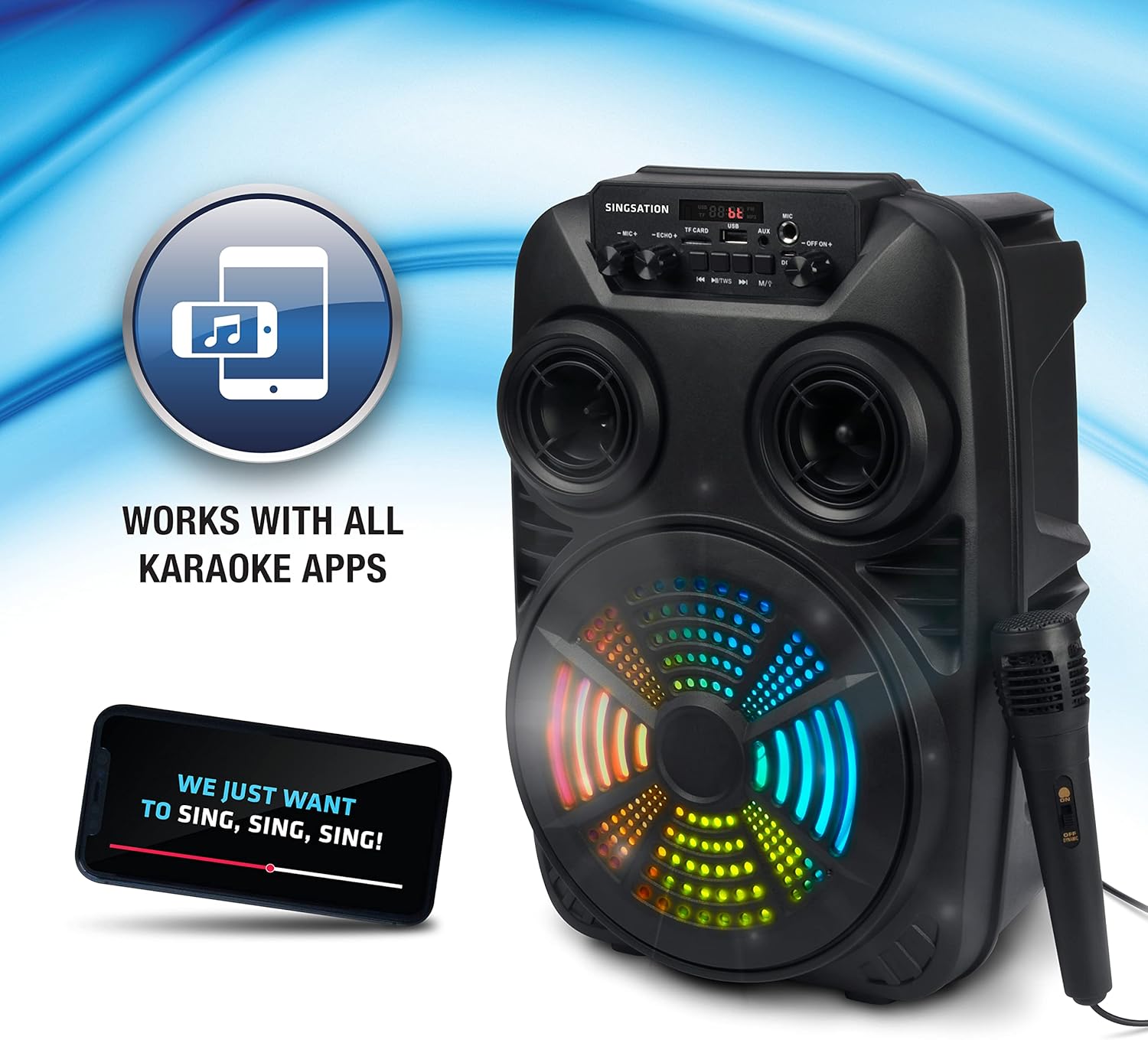
Image: The Singsation Karaoke Machine works seamlessly with all karaoke applications.
Using Other Audio Inputs (AUX, USB, Micro SD, FM Radio):
Press the 'Mode' button repeatedly to cycle through the available input modes: Bluetooth, AUX, USB, Micro SD, and FM Radio.
- AUક્સ મોડ: Connect an external audio device (e.g., MP3 player, computer) to the AUX input using a 3.5mm audio cable.
- યુએસબી/માઈક્રો એસડી મોડ: Insert a USB drive or Micro SD card (TF card) containing MP3 audio files into the respective port/slot. The unit will automatically begin playing music.
- એફએમ રેડિયો મોડ: In FM mode, press the Play/Pause button to auto-scan and save available radio stations. Use the Previous/Next Track buttons to navigate between saved stations.

Image: Multiple connectivity options for enjoying your music.
માઇક્રોફોનનો ઉપયોગ:
Once the microphone is connected, adjust the 'MIC VOL' knob to control the microphone's volume. Use the 'ECHO' knob to add an echo effect for a more professional vocal sound.
Light Show Features:
The Singsation Karaoke Machine features multi-color LED lights that synchronize with the music, creating a dynamic light show. These lights automatically activate when the unit is powered on.

Image: Features include vibrant color-changing lights and an adjustable echo effect.
દૂરસ્થ નિયંત્રણ કાર્યો:
The included remote control allows you to manage playback, volume, and other settings from a distance.
- પાવર બટન: એકમ ચાલુ/બંધ કરે છે.
- મોડ બટન: Cycles through input modes.
- વોલ્યુમ +/-: માસ્ટર વોલ્યુમ એડજસ્ટ કરે છે.
- EQ બટન: ઇક્વેલાઇઝર પ્રીસેટ્સ દ્વારા ચક્ર.
- Play/Pause, Previous/Next: મીડિયા પ્લેબેકને નિયંત્રિત કરે છે.
- નંબર બટનો: For direct track selection in USB/Micro SD mode or FM station selection.
બાસ બુસ્ટ:
The unit is designed with an 8-inch dynamic driver and a rear heavy bass guide tube to deliver impressive bass tones and strong stereo sound. No specific button for bass boost, it's an inherent feature of the speaker design.

Image: Enjoy singing along with your favorite tunes.
જાળવણી
- સફાઈ: યુનિટના બાહ્ય ભાગને સાફ કરવા માટે નરમ, સૂકા કપડાનો ઉપયોગ કરો. ઘર્ષક ક્લીનર્સ અથવા સોલવન્ટનો ઉપયોગ કરશો નહીં.
- સંગ્રહ: જ્યારે ઉપયોગમાં ન હોય, ત્યારે યુનિટને સીધા સૂર્યપ્રકાશ અને અતિશય તાપમાનથી દૂર ઠંડી, સૂકી જગ્યાએ સંગ્રહિત કરો.
- બેટરી સંભાળ: To prolong battery life, avoid fully discharging the battery frequently. Charge the unit regularly, even if not in use for extended periods.
મુશ્કેલીનિવારણ
If you encounter issues with your Singsation Karaoke Machine, refer to the table below for common problems and solutions.
| સમસ્યા | સંભવિત કારણ | ઉકેલ |
|---|---|---|
| કોઈ શક્તિ નથી | બેટરી ખતમ થઈ ગઈ છે; પાવર સ્વીચ બંધ છે. | Charge the unit; Ensure the power switch is in the 'ON' position. |
| કોઈ અવાજ નથી | Volume is too low; Incorrect input mode selected; Device not paired (Bluetooth). | Increase master volume; Press 'Mode' button to select correct input; Re-pair Bluetooth device. |
| માઇક્રોફોન કામ કરતું નથી | Microphone not properly connected; Microphone volume too low. | Ensure microphone is fully plugged into the input jack; Increase 'MIC VOL' knob. |
| બ્લૂટૂથ કનેક્શન અસ્થિર | Device is too far from the unit; Interference from other devices. | Move the Bluetooth device closer to the karaoke machine; Turn off other Bluetooth devices nearby. |
| Charging port feels loose/damaged | Physical damage to the port. | Handle charging cable with care. If damaged, contact customer support for repair options. |
વિશિષ્ટતાઓ
| લક્ષણ | વિગત |
|---|---|
| મોડલ નંબર | SPKA24 |
| સ્પીકરનું કદ | 8-inch Dynamic Driver |
| કનેક્ટિવિટી | Bluetooth 5.0, AUX, USB, Micro SD, FM Radio |
| પાવર સ્ત્રોત | રિચાર્જેબલ બેટરી |
| રમવાનો સમય | 4 કલાક સુધી (એક જ ચાર્જ પર) |
| પરિમાણો (અંદાજે) | 16.6 x 10.2 x 8.1 ઇંચ |
| વજન (અંદાજે) | 4.14 પાઉન્ડ |
| સમાવાયેલ ઘટકો | Karaoke Machine, Microphone, Remote Control, USB Charging Cable, Carrying Strap |
વોરંટી અને આધાર
Singsation products are manufactured with high-quality standards. For warranty information, technical support, or service inquiries, please refer to the warranty card included with your product or visit the official Singsation webસાઇટ. ખરીદીના પુરાવા તરીકે તમારી ખરીદી રસીદ રાખો.
Ask a question about this manual
Ask about setup, troubleshooting, compatibility, parts, safety, or missing instructions. Manuals+ will review the question and use this page’s manual context to help answer it.