
1. પરિચય
The ELEGRP Wireless Charging Station is a versatile 3-in-1 device designed to simultaneously charge your compatible iPhone, Apple Watch, and AirPods. Its foldable and compact design makes it ideal for both home use and travel. This manual provides essential information for safe and efficient operation of your charging station.

Image 1.1: The ELEGRP 3-in-1 Wireless Charging Station in use, charging an iPhone, Apple Watch, and AirPods simultaneously.
2. પેકેજ સામગ્રી
કૃપા કરીને ચકાસો કે તમારા પેકેજમાં બધી વસ્તુઓ હાજર છે:
- 1 x ELEGRP 3-in-1 Wireless Charging Station
- 1 x 18W Fast Adapter
- 1 x 3FT USB Type-C Cable
- ૧ x વપરાશકર્તા માર્ગદર્શિકા (આ દસ્તાવેજ)
- 1 એક્સ સર્વિસ કાર્ડ
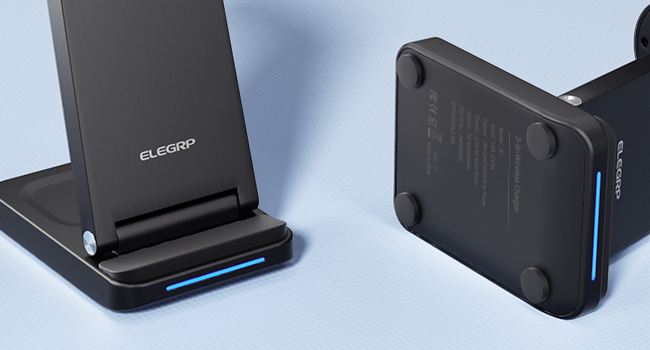
Image 2.1: All components included in the ELEGRP Wireless Charging Station package.
3. સેટઅપ સૂચનાઓ
Follow these steps to set up your ELEGRP Wireless Charging Station:
- ચાર્જિંગ સ્ટેશન ખોલો: Gently unfold the charging station to its upright position. Ensure all charging surfaces are accessible.
- પાવર કેબલ જોડો: Insert the USB Type-C cable into the charging port on the back of the charging station.
- પાવર એડેપ્ટર સાથે કનેક્ટ કરો: Plug the other end of the USB Type-C cable into the provided 18W fast adapter.
- વોલ આઉટલેટમાં પ્લગ ઇન કરો: Insert the power adapter into a standard wall outlet. The LED indicator on the charging base will illuminate, indicating the device is powered on and ready for use.

Image 3.1: The charging station helps organize your charging area by consolidating multiple devices.
4. ઓપરેટિંગ સૂચનાઓ
The ELEGRP Wireless Charging Station is designed for ease of use. Simply place your compatible devices on the designated charging areas.
4.1 તમારા ઉપકરણોને ચાર્જ કરી રહ્યાં છે
- સ્માર્ટફોન માટે: Place your Qi-enabled smartphone vertically or horizontally on the main charging pad. The phone's screen will indicate charging status.
- એપલ વોચ માટે: Place your Apple Watch on the magnetic charging module. Ensure the watch is properly aligned and begins charging.
- For AirPods/Earbuds: Place your wireless charging compatible AirPods or other earbuds on the base charging pad.
The 18W adapter automatically distributes power to ensure all devices charge efficiently overnight.
4.2 LED સૂચક સ્થિતિ
The charging station features an LED indicator on the base to communicate its status:
- Interactive Slow Flash (Blue/Green): Indicates the device is powered on and in standby mode, ready to charge.
- Interactive Fast Flash (Blue/Green): Indicates a charging error or foreign object detection. Remove the device and re-position it, or remove any foreign objects.
- નક્કર વાદળી: ઉપકરણ સક્રિય રીતે ચાર્જ થઈ રહ્યું છે.
- ઘન લીલા: Device is fully charged or not charging.

Image 4.1: Explanation of the LED indicator lights on the charging station.
૨.૩ ફોલ્ડેબલ ડિઝાઇન
The charging station's foldable design allows for easy portability and storage. When folded, it is approximately 2.5 centimeters (0.98 inches) thick. This feature makes it convenient for travel or to save space on your desk or nightstand.
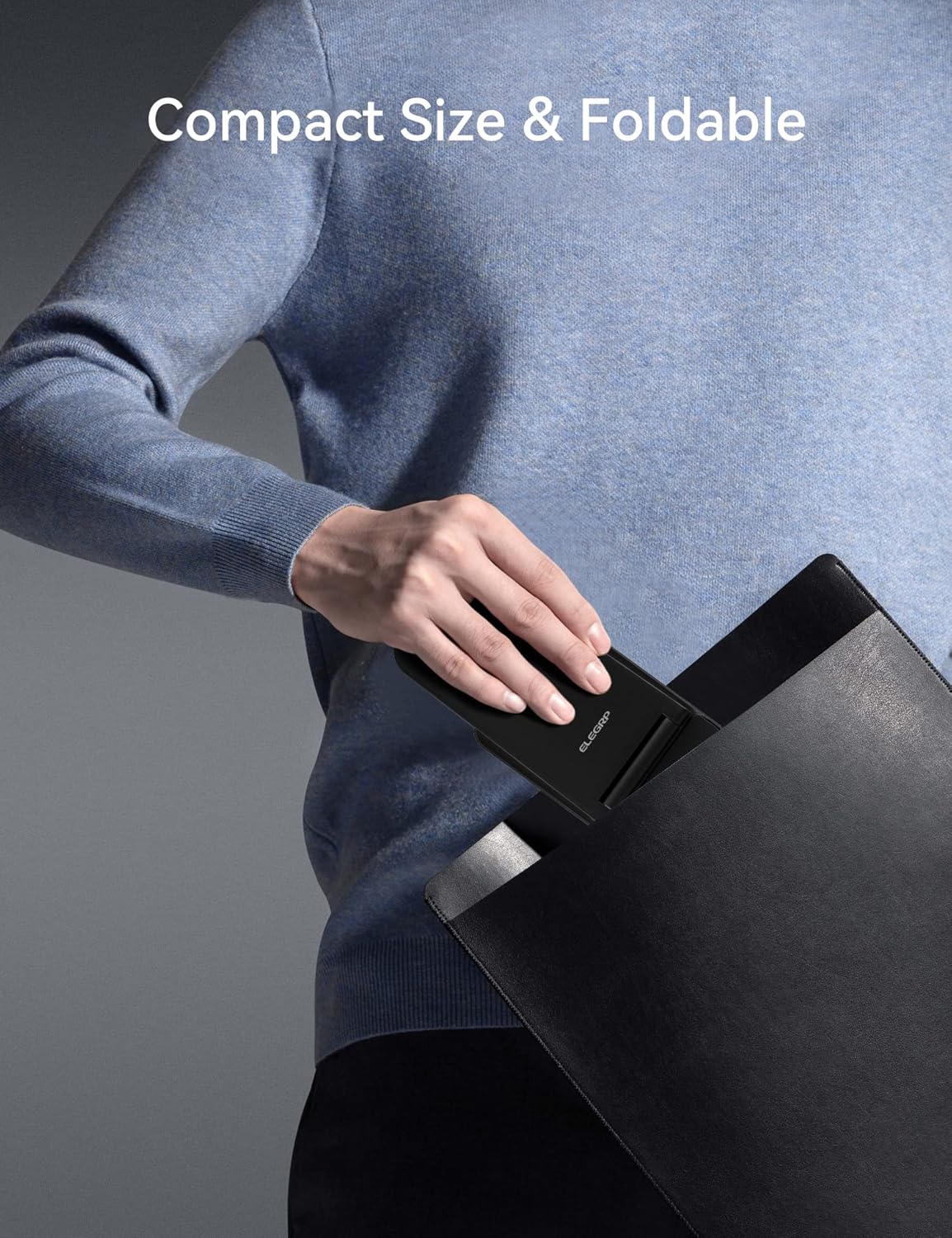
Image 4.2: The charging station's compact, foldable design is suitable for travel.
5. ઉપકરણ સુસંગતતા
The ELEGRP Wireless Charging Station is compatible with a wide range of devices. Ensure your device supports wireless charging (Qi standard) for optimal performance.
5.1 સુસંગત ઉપકરણો
- iPhones: iPhone 15, 14, 13, 12, 11 series (Plus/Pro/Pro Max/Mini), iPhone SE (2nd generation), iPhone X (XS/XR/Max), iPhone 8.
- Samsung Phones: Samsung Galaxy S23, S22, S21, S20 series, Note 20 series, and other Qi-enabled Samsung models.
- એપલ વોચ: Apple Watch Ultra, Series 8, 7, SE, 6, 5, 4, 3, 2.
- AirPods/Earbuds: AirPods Pro 2, Pro, 3rd generation, 2nd generation, and compatible Samsung earbuds with wireless charging cases.

Image 5.1: Visual representation of universal compatibility with various devices.
૪.૪ કેસ સુસંગતતા
The charging station supports charging with most phone cases up to 0.6mm thick. Cases made of metal, those with magnetic attachments, or those containing credit cards may interfere with wireless charging and should be removed.

Image 5.2: Guidelines for case compatibility during wireless charging.
6. Safety and Protection
The ELEGRP Wireless Charging Station incorporates multiple safety features to protect your devices and ensure a reliable charging experience.
- FCC Certification & Qi Protocol: Ensures compliance with safety standards and efficient wireless charging.
- ઓવરચાર્જ પ્રોટેક્શન: Prevents damage to your device's battery from excessive charging.
- શોર્ટ સર્કિટ પ્રોટેક્શન: Safeguards against electrical shorts.
- ઓવરકરન્ટ પ્રોટેક્શન: Regulates current flow to prevent damage.
- ફોરેન ઓબ્જેક્ટ ડિટેક્શન (FOD): Detects metallic objects on the charging surface and stops charging to prevent overheating.
- ગરમીનો ઝડપી નિકાલ: Designed to manage heat effectively during charging.
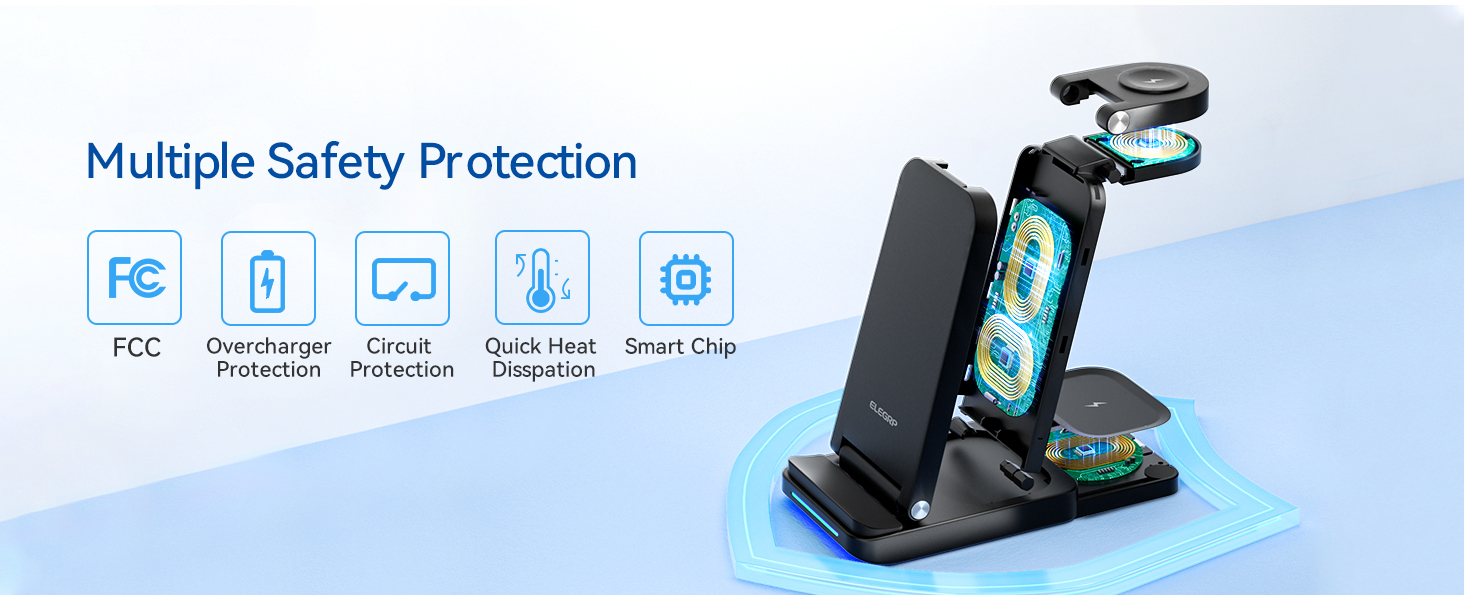
છબી 6.1: ઓવરview of the multiple safety protection features integrated into the charging station.
7. મુશ્કેલીનિવારણ
If you encounter issues with your charging station, please refer to the following common solutions:
- ઉપકરણ ચાર્જ થતું નથી:
- Ensure the charging station is properly connected to the power adapter and a working wall outlet.
- Verify your device is wirelessly charging compatible (Qi standard).
- Remove any thick or metallic phone cases, or cases with magnetic attachments/credit cards.
- Reposition your device on the charging pad to ensure proper alignment with the charging coil.
- ઉપકરણ અને ચાર્જિંગ પેડ વચ્ચે કોઈપણ વિદેશી વસ્તુઓ છે કે નહીં તે તપાસો.
- ધીમું ચાર્જિંગ:
- Ensure you are using the provided 18W fast adapter and USB Type-C cable. Using a lower-power adapter may result in slower charging.
- વાયરલેસ ચાર્જિંગ દરમિયાન તમારા ઉપકરણનો વધુ પડતો ઉપયોગ કરવાનું ટાળો, કારણ કે આ ચાર્જિંગ પ્રક્રિયાને ધીમી કરી શકે છે.
- LED Indicator Flashing Rapidly:
- This indicates a foreign object detection or improper device placement. Remove the device and any objects, then place the device back on the charger correctly.
- ઉપકરણ ઓવરહિટીંગ:
- While some warmth is normal during wireless charging, excessive heat may indicate improper placement or a foreign object. Remove the device and ensure proper alignment. If the issue persists, discontinue use and contact support.
8. સ્પષ્ટીકરણો
| લક્ષણ | સ્પષ્ટીકરણ |
|---|---|
| મોડલ નંબર | BTSWC-FOLD |
| ઇનપુટ વોલ્યુમtage | 9V (AC) |
| Ampઇરેજ | 15 Amps |
| કનેક્ટિવિટી ટેકનોલોજી | વાયરલેસ |
| કનેક્ટર પ્રકાર | યુએસબી પ્રકાર સી |
| ખાસ લક્ષણો | Travel, 3-in-1 Wireless Charging Station |
| વસ્તુનું વજન | 0.176 ઔંસ |
| પેકેજ પરિમાણો | 6.89 x 5.12 x 2.13 ઇંચ |
| રંગ | કાળો |
૫.૮. પ્રોડક્ટ વિડીયો ઓવરview
Video 9.1: An official product video demonstrating the ELEGRP 3-in-1 Wireless Charging Station's features, including its ability to charge multiple devices simultaneously and its compact, foldable design.
10. વોરંટી અને સપોર્ટ
The ELEGRP Wireless Charging Station comes with a 1-year product warranty and a 30-day free return policy. For any questions or support regarding this wireless charger, please contact ELEGRP customer service. We aim to provide a resolution within 24 hours.
For further assistance, please refer to the contact information provided on your Service Card or visit the official ELEGRP webસાઇટ