
Logicool C700OW
Logicool Brio 300 Full HD 1080P Webકેમ વપરાશકર્તા માર્ગદર્શિકા
Model: C700OW
1. ઉત્પાદન ઓવરview
The Logicool Brio 300 is a Full HD 1080p webcam designed to enhance your online meeting experience. It features automatic light correction, a noise-reduction microphone, and a convenient privacy shutter. With its modern design and compatibility with major video conferencing platforms, the Brio 300 ensures clear visuals and audio for all your virtual interactions.

Figure 1: Logicool Brio 300 Webકૅમ
2. મુખ્ય લક્ષણો
- પૂર્ણ HD 1080p વિડિઓ: Delivers crisp and clear video at 30 frames per second, ensuring you look your best in every call.
- RightLight 2 Technology: Automatically corrects lighting conditions, from dim environments to direct sunlight, to ensure natural and balanced images.
- Noise Reduction Microphone: The built-in mono microphone captures your voice clearly while suppressing ambient background noise, ensuring your message is heard without distraction.
- Integrated Privacy Shutter: A simple twist of the integrated shutter instantly blocks the camera lens, providing complete privacy when the webcam ઉપયોગમાં નથી.
- ટકાઉ ડિઝાઇન: Constructed with over 48% recycled plastic, contributing to a more climate-positive world.
- પ્રમાણિત સુસંગતતા: Officially certified for Zoom, Microsoft Teams, and Google Meet, ensuring seamless integration and reliable performance across popular video conferencing platforms.
- Logi Tune Software: Free software available for download to customize webcam settings, including color tone, screen resolution, and automatic firmware updates. (Note: Logi Tune currently supports English, French, German, Italian, Spanish, and Portuguese only.)

Figure 2: Full HD 1080p Video Quality

Figure 3: RightLight 2 Automatic Light Correction

આકૃતિ 4: અવાજ ઘટાડવાનો માઇક્રોફોન

Figure 5: Privacy Shutter in Action

Figure 6: Environmentally Conscious Product
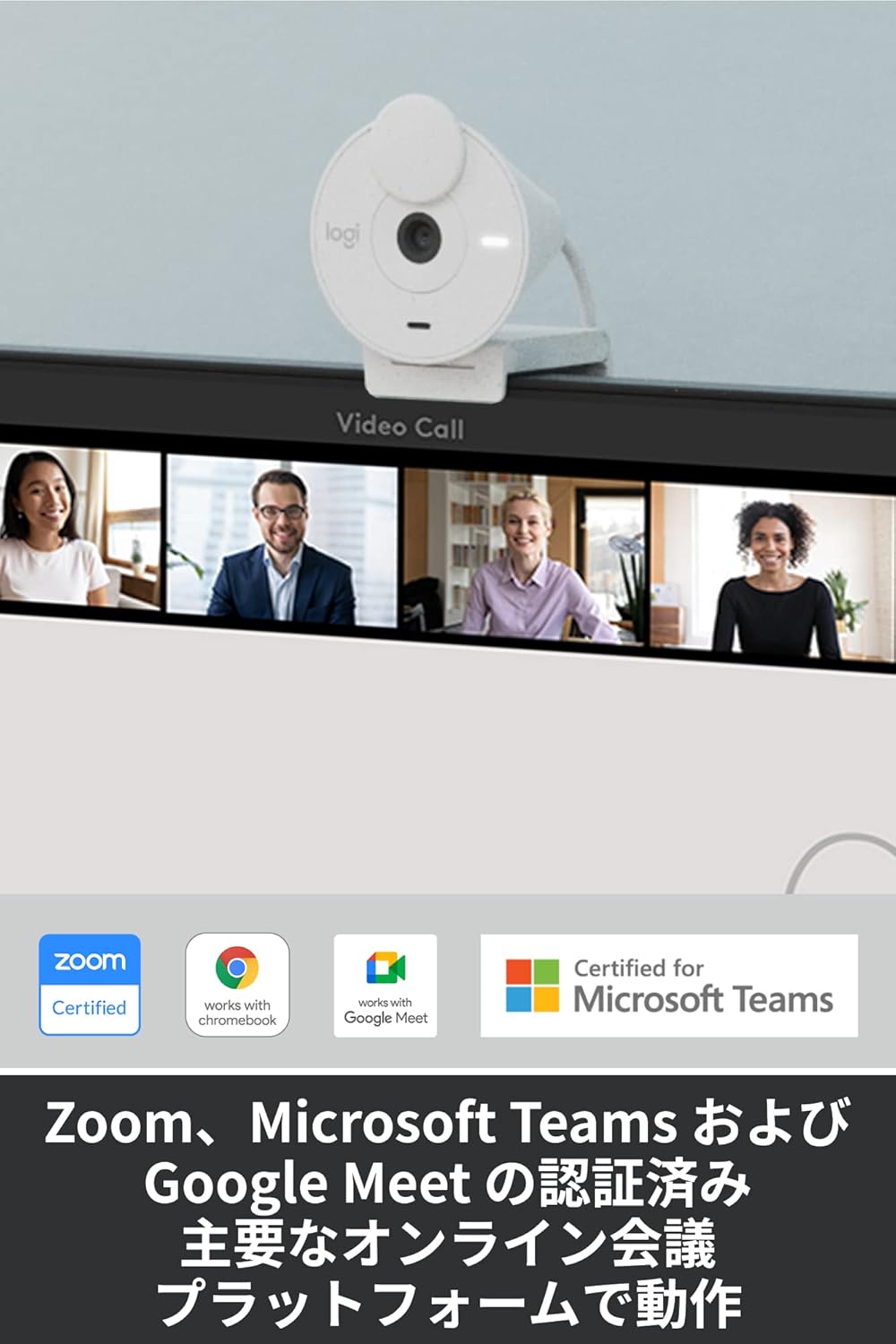
Figure 7: Certified for Major Platforms
3. સેટઅપ
3.1 ભૌતિક જોડાણ
- Unpack the Brio 300 webતેના પેકેજિંગમાંથી કેમ.
- Connect the integrated USB-C cable from the webcam to an available USB-C port on your computer (laptop or desktop).
- આ webcam is plug-and-play and should be automatically recognized by your operating system.
3.2 માઉન્ટ કરવાનું
The Brio 300 comes with a versatile mount clip suitable for laptops and monitors.
- Open the mount clip to fit over the top edge of your laptop screen or monitor.
- ખાતરી કરો webcam is stable and positioned centrally for optimal framing.
૪.૨ સોફ્ટવેર ઇન્સ્ટોલેશન (વૈકલ્પિક)
For advanced customization and features, download the free Logi Tune software from the official Logicool webસાઇટ
- Visit the Logicool support webસાઇટ
- Locate and download the Logi Tune software compatible with your operating system (Windows or macOS).
- સૉફ્ટવેર ઇન્સ્ટોલ કરવા માટે ઑન-સ્ક્રીન સૂચનાઓને અનુસરો.
4. ઓપરેટિંગ સૂચનાઓ
4.1 Using the Privacy Shutter
- To block the camera lens and ensure privacy, simply rotate the integrated privacy shutter until it covers the lens completely.
- To use the camera, rotate the shutter back to expose the lens.
4.2 Adjusting Settings with Logi Tune
Once Logi Tune is installed, you can fine-tune your webcam's performance:
- Open the Logi Tune application.
- Adjust settings such as color tone, brightness, contrast, and resolution to suit your preferences and lighting conditions.
- Enable automatic firmware updates to keep your webcam's software current.
4.3 Compatibility with Video Conferencing Applications
The Brio 300 is designed for seamless use with most video conferencing platforms:
- Launch your preferred video conferencing application (e.g., Zoom, Microsoft Teams, Google Meet, Skype).
- In the application's video settings, select the Logicool Brio 300 as your camera and microphone input.
- Ensure the privacy shutter is open before starting your video feed.
5. જાળવણી
- સફાઈ: સાફ કરવા માટે નરમ, સૂકા કપડાનો ઉપયોગ કરો webcam lens and body. Avoid abrasive cleaners or solvents.
- સંગ્રહ: જ્યારે ઉપયોગમાં ન હોય ત્યારે, સ્ટોર કરો webcam in a clean, dry place. Utilize the privacy shutter to protect the lens from dust and scratches.
- કેબલ કેર: નુકસાન અટકાવવા માટે USB-C કેબલમાં તીક્ષ્ણ વળાંક અથવા કિંક ટાળો.
6. મુશ્કેલીનિવારણ
- કોઈ વિડિઓ/ઓડિયો નહીં:
- Ensure the USB-C cable is securely connected to your computer.
- Check that the privacy shutter is open.
- Verify that the Logicool Brio 300 is selected as the camera and microphone in your video conferencing application's settings.
- કનેક્ટ કરવાનો પ્રયાસ કરો webcam to a different USB-C port or a different computer to rule out port issues.
- નબળી છબી ગુણવત્તા:
- ખાતરી કરો કે લેન્સ સ્વચ્છ અને ડાઘમુક્ત છે.
- Check your lighting conditions. While RightLight 2 helps, adequate lighting is always beneficial.
- Use Logi Tune software to adjust brightness, contrast, and color settings.
- નબળી ઓડિયો ગુણવત્તા:
- ખાતરી કરો કે માઇક્રોફોન અવરોધિત નથી.
- તમારા વાતાવરણમાં પૃષ્ઠભૂમિ અવાજ ઓછો કરો.
- Verify microphone levels in your computer's sound settings and the conferencing application.
7. સ્પષ્ટીકરણો
| લક્ષણ | વિગત |
|---|---|
| મોડલ નંબર | C700OW |
| Dimensions (with mount clip) | ઊંચાઈ: 65.63 mm, પહોળાઈ: 53.1 mm, ઊંડાઈ: 45 mm |
| વજન | 74.6 ગ્રામ |
| વિડિઓ રિઝોલ્યુશન | 1080p/30fps (1920x1080 pixels) or 720p/30fps (1280x720 pixels) |
| Camera Megapixels | 2MP |
| ફોકસ પ્રકાર | સ્થિર ફોકસ |
| નું વિકર્ણ ક્ષેત્ર View (ડીએફઓવી) | 70° |
| Hardware Zoom | 1x ડિજિટલ ઝૂમ |
| Automatic Light Correction | RightLight 2 |
| લેન્સનો પ્રકાર | Logi custom 4-element lens with anti-reflective coating |
| માઇક્રોફોન પ્રકાર | Mono with noise reduction |
| માઇક્રોફોન પિકઅપ રેન્જ | 1.2 મી. સુધી |
| કનેક્ટિવિટી | USB-C Plug & Play |
| કેબલ લંબાઈ | 1.5 મી |
| સુસંગતતા | Windows 10 અથવા પછીનું, macOS 10.15 અથવા પછીનું, Chrome OS |
| પ્રમાણપત્રો | Zoom, Microsoft Teams, Google Meet, Works with Chromebook |

Figure 8: Product Dimensions and Cable Length
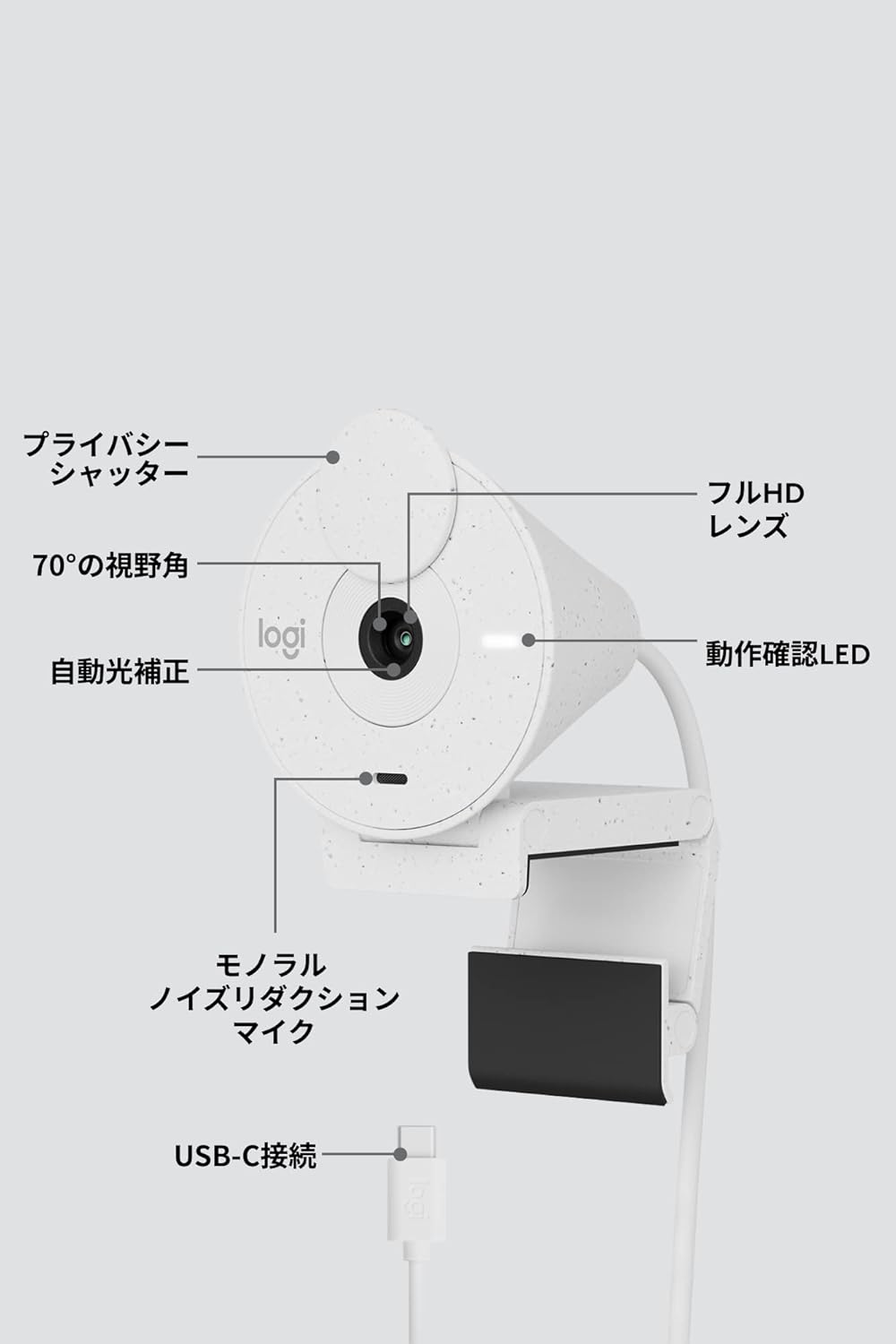
આકૃતિ 9: Webcam Component Diagram
8. વોરંટી અને સપોર્ટ
૮.૧ ઉત્પાદકની વોરંટી
This Logicool Brio 300 webcam comes with a ૧ વર્ષની ઉત્પાદકની વોરંટી ખરીદીની તારીખથી. આ વોરંટી સામાન્ય ઉપયોગ હેઠળ સામગ્રી અને કારીગરીમાં ખામીઓને આવરી લે છે.
પેકેજની સામગ્રીમાં શામેલ છે:
- Product Body (with integrated USB-C cable)
- Mount Clip and Removable Adapter
- વોરંટી કાર્ડ
- વોરંટી નિયમો
8.2 ગ્રાહક સપોર્ટ
For product defects or technical assistance, please contact the Logicool Customer Center:
- ફોન નંબર: 050-3196-5644
- કામકાજના કલાકો: Monday - Friday (excluding holidays and December 31 - January 2), 9:00 AM - 6:00 PM JST
- Web પૂછપરછ: https://support.logi.com/hc/ja/
Please note: The Logicool brand is used for products sold in Japan. Logitech is the international brand. Warranty coverage applies to genuine domestic products.
Ask a question about this manual
Ask about setup, troubleshooting, compatibility, parts, safety, or missing instructions. Manuals+ will review the question and use this page’s manual context to help answer it.