
1. પરિચય
The VGR Professional Cordless Hair Clipper V-688 is designed for efficient and precise hair cutting. Featuring durable stainless steel self-sharpening blades, an intuitive LED display, and a powerful lithium-ion battery, this clipper offers a smooth and convenient grooming experience. It includes multiple guide combs and an adjustable taper lever for customized cutting lengths, making it suitable for various hair types and styles.
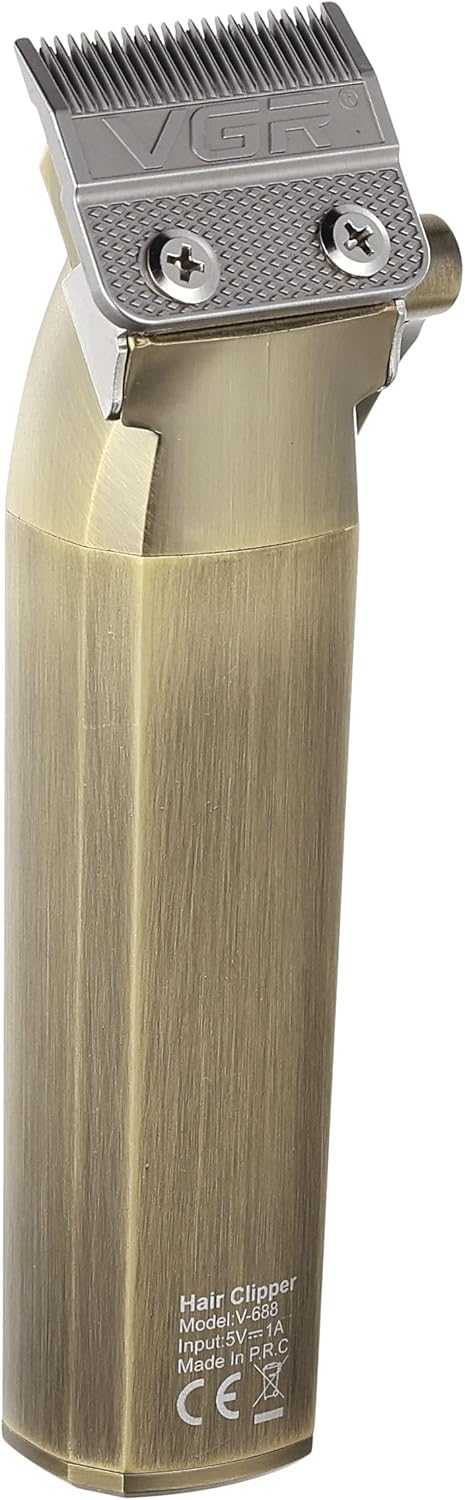
Image 1: The VGR Professional Cordless Hair Clipper V-688, showcasinતેની ડિઝાઇન અને સુવિધાઓ.
2. સલામતી માહિતી
Please read all safety instructions carefully before using the VGR Professional Cordless Hair Clipper V-688 to ensure safe operation and prevent injury or damage.
- Always unplug the clipper before cleaning.
- ક્લિપરને પાણીમાં બોળશો નહીં.
- Keep blades away from your eyes and face during use.
- Do not use on infants or children without adult supervision.
- Always store the clipper out of reach of children and pets.
- આ વપરાશકર્તા માર્ગદર્શિકામાં આપેલી સફાઈ અને જાળવણી સૂચનાઓનું પાલન કરો.
- Do not attempt to disassemble or repair the clipper yourself. Contact customer support for assistance.
- ફક્ત પ્રદાન કરેલ USB ચાર્જિંગ કેબલનો ઉપયોગ કરો.
3. પેકેજ સામગ્રી
ખાતરી કરો કે નીચે સૂચિબદ્ધ બધી વસ્તુઓ તમારા પેકેજમાં શામેલ છે:
- 1x VGR Professional Hair Clipper V-688
- 4x Guide Combs (3mm, 6mm, 9mm, 12mm)
- 1x યુએસબી ચાર્જિંગ કેબલ
- 1x સફાઈ બ્રશ
- 1x Oil Bottle
- 1x પ્રોટેક્શન કેપ
- 1x વપરાશકર્તા માર્ગદર્શિકા

Image 2: The VGR V-688 Hair Clipper and its included accessories, such as guide combs, charging cable, and cleaning tools.
4. સેટઅપ
Follow these steps to prepare your hair clipper for first use:
- અનપેક કરો: Carefully remove all components from the packaging and ensure they are present and undamaged.
- પ્રારંભિક ચાર્જ: Before first use, fully charge the hair clipper. Connect the USB charging cable to the clipper's charging port and a suitable USB power adapter (not included). The LED display will indicate the charging status and battery level. A full charge takes approximately 3.5 hours.
- લુબ્રિકેટ બ્લેડ: Apply a small amount of the provided lubricating oil to the blades before the first use. Turn on the clipper for a few seconds to distribute the oil evenly. This ensures optimal performance and longevity of the blades.
5. ઓપરેટિંગ સૂચનાઓ
Learn how to use your VGR Professional Cordless Hair Clipper effectively:
- બેટરી તપાસો: Ensure the clipper is sufficiently charged before use. The LED display shows the remaining battery percentage.
- માર્ગદર્શિકા કાંસકો જોડો: Select the desired guide comb (3mm, 6mm, 9mm, or 12mm) based on your preferred hair length and securely attach it to the clipper head. For precise trimming or a very close cut, you can use the clipper without a guide comb.
- ટેપર લીવર એડજસ્ટ કરો: Use the adjustable taper lever on the side of the clipper to fine-tune cutting lengths between the comb settings. Moving the lever up shortens the cut, and moving it down lengthens it.
- પાવર ચાલુ: પાવર સ્વીચનો ઉપયોગ કરીને ક્લિપર ચાલુ કરો.
- કાપવાનું શરૂ કરો: For best results, cut hair against the direction of growth. Move the clipper smoothly and steadily through the hair.
- પાવર બંધ: After use, turn off the clipper and proceed to the cleaning and maintenance steps.
6. જાળવણી
Proper maintenance ensures the longevity and performance of your hair clipper:
- સ્વચ્છ બ્લેડ: After each use, turn off and unplug the clipper. Use the provided cleaning brush to remove loose hairs from the blades and inside the clipper head.
- ઓઇલ બ્લેડ: Apply a few drops of the provided lubricating oil to the blades. Turn on the clipper for a few seconds to distribute the oil evenly. This helps maintain blade sharpness, reduces friction, and prevents rust.
- સંગ્રહ: Store the clipper in a dry place, away from direct sunlight and moisture. Use the protection cap to cover the blades when not in use to prevent damage.
7. મુશ્કેલીનિવારણ
If you encounter any issues with your VGR Hair Clipper, refer to the following common problems and solutions:
| સમસ્યા | સંભવિત કારણ | ઉકેલ |
|---|---|---|
| ક્લિપર ચાલુ થતું નથી | Low battery or power switch not fully engaged. | Charge the clipper fully. Ensure the power switch is pushed completely to the ON position. |
| Clipper pulling hair | Blades are dull, dirty, or not properly oiled. Battery charge is too low. | Clean and oil the blades. Ensure the clipper is sufficiently charged. |
| અસમાન કાપ | Guide comb not securely attached. Hair buildup under the comb or between blades. | Re-attach the guide comb firmly. Clean the blades and comb thoroughly. |
| અતિશય અવાજ અથવા કંપન | Blades require cleaning and oiling. | Clean and oil the blades. If the issue persists, contact customer support. |
8. સ્પષ્ટીકરણો
Detailed technical specifications for the VGR Professional Cordless Hair Clipper V-688:
- મોડલ નંબર: વી-688
- પાવર સ્ત્રોત: બેટરી સંચાલિત
- બેટરીનો પ્રકાર: 1 Lithium-ion battery (2000mAh, included)
- ચાર્જિંગ સમય: લગભગ 3.5 કલાક
- ઓપરેટિંગ સમય: Up to 200 minutes (approx. 3 hours)
- બ્લેડ સામગ્રી: સ્ટેનલેસ સ્ટીલ
- કટીંગ લંબાઈ: 3mm, 6mm, 9mm, 12mm (with guide combs)
- એડજસ્ટેબલ ટેપર લિવર: હા
- ખાસ લક્ષણો: Self-sharpening blades, Cordless operation, LED display for battery status
- પરિમાણો: 34.3 x 15 x 7.5 સેમી
- વજન: 400 ગ્રામ
- કનેક્ટર પ્રકાર: યુએસબી

Image 3: Diagram illustrating the dimensions of the VGR V-688 Hair Clipper.
9. વોરંટી અને સપોર્ટ
Your VGR Professional Cordless Hair Clipper V-688 comes with a commitment to quality and customer satisfaction.
- વોરંટી: This product is covered by a 12-month quality warranty from the date of purchase.
- ગ્રાહક આધાર: If you encounter any issues or have questions regarding your product, please do not hesitate to contact our customer service team.
- સંપર્ક ઈમેલ: warranty@vgrindia.co
- Our customer service team aims to respond within 24 hours to provide assistance and solutions for all your inquiries.