
1. સલામતી માહિતી
This OMTech 60W CO2 Laser Engraver is a Class 2 laser product with 0.827 mW output power. Always follow safety guidelines to prevent injury or damage. Read this manual completely before operation.
- આંખનું રક્ષણ: Never look directly into the laser beam. Always use appropriate laser safety glasses.
- વેન્ટિલેશન: Ensure adequate ventilation to remove smoke and fumes generated during operation. The built-in air assist helps, but an external exhaust system is crucial.
- ફાયર સેફ્ટી: Do not leave the machine unattended during operation. Keep a fire extinguisher nearby. Engraving certain materials can cause flames.
- સામગ્રી સુસંગતતા: Only engrave or cut materials compatible with CO2 lasers. Avoid materials that produce toxic fumes or are highly flammable.
- તત્કાલીન બંધ: ઇમરજન્સી સ્ટોપ બટનના સ્થાન અને કાર્યથી પોતાને પરિચિત કરો.
- દેખરેખ: The widened viewing window is made from flame retardant material for safe observation of the engraving process.
2. ઉત્પાદન ઓવરview
The OMTech 60W CO2 Laser Engraver is designed for precision engraving and cutting on various non-metallic materials. It features a 20x28 inch (500x700 mm) work area, autofocus, and a 4-way pass-through for larger items.

આકૃતિ 2.1: ફ્રન્ટ view of the OMTech 60W CO2 Laser Engraver.
મુખ્ય લક્ષણો:
- લેસર પાવર: 60W CO2 laser tube.
- કાર્ય ક્ષેત્ર: 20x28 inches (500x700 mm).
- Ofટોફોકસ: Automatic focal distance adjustment.
- Autolift Workbed: Adjustable workbed height.
- 4-Way Pass-Through: Accommodates larger and longer materials.
- એર આસિસ્ટ: Integrated air assist for smoke and dust removal.
- Dual Workbeds: Includes honeycomb and aluminum blade beds.
- સ Softwareફ્ટવેર સુસંગતતા: Compatible with RDWorks, LightBurn, CorelDRAW, and AutoCAD.
3. સેટઅપ
૨.૧ અનબોક્સિંગ અને પ્લેસમેન્ટ
Carefully unbox the laser engraver. Ensure the machine is placed on a stable, level surface in a well-ventilated area, away from flammable materials.
3.2 જોડાણો
- શક્તિ: પાવર કોર્ડને ગ્રાઉન્ડેડ આઉટલેટ સાથે કનેક્ટ કરો.
- યુએસબી/ઇથરનેટ: Connect the machine to your computer using the provided USB or Ethernet cable.
- પાણી પંપ: Connect the water pump and ensure the laser tube is properly cooled.
- એર આસિસ્ટ: The machine has built-in air assist. Ensure the air compressor (if external) is connected and functioning.
- એક્ઝોસ્ટ સિસ્ટમ: Connect the exhaust pipe to an external ventilation system to safely remove fumes.

Figure 3.1: Proper connection of the exhaust system is essential for safety and performance.
4. ઓપરેટિંગ સૂચનાઓ
4.1 Software Installation and Configuration
Install the recommended laser software (e.g., LightBurn, RDWorks) from the provided USB flash drive or official website. Follow the software's instructions for machine connection and initial setup.
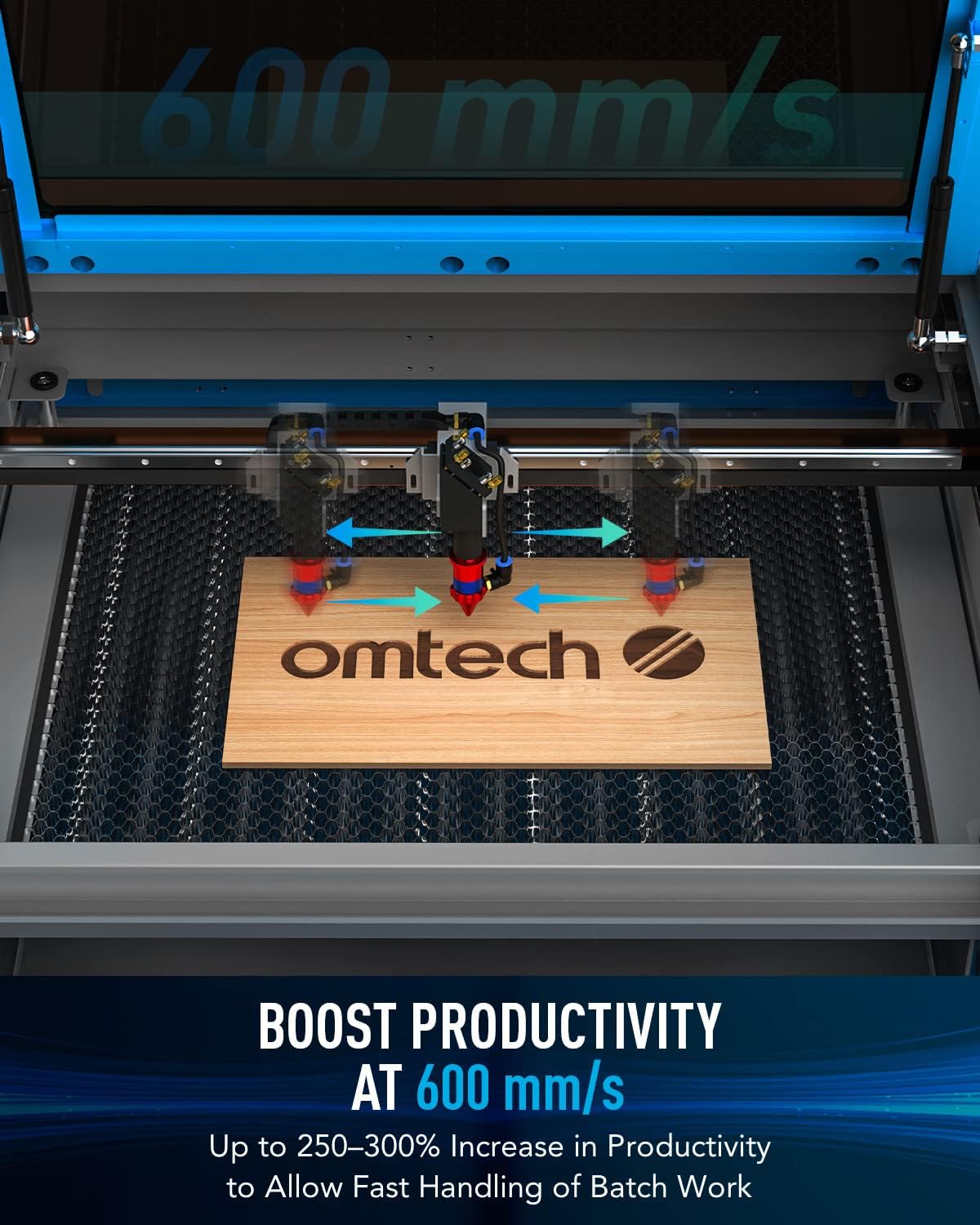
Figure 4.1: Digital control panel and compatible software interfaces.
4.2 Material Loading and Focusing
- લોડ સામગ્રી: Place your material flat on the workbed. For acrylic mirror, load with the non-reflective side facing up for engraving.
- Ofટોફોકસ: Use the autofocus function to automatically set the correct focal distance. This eliminates manual adjustments and ensures precise results.

Figure 4.2: The autofocus feature automatically adjusts the laser head to the optimal focal distance.
4.3 Engraving and Cutting Process
Prepare your design in the software. Set appropriate power and speed settings for your material. Initiate the engraving or cutting process. Monitor the operation through the flame-retardant viewબારી.
Video 4.1: Demonstration of laser engraving and cutting on acrylic mirror. This video illustrates material preparation, software settings, and post-processing for acrylic mirror projects.
Video 4.2: Guide on how to laser engrave a photo using a CO2 laser engraver. This video covers image preparation and specific settings for achieving detailed photo engravings.
5. જાળવણી
- સફાઈ: Regularly clean the work area, lenses, and mirrors to ensure optimal performance and longevity.
- Laser Tube Care: The high-performance DC tube delivers 60W of power for up to 1000 hours of usage and doubles its lifespan when consistently used at lower settings. Ensure proper water cooling is maintained.
- Air Assist Nozzle: Keep the air assist nozzle clear of debris to maintain efficient smoke and dust removal.
6. મુશ્કેલીનિવારણ
| સમસ્યા | સંભવિત કારણ | ઉકેલ |
|---|---|---|
| લેસર ફાયરિંગ નથી | Power supply issue, laser tube fault, software error | Check power connections, inspect laser tube, restart software/machine |
| નબળી કોતરણી ગુણવત્તા | Incorrect focus, wrong power/speed settings, dirty optics | Perform autofocus, adjust settings, clean lenses and mirrors |
| મશીન કમ્પ્યુટર સાથે કનેક્ટ થતું નથી | USB/Ethernet cable issue, driver problem, software configuration | Check cable, reinstall drivers, verify software settings |
| Excessive smoke/fumes | Ineffective exhaust, clogged air assist | Ensure exhaust system is powerful and clear, clean air assist nozzle |
7. સ્પષ્ટીકરણો
- ઉત્પાદન પરિમાણો: 47.2 x 34.3 x 36.6 ઇંચ
- વસ્તુનું વજન: 249 પાઉન્ડ
- Max. Engraving Speed: 600 mm/s
- Front/Back Pass Size: 32.8 x 3.7 ઇંચ
- Side/Side Pass Size: 20.4 x 0.7 ઇંચ
- ડેટા ટ્રાન્સમિશન: USB Cable, Ethernet Cable, USB Flash Drive, Offline
8. બોક્સમાં શું છે
- 1x 60W CO2 Laser Engraver
- 1x વપરાશકર્તા માર્ગદર્શિકા
- 1x પાવર કોર્ડ
- 1x યુએસબી ફ્લેશ ડ્રાઇવ
- 1x યુએસબી કેબલ
- 1x ઇથરનેટ કેબલ
- 1x ડબલ-સાઇડેડ ટેપ
- 1x Wrench Set
- 1x Tube of Silicone Insulation
- 1x Ceramic Resistor
- 1x Exhaust Pipe
- 1x Pipe Clamp
- 1x Water Pump
- 1x Water Pipe
- 1x Wire Set
- 6x કીઝ
9. વોરંટી અને સપોર્ટ
This OMTech 60W CO2 Laser Engraver comes with a two-year support warranty. For technical assistance, please contact our U.S.-based technical support team. 24/7 online customer service is also available.