
પરિચય
Welcome to the user manual for your boAt Airdopes Bliss ANC True Wireless Stereo (TWS) Earbuds. This guide provides detailed instructions on how to set up, operate, maintain, and troubleshoot your earbuds to ensure optimal performance.
બૉક્સમાં શું છે
- 1 X TWS Earbuds
- 1 X ચાર્જિંગ કેસ
- 2 X Additional Earbuds (pairs of ear tips)
- 1 X યુએસબી ચાર્જિંગ કેબલ
- 1 X વપરાશકર્તા માર્ગદર્શિકા
ઉત્પાદન ઓવરview
The boAt Airdopes Bliss ANC earbuds are designed for an immersive audio experience with Active Noise Cancellation (ANC) up to 32dB. They feature a long playback time, quick charging, and a low-latency BEAST Mode for gaming.

Image: boAt Airdopes Bliss ANC earbuds in their charging case.
સેટઅપ
૪.૧. ઇયરબડ્સ અને કેસ ચાર્જ કરવા
પ્રથમ ઉપયોગ કરતા પહેલા, ઇયરબડ્સ અને ચાર્જિંગ કેસને સંપૂર્ણપણે ચાર્જ કરો.
- Connect the USB charging cable to the Type-C port on the charging case and to a power source.
- કેસ પરના સૂચક લાઇટ ચાર્જિંગ સ્થિતિ બતાવશે.
- એકવાર સંપૂર્ણ ચાર્જ થઈ ગયા પછી, કેબલને ડિસ્કનેક્ટ કરો.

Image: ASAP Charge feature, indicating 10 minutes of charge provides 180 minutes of playback.
The earbuds support ASAP Charging, providing 180 minutes of playback with just 10 minutes of charge. A full charge offers up to 42 hours of total playback time (earbuds + case).

Image: Visual representation of up to 42 hours of total playback time.
2. Initial Pairing (IWP™ Technology)
- ચાર્જિંગ કેસનું ઢાંકણ ખોલો. ઇયરબડ ઑટોમૅટિક રીતે ચાલુ થશે અને પેરિંગ મોડમાં દાખલ થશે.
- તમારા ઉપકરણ (ફોન, ટેબ્લેટ, વગેરે) પર, બ્લૂટૂથ સક્ષમ કરો.
- માટે શોધો "Airdopes Bliss ANC" in the list of available Bluetooth devices.
- Select "Airdopes Bliss ANC" to connect. Once connected, you will hear an audio prompt.

Image: IWP Technology showing the earbuds connecting to a smartphone upon opening the case.
IWP™ (Insta Wake N' Pair) Technology allows the earbuds to connect to your previously paired device as soon as you open the case lid.
૪. ઇયરબડ્સ પહેરવા
- Choose the ear tips that provide the most comfortable and secure fit.
- Insert the earbuds into your ears and gently twist them to ensure a snug seal for optimal sound and ANC performance.
ઓપરેટિંગ સૂચનાઓ
પાવર ચાલુ/બંધ
- પાવર ચાલુ: Open the charging case lid, or long-press the touch control on both earbuds for 3 seconds.
- પાવર બંધ: Place the earbuds back into the charging case and close the lid, or long-press the touch control on both earbuds for 5 seconds.
નિયંત્રણોને ટચ કરો
The Airdopes Bliss ANC features intuitive touch controls on each earbud.
| કાર્ય | ક્રિયા |
|---|---|
| સંગીત ચલાવો/થોભો | કોઈપણ ઇયરબડ પર સિંગલ ટૅપ કરો |
| નેક્સ્ટ ટ્રૅક | જમણા ઇયરબડ પર બે વાર ટૅપ કરો |
| પાછલો ટ્રેક | ડાબા ઇયરબડ પર બે વાર ટૅપ કરો |
| કૉલનો જવાબ આપો/સમાપ્ત કરો | કોઈપણ ઇયરબડ પર સિંગલ ટૅપ કરો |
| કૉલ નકારો | Long press on either earbud for 2 seconds |
| વૉઇસ સહાયકને સક્રિય કરો | બેમાંથી કોઈ પણ ઇયરબડ પર ત્રણ વાર ટૅપ કરો |
| ANC/પારદર્શકતા મોડ ટૉગલ કરો | Long press on the left earbud for 2 seconds |
| Toggle BEAST Mode | Long press on the right earbud for 2 seconds |
સક્રિય અવાજ રદ (એએનસી)
The earbuds feature Active Noise Cancellation up to 32dB, reducing ambient noise for a focused listening experience. Long press the left earbud for 2 seconds to cycle between ANC On, Transparency Mode, and ANC Off.

Image: Representation of Active Noise Cancellation functionality.
બીસ્ટ મોડ (લો લેટન્સી ગેમિંગ)
Activate BEAST Mode for a low-latency audio experience (60ms), ideal for gaming. Long press the right earbud for 2 seconds to toggle BEAST Mode On/Off.
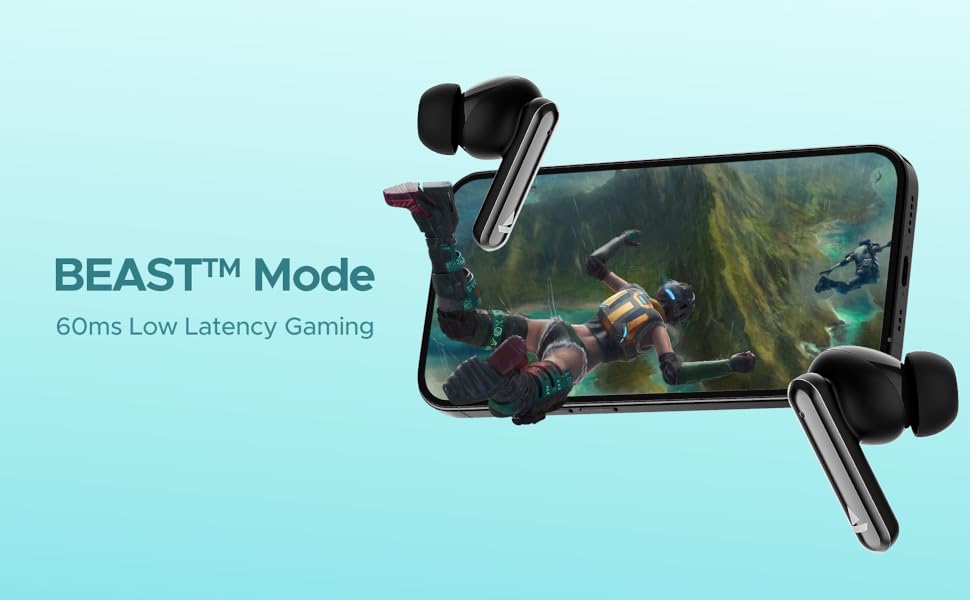
Image: Visual depicting the BEAST Mode for low-latency gaming.
ENx™ Technology (Quad Mics)
The earbuds are equipped with ENx™ Technology and Quad Mics for clear voice calls, ensuring your voice is heard clearly even in noisy environments.

Image: Diagram showing the internal components related to ENx Technology and Quad Mics.
જાળવણી
સફાઈ
- ઇયરબડ્સ અને ચાર્જિંગ કેસને નિયમિતપણે નરમ, સૂકા, લિન્ટ-ફ્રી કપડાથી સાફ કરો.
- કાનની ટોચ દૂર કરો અને તેને હળવા સાબુ અને પાણીથી સાફ કરો, પછી ફરીથી જોડતા પહેલા તેને સારી રીતે સૂકવી લો.
- ખાતરી કરો કે ઇયરબડ અને કેસ બંને પર ચાર્જિંગ કોન્ટેક્ટ ધૂળ અને કાટમાળથી મુક્ત છે.
- ઘર્ષક ક્લીનર્સ અથવા સોલવન્ટનો ઉપયોગ કરશો નહીં.
સંગ્રહ
- જ્યારે ઉપયોગમાં ન હોય, ત્યારે ઇયરબડ્સને સુરક્ષિત રાખવા અને ચાર્જ રાખવા માટે હંમેશા તેમના ચાર્જિંગ કેસમાં રાખો.
- ઠંડી, સૂકી જગ્યાએ, અતિશય તાપમાન અને સીધા સૂર્યપ્રકાશથી દૂર સંગ્રહ કરો.
બેટરી કેર
- વારંવાર બેટરી સંપૂર્ણપણે ડિસ્ચાર્જ કરવાનું ટાળો.
- Charge the earbuds and case regularly, even if not in frequent use, to maintain battery health.

Image: Earbuds and case with water droplets, illustrating IPX5 splash and sweat resistance. While resistant, avoid submerging the device.
મુશ્કેલીનિવારણ
ઇયરબડ્સ જોડી રહ્યાં નથી
- ખાતરી કરો કે બંને ઇયરબડ ચાર્જ થયા છે.
- બંને ઇયરબડ્સને ચાર્જિંગ કેસમાં પાછા મૂકો, ઢાંકણ બંધ કરો, થોડીવાર રાહ જુઓ, પછી ફરીથી ઢાંકણ ખોલો.
- તમારા ઉપકરણ પર બ્લૂટૂથ બંધ કરો, પછી તેને પાછું ચાલુ કરો અને ફરીથી જોડી બનાવવાનો પ્રયાસ કરો.
- જો સમસ્યાઓ ચાલુ રહે, તો ઇયરબડ્સ રીસેટ કરવાનો પ્રયાસ કરો (ઉત્પાદકના website for specific reset instructions if not provided here).
કોઈ સાઉન્ડ અથવા લો વોલ્યુમ નથી
- તમારા કનેક્ટેડ ડિવાઇસ અને ઇયરબડ બંને પર વૉલ્યૂમ લેવલ ચેક કરો.
- ખાતરી કરો કે ઇયરબડ્સ તમારા કાનમાં યોગ્ય રીતે બેસાડેલા છે અને કાનની ટોચ સારી રીતે સીલ કરે છે.
- ઇયરબડ સ્પીકર્સમાંથી કોઈપણ કચરો સાફ કરો.
- તમારા ઉપકરણ સાથે ઇયરબડ ફરીથી કનેક્ટ કરો.
ચાર્જિંગ સમસ્યાઓ
- ખાતરી કરો કે ચાર્જિંગ કેબલ કેસ અને પાવર સ્ત્રોત બંને સાથે સુરક્ષિત રીતે જોડાયેલ છે.
- કોઈ અલગ ચાર્જિંગ કેબલ અથવા પાવર એડેપ્ટર અજમાવી જુઓ.
- ઇયરબડ્સ પર અને કેસની અંદરના ચાર્જિંગ કોન્ટેક્ટ્સને સાફ કરો.
વિશિષ્ટતાઓ
| લક્ષણ | વિગત |
|---|---|
| મોડેલનું નામ | Airdopes Bliss ANC |
| કનેક્ટિવિટી ટેકનોલોજી | બ્લૂટૂથ |
| વાયરલેસ કોમ્યુનિકેશન ટેકનોલોજી | બ્લૂટૂથ |
| સક્રિય અવાજ રદ | 32 ડીબી સુધી |
| પ્લેબેક સમય | Up to 42 Hours (total with case) |
| ASAP Charging | ૧૦ મિનિટ ચાર્જ = ૧૨૦ મિનિટ રમવાનો સમય |
| BEAST મોડ લેટન્સી | 60 એમ.એસ |
| માઇક્રોફોન ટેકનોલોજી | ENx Technology with Quad Mics |
| નિયંત્રણ પદ્ધતિ | સ્પર્શ |
| પાણી પ્રતિકાર રેટિંગ | IPX5 (સ્પ્લેશ અને પરસેવો પ્રતિરોધક) |
| બેટરીનો પ્રકાર | લિથિયમ પોલિમર |
| વસ્તુનું વજન | 50 ગ્રામ |
| ઉત્પાદન પરિમાણો | 5.9 x 4.9 x 2.6 સેમી |
| સમાવાયેલ ઘટકો | 1 X TWS Earbuds, 2 X Additional Earbuds, Cable, User Manual |
વોરંટી અને આધાર
વોરંટી માહિતી અને ગ્રાહક સપોર્ટ માટે, કૃપા કરીને સત્તાવાર boAt નો સંદર્ભ લો. webસાઇટ પર જાઓ અથવા તેમની ગ્રાહક સેવાનો સંપર્ક કરો. વોરંટી દાવાઓ માટે તમારી ખરીદી રસીદ રાખો.