
1. પરિચય
Welcome to the user manual for your new realme C53 smartphone. This guide provides essential information on setting up, operating, maintaining, and troubleshooting your device. The realme C53 is designed to offer a seamless user experience with its advanced camera system, efficient performance, and long-lasting battery.
2. પેકેજ સામગ્રી
કૃપા કરીને નીચેની વસ્તુઓ માટે બોક્સ ચેક કરો:
- realme C53 Handset
- પાવર એડેપ્ટર
- યુએસબી કેબલ
- વોરંટી કાર્ડ સાથેની મહત્વપૂર્ણ માહિતી પુસ્તિકા
- ઝડપી માર્ગદર્શિકા
- SIM Card Tool
- રક્ષણાત્મક કેસ
3. ઉપકરણ લેઆઉટ
Familiarize yourself with the physical components of your realme C53 smartphone.
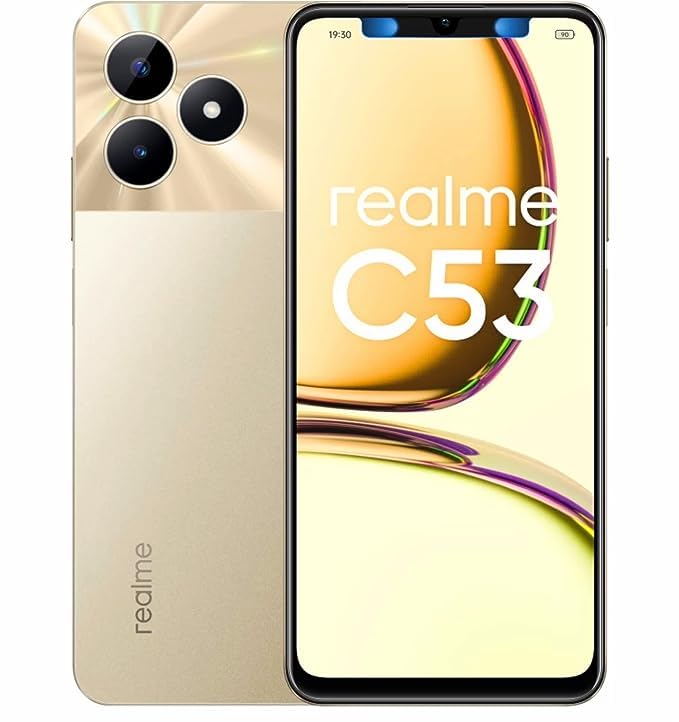
છબી 3.1: આગળ અને પાછળ view of the realme C53 smartphone in Champion Gold. The front features the display, while the back shows the camera module and realme branding.
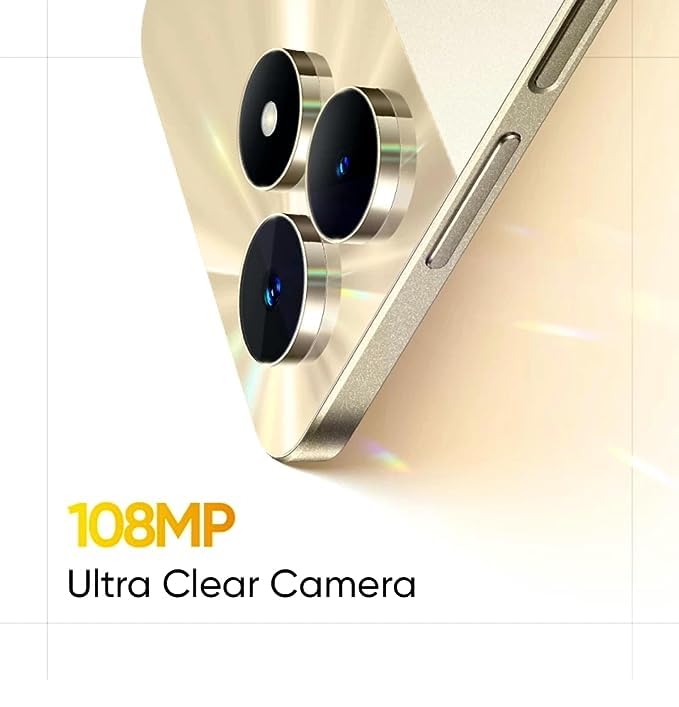
છબી 3.2: વિગતવાર view of the realme C53, highlighting the display and the slim profile ઉપકરણની.
- આગળ: Large touchscreen display, front camera, earpiece.
- જમણી બાજુ: Power button (integrated with fingerprint sensor), Volume Up/Down buttons.
- ડાબી બાજુ: સિમ કાર્ડ ટ્રે.
- નીચે: USB-C port, microphone, speaker.
- પાછળ: Dual camera module (108MP main, 2MP depth), LED flash, realme logo.
4. સેટઅપ
4.1. સિમ કાર્ડ ઇન્સ્ટોલ કરવું
- તમારા ઉપકરણની ડાબી બાજુએ સિમ કાર્ડ ટ્રે શોધો.
- ટ્રેની બાજુના નાના છિદ્રમાં સિમ ઇજેક્ટર ટૂલ દાખલ કરો અને ટ્રે બહાર ન આવે ત્યાં સુધી મજબૂત રીતે દબાવો.
- Place your Nano-SIM cards into the designated slots. The realme C53 supports Dual SIM functionality with a dedicated slot for a microSD card.
- કાળજીપૂર્વક ટ્રેને ફોનમાં ફરીથી દાખલ કરો.
4.2. પ્રારંભિક પાવર ચાલુ અને સેટઅપ
- Press and hold the Power button on the right side until the realme logo appears.
- તમારી ભાષા પસંદ કરવા, Wi-Fi થી કનેક્ટ કરવા અને તમારું Google એકાઉન્ટ સેટ કરવા માટે સ્ક્રીન પરની સૂચનાઓને અનુસરો.
- Configure security features such as fingerprint recognition and a screen lock (PIN, pattern, or password).
5. તમારા ઉપકરણનું સંચાલન
5.1. ઈન્ટરફેસ નેવિગેટ કરવું
Your realme C53 runs on Android 13, offering an intuitive and customizable user experience.
- ટચસ્ક્રીન: The 6.74-inch HD LCD display with a 90Hz refresh rate provides smooth scrolling and responsiveness. Use gestures like tap, swipe, pinch-to-zoom to interact with apps and content.
- ફિંગરપ્રિન્ટ ઓળખ: Unlock your device quickly and securely using the side-mounted fingerprint sensor integrated into the power button.
- સૂચનાઓ: Swipe down from the top of the screen to access your notifications and quick settings panel.
5.2. કનેક્ટિવિટી
The realme C53 supports various connectivity options:
- મોબાઇલ નેટવર્ક: Supports 2G, 3G, and 4G cellular technologies. Ensure your SIM card is active and has a data plan.
- Wi-Fi: ઇન્ટરનેટ ઍક્સેસ માટે વાયરલેસ નેટવર્ક્સ સાથે કનેક્ટ કરો. કનેક્શન્સ મેનેજ કરવા માટે સેટિંગ્સ > નેટવર્ક અને ઇન્ટરનેટ > Wi-Fi પર જાઓ.
- બ્લૂટૂથ: વાયરલેસ હેડફોન, સ્પીકર્સ અને અન્ય બ્લૂટૂથ-સક્ષમ ઉપકરણો સાથે જોડી બનાવો.
- યુએસબી: કમ્પ્યુટર સાથે ચાર્જિંગ અને ડેટા ટ્રાન્સફર માટે USB-C પોર્ટનો ઉપયોગ કરો.
6. કેમેરા સુવિધાઓ
Capture high-quality photos and videos with the realme C53's advanced camera system.
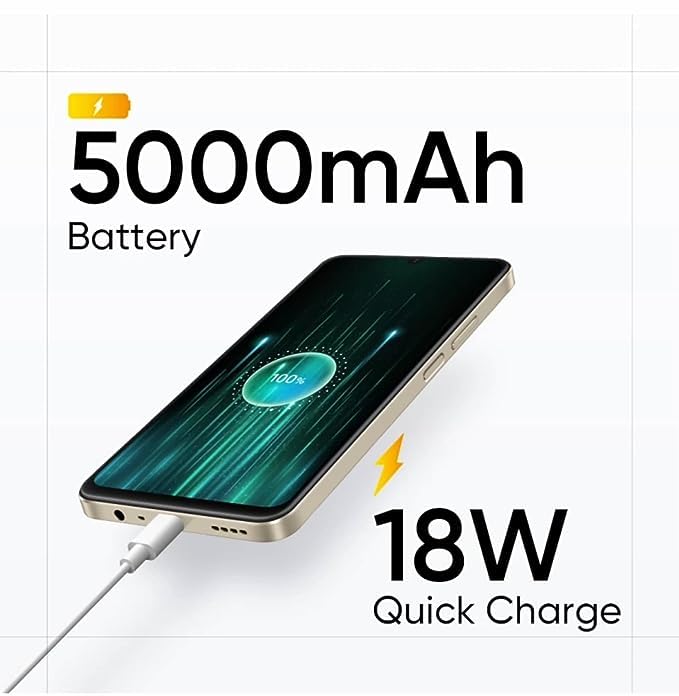
છબી 6.1: The 108MP Ultra Clear Camera module on the realme C53, designed for detailed photography.
- રીઅર કેમેરા: Features a 108MP main sensor and a 2MP depth sensor for detailed photos and portrait effects.
- ફ્રન્ટ કેમેરા: An 8MP front camera for selfies and video calls.
- કેમેરા મોડ્સ: Explore various modes including Photo, Portrait, Night, Pro, and Panorama. Utilize the 108MP mode for maximum detail and 3X zoom for distant subjects.
- વિડિઓ રેકોર્ડિંગ: Supports Full HD (1080p) video recording at 60 FPS.
7. બેટરી મેનેજમેન્ટ
The realme C53 is equipped with a high-capacity battery and fast charging capabilities.
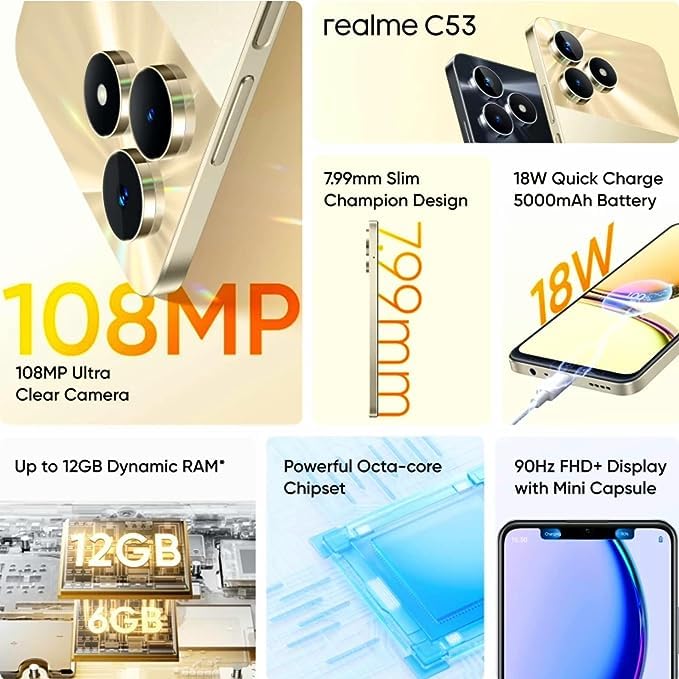
છબી 7.1: The realme C53 connected to an 18W Quick Charge adapter, illustrating its 5000mAh battery capacity.
- બેટરી ક્ષમતા: A 5000mAh Lithium-Ion battery provides extended usage time.
- ઝડપી ચાર્જિંગ: Supports 18W Quick Charge. Use the provided adapter and USB cable for optimal charging speed.
- બેટરી ઓપ્ટિમાઇઝેશન: To prolong battery life, manage background app usage, reduce screen brightness, and enable power-saving modes when needed.
૩. સંગ્રહ અને કામગીરી
Your device is designed for smooth performance and ampલે સંગ્રહ.
- પ્રોસેસર: Powered by an Octa-core Unisoc T612 processor for efficient multitasking and app performance.
- રેમ: Comes with 4GB of RAM, with support for up to 12GB Dynamic RAM for enhanced responsiveness.
- આંતરિક સંગ્રહ: 128GB of internal storage for your apps, photos, and files.
- એક્સપાન્ડેબલ સ્ટોરેજ: A dedicated microSD card slot allows storage expansion up to 2TB.
9. જાળવણી
Proper care ensures the longevity and optimal performance of your realme C53.
- સફાઈ: સ્ક્રીન અને બોડી સાફ કરવા માટે નરમ, લિન્ટ-ફ્રી કાપડનો ઉપયોગ કરો. કઠોર રસાયણો અથવા ઘર્ષક પદાર્થો ટાળો.
- પાણી પ્રતિકાર: The device has a water-resistant rating. Avoid submerging it in water or exposing it to high-pressure water jets.
- સૉફ્ટવેર અપડેટ્સ: Regularly check for and install system updates to ensure your device has the latest features and security patches. Go to Settings > About phone > Software update.
- તાપમાન: Avoid exposing the device to extreme temperatures (hot or cold) to prevent damage to the battery and internal components.
10. મુશ્કેલીનિવારણ
If you encounter issues with your device, try these common troubleshooting steps.
- ઉપકરણ પ્રતિસાદ આપતું નથી: બળજબરીથી પુનઃપ્રારંભ કરવા માટે પાવર બટનને લગભગ 10-15 સેકન્ડ માટે દબાવી રાખો.
- એપ્લિકેશન્સ ક્રેશ થઈ રહી છે: સમસ્યારૂપ એપનો કેશ સાફ કરો (સેટિંગ્સ > એપ્સ > [એપ નામ] > સ્ટોરેજ અને કેશ > કેશ સાફ કરો). જો સમસ્યા ચાલુ રહે, તો એપ ફરીથી ઇન્સ્ટોલ કરવાનો પ્રયાસ કરો.
- બેટરી ઝડપથી નીકળી જાય છે: Check battery usage in Settings > Battery to identify apps consuming excessive power. Reduce screen brightness and disable unnecessary features like GPS or Bluetooth when not in use.
- નેટવર્ક કનેક્ટિવિટી સમસ્યાઓ: Toggle Airplane Mode on and off. Restart your device. Check your SIM card insertion. Reset network settings (Settings > System > Reset options > Reset Wi-Fi, mobile & Bluetooth).
- સંગ્રહ પૂર્ણ: બિનજરૂરી કાઢી નાખો files, photos, and videos. Uninstall unused apps. Consider moving media to the expandable microSD card.
11. સ્પષ્ટીકરણો
Detailed technical specifications for the realme C53 smartphone.
| લક્ષણ | સ્પષ્ટીકરણ |
|---|---|
| મોડેલનું નામ | C53 (RMX3762) |
| ડિસ્પ્લે માપ | 17.12 સેમી (6.74 ઇંચ) |
| ડિસ્પ્લે પ્રકાર | એચડી એલસીડી ડિસ્પ્લે |
| ઠરાવ | 1600 x 720 પિક્સેલ્સ |
| તાજું દર | 90 હર્ટ્ઝ |
| ઓપરેટિંગ સિસ્ટમ | એન્ડ્રોઇડ 13 |
| પ્રોસેસર | Unisoc T612 Octa Core (1.82 GHz Primary, 1.8 GHz Secondary) |
| રેમ | 4 GB (Up to 12GB Dynamic RAM) |
| આંતરિક સંગ્રહ | 128 જીબી |
| એક્સપાન્ડેબલ સ્ટોરેજ | Up to 2 TB (Dedicated Slot) |
| રીઅર કેમેરા | ૧૩ મેગાપિક્સલ + ૦.૩ મેગાપિક્સલ |
| ફ્રન્ટ કેમેરા | 8MP |
| બેટરી ક્ષમતા | 5000 એમએએચ |
| ચાર્જિંગ | 18W ઝડપી ચાર્જ |
| સિમનો પ્રકાર | Dual Nano SIM (Dedicated Slot) |
| નેટવર્ક પ્રકાર | 2G, 3G, 4G |
| બાયોમેટ્રિક સુરક્ષા | Fingerprint Recognition (Side-mounted) |
| પરિમાણો (H x W x D) | 167.16 mm x 76.67 mm x 7.99 mm |
| વજન | 186 ગ્રામ |
| સામગ્રી | પ્લાસ્ટિક |
| પાણી પ્રતિકાર સ્તર | પાણી પ્રતિરોધક |
12. વોરંટી અને સપોર્ટ
Your realme C53 smartphone comes with a manufacturer's warranty.
- Phone Warranty: 1 Year Manufacturer Warranty from the date of purchase.
- એસેસરીઝ વોરંટી: 6 Months Warranty for in-box accessories (e.g., adapter, USB cable).
- વોરંટી દાવાઓ: For warranty service, please retain your proof of purchase and contact realme customer support. Refer to the "Important Info Booklet with Warranty Card" included in your package for detailed terms and conditions.
- ઉત્પાદક સંપર્ક: Oppo Mobiles India Private Limited, 5th Floor, Tower-B, Building No. 8, DLF Cyber City, Gurugram, Haryana-122002, India.
For further assistance, visit the official realme support webસાઇટ અથવા તેમની ગ્રાહક સેવાનો સંપર્ક કરો.