
TEYES CC3 2K
TEYES CC3 2K Car Multimedia System User Manual
For Toyota Hilux Pick Up AN120 (2015-2020) Right Hand Drive Models
અગત્યની સૂચના
This product is designed exclusively for Right Hand Drive Toyota Hilux Pick Up AN120 models manufactured between 2015 and 2020. It is not compatible with Left Hand Drive vehicles.

Image: Incompatibility warning for Left Hand Drive vehicles. The system is only for Right Hand Drive models.
પેકેજ સામગ્રી
ખાતરી કરો કે નીચે સૂચિબદ્ધ બધી વસ્તુઓ તમારા પેકેજમાં શામેલ છે:
- 1* Head unit (TEYES CC3 2K)
- 1* USB કેબલ
- 1* GPS antenna
- 1* AUX cable
- 1* 4G WiFi antenna
- 1* E-book (digital manual)
- 1* Frame (OEM Panel)
- 1* પાવર કેબલ
- 1* AHD 1080p rear camera
- સ્ક્રૂ અને સ્ક્રુડ્રાઈવર
- Audio & Video harness + RCA
- સફાઈ કાપડ
- વાયરિંગ ડાયાગ્રામ

Image: Visual representation of the TEYES CC3 2K package contents, including the head unit, cables, and accessories.
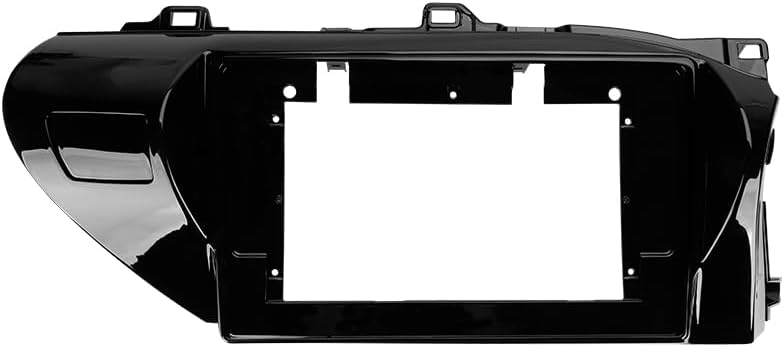
Image: The OEM panel frame, designed to integrate the head unit seamlessly into the Toyota Hilux dashboard.
વિશિષ્ટતાઓ
| લક્ષણ | વિગત |
|---|---|
| મોડલ નંબર | CC3 2K |
| ડિસ્પ્લે માપ | 10.36 ઇંચ |
| મેમરી (RAM) | 6 જીબી |
| સ્ટોરેજ (ROM) | 128 જીબી |
| ઓપરેટિંગ સિસ્ટમ | એન્ડ્રોઇડ |
| પ્રોસેસર | 8 કોરો 2.0GHz |
| કનેક્ટિવિટી | Bluetooth, USB, WiFi, 4G Hotspot |
| ખાસ લક્ષણો | Touchscreen, Wireless CarPlay, Android Auto, RDS, DSP (ADAU1701 + ROHM32107), Optical/Coaxial Digital Audio Output |
| નકશાનો પ્રકાર | North America (pre-installed) |
| ઓડિયો આઉટપુટ મોડ | સ્ટીરિયો |
| વાહન સેવાનો પ્રકાર | Car (Toyota Hilux AN120 2015-2020 RHD) |
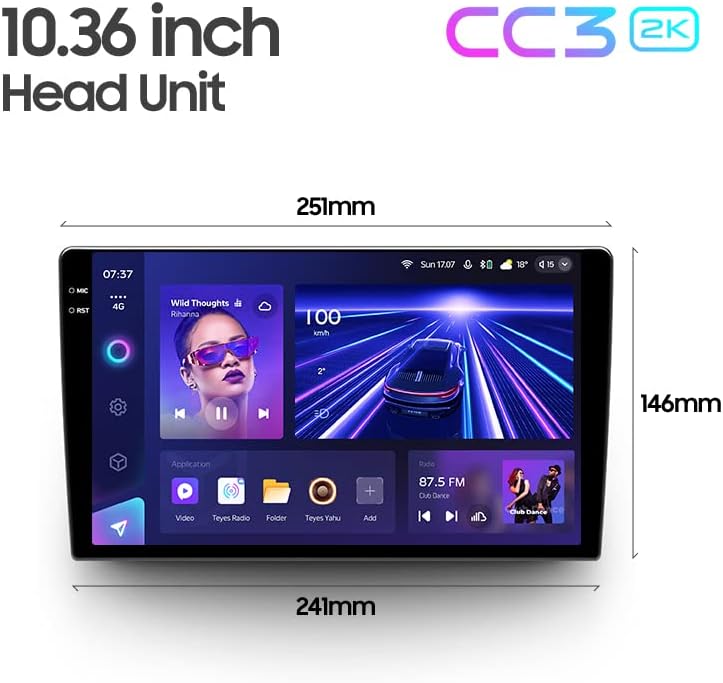
Image: Dimensions of the 10.36-inch TEYES CC3 2K head unit, providing measurements for installation planning.
સેટઅપ અને ઇન્સ્ટોલેશન
Professional installation is highly recommended for this car multimedia system. Incorrect installation can lead to damage to the unit or your vehicle's electrical system.
પૂર્વ-ઇન્સ્ટોલેશન તપાસો:
- ખાતરી કરો કે વાહનનું ઇગ્નીશન બંધ છે અને બેટરી ડિસ્કનેક્ટ થયેલ છે.
- Confirm all package contents are present.
- Review the provided wiring diagram thoroughly.
સ્થાપન પગલાં (સામાન્ય):
- Carefully remove the original car radio and dashboard trim.
- Connect the power cable, GPS antenna, 4G WiFi antenna, and other necessary harnesses to the TEYES CC3 2K head unit according to the wiring diagram.
- Install the AHD 1080p rear camera (if applicable) and route its cable to the head unit.
- Mount the TEYES CC3 2K head unit into the OEM panel frame.
- Secure the assembly into the dashboard opening.
- Reconnect the vehicle battery and test the system before fully reassembling the dashboard trim.
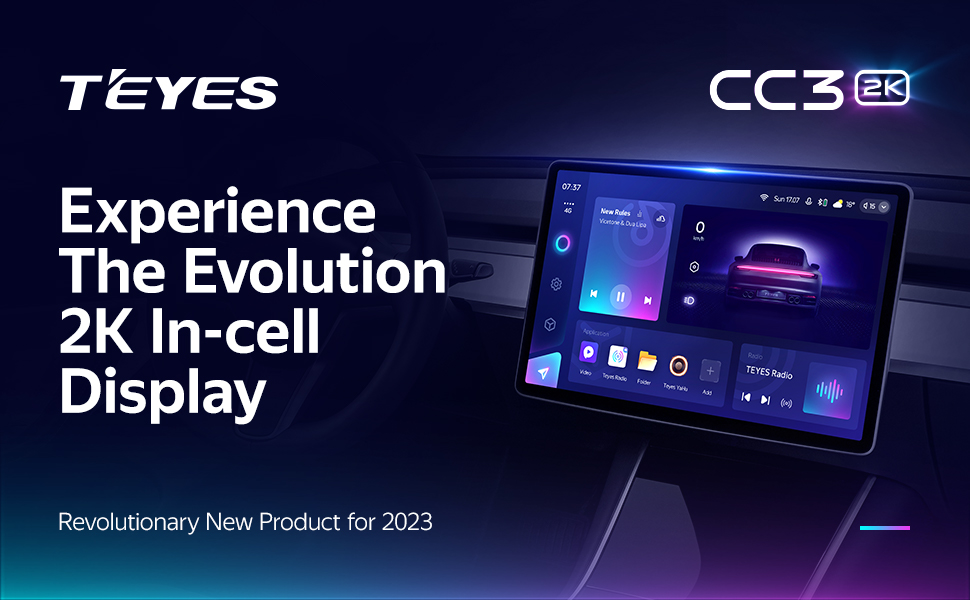
Image: Visual comparison of the car interior before and after the TEYES CC3 2K system installation, demonstrating seamless integration.
ઓપરેટિંગ સૂચનાઓ
આ વિભાગ એક ઓવર પ્રદાન કરે છેview of the main functions and how to operate your TEYES CC3 2K system.
Power On/Off and Basic Navigation:
Press the power button to turn the unit on or off. Use the touchscreen to navigate through the Android interface. Swipe gestures and taps are used for app selection and menu navigation.
Display and User Interface:
The 2K In-cell Display offers vivid colors and sharp resolution. You can customize the user interface with various color styles to match your preference.

છબી: દા.તamples of various customizable color styles and themes for the system's user interface.
Connectivity (CarPlay, Android Auto, Bluetooth, 4G, WiFi):
- વાયરલેસ કારપ્લે અને એન્ડ્રોઇડ ઓટો: Connect your compatible smartphone wirelessly for seamless integration of navigation, music, and communication apps.
- બ્લૂટૂથ: Pair your phone for hands-free calling and audio streaming. The upgraded QCC3031QFN Qualcomm module ensures stable connection.
- 4G Internet: Insert a SIM card (not included) into the designated slot to enable 4G internet access directly on the head unit.
- WiFi: Connect to a local WiFi hotspot for internet access.
ઑડિઓ સુવિધાઓ:
The system features dual DSP (ADAU1701 + ROHM32107) for enhanced audio processing.
- 27-Segment EQ: Fine-tune your audio output with the comprehensive 27-segment equalizer.
- Optical and Coaxial Digital Audio Output: For high-fidelity audio systems, connect via digital outputs.
- Sound Filtering: Adjust sound filters for optimal audio quality.

Image: Digital Sound Processor (DSP) interface for advanced audio adjustments.
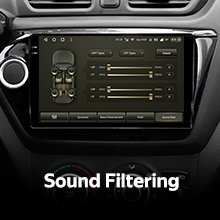
Image: The 27-segment Equalizer (EQ) for precise sound customization.

Image: Settings for optical and coaxial digital audio output, enabling connection to external high-quality audio systems.
સ્ટીયરિંગ વ્હીલ નિયંત્રણ:
The system supports original car steering wheel buttons. You can configure these buttons to control various functions of the multimedia system.

Image: Steering wheel controls, demonstrating the system's ability to integrate with existing vehicle buttons.
યુએસબી ડેટા ટ્રાન્સફર:
The unit provides multiple USB outputs for high-speed data transmission, allowing connection of USB drives for media playback or other peripherals.

Image: Multiple USB outputs for connecting external devices and high-speed data transfer.
સ્પ્લિટ સ્ક્રીન મોડ:
Utilize the split-screen feature to run two applications simultaneously, such as navigation and media playback.
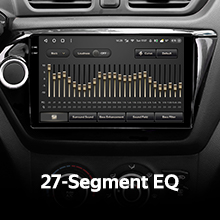
Image: Split-screen functionality, allowing two applications to be viewed concurrently on the display.
પાછળ View કેમેરા:
The included AHD 1080p rear camera provides real-time viewing of the vehicle's rear. The system also supports video recording from the camera.

Image: Real-time display of the rear view camera feed, assisting with parking and maneuvering.
જાળવણી
ડિસ્પ્લેની સફાઈ:
Use the provided cleaning cloth or a soft, lint-free cloth to gently wipe the screen. Avoid using harsh chemicals or abrasive materials that could damage the display.
સૉફ્ટવેર અપડેટ્સ:
Periodically check for software updates through the system settings or the official TEYES webશ્રેષ્ઠ કામગીરી અને નવી સુવિધાઓની ઍક્સેસ સુનિશ્ચિત કરવા માટે સાઇટ.
મુશ્કેલીનિવારણ
If you encounter issues with your TEYES CC3 2K system, refer to the following common solutions. For more detailed troubleshooting, consult the included e-book.
સામાન્ય સમસ્યાઓ અને ઉકેલો:
- કોઈ શક્તિ નથી: Check all power connections and fuses. Ensure the vehicle battery is properly connected.
- કોઈ અવાજ નથી: Verify speaker connections, volume settings, and audio output selections. Check if the mute function is active.
- GPS સિગ્નલ નુકશાન: ખાતરી કરો કે GPS એન્ટેના યોગ્ય રીતે ઇન્સ્ટોલ કરેલું છે અને તેમાં સ્પષ્ટ છે view આકાશની
- ટચસ્ક્રીન પ્રતિભાવવિહીન: Try restarting the unit. If the issue persists, a factory reset might be necessary (note: this will erase user data).
- Bluetooth/WiFi Connection Issues: Ensure the respective modules are enabled in settings. Try re-pairing devices or reconnecting to networks.
If these steps do not resolve the problem, please contact customer support.
વોરંટી માહિતી
The TEYES CC3 2K Car Multimedia System comes with a 1 વર્ષની વોરંટી ખરીદીની તારીખથી. આ વોરંટી સામાન્ય ઉપયોગ હેઠળ ઉત્પાદન ખામીઓ અને ખામીઓને આવરી લે છે. તે અયોગ્ય ઇન્સ્ટોલેશન, દુરુપયોગ, અકસ્માતો અથવા અનધિકૃત ફેરફારોને કારણે થતા નુકસાનને આવરી લેતી નથી.
કૃપા કરીને વોરંટી દાવા માટે તમારી ખરીદીનો પુરાવો જાળવી રાખો.
ગ્રાહક આધાર
For further assistance, technical support, or warranty inquiries, please contact TEYES customer service through their official webતમારી ખરીદી સાથે પૂરી પાડવામાં આવેલ સાઇટ અથવા સંપર્ક માહિતી.
When contacting support, please have your product model (CC3 2K) and purchase details ready.
Ask a question about this manual
Ask about setup, troubleshooting, compatibility, parts, safety, or missing instructions. Manuals+ will review the question and use this page’s manual context to help answer it.