
1. ઓવરview
The BoxWave DirectSync PD Cable is a 10-foot USB-C to USB-C cable designed for efficient power delivery and high-speed data transfer. It supports up to 100 Watts of Power Delivery (PD), making it suitable for charging a wide range of devices, including laptops, tablets, and smartphones. The cable features a durable braided nylon construction and reinforced strain reliefs to ensure longevity and reliable performance.
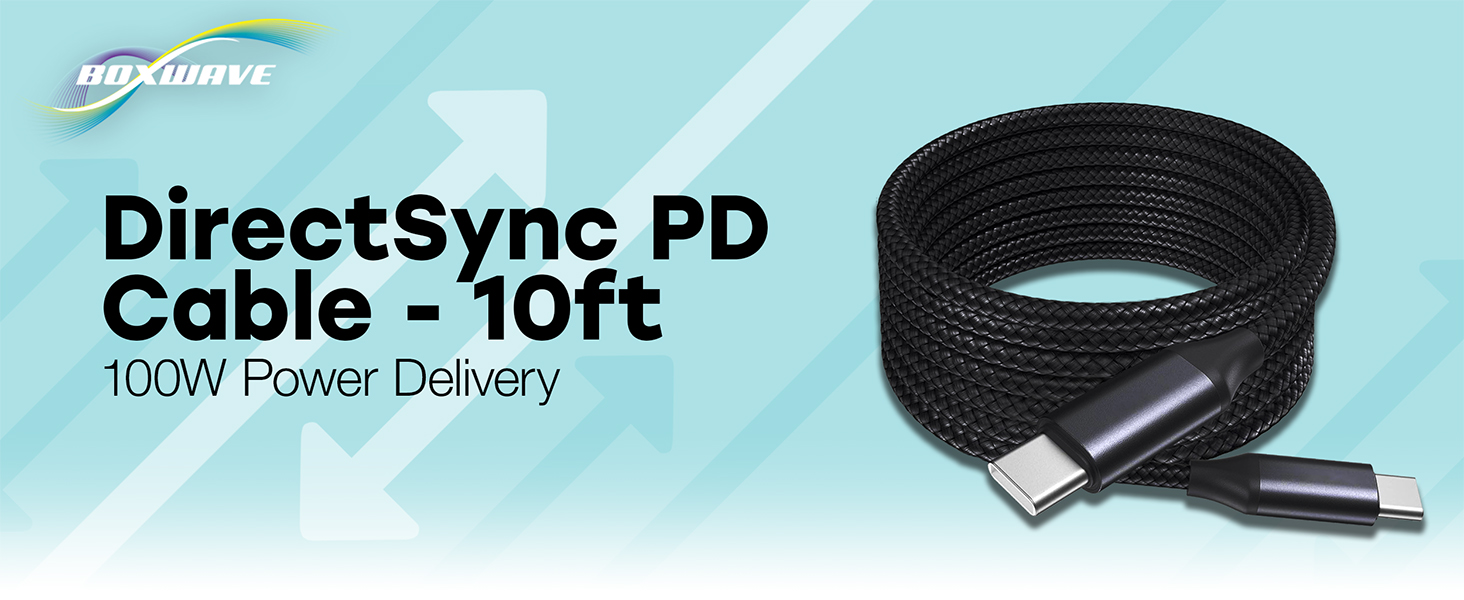
Image: The BoxWave DirectSync PD Cable, highlighting its 10-foot length and 100W Power Delivery capability.
2. સેટઅપ
Setting up your DirectSync PD Cable is straightforward. This cable is designed for universal compatibility with USB-C enabled devices.
- બંદરો ઓળખો: Ensure your charging adapter and device both have USB-C ports.
- પાવર સ્રોત સાથે કનેક્ટ કરો: Plug one end of the DirectSync PD Cable into a compatible USB-C power adapter or a computer's USB-C port.
- ઉપકરણ સાથે કનેક્ટ કરો: Plug the other end of the cable into your device's USB-C port.
- કનેક્શન ચકાસો: તમારા ઉપકરણે સૂચવવું જોઈએ કે તે ચાર્જ થઈ રહ્યું છે અથવા ડેટા ટ્રાન્સફર માટે જોડાયેલ છે.

Image: A visual representation of the DirectSync PD Cable connected to a laptop and a smartphone, illustrating simultaneous charging and data synchronization.
3. ઓપરેટિંગ સૂચનાઓ
The DirectSync PD Cable offers dual functionality for both charging and data transfer.
3.1 તમારા ઉપકરણને ચાર્જ કરી રહ્યું છે
Connect the cable as described in the Setup section. The cable supports up to 100W Power Delivery, allowing for rapid charging of compatible devices. Charging speed will depend on your power adapter's output and your device's charging capabilities.
૫.૨ હાઇ-સ્પીડ ડેટા ટ્રાન્સફર
When connected to a computer, the DirectSync PD Cable facilitates high-speed data transfers up to 480Mbps. This allows you to sync files, photos, and videos between your device and computer efficiently while simultaneously charging.

Image: The DirectSync PD Cable connected to a laptop, illustrating its capability for high-wattage power delivery.
4. જાળવણી
To ensure the longevity and optimal performance of your BoxWave DirectSync PD Cable, follow these maintenance guidelines:
- તીવ્ર વળાંક ટાળો: While the braided nylon is durable, avoid extreme bending or kinking, especially near the connectors.
- ક્લીન કનેક્ટર્સ: Periodically inspect and gently clean the USB-C connectors with a dry, soft cloth to remove dust or debris.
- યોગ્ય સંગ્રહ: When not in use, coil the cable loosely. Avoid tightly wrapping it around objects or pulling it taut.
- કાળજી સાથે હેન્ડલ કરો: Always grasp the connector head when plugging or unplugging the cable, rather than pulling on the cable itself.

Image: Detail of the cable's durable nylon braided exterior.

છબી: ક્લોઝ-અપ view of the reinforced rubberized strain relief at the connector, designed to prevent fraying.
5. મુશ્કેલીનિવારણ
If you encounter issues with your DirectSync PD Cable, refer to the following common problems and solutions:
- ઉપકરણ ચાર્જ થતું નથી:
- Ensure both ends of the cable are securely plugged into the power source and your device.
- Verify that your power adapter is functioning correctly and provides sufficient power for your device.
- Test the cable with another compatible device or power source to rule out issues with the cable itself.
- Check your device's charging port for any obstructions or damage.
- ધીમી ચાર્જિંગ ઝડપ:
- Confirm that your power adapter supports Power Delivery (PD) and provides adequate wattage (e.g., 100W for maximum speed).
- Ensure your device also supports fast charging via USB-C PD.
- Avoid using the device heavily while charging, as this can slow down the process.
- ડેટા ટ્રાન્સફર સમસ્યાઓ:
- Ensure the cable is connected directly between your device and computer, bypassing any hubs or adapters that might not support data transfer.
- Check your device's settings to ensure data transfer mode is enabled (e.g., 'File Transfer' or 'MTP').
- તમારા ઉપકરણ અને કમ્પ્યુટર બંનેને ફરીથી પ્રારંભ કરો.
- તમારા કમ્પ્યુટર પર એક અલગ USB-C પોર્ટ અજમાવી જુઓ.
6. સ્પષ્ટીકરણો
| લક્ષણ | વિગત |
|---|---|
| બ્રાન્ડ | બોક્સવેવ |
| કનેક્ટર પ્રકાર | યુએસબી પ્રકાર સી |
| કેબલ પ્રકાર | યુએસબી |
| પાવર ડિલિવરી | 100W સુધી |
| ડેટા ટ્રાન્સફર ઝડપ | 480Mbps |
| કેબલ લંબાઈ | ૯.૮૪ ફૂટ (આશરે ૩ મીટર) |
| સામગ્રી | Braided Nylon Alloy |
| રંગ | જેટ બ્લેક |
| કનેક્ટર જાતિ | પુરુષ-થી-પુરુષ |
| ખાસ લક્ષણ | Braided, Strain Relief |
| વસ્તુનું વજન | 6 ઔંસ |
7. વોરંટી અને સપોર્ટ
BoxWave products are designed for quality and reliability. For specific warranty information regarding your DirectSync PD Cable, please refer to the packaging or the official BoxWave website. If you require technical assistance or have questions about your product, please contact BoxWave customer support through their official channels. Support contact information can typically be found on the product packaging or on the BoxWave webસાઇટ
Supportનલાઇન સપોર્ટ: Visit the BoxWave webવારંવાર પૂછાતા પ્રશ્નો, સહાયક લેખો અને સંપર્ક વિકલ્પો માટેની સાઇટ.
ઇમેઇલ સપોર્ટ: ગ્રાહક સેવા ઇમેઇલ સરનામાં માટે તમારા ઉત્પાદન દસ્તાવેજોનો સંદર્ભ લો.