
1. પરિચય
This manual provides detailed instructions for the proper setup, operation, and maintenance of your Shanrya Wireless Microphone System. Please read this manual thoroughly before using the product to ensure optimal performance and longevity. This system is designed for various applications, including home theater, KTV rooms, conferences, clubs, schools, auditoriums, and corporate meeting rooms.

છબી: ઉપરથી નીચે સુધી view of the Shanrya Wireless Microphone System receiver unit with antennas extended.
2. પેકેજ સામગ્રી
ખાતરી કરો કે નીચે સૂચિબદ્ધ બધી વસ્તુઓ તમારા પેકેજમાં શામેલ છે. જો કોઈ વસ્તુ ખૂટે છે અથવા ક્ષતિગ્રસ્ત છે, તો કૃપા કરીને ગ્રાહક સપોર્ટનો સંપર્ક કરો.
- 1 x Receiver Host Unit
- 4 x વાયરલેસ માઇક્રોફોન
- ૧ x પાવર એડેપ્ટર (EU પ્લગ)
- 4 x Microphone Accessories (e.g., anti-roll rings)
- ૧ x કનેક્શન કેબલ
- ૧ x વપરાશકર્તા માર્ગદર્શિકા (આ દસ્તાવેજ)

Image: All components of the Shanrya Wireless Microphone System laid out, including the receiver, four microphones, power adapter, and cables.
3. ઉત્પાદન સુવિધાઓ
- Interference-Free Operation: Each microphone operates on a distinct frequency, ensuring no interference or crosstalk between microphones.
- એર્ગોનોમિક ડિઝાઇન: The wireless microphones feature a durable metal construction, providing a comfortable and secure grip during use.
- Flexible XLR Outputs:
- Each microphone has a separate XLR output, allowing individual microphones to be sent to their own mixer channel.
- A combined XLR mix output is available to send all four microphones to a single mixer channel.
- UHF Microphone System: Each microphone's frequency is adjustable, offering 20 unique frequencies per microphone for interference-free operation. Frequencies can be easily changed by pressing a button on the microphone.
- સ્પષ્ટ અવાજ ગુણવત્તા: Microphones are designed to capture clear and crisp vocals, minimizing fatigue during extended use. Integrated foam filters effectively reduce ambient noise.
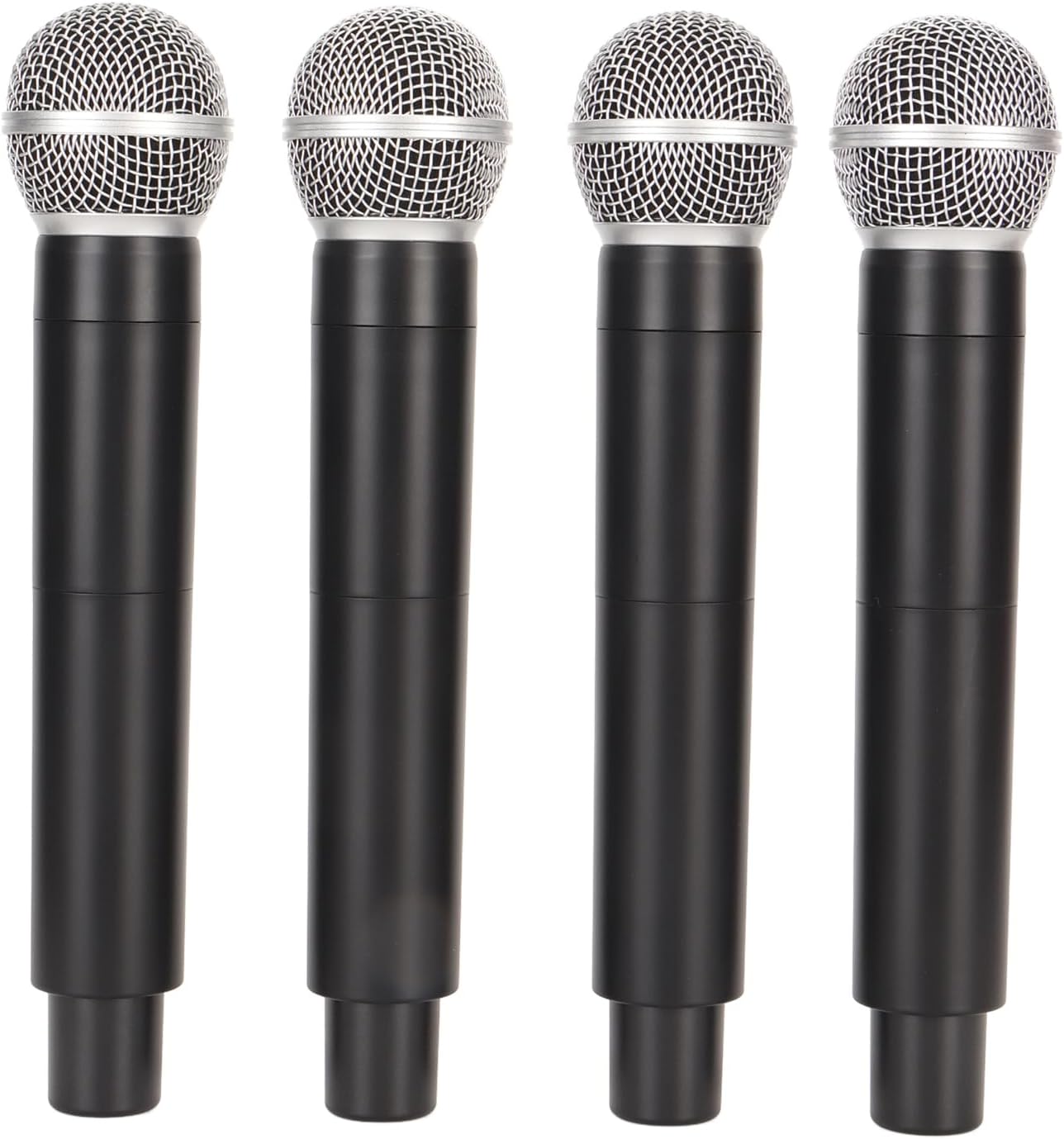
Image: Four individual Shanrya wireless microphones, showcasinતેમની અર્ગનોમિક ડિઝાઇન.
4. સેટઅપ સૂચનાઓ
- અનપૅક ઘટકો: Carefully remove all items from the packaging and ensure they match the package contents list.
- Install Batteries in Microphones: Each microphone requires 2 AA batteries (not included). Open the battery compartment at the bottom of each microphone and insert the batteries, observing correct polarity.
- પાવર એડેપ્ટરને કનેક્ટ કરો: Connect the provided power adapter to the DC INPUT port on the receiver host unit. Plug the other end of the adapter into a standard 100-240V AC power outlet.
- ઑડિઓ સિસ્ટમ સાથે કનેક્ટ કરો:
- For individual microphone control: Use XLR cables (not included) to connect the BALANCED-A, BALANCED-B, BALANCED-C, and BALANCED-D outputs on the receiver to separate input channels on your audio mixer.
- For combined output: Use the MIX OUT (6.35mm jack) to connect all microphones to a single input channel on your audio mixer.
- પોઝિશન એન્ટેના: Extend the antennas on the receiver unit vertically for optimal signal reception.
- પાવર ચાલુ: Press the POWER button on the receiver unit to turn it on. The display will illuminate.

Image: Rear panel of the receiver unit, highlighting the BALANCED-A, BALANCED-B, MIX OUT, and DC INPUT ports.
5. ઓપરેટિંગ સૂચનાઓ
- પાવર ઓન માઇક્રોફોન્સ: Press and hold the power button on each microphone to turn them on. The microphone display will show its current frequency.
- ફ્રીક્વન્સી સિંક્રનાઇઝેશન: The microphones should automatically synchronize with the receiver. If a microphone is not connecting, ensure its frequency matches one of the receiver's channels (A, B, C, D).
- માઇક્રોફોન ફ્રીક્વન્સી એડજસ્ટ કરવી:
- On the microphone, locate the frequency adjustment button (often recessed or a small button near the display).
- Press this button to cycle through the available 20 unique UHF frequencies. Select a frequency that is clear and free from interference.
- Ensure the selected frequency on the microphone corresponds to the channel you intend to use on the receiver (e.g., if microphone is on frequency X, ensure receiver channel A is also on frequency X).
- વોલ્યુમ નિયંત્રણ: Adjust the volume levels on your connected audio mixer or amplifier. The receiver unit itself does not have individual volume controls for each microphone.
- પરીક્ષણ: Speak into each microphone to test sound output through your audio system. Adjust microphone gain on your mixer as needed.
- પાવર બંધ: After use, press and hold the power button on each microphone to turn them off. Then, press the POWER button on the receiver unit to turn it off. Disconnect the power adapter.

Image: Close-up of the receiver's front panel, showing the RF indicators, channel selection buttons (A, B, C, D), and the power button.
6. જાળવણી
- સફાઈ: Use a soft, dry cloth to clean the receiver and microphones. Do not use liquid cleaners or abrasive materials.
- બેટરી રિપ્લેસમેન્ટ: Replace microphone batteries when the low battery indicator appears or when sound quality degrades. Always use fresh AA batteries. Remove batteries if the microphones will not be used for an extended period.
- સંગ્રહ: સિસ્ટમને સીધા સૂર્યપ્રકાશ અને અતિશય તાપમાનથી દૂર ઠંડી, સૂકી જગ્યાએ સંગ્રહિત કરો.
- એન્ટેના સંભાળ: વળાંક કે તૂટવાનું ટાળવા માટે એન્ટેનાને કાળજીપૂર્વક હેન્ડલ કરો.
7. મુશ્કેલીનિવારણ
| સમસ્યા | સંભવિત કારણ | ઉકેલ |
|---|---|---|
| માઇક્રોફોનમાંથી કોઈ અવાજ નથી. |
|
|
| હસ્તક્ષેપ અથવા સ્થિર. |
|
|
| નબળો અથવા વિકૃત અવાજ. |
|
|
8. સ્પષ્ટીકરણો
| ઉત્પાદન પ્રકાર | વાયરલેસ માઇક્રોફોન સિસ્ટમ |
| મોડલ નંબર | Shanrya0o8xwpkf71-11 |
| બ્રાન્ડ | શનર્યા |
| સામગ્રી | ABS (Receiver), Metal (Microphones) |
| વાયરલેસ રેંજ | આશરે ૧.૩ મીટર / ૪.૨ ફૂટ |
| પાવર એડેપ્ટર વોલ્યુમtage | 100-240V AC (EU Plug) |
| Receiver Power Consumption | 8.5W |
| Microphone Battery Type | AA (8 total, 2 per microphone, not included) |
| આવર્તન પ્રકાર | UHF (20 adjustable frequencies per microphone) |
| આઉટપુટ | Individual XLR (4 channels), Mixed 6.35mm Jack |
9. વોરંટી અને સપોર્ટ
આ ઉત્પાદન પ્રમાણભૂત ઉત્પાદકની વોરંટી દ્વારા આવરી લેવામાં આવે છે. ચોક્કસ વોરંટી નિયમો અને શરતો માટે, કૃપા કરીને ખરીદી સમયે આપેલા દસ્તાવેજોનો સંદર્ભ લો અથવા તમારા રિટેલરનો સંપર્ક કરો.
For technical support, troubleshooting assistance, or to inquire about replacement parts, please contact Shanrya customer service through the platform where you purchased the product. Please have your model number (Shanrya0o8xwpkf71-11) and purchase date available when contacting support.