
1. પરિચય
ખરીદી બદલ આભારasing the BoxWave SlimKeys Bluetooth Keyboard. This portable, backlit keyboard is designed to enhance your typing experience across various devices, including tablets, smartphones, and computers. Its slim profile, customizable LED backlight, and reliable Bluetooth connectivity make it an ideal companion for productivity on the go. This manual provides detailed instructions for setup, operation, maintenance, and troubleshooting to ensure optimal performance of your device.

Image: The SlimKeys Bluetooth Keyboard positioned alongside a Blackview Tab 7 tablet, demonstrating its compact size and compatibility.
2. ઉત્પાદન સુવિધાઓ
- સંકલિત એલઇડી બેકલાઇટ: Illuminates keys for typing in low-light or dark environments.
- કસ્ટમાઇઝ કરી શકાય તેવી બેકલાઇટ: Choose from seven vibrant LED backlight colors to personalize your setup.
- Reliable Wireless Connectivity: Connects quickly and easily via Bluetooth 3.0 for a stable and responsive typing experience.
- Battery-Saving Power Switch: A dedicated on/off switch helps extend battery life during travel or downtime.
- સ્લિમ અને પોર્ટેબલ ડિઝાઇન: Compact and lightweight, making it easy to store and transport without added bulk.
- Chiclet Keys: લો-પ્રો લક્ષણોfile keys designed for quiet and comfortable typing.
- મલ્ટી-પ્લેટફોર્મ સુસંગતતા: Seamlessly connects across Android, Windows, and iOS devices.

Image: An infographic highlighting the main features of the SlimKeys keyboard, including backlit keys, multi-platform compatibility, chiclet keys, and its ultra-slim and light design.
3. સેટઅપ માર્ગદર્શિકા
૩.૧. કીબોર્ડ ચાર્જ કરવું
Before first use, ensure the keyboard is fully charged. Connect the included charging cable to the keyboard's charging port and to a USB power source (e.g., computer USB port, USB wall adapter). The 'Charge' indicator light will illuminate during charging and turn off when fully charged.

Image: The SlimKeys keyboard with its charging cable connected, demonstrating the charging process and highlighting its long-lasting battery life.
3.2. પાવર ચાલુ/બંધ
Locate the ON/OFF switch on the top right side of the keyboard. Slide the switch to the 'ON' position to power on the keyboard. The 'Power' indicator light will briefly illuminate. To conserve battery, slide the switch to 'OFF' when not in use.
3.3. બ્લૂટૂથ જોડી
- ખાતરી કરો કે કીબોર્ડ ચાલુ છે.
- Press the 'Connect' button located near the ON/OFF switch. The 'Connect' indicator light will start blinking, indicating the keyboard is in pairing mode.
- On your device (tablet, smartphone, computer), go to the Bluetooth settings.
- બ્લૂટૂથ સક્ષમ કરો અને ઉપલબ્ધ ઉપકરણો માટે શોધો.
- Select 'BoxWave SlimKeys Keyboard' (or similar name) from the list of found devices.
- If prompted, enter the pairing code displayed on your device's screen using the SlimKeys keyboard, then press Enter.
- Once paired, the 'Connect' indicator light on the keyboard will stop blinking and remain solid, or turn off, depending on the model. Your keyboard is now ready for use.
છબી: વિગતવાર view of the top right section of the SlimKeys keyboard, highlighting the 'Connect' button and the 'ON/OFF' switch, along with the indicator lights.
4. ઓપરેટિંગ સૂચનાઓ
4.1. ટાઇપિંગ
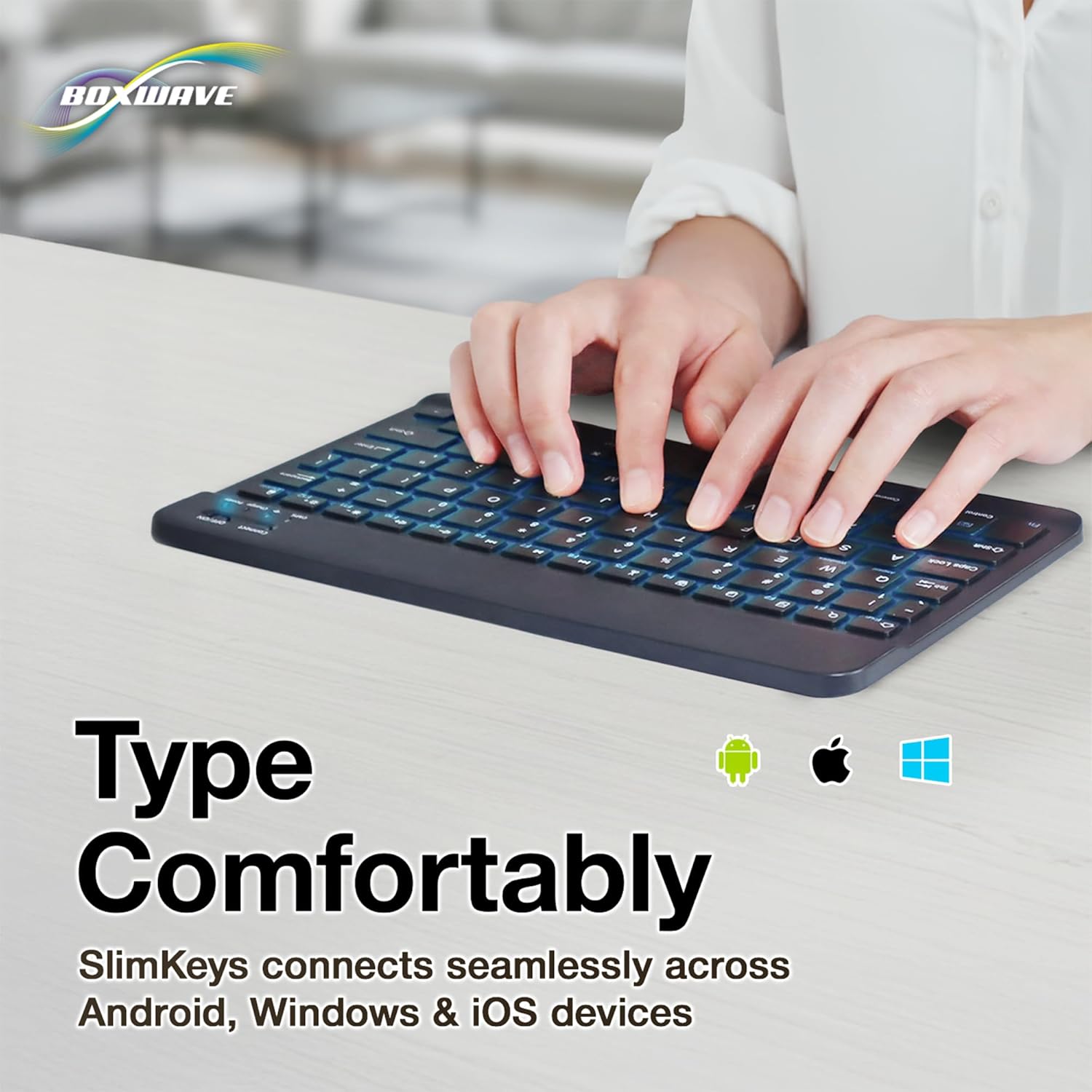
Once successfully paired, you can use the SlimKeys keyboard for all your typing needs. The chiclet-style keys provide a comfortable and responsive typing experience.
4.2. બેકલાઇટ નિયંત્રણ
The keyboard features an integrated LED backlight with seven customizable colors. To control the backlight:
- દબાવો લાઇટ બલ્બ key (usually located near the right Ctrl key) to turn the backlight on or off.
- દબાવો આરજીબી key (usually located next to the Light Bulb key) to cycle through the seven available backlight colors.

Image: The SlimKeys keyboard showcasing its seven different backlight colors, demonstrating the customization options.
4.3. Specialized Function Keys
The SlimKeys keyboard includes a row of specialized function keys (F1-F12) that provide quick access to common commands. These functions may vary slightly depending on your operating system (Android, Windows, iOS). To use a function key, press the Fn key (usually located near the left Ctrl key) simultaneously with the desired function key.
| કી સંયોજન | કાર્ય |
|---|---|
| Fn + Esc (Home) | હોમ સ્ક્રીન પર જાઓ |
| Fn + F1 (Search) | શોધ ખોલો |
| Fn + F2 (Select All) | Select All text/items |
| Fn + F3 (Copy) | Copy selected content |
| Fn + F4 (Paste) | Paste content |
| Fn + F5 (Cut) | Cut selected content |
| Fn + F6 (Skip Back) | પાછલા ટ્રેક પર જાઓ |
| Fn + F7 (Play/Pause) | Play or Pause media |
| Fn + F8 (Skip Forward) | આગલા ટ્રેક પર જાઓ |
| Fn + F9 (Volume Down) | વોલ્યુમ ઘટાડો |
| Fn + F10 (Volume Up) | વોલ્યુમ વધારો |
| Fn + F11 (Brightness Down) | સ્ક્રીનની તેજ ઘટાડો |
| Fn + F12 (Brightness Up) | સ્ક્રીનની તેજ વધારો |
| Fn + Delete (Lock) | Lock device screen |

Image: A visual representation of the specialized function keys on the SlimKeys keyboard, detailing their respective commands.
5. જાળવણી
To ensure the longevity and optimal performance of your BoxWave SlimKeys Bluetooth Keyboard, follow these maintenance guidelines:
- સફાઈ: Use a soft, lint-free cloth to wipe the surface of the keyboard. For stubborn dirt, slightly dampપાણી અથવા હળવા, ઘર્ષક ન હોય તેવા ક્લીનરથી કપડાને સાફ કરો. વધુ પડતો ભેજ ટાળો.
- સંગ્રહ: કીબોર્ડને સીધા સૂર્યપ્રકાશ અને અતિશય તાપમાનથી દૂર ઠંડી, સૂકી જગ્યાએ સંગ્રહિત કરો.
- પ્રવાહી ટાળો: Do not expose the keyboard to liquids. In case of accidental spills, immediately power off the keyboard and allow it to dry completely before reuse.
- કાળજી સાથે હેન્ડલ કરો: Avoid dropping the keyboard or subjecting it to strong impacts, which can damage internal components.
6. મુશ્કેલીનિવારણ
If you encounter issues with your BoxWave SlimKeys Bluetooth Keyboard, refer to the following common problems and solutions:
| સમસ્યા | સંભવિત કારણ | ઉકેલ |
|---|---|---|
| કીબોર્ડ ચાલુ થતું નથી. | બેટરી ખતમ થઈ ગઈ છે. | કીબોર્ડને સંપૂર્ણપણે ચાર્જ કરો. |
| Cannot pair the keyboard with my device. | Bluetooth not enabled on device; keyboard not in pairing mode; interference. | Ensure Bluetooth is on. Press 'Connect' button on keyboard. Move closer to device. Remove previous pairings. Restart both devices. |
| કીબોર્ડ વારંવાર ડિસ્કનેક્ટ થાય છે. | Low battery; too far from device; interference. | Charge keyboard. Keep keyboard within 10 meters of device. Avoid strong electromagnetic interference. |
| Backlight is not working or stuck on one color. | Backlight off; low battery; software glitch. | Press the Light Bulb key. Charge the keyboard. Power cycle the keyboard (turn off, then on). |
| કી જવાબ આપી રહી નથી. | Keyboard not paired; low battery; hardware issue. | Re-pair the keyboard. Charge the keyboard. If problem persists, contact customer support. |
If the problem persists after trying these solutions, please contact BoxWave customer support for further assistance.
7. સ્પષ્ટીકરણો
| લક્ષણ | વિગત |
|---|---|
| મોડેલનું નામ | SlimKeys Bluetooth Keyboard |
| કનેક્ટિવિટી | બ્લૂટૂથ 3.0 |
| બેકલાઇટ | 7 LED Colors |
| સુસંગતતા | એન્ડ્રોઇડ, વિન્ડોઝ, આઇઓએસ |
| વસ્તુનું વજન | ૧૧.૩ ઔંસ (આશરે ૩૨૦ ગ્રામ) |
| પરિમાણો (અંદાજે) | 9.5 in (Width) x 5.75 in (Depth) x 0.2 in (Height) |
| ઉત્પાદક | બોક્સવેવ |

Image: The SlimKeys keyboard shown with its approximate dimensions, illustrating its ultra-slim and lightweight design for portability.
8. વોરંટી અને સપોર્ટ
BoxWave products are designed for quality and reliability. For information regarding product warranty, returns, or technical support, please refer to the warranty card included with your product or visit the official BoxWave website. You may also contact BoxWave customer service directly for assistance with any product-related inquiries.
સંપર્ક માહિતી: Please refer to the packaging or BoxWave's official webસૌથી અદ્યતન ગ્રાહક સપોર્ટ સંપર્ક વિગતો માટે સાઇટ.