
પરિચય
This manual provides instructions for the proper use and maintenance of your BoxWave AllReader SD Card Reader. Please read this manual thoroughly before using the device to ensure optimal performance and longevity. The AllReader SD Card Reader is designed to facilitate easy file transfer between various devices and SD/microSD cards.
ઉત્પાદન ઓવરview
The BoxWave AllReader SD Card Reader is a compact device featuring multiple interfaces for broad compatibility with various electronic devices. It supports both standard SD cards and microSD cards.
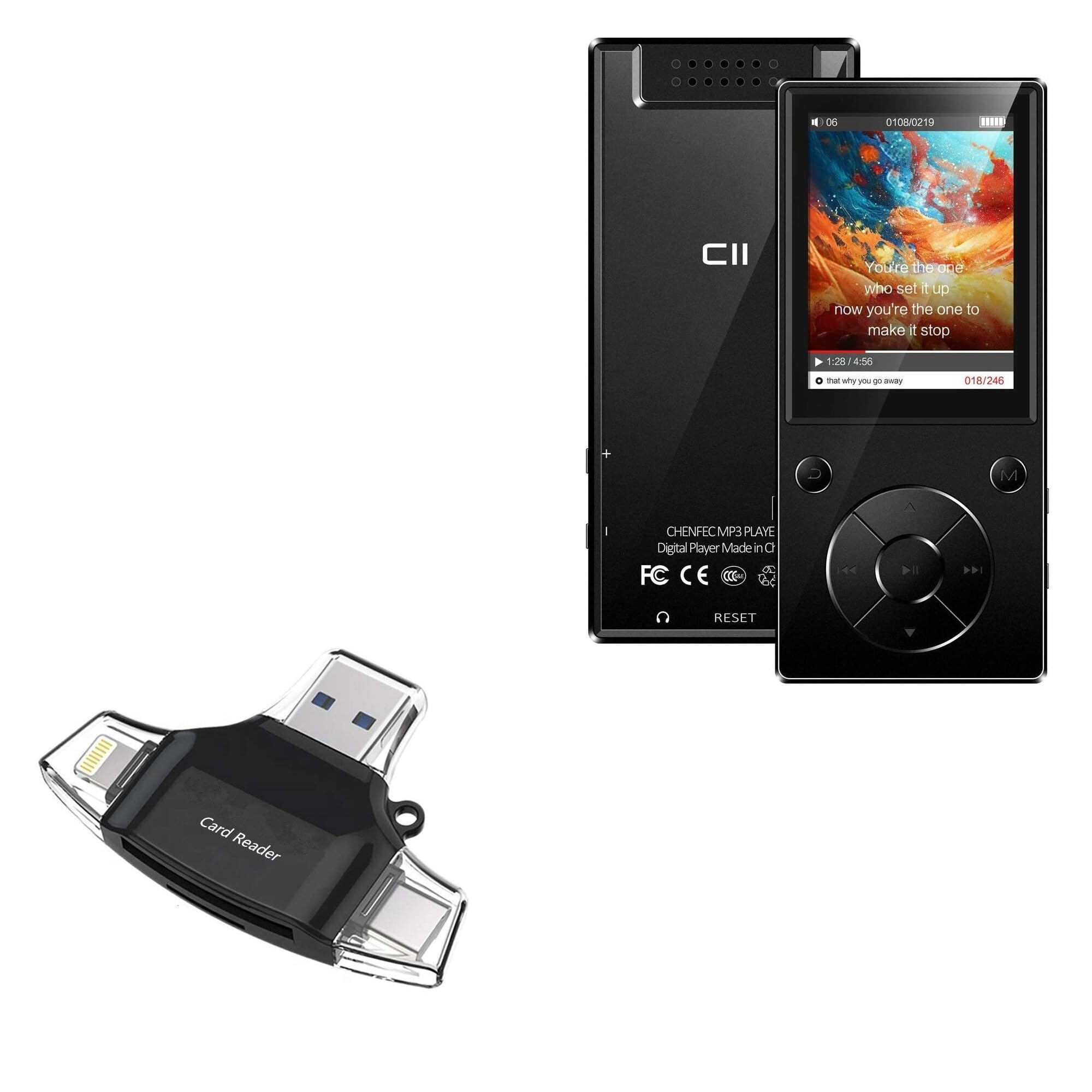
Image: The BoxWave AllReader SD Card Reader, showing its compact design and various connectors.
મુખ્ય લક્ષણો:
- Four Interfaces: Equipped with USB-C, USB-A, Micro-USB, and Apple (Lightning) connectors for wide device compatibility.
- સરળ File સ્થાનાંતરણ: Enables direct transfer of files between memory cards and connected devices.
- પ્લગ એન્ડ પ્લે: મોટાભાગની ઓપરેટિંગ સિસ્ટમ માટે કોઈ ડ્રાઇવરો કે સોફ્ટવેર ઇન્સ્ટોલેશનની જરૂર નથી.
- કોમ્પેક્ટ ડિઝાઇન: Small and portable for convenient use on the go.
- મેમરી કાર્ડ સપોર્ટ: Compatible with both SD and microSD card formats.
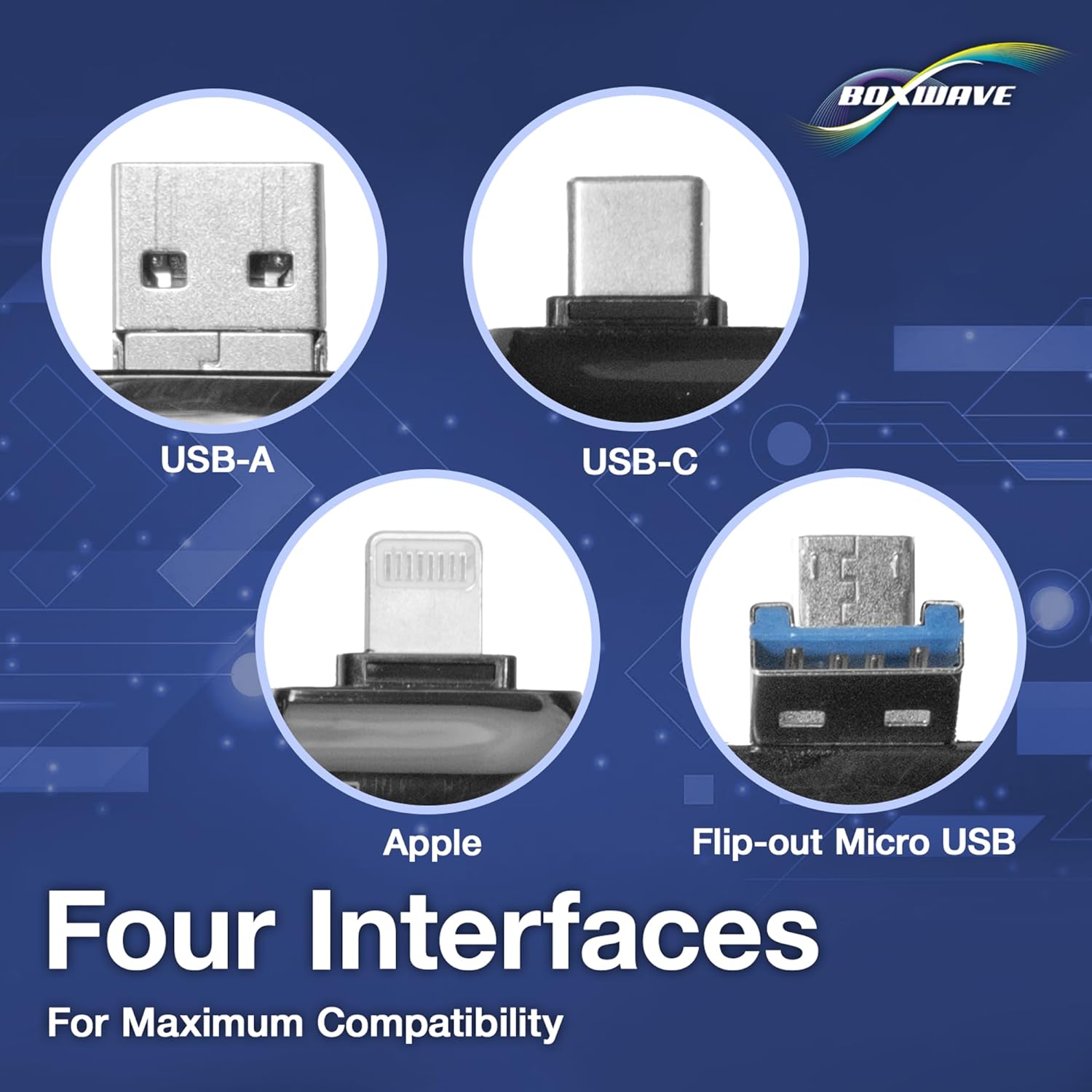
છબી: વિગતવાર view of the four integrated interfaces: USB-A, USB-C, Apple (Lightning), and Flip-out Micro USB.
સેટઅપ
- મેમરી કાર્ડ દાખલ કરો: Gently insert your SD or microSD card into the appropriate slot on the AllReader SD Card Reader until it clicks into place. Ensure the card is inserted in the correct orientation.
- ઉપકરણ સાથે કનેક્ટ કરો: Select the appropriate connector (USB-C, USB-A, Micro-USB, or Apple Lightning) for your host device (e.g., smartphone, tablet, laptop, desktop PC). Plug the AllReader into your device's port.
- ઉપકરણ ઓળખ: Your device should automatically detect the card reader and the inserted memory card. A notification or file browser window may appear, indicating that the storage is ready for access.
નોંધ: For some mobile devices, you may need to use a file management application to browse the contents of the connected memory card.

Image: The AllReader with an SD card inserted, connected to a tablet, illustrating the setup for file સ્થાનાંતરણ.
ઓપરેટિંગ સૂચનાઓ
ટ્રાન્સફર કરી રહ્યા છીએ Files:
- Ensure the AllReader is properly connected to your device and the memory card is inserted.
- તમારા ઉપકરણ ખોલો file manager or photo gallery application.
- Locate the external storage device, typically labeled as "USB Storage," "SD Card," or similar.
- Browse to the desired fileમેમરી કાર્ડ પર s.
- પસંદ કરો fileતમે ટ્રાન્સફર કરવા માંગો છો.
- Use the "Copy" or "Move" function within your device's file મેનેજર ટ્રાન્સફર કરવા માટે files to your device's internal storage or another connected storage.
- ટ્રાન્સફર કરવા માટે files from your device to the memory card, reverse the process: select files from your device's storage and copy/move them to the external storage (memory card).

Image: The AllReader connected to various devices including smartphones, tablets, laptops, and desktop PCs, demonstrating its versatility for file સ્થાનાંતરણ.
Safely Removing the Device:
Before disconnecting the AllReader from your computer, always safely eject the device through your operating system's options (e.g., "Safely Remove Hardware" on Windows, "Eject" on macOS). For mobile devices, ensure no file transfers are active before unplugging.
જાળવણી
- સફાઈ: Use a soft, dry cloth to clean the exterior of the card reader. Avoid using liquid cleaners or solvents.
- સંગ્રહ: Store the AllReader in a cool, dry place away from direct sunlight and extreme temperatures.
- હેન્ડલિંગ: Avoid dropping the device or subjecting it to strong impacts. Do not force memory cards or connectors into slots.
- કનેક્ટરની સંભાળ: Keep the connectors free from dust and debris. If necessary, use a soft brush or compressed air to clean them.
મુશ્કેલીનિવારણ
| સમસ્યા | શક્ય ઉકેલ |
|---|---|
| Device not recognized. |
|
| ઍક્સેસ કરી શકતા નથી fileમેમરી કાર્ડ પર s. |
|
| ધીમું file ટ્રાન્સફર ઝડપ. |
|
વિશિષ્ટતાઓ
- મોડલ નામ: AllReader SD Card Reader
- બ્રાન્ડ: બોક્સવેવ
- ઇન્ટરફેસ: USB-C, USB-A, Micro-USB, Apple (Lightning)
- કાર્ડ સુસંગતતા: એસડી, માઇક્રોએસડી
- રંગ: જેટ બ્લેક
- વસ્તુનું વજન: 6 ઔંસ
- ASIN: B0CNSDX7WD
- પ્રથમ ઉપલબ્ધ તારીખ: નવેમ્બર 13, 2023
વોરંટી અને આધાર
For warranty information and technical support, please refer to the official BoxWave webસાઇટ પર જાઓ અથવા તેમની ગ્રાહક સેવાનો સીધો સંપર્ક કરો. વોરંટી દાવાઓ માટે તમારી ખરીદી રસીદ રાખો.
BoxWave Customer Service: www.boxwave.com/support