
1. પરિચય
ખરીદી બદલ આભારasing the MUSE M-15 Alarm Clock Radio. This manual provides essential information for the safe and efficient operation of your device. Please read it thoroughly before use and retain it for future reference.
2. સલામતી માહિતી
- પાવર સ્ત્રોત: Use only the specified battery type (1 AA battery). Ensure correct polarity when inserting batteries.
- પાણી અને ભેજ: Do not expose the device to water, rain, or excessive moisture. Avoid placing it near liquids.
- ઉષ્મા: ઉપકરણને ગરમીના સ્ત્રોતો જેમ કે રેડિએટર્સ, હીટ રજિસ્ટર, સ્ટોવ અથવા અન્ય ઉપકરણો (જેમાં શામેલ છે) થી દૂર રાખો. ampલિફાયર) જે ગરમી ઉત્પન્ન કરે છે.
- સફાઈ: માત્ર સૂકા કપડાથી સાફ કરો. લિક્વિડ ક્લીનર્સ અથવા એરોસોલ ક્લીનર્સનો ઉપયોગ કરશો નહીં.
- સર્વિસિંગ: આ ઉત્પાદનની જાતે સેવા કરવાનો પ્રયાસ કરશો નહીં. લાયક સેવા કર્મચારીઓને તમામ સેવાઓનો સંદર્ભ આપો.
- નિકાલ: Dispose of batteries and the device according to local regulations. Do not dispose of batteries in fire.
3. ઉત્પાદન ઓવરview
Familiarize yourself with the components of your MUSE M-15 Alarm Clock Radio.
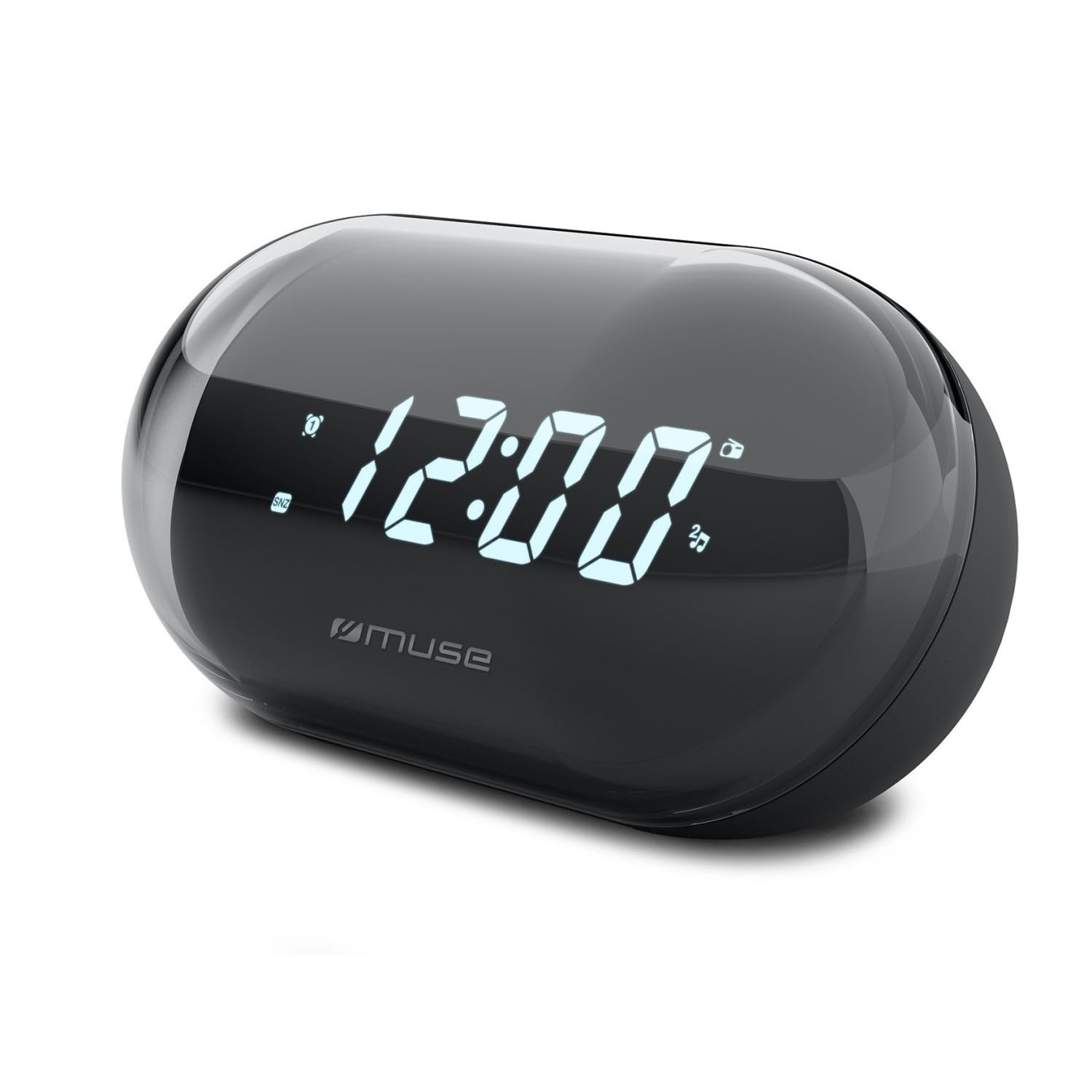
છબી: આગળ view of the MUSE M-15 Alarm Clock Radio, showing the digital display and control buttons.
નિયંત્રણો અને સુવિધાઓ:
- ડિજિટલ ડિસ્પ્લે: Shows time, alarm status, and radio frequency.
- સમય સેટ બટન: Used to adjust the current time.
- Alarm Set Button: Used to set and activate/deactivate the alarm.
- Tuning Buttons (+/-): Used to adjust radio frequency.
- વોલ્યુમ નિયંત્રણ: ઑડિઓ આઉટપુટ સ્તરને સમાયોજિત કરે છે.
- પાવર / મોડ બટન: Turns the device on/off and switches between radio and clock modes.
- સ્નૂઝ બટન: અસ્થાયી રૂપે એલાર્મને શાંત કરે છે.
- બેટરી કમ્પાર્ટમેન્ટ: Located on the back, for 1 AA battery.
4. સેટઅપ
4.1 બેટરી ઇન્સ્ટોલેશન
- યુનિટની પાછળ બેટરી કમ્પાર્ટમેન્ટ કવર શોધો.
- ડબ્બો ખોલવા માટે કવરને સ્લાઇડ કરો અથવા ઉપાડો.
- Insert one (1) AA battery, ensuring the correct polarity (+ and -) matches the diagram inside the compartment.
- બેટરી કમ્પાર્ટમેન્ટ કવર સુરક્ષિત રીતે બદલો.
Note: The MUSE M-15 is battery-powered and does not require an external power adapter.
5. ઓપરેટિંગ સૂચનાઓ
5.1 સમય નક્કી કરવો
- ઘડિયાળ મોડમાં, દબાવો અને પકડી રાખો સમય સેટ બટન કલાકના અંકો ચમકવા લાગે ત્યાં સુધી.
- નો ઉપયોગ કરો Tuning Buttons (+/-) to adjust the hour. Press the સમય સેટ બટન ફરીથી કલાકની પુષ્ટિ કરવા અને મિનિટમાં ખસેડવા માટે.
- નો ઉપયોગ કરો Tuning Buttons (+/-) to adjust the minutes. Press the સમય સેટ બટન one more time to save the time and exit time setting mode.
5.2 એલાર્મ સેટ કરવું
- દબાવો અને પકડી રાખો એલાર્મ સેટ બટન until the alarm hour digits begin to flash.
- નો ઉપયોગ કરો Tuning Buttons (+/-) to adjust the alarm hour. Press the એલાર્મ સેટ બટન પુષ્ટિ કરવા માટે ફરીથી ક્લિક કરો અને મિનિટ પર જાઓ.
- નો ઉપયોગ કરો Tuning Buttons (+/-) to adjust the alarm minutes. Press the એલાર્મ સેટ બટન one more time to save the alarm time.
- To activate or deactivate the alarm, briefly press the એલાર્મ સેટ બટન. An alarm icon will appear on the display when activated.
5.3 Using the Radio
- દબાવો પાવર/મોડ બટન to switch to radio mode. The display will show the radio frequency.
- નો ઉપયોગ કરો Tuning Buttons (+/-) to manually tune to your desired radio station.
- ની મદદથી વોલ્યુમને સમાયોજિત કરો વોલ્યુમ નિયંત્રણ.
- રેડિયો બંધ કરવા માટે, દબાવો પાવર/મોડ બટન again to return to clock mode or turn off the device.
5.4 સ્નૂઝ ફંક્શન
જ્યારે એલાર્મ વાગે ત્યારે, દબાવો સ્નૂઝ બટન to temporarily silence the alarm for a few minutes. The alarm will sound again after the snooze period ends.
6. જાળવણી
6.1 સફાઈ
Wipe the exterior of the device with a soft, dry cloth. Do not use abrasive cleaners, waxes, or solvents as they may damage the finish.
6.2 બેટરી રિપ્લેસમેન્ટ
When the display dims or the device functions become erratic, it is time to replace the battery. Follow the battery installation steps in Section 4.1.
7. મુશ્કેલીનિવારણ
| સમસ્યા | સંભવિત કારણ | ઉકેલ |
|---|---|---|
| ડિવાઇસ ચાલુ થતું નથી. | બેટરી ડેડ છે અથવા ખોટી રીતે દાખલ કરવામાં આવી છે. | Replace the AA battery or check its polarity. |
| એલાર્મ વાગતો નથી. | એલાર્મ સક્રિય થયેલ નથી અથવા અવાજ ખૂબ ઓછો છે. | ખાતરી કરો કે ડિસ્પ્લે પર એલાર્મ આઇકોન દેખાય છે. વોલ્યુમ વધારો. |
| નબળું રેડિયો રિસેપ્શન. | નબળો સંકેત અથવા દખલ. | Reposition the device or extend the antenna (if applicable). Try tuning to a stronger station. |
| Time/Alarm settings reset. | બેટરી પાવર ખૂબ ઓછી છે. | AA બેટરી બદલો. |
8. સ્પષ્ટીકરણો
- મોડલ: MUSE M-15
- ઉત્પાદનના પરિમાણો (L x W x H): 15 x 3.81 x 10 સેમી (5.9 x 1.5 x 3.9 ઇંચ)
- વજન: 300 ગ્રામ (0.66 lbs)
- પાવર સ્ત્રોત: 1 x AA બેટરી (શામેલ નથી)
- ડિસ્પ્લે પ્રકાર: ડિજિટલ
- વિશેષતાઓ: Alarm, Radio, Digital Time Display
- માઉન્ટ કરવાનો પ્રકાર: ટેબલ માઉન્ટ
9. વોરંટી અને સપોર્ટ
This product is covered by a standard manufacturer's warranty. For detailed warranty information, please refer to the warranty card included with your purchase or visit the official MUSE webસાઇટ
For technical support, troubleshooting assistance, or spare parts inquiries, please contact MUSE customer service through their official webસાઇટ અથવા તમારા ઉત્પાદન પેકેજિંગમાં આપેલી સંપર્ક માહિતી.
Please have your model number (M-15) and purchase date available when contacting support.