
પરિચય
Thank you for choosing the LEXIP Madara Design Headset. This manual provides detailed instructions for setting up, operating, and maintaining your headset. Please read this manual thoroughly before use to ensure optimal performance and longevity of your device.
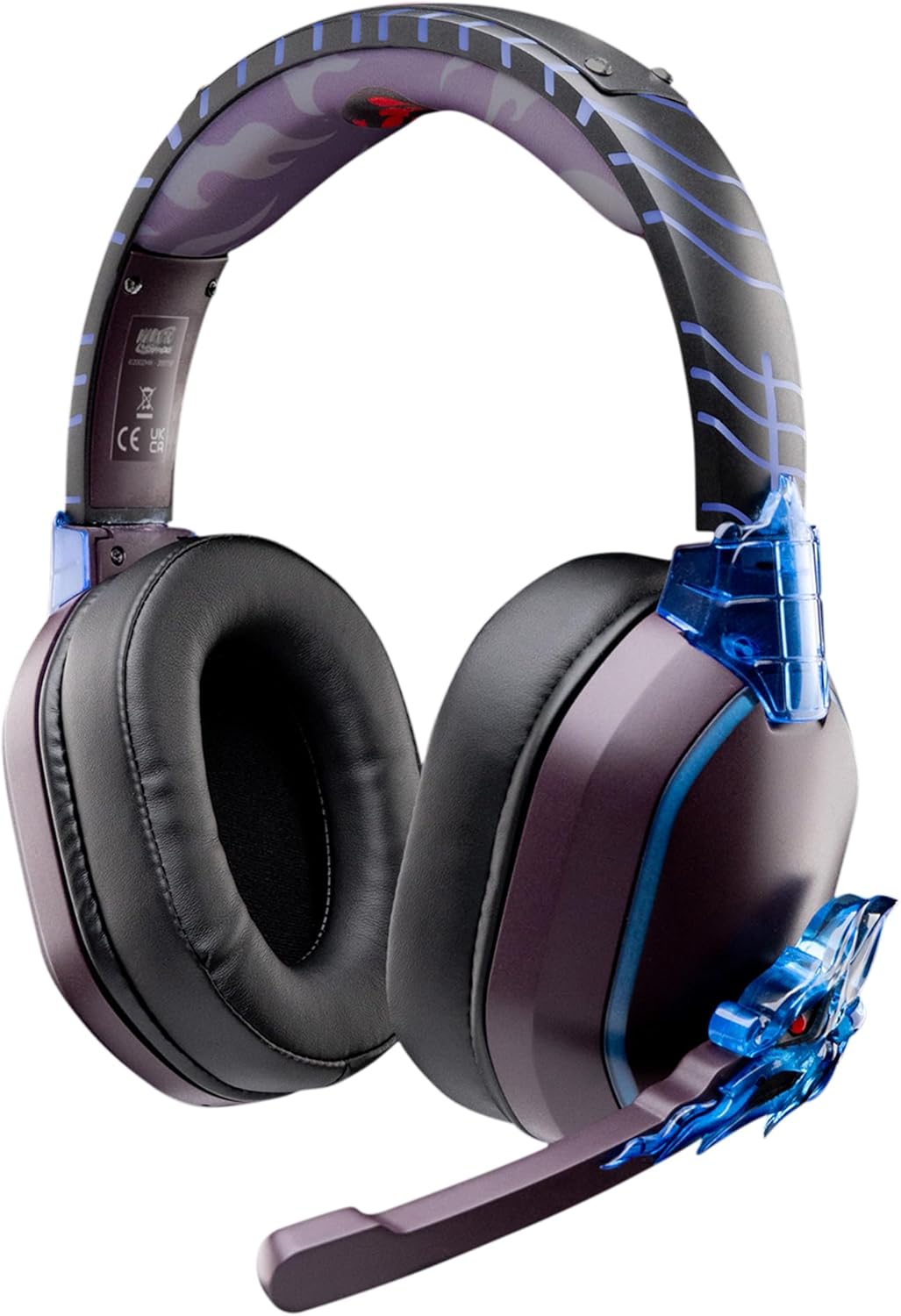
Image: The LEXIP Madara Design Headset, featuring a distinctive purple and blue color scheme with intricate design elements inspired by Madara.
પેકેજ સામગ્રી
ખાતરી કરો કે બધી વસ્તુઓ પેકેજમાં હાજર છે:
- LEXIP Madara Design Headset
- ડિટેચેબલ માઇક્રોફોન
- 3.5mm ઓડિયો કેબલ
- યુએસબી ચાર્જિંગ કેબલ
- વપરાશકર્તા માર્ગદર્શિકા
ઉત્પાદન ઓવરview
Familiarize yourself with the components and design features of your headset.

Image: Close-up of the headset's ear cup, highlighting the intricate blue dragon design element.

છબી: View of the soft earcups and adjustable headband, designed for comfort during extended use.
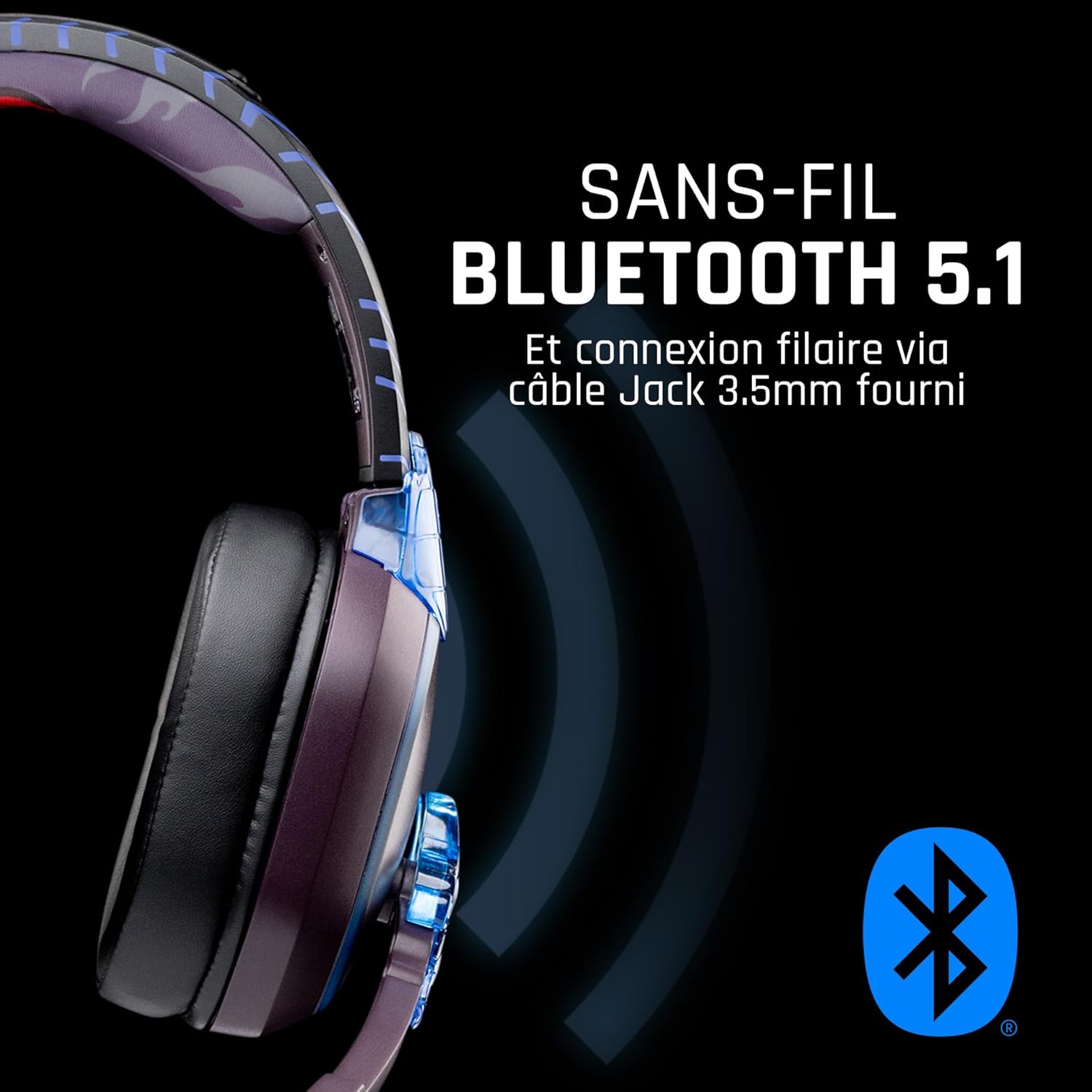
છબી: બાજુ view of the headset, illustrating its wireless Bluetooth 5.1 capability and connection points.

Image: The headset displayed on a stand, alongside a matching game controller, showcasing its gaming application.
મુખ્ય લક્ષણો:
- Wireless Bluetooth 5.1: For seamless wireless audio.
- વાયર્ડ કનેક્ટિવિટી: Via the included 3.5mm Jack cable.
- ડિટેચેબલ માઇક્રોફોન: For clear communication and versatility.
- વોલ્યુમ નિયંત્રણ: Integrated controls for easy audio adjustment.
- અવાજ અલગતા: Passive noise reduction for an immersive experience.
- આરામદાયક ડિઝાઇન: Adjustable headband and over-ear form factor.
સેટઅપ
1. હેડસેટ ચાર્જ કરી રહ્યું છે
- Connect the USB charging cable to the charging port on the headset.
- USB કેબલના બીજા છેડાને સુસંગત USB પાવર સ્ત્રોત (દા.ત., કમ્પ્યુટર USB પોર્ટ, USB વોલ એડેપ્ટર) સાથે કનેક્ટ કરો.
- The LED indicator on the headset will show the charging status. A full charge typically takes approximately 2-3 hours.
૪. માઇક્રોફોન જોડવું
- Locate the microphone input port on the headset, usually on the left earcup.
- Align the detachable microphone connector with the port and gently push it in until it clicks into place.
- Adjust the microphone's position for optimal voice pickup.
ઓપરેટિંગ સૂચનાઓ
1. પાવર ચાલુ/બંધ
- પાવર ચાલુ કરવા માટે: LED સૂચક પ્રકાશિત ન થાય ત્યાં સુધી પાવર બટનને લગભગ 3 સેકન્ડ સુધી દબાવી રાખો.
- પાવર ઓફ કરવા માટે: LED સૂચક બંધ ન થાય ત્યાં સુધી પાવર બટનને લગભગ 5 સેકન્ડ સુધી દબાવી રાખો.
2. Bluetooth Pairing (Wireless Mode)
- ખાતરી કરો કે હેડસેટ બંધ છે.
- Press and hold the Power button for approximately 5-7 seconds until the LED indicator flashes rapidly, indicating pairing mode.
- On your device (Windows 10/11, Mac, PS5, PS4, Xbox Series X/S, Xbox One, Nintendo Switch, Android, iOS, tablets), navigate to Bluetooth settings.
- માટે શોધો available devices and select "LEXIP Madara Headset" (or similar name).
- એકવાર જોડી બનાવ્યા પછી, LED સૂચક ફ્લેશ થવાનું બંધ કરશે અને ઘન વાદળી રહેશે.
3. Wired Connection (3.5mm Jack)
- Insert one end of the 3.5mm audio cable into the headset's audio jack.
- Insert the other end into the 3.5mm audio port of your desired device.
- The headset will operate in passive wired mode, even if the power is off.
4. વોલ્યુમ નિયંત્રણ
- Use the volume control dial or buttons located on the headset to adjust the audio level.
જાળવણી
- સફાઈ: હેડસેટ સાફ કરવા માટે નરમ, સૂકા કપડાનો ઉપયોગ કરો. ઘર્ષક ક્લીનર્સ અથવા સોલવન્ટનો ઉપયોગ કરશો નહીં.
- સંગ્રહ: હેડસેટને સીધા સૂર્યપ્રકાશ અને અતિશય તાપમાનથી દૂર ઠંડી, સૂકી જગ્યાએ સંગ્રહિત કરો.
- બેટરી સંભાળ: For optimal battery life, avoid fully discharging the headset frequently. Charge it regularly.
- પાણી પ્રતિકાર: The headset is not waterproof. Avoid exposure to liquids.
મુશ્કેલીનિવારણ
| સમસ્યા | સંભવિત કારણ | ઉકેલ |
|---|---|---|
| હેડસેટમાંથી કોઈ અવાજ નથી | Headset not powered on; Volume too low; Not paired/connected; Incorrect audio output selected on device. | Ensure headset is powered on and charged. Increase volume. Re-pair Bluetooth or check 3.5mm cable connection. Select headset as audio output on your device. |
| બ્લૂટૂથ દ્વારા જોડી બનાવી શકાતી નથી | Headset not in pairing mode; Device Bluetooth off; Too far from device; Interference. | Ensure headset is in pairing mode (flashing LED). Turn device Bluetooth off and on again. Move headset closer to device. Avoid strong Wi-Fi signals or other Bluetooth devices. |
| માઇક્રોફોન કામ કરતું નથી | Microphone not properly attached; Muted on headset/device; Incorrect input selected on device. | Ensure microphone is securely attached. Check if microphone is muted. Select headset microphone as input device in your device's sound settings. |
| ટૂંકી બેટરી જીવન | Headset not fully charged; Old battery. | Ensure headset is fully charged before use. Battery performance may degrade over time. |
વિશિષ્ટતાઓ
| મોડલ નંબર | TSXLXHS0003 નો પરિચય |
| બ્રાન્ડ | લેક્સિપ |
| કનેક્ટિવિટી ટેકનોલોજી | વાયરલેસ (બ્લુટુથ 5.1), વાયર્ડ (3.5mm જેક) |
| આવર્તન શ્રેણી | ૨૦ હર્ટ્ઝ - ૨૦,૦૦૦ હર્ટ્ઝ |
| અવબાધ | 3 ઓહ્મ |
| સંવેદનશીલતા | 116 ડીબી |
| અવાજ અલગતા | નિષ્ક્રિય અવાજ ઘટાડો |
| માઇક્રોફોન | ડિટેચેબલ |
| નિયંત્રણો | Volume Control, Remote Control |
| સુસંગત ઉપકરણો | Windows 10/11, Mac, PS5, PS4, Xbox Series X/S, Xbox One, Nintendo Switch, Android, iOS, tablets |
| ફોર્મ ફેક્ટર | Over-ear, Extra-aural |
| સામગ્રી | મિશ્ર સામગ્રી |
| વય શ્રેણી | પુખ્ત |
| પાણી પ્રતિકાર સ્તર | પાણી પ્રતિરોધક નથી |
| બેટરી | 1 non-standard battery (included) |
વોરંટી અને આધાર
The LEXIP Madara Design Headset comes with a ૧ વર્ષની ઉત્પાદકની વોરંટી ખરીદીની તારીખથી. આ વોરંટી સામાન્ય ઉપયોગ હેઠળ સામગ્રી અને કારીગરીમાં ખામીઓને આવરી લે છે.
For warranty claims, technical support, or further assistance, please contact LEXIP customer service through their official website or the retailer where the product was purchased. Please have your proof of purchase and model number (TSXLXHS0003) ready when contacting support.
નોંધ: સ્પેરપાર્ટ્સની ઉપલબ્ધતા અને સોફ્ટવેર અપડેટ્સ અંગેની માહિતી હાલમાં ઉપલબ્ધ નથી.