
1. પરિચય અને ઓવરview
This manual provides instructions for the Manhattan Spanish Layout Wireless Keyboard and Optical Mouse Combo, Model 180955. This combo is designed to enhance your productivity and comfort with its reliable wireless connectivity and ergonomic features.
Enjoy comfortable and easy typing with the standard ergonomic keyboard design. The adjustable tilt mechanism provides comfortable typing positions, and the keyboard boasts a lifespan of 10,000,000 keystrokes. The optical mouse offers adjustable DPI settings (800/1200/1600) for precise control.
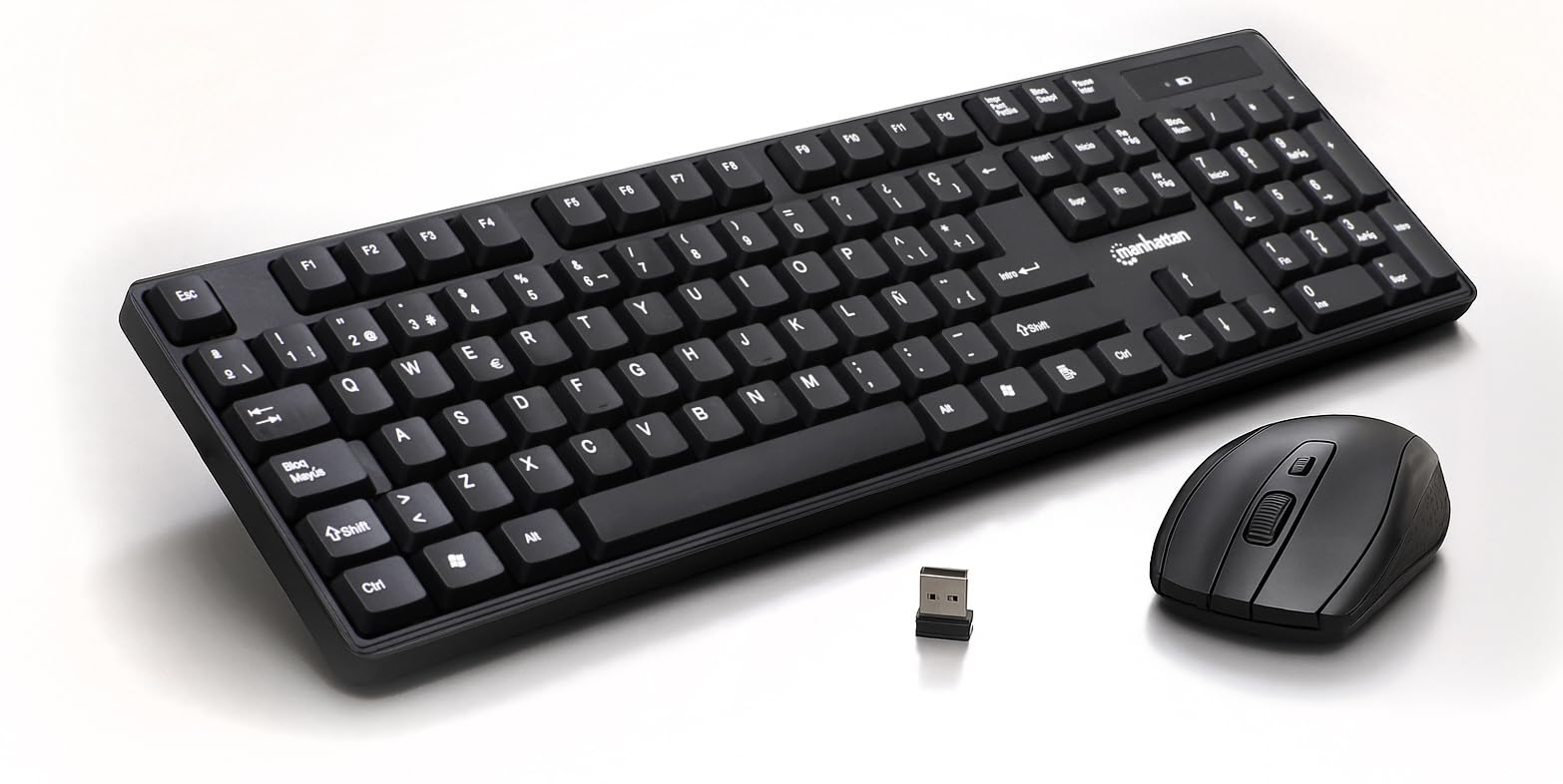
Figure 1: Manhattan Spanish Layout Wireless Keyboard and Mouse Combo
2. પેકેજ સામગ્રી
ખાતરી કરો કે બધી વસ્તુઓ તમારા પેકેજમાં હાજર છે:
- Manhattan Spanish Layout Wireless Keyboard
- Manhattan Wireless Optical Mouse
- USB 2.4 GHz રીસીવર
- 2 AAA Batteries (for keyboard)
- 1 AA Battery (for mouse)
3. સેટઅપ સૂચનાઓ
- બેટરીઓ ઇન્સ્ટોલ કરો:
- For the keyboard: Open the battery compartment on the underside of the keyboard and insert 2 AAA batteries, ensuring correct polarity.
- For the mouse: Open the battery compartment on the underside of the mouse and insert 1 AA battery, ensuring correct polarity.
- યુએસબી રીસીવરને કનેક્ટ કરો: Locate an available USB port on your computer (laptop or desktop). Insert the 2.4 GHz USB receiver into the port.
- ઉપકરણો પર પાવર:
- For the keyboard: Locate the ON/OFF switch, usually on the top right edge or underside, and slide it to the 'ON' position.
- For the mouse: Locate the ON/OFF switch on the underside of the mouse and slide it to the 'ON' position.
- સ્વચાલિત જોડાણ: The keyboard and mouse should automatically connect to your computer. No additional drivers are typically required for most operating systems.

Figure 2: Easy Setup with Batteries and USB Receiver
4. ઓપરેટિંગ સૂચનાઓ
૩.૧ કીબોર્ડ ઓપરેશન
- માનક ટાઇપિંગ: Use the full-size Spanish layout keyboard for all your typing needs.
- સંખ્યાત્મક કીપેડ: The dedicated numeric keypad on the right allows for efficient data entry.
- મલ્ટીમીડિયા કી: Utilize the function keys (F1-F12) for quick access to multimedia controls (e.g., volume, play/pause) and other shortcuts.
- એડજસ્ટેબલ ટિલ્ટ: Flip out the integrated foldable supports on the underside of the keyboard to adjust the typing angle for maximum comfort.

Figure 3: Full-Size 104-Key Spanish Layout Keyboard

Figure 4: Keyboard LED Indicators and Numeric Keypad

Figure 5: Adjustable Tilt Legs for Ergonomic Typing
4.2 માઉસ ઓપરેશન
- માનક ઉપયોગ: The optical mouse features standard left, right, and scroll wheel buttons.
- DPI ગોઠવણ: Use the DPI button (often located near the scroll wheel) to cycle through 800, 1200, and 1600 DPI settings to adjust cursor sensitivity.

Figure 6: Wireless Optical Mouse with Adjustable DPI
5. લક્ષણો
- વાયરલેસ કનેક્ટિવિટી: 2.4 GHz RF wireless technology with a range of up to 25 feet.
- Spanish Layout: Full-size keyboard with a dedicated numeric keypad and Spanish character set.
- એર્ગોનોમિક ડિઝાઇન: Comfortable typing experience with adjustable tilt legs.
- સ્વચાલિત પાવર મેનેજમેન્ટ: Conserves battery life by entering sleep mode when idle.
- ટકાઉ બાંધકામ: Keyboard designed for a lifespan of 10,000,000 keystrokes.
- Adjustable Mouse Sensitivity: Optical mouse with 800/1200/1600 DPI settings.
- વ્યાપક સુસંગતતા: Works with most computer operating systems including Windows XP/Vista/7/8.1/10 and Mac OS.
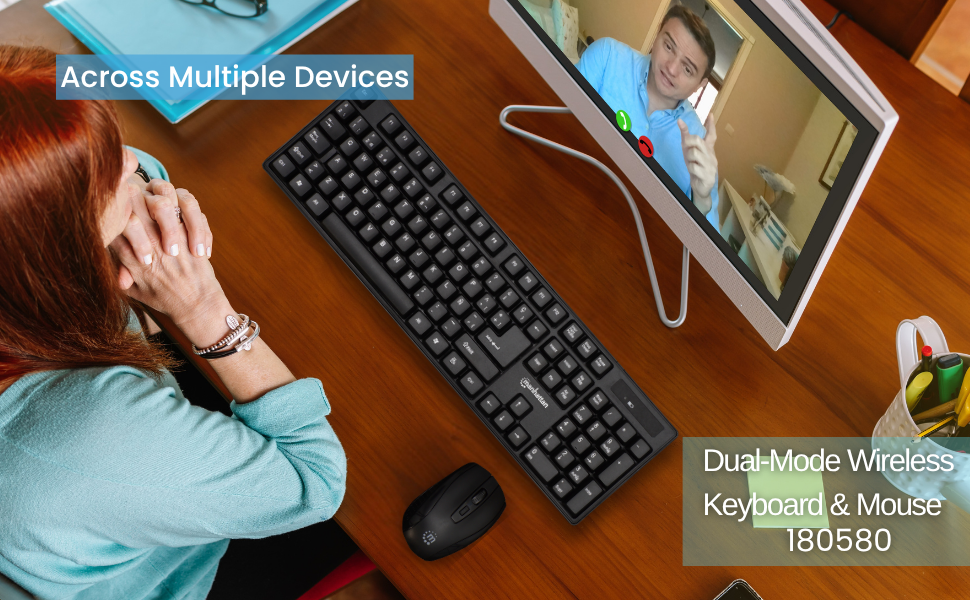
Figure 7: Maximum Compatibility with various Operating Systems
6. જાળવણી
- સફાઈ: Use a soft, dry cloth to clean the surfaces of the keyboard and mouse. For deeper cleaning, a slightly damp cloth can be used, ensuring no liquid enters the device.
- બેટરી રિપ્લેસમેન્ટ: Replace batteries when performance degrades. Refer to Section 3.1 for battery installation.
- સંગ્રહ: When not in use for extended periods, turn off both the keyboard and mouse to conserve battery life. Store in a cool, dry place.
7. મુશ્કેલીનિવારણ
- કોઈ કનેક્શન નથી/અપ્રતિભાવશીલ:
- Ensure the USB receiver is securely plugged into a working USB port on your computer.
- Check that both the keyboard and mouse are switched 'ON'.
- Replace the batteries in both devices with fresh ones.
- રેન્જની સમસ્યાઓને નકારી કાઢવા માટે કીબોર્ડ અને માઉસને USB રીસીવરની નજીક ખસેડો.
- તમારા કમ્પ્યુટર પર USB રીસીવરને બીજા USB પોર્ટમાં પ્લગ કરવાનો પ્રયાસ કરો.
- Lagging/Delayed Response:
- Reduce the distance between the devices and the USB receiver.
- Avoid using the devices near strong electromagnetic interference sources (e.g., other wireless devices, large metal objects).
- માઉસ કર્સર કૂદકા/અસ્થિર ગતિ:
- ખાતરી કરો કે માઉસનો ઉપયોગ સ્વચ્છ, બિન-પ્રતિબિંબિત સપાટી પર થાય છે.
- Adjust the DPI setting of the mouse to a lower sensitivity if needed.
8. સ્પષ્ટીકરણો
- ઉત્પાદન પરિમાણો: 17.32 x 5.12 x 0.87 ઇંચ
- વસ્તુનું વજન: 1.25 પાઉન્ડ
- ઉત્પાદક: મેનહટન
- કનેક્ટિવિટી ટેકનોલોજી: RF (2.4 GHz)
- કીબોર્ડ લેઆઉટ: સ્પેનિશ
- Keyboard Lifespan: 10,000,000 કીસ્ટ્રોક
- માઉસ DPI: Adjustable 800/1200/1600
- બેટરી: 2 AAA (keyboard), 1 AA (mouse)
- રંગ: કાળો
- સામગ્રી: પ્લાસ્ટિક
- સુસંગત ઉપકરણો: લેપટોપ, પીસી
- સુસંગત OS: Windows XP/Vista/7/8.1/10, Mac OS
9. વોરંટી અને સપોર્ટ
This Manhattan product comes with a 3 વર્ષની વોરંટી when purchased from the manufacturer or an authorized dealer. For technical support, troubleshooting assistance, or warranty claims, please contact your authorized dealer or visit the official MANHATTAN webઆધાર સંસાધનો માટે સાઇટ.
10. ઉત્પાદન ઓવરview વિડિયો
આ સત્તાવાર ઉત્પાદન જુઓview video for a visual guide to the features and functionality of the Manhattan Wireless Keyboard and Mouse Combo.
વિડિઓ ૧: પ્રોડક્ટ ઓવરview. આ વિડિઓ એક સામાન્ય ઓવર પૂરી પાડે છેview of a wireless keyboard and mouse combo, demonstrating its features and ease of use.